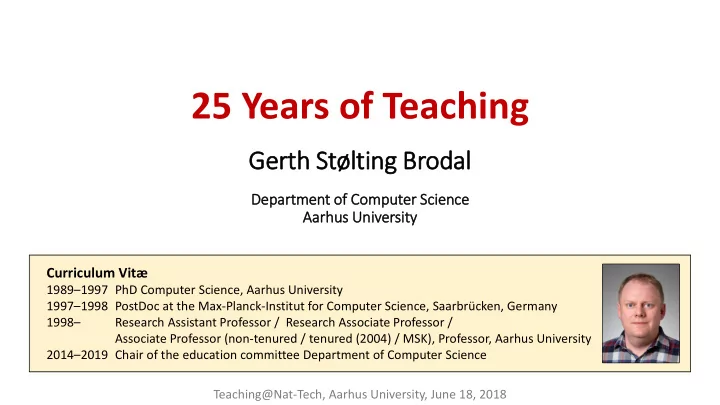
25 Years of Teaching Gerth Stlting Brodal Dep epart rtment of of - - PowerPoint PPT Presentation

25 years of teaching
SMART_READER_LITE
LIVE PREVIEW

25 Years of Teaching Gerth Stlting Brodal Dep epart rtment of of - - PowerPoint PPT Presentation

25 Years of Teaching Gerth Stlting Brodal Dep epart rtment of of Com omputer Scie cience Aarh arhus Univ niversit ity Curriculum Vit 1989 1997 PhD Computer Science, Aarhus University 1997 1998 PostDoc at the


slide-1
SLIDE 1

25 Years of Teaching

Gerth Stølting Brodal

Dep epart rtment of

  • f Com
  • mputer Scie

cience Aarh arhus Univ niversit ity

Curriculum Vitæ

1989–1997 PhD Computer Science, Aarhus University 1997–1998 PostDoc at the Max-Planck-Institut for Computer Science, Saarbrücken, Germany 1998– Research Assistant Professor / Research Associate Professor / Associate Professor (non-tenured / tenured (2004) / MSK), Professor, Aarhus University 2014–2019 Chair of the education committee Department of Computer Science Teaching@Nat-Tech, Aarhus University, June 18, 2018

slide-2
SLIDE 2

= slides available on course webpage (until then primarily blackboard / whiteboard)

92 93 94 95 96 97 98 99 00 01 02 03 04 05 06 07 08 09 10 11 12 13 14 15 16 17 18 19 20

BSc ADS IPSA CS:persp 1 week CS:talent TA PhD Msc IO AADS CG AE WWW Outreach “Gymnasiepraktik” / IT Camp

92 93 94 95 96 97 98 99 00 01 02 03 04 05 06 07 08 09 10 11 12 13 14 15 16 17 18 19 20

BSc ADS IPSA CS:persp 1 week CS:talent TA PhD Msc IO AADS CG AE WWW Outreach “Gymnasiepraktik” / IT Camp VKF

Teaching CV

}

Weekend course

  • n being a TA
  • nline quiz

exam generator

course webpages (all still exist on my homepage) + PhD

Two projectors study café

?

programming project part

  • f grade
slide-3
SLIDE 3

Teaching style

  • Accept that you make mistakes
  • Try to be informal, relaxed, provoking, interacting (also with +150 students)
  • No shoes during lectures... [ citation from course evaluation: “Shoes are overrated” ]
  • Try to start where the students are

– a wrong solution is a good starting point for a discussion

  • Anecdote: +100 students in an auditorium tried to convince me that a (wrong) algorithm worked.

I felt under heavy group pressure... After 10 min discussion I disproved the proposed algorithm.

  • Students have fun ⇒ You have fun

Class room

  • wns you

You control the class room Give the freedom back to the class room

> >

Focus on content Pressure to deliver Encourage student - student interaction Relax when entering class

slide-4
SLIDE 4

Teaching Assistants

  • Should ideally take ownership of course
  • TAs are provided with solutions to exercises

(they are payed for helping students not for solving exercises)

  • TA meetings
  • TA-to-TA discussion
  • going over exercises, discussing pitfalls
  • best practice in TA class
  • TAs cover more years (knowledge transfer)
  • Several TAs do their own TA evaluation in TA class

smartviews solutions

slide-5
SLIDE 5

Using two projectors

Adobe Acrobat (PDF) PowerPoint 2 screens Gerth’s laptop Visualizer HDMI HDMI – MiniDisplay adapter PowerPoint presenter view Logitech USB

slide-6
SLIDE 6

Controlling two projectors with Logitech R700 (when you like to run around in the auditorium)

laser pointer (small red point , hard to track) black screen next slide previous slide start presentation (.) (page down) (ESC / F5) (page up)

reprogrammed to alternate focus between PowerPoint and Adobe Acrobat reprogrammed to send Ctrl-L in Adobe Acrobat and ESC / Shift-F5 in PowerPoint

slide-7
SLIDE 7

works also with Logitech Spotlight

...easier to follow and gets recorded on

hold to alternate between PowerPoint and Adobe Acrobat (when configured to “.”)

slide-8
SLIDE 8

Auto Hot Key script ;; Map '.' to switch toggle between AcroRead and PowerPoint presentation $.:: ; used $ to avoid recursion if WinActive("ahk_class AcrobatSDIWindow") && WinExist("ahk_class screenClass") WinActivate ahk_class screenClass else if WinActive("ahk_class screenClass") && WinExist("ahk_class AcrobatSDIWindow") WinActivate ahk_class AcrobatSDIWindow else Send . ;; Default send '.' if other window not present, ;; or other type of window return ;; In AcroRead allow Logitech presenter to toggle Fullscreen ;; by mapping escape and F5 to Ctrl-L (remote alternates between ;; submitting F5 and escape) $ESC:: if WinActive("ahk_class AcrobatSDIWindow") send ^l else send {ESC} return $F5:: if WinActive("ahk_class AcrobatSDIWindow") send ^l else if WinActive("ahk_class PPTFrameClass") ;; For PowerPoint send Shift-F5 instead of F5 ;; to continue pressentation at current slide ;; (instead of starting from slide 1) send +{F5} else send {F5} return

slide-9
SLIDE 9

Keep it simple

– for the students all pages available at semester start

blackboard.au.dk/webapps/blackboard/execute/ courseMain?course_id=_133812_1

slide-10
SLIDE 10

course plan = single page with all necessary links

  • Not mobile friendly
  • Supports Ctrl-F
  • Avoid fancy Bb features
  • Updated as we go
slide-11
SLIDE 11
slide-12
SLIDE 12

Written Exams

Early years

hard easy ridiculous easy medium Hardness Exercise number

  • Too many challenging exercises
  • Hard to differentiate around

passing grade

hard easy ridiculous easy medium Hardness Exercise number

More recently

  • Sufficiently many easy exercises

to get evidence for passing

  • Challenge top students
slide-13
SLIDE 13

Fall 2019 – Exam generator

  • I have used the same (types of) questions

for many years

  • Made a script to generate a PDF with 126

pages of exam training questions (covering most types of exam questions)

  • Students verify answers in Acrobat Reader

Grade

  • 3

00 02 4 7 10 12 2019 1% 4% 1% 6% 26% 26% 35% 2018 1% 4% 10% 16% 30% 27% 12% 2017 0% 6% 10% 24% 28% 19% 13%

Python  LaTeX + tikz  PDF with embedded JavaScript

https://blackboard.au.dk/webapps/blackboard/content/listContent.jsp?content_id=_2279347_1&course_id=_130942_1

slide-14
SLIDE 14

Spring 2020 experience – going online

Introduction to Programming with Scientific Applications

  • March 11, 20:00 – Denmark closed down
  • March 11, 23:16 – TAs suggest to move to
  • March 12, 00:31 – Discord server running
  • March 12, 9:15 – first TA session on Discord
  • March 13, 10:15 – first study café on Discord
  • Lectures, asynchronous on

(spend lot of time improving slides, technical content) (recorded with ) I spend ≈ 4 hours every week in the Discord study café interacting with students, screen sharing a lot of code... ( discussion board completely silent !)

slide-15
SLIDE 15

Final remark

  • Courses evolve over time
  • Attend teaching activities offered...
  • You will likely be confirmed in a lot you already know and do, but
  • you get a change to reflect on your teaching,
  • a single new minor idea can change a lot in your course,
  • a chance to interact and get inspired by colleagues from other fields

Thanks to STLL