16. Account Monitoring and Control Why its important: Inactive - - PowerPoint PPT Presentation

16 account monitoring and control
SMART_READER_LITE
LIVE PREVIEW

16. Account Monitoring and Control Why its important: Inactive - - PowerPoint PPT Presentation

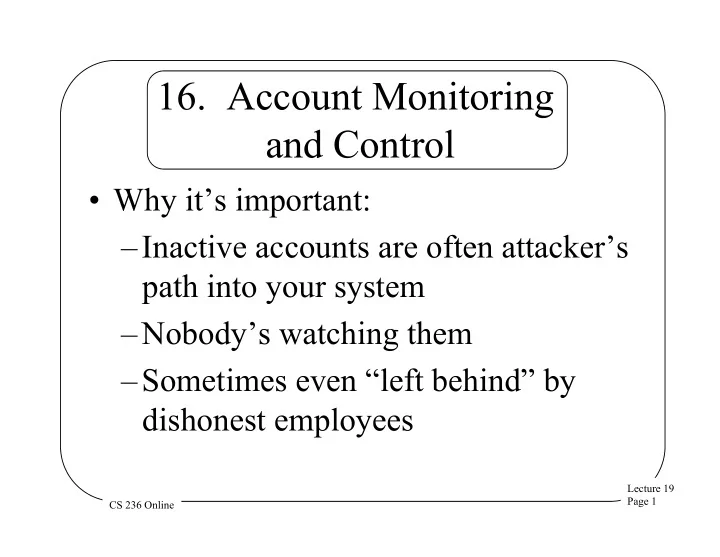
16. Account Monitoring and Control Why its important: Inactive accounts are often attackers path into your system Nobodys watching them Sometimes even left behind by dishonest employees Lecture 19 Page 1 CS 236


slide-1
SLIDE 1

Lecture 19 Page 1 CS 236 Online

  • 16. Account Monitoring

and Control

  • Why it’s important:

– Inactive accounts are often attacker’s path into your system – Nobody’s watching them – Sometimes even “left behind” by dishonest employees

slide-2
SLIDE 2

Lecture 19 Page 2 CS 236 Online

Quick Wins

  • Review your accounts and disable

those with no current owner

  • Set expiration date on all accounts
  • Produce automatic daily report on all
  • ld/unused/expired accounts
  • Create procedure to quickly delete

accounts of departed employees

slide-3
SLIDE 3

Lecture 19 Page 3 CS 236 Online

More Quick Wins

  • Monitor account usage to find dormant

accounts (disable them eventually)

  • Encrypt and move off-line all files

belonging to dormant accounts

  • Lock out accounts after some modest

number of consecutive failed login attempts

slide-4
SLIDE 4

Lecture 19 Page 4 CS 236 Online

  • 17. Data Loss Prevention
  • Why it’s important:

– Many high impact attacks are based

  • n your data being stolen

– You need to know when critical data is leaving your custody – You need to understand how and why that happens

slide-5
SLIDE 5

Lecture 19 Page 5 CS 236 Online

Quick Wins

  • Use full disk encryption

– On all mobile devices – On all devices holding particularly critical data

  • Again, encrypt password files

especially

  • Other measures are more advanced
slide-6
SLIDE 6

Lecture 19 Page 6 CS 236 Online

  • 18. Incident Response Capability
  • Why it’s important:

– Probably you’ll be attacked, sooner

  • r later

– You’ll be happier if you’re prepared to respond to such incidents – Can save you vast amounts of time, money, and other critical resources

slide-7
SLIDE 7

Lecture 19 Page 7 CS 236 Online

Quick Wins

  • Create written response procedures,

identifying critical roles in response

  • Ensure you have assigned important duties

to particular employees

  • Set policies on how quickly problems

should be reported

  • Know which third parties can help you
  • Make sure you employees know what to do

when there’s a problem

slide-8
SLIDE 8

Lecture 19 Page 8 CS 236 Online

  • 19. Secure Network Engineering
  • Why it’s important:

– Attackers often break in at one place in your system – They then try to navigate to where they really want to go – Don’t make that easy

slide-9
SLIDE 9

Lecture 19 Page 9 CS 236 Online

Quick Wins

  • Use a DMZ organization

– Connect private network to DMZ with middleware

  • All machines directly contacting the

Internet go in the DMZ

  • No machines with sensitive data should be

in the DMZ

  • User education important for this problem,

but not quick

slide-10
SLIDE 10

Lecture 19 Page 10 CS 236 Online

  • 20. Penetration Testing and

Red Team Exercises

  • Why it’s important:

– You probably screwed up something

  • Everybody does

– You’ll be happier finding out what if you do it yourself – Or have someone you trust find it

slide-11
SLIDE 11

Lecture 19 Page 11 CS 236 Online

Quick Wins

  • Regularly perform penetration testing

– From both outside and inside your system boundaries

  • Keep careful control of any user

accounts and software used for penetration testing

slide-12
SLIDE 12

Lecture 19 Page 12 CS 236 Online

Applying the Controls

  • Understand all 20 controls well
  • Analyze how well your system already

incorporates them

  • Identify gaps and make a plan to take

action to address them – Quick wins first – Those alone help a lot

slide-13
SLIDE 13

Lecture 19 Page 13 CS 236 Online

Creating an Ongoing Plan

  • Talk to sysadmins about how you can

make further progress

  • Create long term plans for

implementing advanced controls

  • Think for the long haul

– How far along will you be in a year, for example?

slide-14
SLIDE 14

Lecture 19 Page 14 CS 236 Online

20 Controls Is a Lot

  • What if you can’t take the time for

even the quick wins on these 20?

  • You have just a little time, but you

want to improve security

  • What to do?
slide-15
SLIDE 15

Lecture 19 Page 15 CS 236 Online

The Australian Signals Directorate Controls

  • A body of Australia’s military
  • They have a list of 35 useful

cybersecurity controls

  • Well, if 20 is too many, 35 certainly is
  • But they also have prioritized just 4 of

them

slide-16
SLIDE 16

Lecture 19 Page 16 CS 236 Online

The ASD Top 4 Controls

  • 1. Application whitelisting
  • 2. Patch your applications
  • 3. Patch your OS
  • 4. Minimize administrator privileges
  • In ASD’s experience, handling these

four stops 85% of attacks

slide-17
SLIDE 17

Lecture 19 Page 17 CS 236 Online

  • 1. Application Whitelisting
  • Only allow approved applications on

your machines

  • Use a technology to ensure others do

not get installed and run

  • Identify apps you actually need to run

to do your business

  • Outlaw all the others
slide-18
SLIDE 18

Lecture 19 Page 18 CS 236 Online

Enforcing Whitelists

  • If running Windows, you can use Microsoft

AppLocker – Available with post-Windows 7 OSes

  • Prevents apps not on the whitelist from

running

  • More challenging if you’re running Linux

– MacAfee Application Control or configurations of SE Linux are possible

slide-19
SLIDE 19

Lecture 19 Page 19 CS 236 Online

  • 2. Patch Your Applications
  • Apply patches to all applications you use

– Especially those interacting with Internet

  • Prefer up-to-date versions of software

– Older versions may not have patches provided

  • Ideally have a centralized method

controlling patches for entire system – E.g., for Windows, Microsoft System Center Configuration Manager

slide-20
SLIDE 20

Lecture 19 Page 20 CS 236 Online

  • 3. Patch Your Operating System
  • Go with most up-to-date releases of OS

– E.g., desktop malware infections dropped 10x from XP to Windows 7

  • Use system-wide tools that will apply

patches to all machines you control – Microsoft System Center Configuration Manager, again – Similar tools available for Linux

slide-21
SLIDE 21

Lecture 19 Page 21 CS 236 Online

  • 4. Minimize Administrator

Privilege

  • Get rid of methods allowing users to alter

their environments – Especially those allowing software installation

  • Malicious intruders look for these

capabilities

  • Those allowing access to other machines

especially dangerous

slide-22
SLIDE 22

Lecture 19 Page 22 CS 236 Online

Further Controlling Administrator Privileges

  • Use role based access control for

admin privileges – If not available, separate accounts – Not normal administrator user accounts

  • Avoid allowing admin accounts to

have Internet access

slide-23
SLIDE 23

Lecture 19 Page 23 CS 236 Online

Conclusion

  • You can’t perfectly protect your

system

  • But you can do a lot better than most

– And the cost need not be prohibitive

  • At worst, you can make the attacker’s

life hard and limit the damage

  • These steps work in the real world