1 Last Revised August 2015 Luminance Ratios Luminance Ratios - - PDF document

1
SMART_READER_LITE
LIVE PREVIEW

1 Last Revised August 2015 Luminance Ratios Luminance Ratios - - PDF document

Vision Lighting Ergonomics The right lighting for you! Light enters eye & passes through: iris retina cornea aqueous humor pupil Troy Collins, BSc lens Ergonomics Advisor vitreous humor Workplace Health Eye Muscles Age-Related


slide-1
SLIDE 1

Last Revised August 2015

1 Lighting Ergonomics

The right lighting for you!

Workplace Health

Troy Collins, BSc Ergonomics Advisor

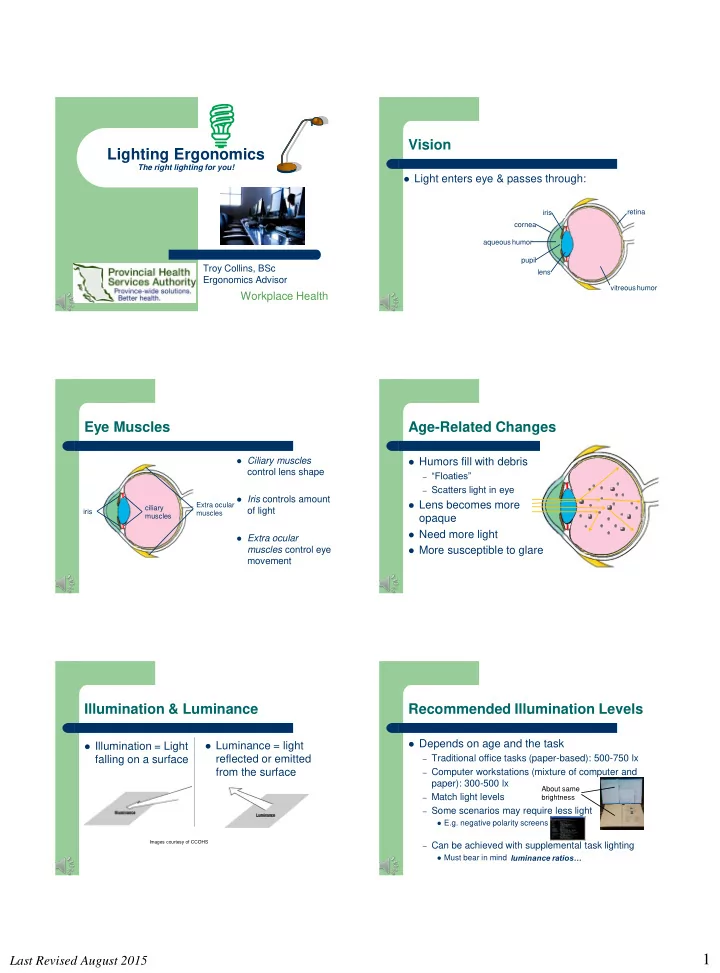
Vision

 Light enters eye & passes through:

iris pupil lens cornea aqueous humor vitreous humor retina Extra ocular muscles

Eye Muscles

 Ciliary muscles

control lens shape

 Iris controls amount

  • f light

 Extra ocular

muscles control eye movement

ciliary muscles iris

Age-Related Changes

 Humors fill with debris

– “Floaties” – Scatters light in eye

 Lens becomes more

  • paque

 Need more light  More susceptible to glare

Illumination & Luminance

 Illumination = Light

falling on a surface

 Luminance = light

reflected or emitted from the surface

Images courtesy of CCOHS

Recommended Illumination Levels

 Depends on age

– Traditional office tasks (paper-based): 500-750 lx – Computer workstations (mixture of computer and

paper): 300-500 lx

– Match light levels – Some scenarios may require less light

 E.g. negative polarity screens

– Can be achieved with supplemental task lighting

 Must bear in mind

and the task

luminance ratios…

About same brightness

slide-2
SLIDE 2

Last Revised August 2015

2

Luminance Ratios

 Ratio of amount of light

coming from main task area to secondary and

  • ther areas, for

example:

– Computer screen : paper

documents

– Computer screen :

window behind

High luminance Low luminance Moderate luminance

Luminance Ratios

 Want balance of light  High luminance ratios cause pupils

to dilate and constrict continuously

– Eye fatigue, discomfort, headaches

 Can also wash out details

– Too much light – Dispersion of light in eyes

Glare

 Discomfort glare-causes discomfort only  Disability glare-causes reduction in visual

performance

 Blinding glare-makes it difficult to see

– E.g. bright headlights

Glare Sources: Direct

 Direct-shining directly into the eye

– Windows – Bright light fixture – Poorly adjusted task

lamp

Image adapted from CCOHS

Glare Sources: Indirect

 Indirect

– Reflected from a

surface

 Desk  Wall  Floor  Computer screen

Image courtesy of CCOHS Power on Power off

Glare Control

 Avoid direct view of light bulbs in design  Adjust task lighting not to shine into eyes or onto

screen

slide-3
SLIDE 3

Last Revised August 2015

3

Glare Control

 Avoid task light being too bright  Create balanced brightness

Glare Control

 Partitions  Window blinds  Windows to side  Matte finishes  Dual monitors: same

screen brightness

– Preferably white screen

with black characters

 Not as good for detail,

though

Glare Control

 Peaked or brimmed

hat

Personal Control

 Adjust the monitor contrast and

brightness to comfortable levels

 Eliminate / control glare

– Minimize upward screen tilt – Screen perpendicular to window

 Practice the 20/20/20 Rule:

– every 20 minutes – stare at an object 20 feet away – for 20 seconds

 Get your eyes checked at least

every 2 years

For More Information

Visit our Ergonomics Page on the POD

http://pod/empwell/ohsc/injprev/pages/Default.aspx