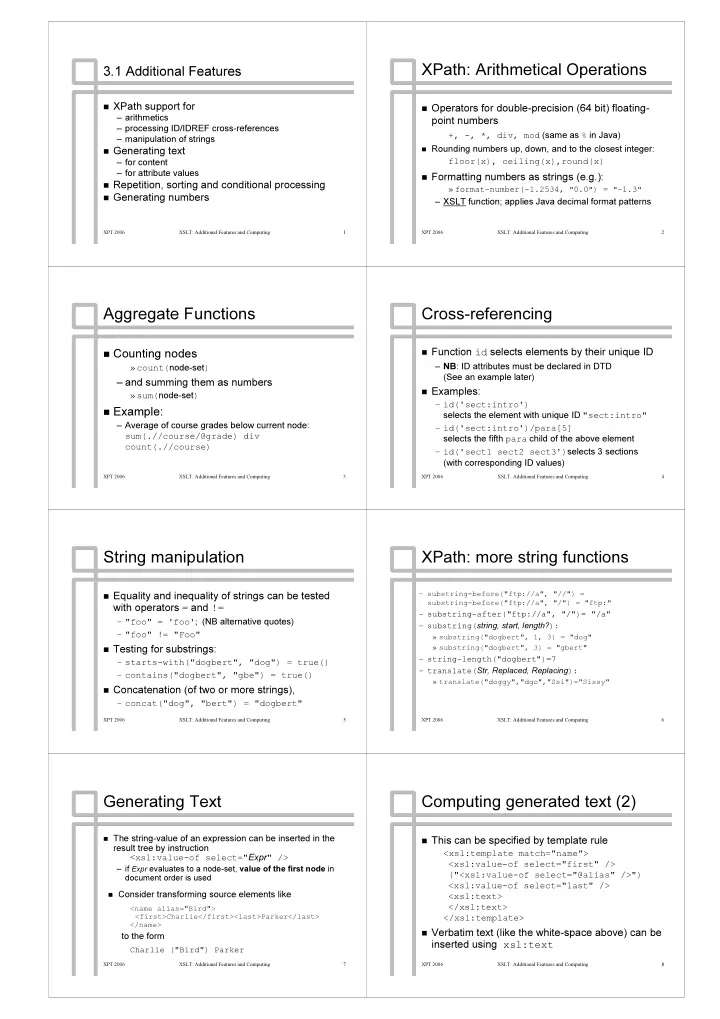
XPath: Arithmetical Operations XPath : Arithmetical Operations 3.1 - - PDF document

xpath arithmetical operations xpath arithmetical
SMART_READER_LITE
LIVE PREVIEW

XPath: Arithmetical Operations XPath : Arithmetical Operations 3.1 - - PDF document

XPath: Arithmetical Operations XPath : Arithmetical Operations 3.1 Additional Features 3.1 Additional Features XPath XPath support for support for Operators for double Operators for double- -precision (64 bit) floating


slide-1
SLIDE 1

XPT 2006 XSLT: Additional Features and Computing 1

3.1 Additional Features 3.1 Additional Features

  • XPath

XPath support for support for

– – arithmetics arithmetics – – processing ID/IDREF cross processing ID/IDREF cross-

  • references

references – – manipulation of strings manipulation of strings

  • Generating text

Generating text

– – for content for content – – for attribute values for attribute values

  • Repetition, sorting and conditional processing

Repetition, sorting and conditional processing

  • Generating numbers

Generating numbers

XPT 2006 XSLT: Additional Features and Computing 2

XPath XPath: Arithmetical Operations : Arithmetical Operations

  • Operators for double

Operators for double-

  • precision (64 bit) floating

precision (64 bit) floating-

  • point numbers

point numbers

+, +, -

  • , *, div, mod

, *, div, mod (same as (same as % % in Java) in Java)

  • Rounding numbers up, down, and to the closest integer:

Rounding numbers up, down, and to the closest integer: floor(x floor(x), ), ceiling(x),round(x ceiling(x),round(x) )

  • Formatting numbers as strings (e.g.):

Formatting numbers as strings (e.g.):

» » format format-

  • number(

number(-

  • 1.2534,

1.2534, "

"0.0

0.0"

") =

) = "

"-

  • 1.3

1.3"

"

– – XSLT XSLT function; applies Java decimal format patterns function; applies Java decimal format patterns

XPT 2006 XSLT: Additional Features and Computing 3

Aggregate Functions Aggregate Functions

  • Counting nodes

Counting nodes

» » count( count(node node-

  • set

set) )

– – and summing them as numbers and summing them as numbers

» » sum( sum(node node-

  • set

set) )

  • Example:

Example:

– – Average of course grades below current node: Average of course grades below current node: sum( sum(.//course/@grade .//course/@grade) ) div div count( count(.//course .//course) )

XPT 2006 XSLT: Additional Features and Computing 4

Cross Cross-

  • referencing

referencing

  • Function

Function id id selects elements by their unique ID selects elements by their unique ID

– – NB NB: ID attributes must be declared in DTD : ID attributes must be declared in DTD (See an example later) (See an example later)

  • Examples:

Examples:

– – id('sect:intro') id('sect:intro') selects the element with unique ID selects the element with unique ID "sect:intro" "sect:intro" – – id('sect:intro')/para[5] id('sect:intro')/para[5] selects the fifth selects the fifth para para child of the above element child of the above element – – id('sect1 sect2 sect3') id('sect1 sect2 sect3')selects 3 sections selects 3 sections (with corresponding ID values) (with corresponding ID values)

XPT 2006 XSLT: Additional Features and Computing 5

String manipulation String manipulation

  • Equality and inequality of strings can be tested

Equality and inequality of strings can be tested with operators with operators = = and and != !=

– – " "foo foo" = ' " = 'foo foo' '; ; (NB alternative quotes) (NB alternative quotes) – – " "foo foo" != " " != "Foo Foo" "

  • Testing for substrings:

Testing for substrings:

– – starts starts-

  • with("

with("dog dogbert bert", " ", "dog dog") = true() ") = true() – – contains("do contains("dogbe gbert rt", " ", "gbe gbe") = true() ") = true()

  • Concatenation (of two or more strings),

Concatenation (of two or more strings),

– – concat("dog concat("dog", " ", "bert bert") = " ") = "dogbert dogbert" "

XPT 2006 XSLT: Additional Features and Computing 6

XPath XPath: more string functions : more string functions

– – substring substring-

  • before("ftp

before("ftp: :// //a", " a", "// //") = ") = substring substring-

  • before("ftp

before("ftp: :/ //a", " /a", "/ /") = "ftp:" ") = "ftp:"

– – substring substring-

  • after("ftp

after("ftp: :/ //a", " /a", "/ /")= "/a" ")= "/a" – – substring( substring(string string, start, length? , start, length?): ):

» » substring("dogbert substring("dogbert", 1, 3) = "dog" ", 1, 3) = "dog" » » substring("dogbert substring("dogbert", 3) = " ", 3) = "gbert gbert" "

– – string string-

  • length("dogbert

length("dogbert")=7 ")=7 – – translate( translate(Str Str, Replaced, Replacing , Replaced, Replacing): ):

» » translate(" translate("dogg doggy"," y","dgo dgo","Ssi ","Ssi")="Sissy" ")="Sissy"

XPT 2006 XSLT: Additional Features and Computing 7

Generating Text Generating Text

  • The string

The string-

  • value of an expression can be inserted in the

value of an expression can be inserted in the result tree by instruction result tree by instruction < <xsl:value xsl:value-

  • of
  • f select="

select="Expr Expr" /> " />

– – if if Expr

Expr evaluates to a node

evaluates to a node-

  • set,

set, value of the first node value of the first node in in document order is used document order is used

  • Consider transforming source elements like

Consider transforming source elements like

<name alias="Bird"> <name alias="Bird"> <first>Charlie</first><last>Parker</last> <first>Charlie</first><last>Parker</last> </name> </name>

to the form to the form

Charlie ("Bird") Parker Charlie ("Bird") Parker

XPT 2006 XSLT: Additional Features and Computing 8

Computing generated text (2) Computing generated text (2)

  • This can be specified by template rule

This can be specified by template rule

< <xsl:template xsl:template match="name"> match="name"> < <xsl:value xsl:value-

  • of select="first" />
  • f select="first" />

("< ("<xsl:value xsl:value-

  • of select="@alias" />")
  • f select="@alias" />")

< <xsl:value xsl:value-

  • of select="last" />
  • f select="last" />

< <xsl:text xsl:text> > </ </xsl:text xsl:text> > </ </xsl:template xsl:template> >

  • Verbatim text (like the white

Verbatim text (like the white-

  • space above) can be

space above) can be inserted using inserted using xsl:text xsl:text

slide-2
SLIDE 2

XPT 2006 XSLT: Additional Features and Computing 9

Attribute value templates Attribute value templates

  • The string

The string-

  • value of an expression can be inserted

value of an expression can be inserted in an attribute value by surrounding the in an attribute value by surrounding the expression by braces expression by braces { { and and } }

  • Consider transforming source element

Consider transforming source element

<photo> <photo> <file> <file>Mary.jpg Mary.jpg</file> </file> <size width="300"/> <size width="300"/> </photo> </photo>

into form into form

< <img img src src="/images/ ="/images/Mary.jpg Mary.jpg" " width="300" /> width="300" />

XPT 2006 XSLT: Additional Features and Computing 10

Attribute value templates (2) Attribute value templates (2)

  • This can be specified by template rule

This can be specified by template rule

< <xsl:template xsl:template match="photo"> match="photo"> < <img img src src="/images/ ="/images/{file} {file}" " width=" width="{size/@width} {size/@width}" /> " /> </ </xsl:template xsl:template> >

  • Expressions

Expressions {file} {file} and and {size/@width} {size/@width} are are evaluated in the context of the current node (the evaluated in the context of the current node (the photo photo element) element)

XPT 2006 XSLT: Additional Features and Computing 11

XSLT: Repetition XSLT: Repetition

  • Nodes can be "pulled" from source for

Nodes can be "pulled" from source for processing using processing using

< <xsl: xsl:for for-

  • each

each select=" select="Expr Expr"> "> Template Template </ </xsl: xsl:for for-

  • each

each> >

– – Template Template is applied to each of the selected is applied to each of the selected nodes (0, 1 or more), each node in turn as the nodes (0, 1 or more), each node in turn as the current() current() node node

» » in document order, unless sorted using in document order, unless sorted using xsl:sort xsl:sort instructions (see later) instructions (see later)

XPT 2006 XSLT: Additional Features and Computing 12

Example (of Example (of xsl: xsl:for for-

  • each

each) )

  • Consider formatting the below document as HTML:

Consider formatting the below document as HTML:

<!DOCTYPE document [ <!ATTLIST section id ID #IMPLIED> ]> <!DOCTYPE document [ <!ATTLIST section id ID #IMPLIED> ]> <document> <title>The Joy of XML</title> <document> <title>The Joy of XML</title> <section id="Intro"><title>Getting Started</title> <section id="Intro"><title>Getting Started</title> <name><first>Helen</first> <last>Brown</last></name> <name><first>Helen</first> <last>Brown</last></name> says that processing XML documents is fun. says that processing XML documents is fun. <name><first>Dave</first> <last> <name><first>Dave</first> <last>Dobrik Dobrik</last></name> agrees. </last></name> agrees. </section> </section> <section><title>Family affairs</title> <section><title>Family affairs</title> <name><first>Bob</first> <last>Brown</last></name> is the <name><first>Bob</first> <last>Brown</last></name> is the husband of <name><first>Helen</first> husband of <name><first>Helen</first> <last>Brown</last></name>. </section> <last>Brown</last></name>. </section> <section><title>Finishing Up</title> <section><title>Finishing Up</title> As we discussed in <title As we discussed in <title-

  • ref

ref idref idref="Intro" />, processing XML ="Intro" />, processing XML documents is fun. </section></document> documents is fun. </section></document>

XPT 2006 XSLT: Additional Features and Computing 13

Example: Table of contents Example: Table of contents

  • A table of contents can be formed of section titles:

A table of contents can be formed of section titles:

< <xsl:template xsl:template match="/"> match="/"> <HTML><HEAD> <TITLE>< <HTML><HEAD> <TITLE><xsl:value xsl:value-

  • of
  • f

select="document/title"/></TITLE></HEAD> select="document/title"/></TITLE></HEAD> <BODY> <BODY> <H2>Table of Contents</H2> <H2>Table of Contents</H2> <OL> <! <OL> <!--

  • - Pull each section title:

Pull each section title: --

  • ->

> < <xsl:for xsl:for-

  • each select="//section/title">

each select="//section/title"> <LI>< <LI><xsl:apply xsl:apply-

  • templates /></LI>

templates /></LI> </ </xsl:for xsl:for-

  • each>

each> </OL> <! </OL> <!--

  • - then process the sections:

then process the sections: --

  • ->

> < <xsl:apply xsl:apply-

  • templates select="document/section"/>

templates select="document/section"/> </BODY> </HTML> </BODY> </HTML> </ </xsl:template xsl:template> >

XPT 2006 XSLT: Additional Features and Computing 14

Example (cont; Cross references) Example (cont; Cross references)

  • Cross references (to sections) can also be processed

Cross references (to sections) can also be processed using using xsl:for xsl:for-

  • each:

each:

< <xsl:template xsl:template match="title match="title-

  • ref">

ref"> < <xsl:for xsl:for-

  • each select="

each select="id(@idref id(@idref)"> )"> Section (< Section (<xsl:value xsl:value-

  • of
  • f

select=" select="substring(title substring(title, 1, 8)" />...) , 1, 8)" />...) </ </xsl:for xsl:for-

  • each>

each> </ </xsl:template xsl:template> >

  • With this rule the source fragment

With this rule the source fragment

As we discussed in <title As we discussed in <title-

  • ref

ref idref idref="Intro"/> ="Intro"/>

becomes becomes

As we discussed in Section (Getting As we discussed in Section (Getting … …) )

XPT 2006 XSLT: Additional Features and Computing 15

XSLT Sorting XSLT Sorting

  • A sorted order for the processing of nodes with

A sorted order for the processing of nodes with xsl:for xsl:for-

  • each

each and and xls:apply xls:apply-

  • templates

templates can be specified by can be specified by < <xsl:sort xsl:sort/> />

  • controlled by attributes of

controlled by attributes of xsl:sort xsl:sort like like

– – select select: expression for the sort key (default: " : expression for the sort key (default: ". .") ") – – data data-

  • type

type: : "text" "text" (default) or (default) or "number" "number" – – order

  • rder:

: "ascending" "ascending" (default) (default)

  • r
  • r "descending"

"descending"

  • The first

The first xsl:sort

xsl:sort specifies the primary sort key,

specifies the primary sort key, the second one the secondary sort key, and so on. the second one the secondary sort key, and so on.

XPT 2006 XSLT: Additional Features and Computing 16

Example (cont; Sorted index of names) Example (cont; Sorted index of names)

  • All names can be collected in a last

All names can be collected in a last-

  • name

name-

  • first

first-

  • name order

name order using the below template using the below template

<H2>Index</H2> <UL> <H2>Index</H2> <UL> < <xsl:for xsl:for-

  • each select="//name">

each select="//name"> < <xsl:sort xsl:sort select="last" /> select="last" /> < <xsl:sort xsl:sort select="first" /> select="first" /> <LI>< <LI><xsl:value xsl:value-

  • of select="last"
  • f select="last"

/>, < />, <xsl:value xsl:value-

  • of select="first"/></LI>
  • f select="first"/></LI>

</ </xsl:for xsl:for-

  • each>

each> </UL> </UL>

  • This creates an UL list with items

This creates an UL list with items

<LI>Brown, Bob</LI> <LI>Brown, Bob</LI> <LI>Brown, Helen</LI> <LI>Brown, Helen</LI> <LI>Brown, Helen</LI> <LI>Brown, Helen</LI> <LI> <LI>Dobrik Dobrik, Dave</LI> , Dave</LI>

Possible Possible to to eliminate eliminate duplicates duplicates? ? Yes Yes, , but but a a bit bit tricky tricky. . See See next next

slide-3
SLIDE 3

XPT 2006 XSLT: Additional Features and Computing 17

Conditional processing Conditional processing

  • A template can be instantiated or ignored based

A template can be instantiated or ignored based

  • n the value of a
  • n the value of a test

test Boolean expression, using Boolean expression, using

< <xsl:if xsl:if test=" test="Expression Expression"> "> Template Template </ </xsl:if xsl:if> >

  • Example: a comma

Example: a comma-

  • separated list of names:

separated list of names:

< <xsl:template xsl:template match=" match="namelist namelist/name"> /name"> < <xsl:apply xsl:apply-

  • templates/>

templates/> < <xsl:if xsl:if test="position() & test="position() &lt lt; last()" ; last()" > >, , </ </xsl:if xsl:if> > </ </xsl:template xsl:template> >

XPT 2006 XSLT: Additional Features and Computing 18

An aside: Meaning of An aside: Meaning of position() position()

  • Evaluation

Evaluation wrt wrt the current node list. Above rule applied to the current node list. Above rule applied to a source with a source with

< <namelist namelist><name>a</name><name>b</name></ ><name>a</name><name>b</name></namelist namelist> > < <namelist namelist><name>c</name><name>d</name></ ><name>c</name><name>d</name></namelist namelist> >

by invocation by invocation

< <xsl:apply xsl:apply-

  • templates select="//name" />

templates select="//name" />

yields yields " "a,b,c,d a,b,c,d" " (a single node list); (a single node list); With invocation With invocation

< <xsl:template xsl:template match=" match="namelist namelist"> "> < <xsl:apply xsl:apply-

  • templates select="name" />

templates select="name" />

it yields it yields " "a,b a,b" " and " and "c,d c,d" " (Clever, and tricky!) (Clever, and tricky!)

XPT 2006 XSLT: Additional Features and Computing 19

Conditional processing (2) Conditional processing (2)

  • Also a case

Also a case-

  • like construct (

like construct (∼ ∼ switch switch in Java): in Java):

< <xsl:choose xsl:choose> >

<! <!--

  • - The first '

The first 'when when' whose ' whose test=true() test=true() is is instantiated: instantiated: --

  • ->

> < <xsl:when xsl:when test=" test="Expr Expr1

1">

"> … … </ </xsl:when xsl:when> > < <xsl:when xsl:when test=" test="Expr Expr2

2">

"> … … </ </xsl:when xsl:when> > … … <! <!--

  • - If no '

If no 'when when' applies, an optional ' applies, an optional ' 'otherwise

  • therwise' is instantiated:

' is instantiated: --

  • ->

> < <xsl:otherwise xsl:otherwise> > … … </ </xsl:otherwise xsl:otherwise> >

</ </xsl:choose xsl:choose> >

XPT 2006 XSLT: Additional Features and Computing 20

Example (cont; Eliminating duplicate names) Example (cont; Eliminating duplicate names)

  • No access to other nodes (except

No access to other nodes (except current() current()) in the ) in the current node list current node list – – But can refer to other nodes in the source tree But can refer to other nodes in the source tree – – Process just the first one of duplicate Process just the first one of duplicate name names: s:

< <xsl:for xsl:for-

  • each select="//name">

each select="//name"> < <xsl:sort xsl:sort select="last"/> select="last"/> < <xsl:sort xsl:sort select="first" /> select="first" /> < <xsl:if xsl:if test="not( test="not( preceding::name[first=current()/first preceding::name[first=current()/first and last=current()/last] )"> and last=current()/last] )"> <LI>< <LI><xsl:value xsl:value-

  • of select="last"
  • f select="last"

/>, < />, <xsl:value xsl:value-

  • of select="first"/></LI>
  • f select="first"/></LI>

</ </xsl:if xsl:if> > </ </xsl:for xsl:for-

  • each>

each>

XPT 2006 XSLT: Additional Features and Computing 21

Generating Numbers Generating Numbers

  • Formatted numbers can be inserted in the result

Formatted numbers can be inserted in the result tree by element tree by element < <xsl:number xsl:number /> />

– – by the position of the current node in the source tree by the position of the current node in the source tree – – nodes to be counted specified by a nodes to be counted specified by a count count pattern pattern – – common numbering schemes supported: single common numbering schemes supported: single-

  • level,

level, hierarchical, and sequential ignoring levels hierarchical, and sequential ignoring levels

  • Typical cases in following examples

Typical cases in following examples

» » (Complete specification rather complex) (Complete specification rather complex)

  • Example 1: Numbering list items

Example 1: Numbering list items

XPT 2006 XSLT: Additional Features and Computing 22

Generating numbers: Example 1 Generating numbers: Example 1

  • <

<xsl:template xsl:template match=" match="ol

  • l/item">

/item"> <! <!--

  • - default: count similar

default: count similar siblings siblings (items) (items) --

  • ->

> < <xsl:number xsl:number format="1. "/> format="1. "/> < <xsl:apply xsl:apply-

  • templates/>

templates/> < <xsl:template xsl:template> > item item item item item item

  • l
  • l

apricot apricot banana banana coconut coconut

1. 1. 2. 2. 3. 3. apricot apricot banana banana coconut coconut

XPT 2006 XSLT: Additional Features and Computing 23

Generating numbers: Example 2 Generating numbers: Example 2

  • Hierarchical numbering (1, 1.1, 1.1.1, 1.1.2,

Hierarchical numbering (1, 1.1, 1.1.1, 1.1.2, … …) ) for titles of chapters, titles of their sections, and for titles of chapters, titles of their sections, and titles of subsections: titles of subsections:

< <xsl:template xsl:template match="title"> match="title"> < <xsl:number xsl:number level="multiple" level="multiple" count=" count="chap|sect|subsect chap|sect|subsect" " format="1.1 "/> format="1.1 "/> < <xsl:apply xsl:apply-

  • templates/>

templates/> </ </xsl:template xsl:template> >

XPT 2006 XSLT: Additional Features and Computing 24

Generating numbers: Example 2 Generating numbers: Example 2

1 1 1.1 1.1 1.1.1 1.1.1 2 2

chap chap Sweets Sweets title title title title Berries Berries sect sect subsect subsect Cherry Cherry title title chap chap title title Vegetables Vegetables . . . . . . . . . . . .

Sweets Sweets Berries Berries Cherry Cherry Vegetables Vegetables

slide-4
SLIDE 4

XPT 2006 XSLT: Additional Features and Computing 25

Example 2: Variation Example 2: Variation

  • As above, but number titles within appendices

As above, but number titles within appendices with A, A.1, A.1.1, B.1 etc: with A, A.1, A.1.1, B.1 etc:

< <xsl:template xsl:template match="appendix//title"> match="appendix//title"> < <xsl:number xsl:number level="multiple" level="multiple" count=" count="appendix|sect|subsect appendix|sect|subsect" " format="A.1 "/> format="A.1 "/> < <xsl:apply xsl:apply-

  • templates/>

templates/> </ </xsl:template xsl:template> >

XPT 2006 XSLT: Additional Features and Computing 26

Example 2: Variation Example 2: Variation

A A A.1 A.1 A.1.1 A.1.1 B B

appendix appendix Sweets Sweets title title title title Berries Berries sect sect subsect subsect Cherry Cherry title title title title Vegetables Vegetables . . . . . . . . . . . .

Sweets Sweets Berries Berries Cherry Cherry Vegetables Vegetables

appendix appendix

XPT 2006 XSLT: Additional Features and Computing 27

Generating numbers: Example 3 Generating numbers: Example 3

  • Sequential numbering of

Sequential numbering of note notes s within within chap chapters ters: :

(more precisely: starting anew at the start of any chapter) (more precisely: starting anew at the start of any chapter) < <xsl:template xsl:template match="note"> match="note"> < <xsl:number xsl:number level="any" level="any" from="chap" from="chap" format="(1) "/> format="(1) "/> < <xsl:apply xsl:apply-

  • templates/>

templates/> </ </xsl:template xsl:template> >

XPT 2006 XSLT: Additional Features and Computing 28

Ex 3: Sequential numbering Ex 3: Sequential numbering from from chaps chaps

chap chap Yes Yes! ! note note note note No! No! sect sect Perhaps Perhaps? ? note note note note OK OK . . . . . . . . . . . .

(1) (1) (2) (2) (3) (3) (1) (1) Yes Yes! ! No! No! Perhaps Perhaps? ? OK OK

chap chap

XPT 2006 XSLT: Additional Features and Computing 29

3.2 Computing with XSLT 3.2 Computing with XSLT

  • XSLT is a declarative rule

XSLT is a declarative rule-

  • based language

based language

– – for a special purpose: XML transformations for a special purpose: XML transformations – – Could we use XSLT for procedural computing? Could we use XSLT for procedural computing? – – What is the exact computational power of XSLT? What is the exact computational power of XSLT?

  • We've seen some programming

We've seen some programming-

  • like features:

like features:

– – iteration over source nodes ( iteration over source nodes (xsl:for xsl:for-

  • each

each) ) – – conditional evaluation ( conditional evaluation (xsl:if xsl:if and and xsl:choose xsl:choose) )

XPT 2006 XSLT: Additional Features and Computing 30

Computing with XSLT Computing with XSLT

  • Further programming

Further programming-

  • like features:

like features: – – variables variables (names bound to (names bound to non non-

  • updatable

updatable values): values):

< <xsl:for xsl:for-

  • each select="//name">

each select="//name"> < <xsl:variable xsl:variable name=" name="LAndF LAndF" " select=" select="concat(last concat(last, ', ', first) , ', ', first)" " /> /> ... ... ... ... </ </xsl:for xsl:for-

  • each>

each>

– – callable callable named templates named templates with with parameters parameters: :

< <xsl:call xsl:call-

  • template

template name="process name="process-

  • name"

name"> > < <xsl:with xsl:with-

  • param

param name=" name="pname pname" " select=" select="$ $LAndF LAndF" " /> /> </ </xsl:call xsl:call-

  • template>

template>

XPT 2006 XSLT: Additional Features and Computing 31

Visibility of Variable Bindings Visibility of Variable Bindings

  • The binding is

The binding is visible visible in following siblings of in following siblings of xsl:variable xsl:variable, , and in their descendants: and in their descendants:

< <xsl:for xsl:for-

  • each select="//name">

each select="//name"> < <xsl:variable xsl:variable name=" name="LAndF LAndF" " select=" select="concat(last concat(last, ', ', first)" , ', ', first)" /> /> ... ... < <xsl:call xsl:call-

  • template name="process

template name="process-

  • name">

name"> < <xsl:with xsl:with-

  • param

param name=" name="pname pname" select="$ " select="$LAndF LAndF" /> " /> </ </xsl:call xsl:call-

  • template>

template> ... ... </ </xsl:for xsl:for-

  • each>

each> <TABLE> . . . </TABLE> <TABLE> . . . </TABLE>

XPT 2006 XSLT: Additional Features and Computing 32

A Real A Real-

  • Life Example

Life Example

  • We used

We used LaTeX LaTeX to format an XML article. For this, we to format an XML article. For this, we needed to map source table structures needed to map source table structures < <tgroup tgroup cols="3"> cols="3"> ... ... </ </tgroup tgroup> > to corresponding to corresponding LaTeX LaTeX environments: environments:

\ \begin{tabular}{lll begin{tabular}{lll} %3 left } %3 left-

  • justified cols

justified cols ... ... \ \end{tabular} end{tabular}

  • How to do this?

How to do this?

slide-5
SLIDE 5

XPT 2006 XSLT: Additional Features and Computing 33

Possible solution (for up to 4 columns) Possible solution (for up to 4 columns)

< <xsl:template xsl:template match=" match="tgroup tgroup"> "> \ \begin{tabular}{l begin{tabular}{l } } < <xsl:apply xsl:apply-

  • templates />

templates /> \ \end{tabular} end{tabular} </ </xsl:template xsl:template> >

  • OK, but inelegant

OK, but inelegant

  • How to accept any number of columns?

How to accept any number of columns?

< <xsl:if xsl:if test="@cols > 1">l</ test="@cols > 1">l</xsl:if xsl:if >< ><xsl:if xsl:if test="@cols > 2">l</ test="@cols > 2">l</xsl:if xsl:if >< ><xsl:if xsl:if test="@cols > 3">l</ test="@cols > 3">l</xsl:if xsl:if> >

XPT 2006 XSLT: Additional Features and Computing 34

More General Solution (1/2) More General Solution (1/2)

  • Pass the column

Pass the column-

  • count to a named template which

count to a named template which generates the requested number of generates the requested number of ‘ ‘l l’ ’s: s:

< <xsl:template xsl:template match=" match="tgroup tgroup"> "> \ \begin{tabular}{ begin{tabular}{ } } < <xsl:apply xsl:apply-

  • templates />

templates /> \ \end{tabular} end{tabular} </ </xsl:template xsl:template> > < <xsl:call xsl:call-

  • template name="

template name="gen gen-

  • cols

cols"> "> < <xsl:with xsl:with-

  • param

param name="count" select=" name="count" select="@cols @cols" /> " /> < <xsl:with xsl:with-

  • param

param name=" name="symb symb" select="'l'" /> " select="'l'" /> </ </xsl:call xsl:call-

  • template>

template>

XPT 2006 XSLT: Additional Features and Computing 35

Solution 2/2: Recursive Solution 2/2: Recursive gen gen-

  • cols

cols

< <xsl:template xsl:template name=" name="gen gen-

  • cols

cols"> "> < <xsl:param xsl:param name="count" /> name="count" /> < <xsl:param xsl:param name=" name="symb symb" /> " /> < <xsl:if xsl:if test="$count > 0"> test="$count > 0"> < <xsl:value xsl:value-

  • of select="$
  • f select="$symb

symb" /> " /> < <xsl:call xsl:call-

  • template name="

template name="gen gen-

  • cols

cols"> "> < <xsl:with xsl:with-

  • param

param name="count" name="count" select="$count select="$count -

  • 1" />

1" /> < <xsl:with xsl:with-

  • param

param name="symbol" name="symbol" select="$symbol" /> select="$symbol" /> </ </xsl:call xsl:call-

  • template>

template> </ </xsl:if xsl:if> > </ </xsl:template xsl:template> >

formal formal parameters parameters

XPT 2006 XSLT: Additional Features and Computing 36

Stylesheet Stylesheet Parameters Parameters

  • Stylesheets

Stylesheets can can get get parameters parameters from from command command line line, , or

  • r

through through JAXP JAXP Transformer.setParameter Transformer.setParameter(): ():

< <xsl:transform xsl:transform ... > ... > < <xsl:output xsl:output method="text" /> method="text" /> < <xsl:param xsl:param name="In" select="0"/> name="In" select="0"/> <! <!--

  • - default

default --

  • ->

> < <xsl:template xsl:template match="/"> match="/"> < <xsl:value xsl:value-

  • of select="2*
  • f select="2*$In

$In"/> </ "/> </xsl:template xsl:template> > </ </xsl:transform xsl:transform> > $ java $ java -

  • jar

jar saxon.jar saxon.jar dummy.xml dummy.xml double.xslt double.xslt In=120 In=120 240 240

XPT 2006 XSLT: Additional Features and Computing 37

Computational power of XSLT Computational power of XSLT

  • XSLT seems quite powerful, but how powerful is it?

XSLT seems quite powerful, but how powerful is it?

– – Implementations provide extension mechanisms, e.g., to Implementations provide extension mechanisms, e.g., to call arbitrary Java methods call arbitrary Java methods – – Are there limits to XSLT processing that we can do Are there limits to XSLT processing that we can do without without extensions? extensions?

  • Any

Any algorithm can be shown computable with algorithm can be shown computable with plain XSLT plain XSLT

– – by simulating Turing machines by a recursive named by simulating Turing machines by a recursive named template with string parameters template with string parameters

XPT 2006 XSLT: Additional Features and Computing 38

What does this mean? What does this mean?

  • XSLT has

XSLT has full algorithmic power full algorithmic power

– – (It is "Turing (It is "Turing-

  • complete")

complete") – – Is this intentional? Is this intentional?

» » Inconvenient as a general Inconvenient as a general-

  • purpose programming language!

purpose programming language!

– – Impossible to recognise non Impossible to recognise non-

  • terminating

terminating transformations automatically transformations automatically ( (< <− − the "halting problem" has no algorithmic solution) the "halting problem" has no algorithmic solution)

» » could attempt "denial could attempt "denial-

  • of
  • f-
  • service" attacks with non

service" attacks with non-

  • terminating

terminating style sheets style sheets