xml html css structure and form xml for communicating - - PowerPoint PPT Presentation

xml html css structure and form
SMART_READER_LITE
LIVE PREVIEW

xml html css structure and form xml for communicating - - PowerPoint PPT Presentation

xml html css structure and form xml for communicating structured data general language for labelled trees html an xml format for text markup css a stylesheet language for presenting html Saturday, 3 December


slide-1
SLIDE 1

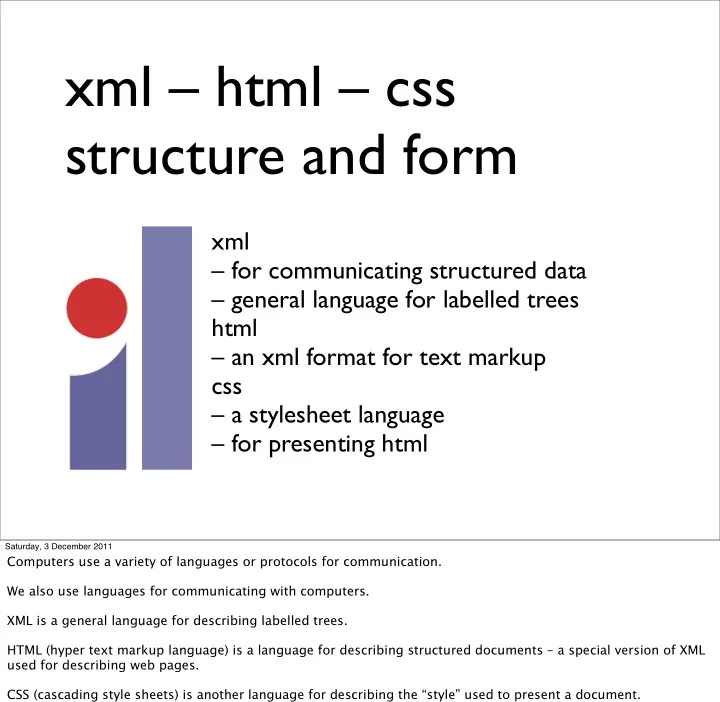
xml – html – css structure and form

xml – for communicating structured data – general language for labelled trees html – an xml format for text markup css – a stylesheet language – for presenting html

Saturday, 3 December 2011

Computers use a variety of languages or protocols for communication. We also use languages for communicating with computers. XML is a general language for describing labelled trees. HTML (hyper text markup language) is a language for describing structured documents – a special version of XML used for describing web pages. CSS (cascading style sheets) is another language for describing the “style” used to present a document.

slide-2
SLIDE 2

<?xml version="1.0" encoding="utf-8"?> <collection> <recipe> <title>Spaghetti with meatballs</title> <description> A classic vegetarian dish. </description> <ingredient>spaghetti <grams>600</grams><ounces>21</ounces> </ingredient> <ingredient>minced beef <grams>250</grams><ounces>8.75</ounces> </ingredient> <ingredient>egg<number>1</number></ingredient> ... <method> <step> In a large bowl, mix the minced beef, egg and parsley together. Season to taste. </step> <step> Now take a teaspoon of mixture and, in your hand, roll it into a ball. Dust the ball in flour and put to one side. Repeat with the rest of the mixture. </step> ... </method> <time> <prep>less than 30 mins</prep> <cook>10 to 30 mins</cook> </time> <servings>4</servings> <image> <file>1.jpg</file><title>Beef Mince</title> </image> <by>Gino D’Acampo</by> <from>Saturday Kitchen</from> </recipe> ... </collection>

http://www.bbc.co.uk/food/recipes/database/spaghettiwithmeatbal_72227.shtml

Saturday, 3 December 2011

We represent the information in the recipe using XML The first line is just “housekeeping” – it says that we are using a particular version of xml and also specifies how the characters in this file are encoded as bits and bytes (we will talk more about utf-8 later). Here, we don’t use html tags - we just make up tags that make sense to us to describe the structure of the recipe. XML is flexible markup language. You can use any set of tags that you want. You just need to match “opening” and “closing” tags.

slide-3
SLIDE 3

<recipe>

<collection>

<recipe>

<title> <description>

<ingredient>

<method>

<step>

<step>

<step>

<step>

<ingredient>

<ingredient>

<ingredient>

<ingredient>

<ingredient>

<time> <image>

<by> <from>

<servings>

<grams> <ounces> <number>

<recipe> <recipe> <recipe> <recipe> <recipe>

<prep> <cook> <file> <title>

/

Saturday, 3 December 2011

XML organises information in labelled trees. We draw them upside-down. We will markup text with these structures using xml and html, control the appearance of web pages using css Normally web pages are written in html, which uses a standard set of tags that browsers understand. However, we can also write stylesheets for xml that tell the browser how to present tags that we have invented to describe the structure we are interested in.

slide-4
SLIDE 4

Saturday, 3 December 2011

When we talk about trees, we often use the language of family trees – parent, children, sibling, descendant, ancestor.

slide-5
SLIDE 5

nested hierarchy

<world> <europe>

<fr> ... </fr> <de> ... </de>

<uk>

<eng> ... </eng> <ni> ... </ni>

<scot> ... </scot>

<wales> ... </wales>

</uk> </europe> ... </world>

Saturday, 3 December 2011

xml can be used to represent any nested hierarchy. The various social and political divisions form a nested hierarchy.

slide-6
SLIDE 6

html5

<!DOCTYPE html> <html lang="en"> <head> <title>Swapping Songs</title> </head> <body> <h1>Swapping Songs</h1> <p>Tonight I swapped some of the songs I wrote with some friends, who gave me some of the songs they wrote. I love sharing my music.</p> </body> </html> html head title body h1 p

Saturday, 3 December 2011

Here is an html example (shown rendered as a “web page” below). We can represent the structured hierarchy of the web page by a “map”. Note that the circles do not overlap – that’s what we mean by a nested hierarchy. The same structure is represented by the html tags being properly nested. It is easier to see whether your xml is properly nested is you use indentation to keep track of the depth of each tag in the tree.

slide-7
SLIDE 7

some html5 tags

<?xml version="1.0" encoding="utf-8"?>

<!DOCTYPE html> <html> <head> <title> content </title> </head> <body> content </body> </html>

a section <section> content </section> headings h1 - h2 - ... - h6 <h1> content </h1> an address <address> streetaddress </address> paragraph <p> content </p> blockquote <blockquote> content </blockquote> an image <img src ="URL" alt="title"/> line break <br />

Saturday, 3 December 2011

html uses a special vocabulary of tags Here are some common html tags. For this course, we will be using xml with the html5 dialect for our web pages. The second line is more housekeeping. The first line is optional for browsing (but needed if we want to use xml tools).

slide-8
SLIDE 8

css cascading style sheets

body{ background-color:#d0e4fe; } h1{ color:orange; text-align:center; } p{ font-family:"Times New Roman"; font-size:20px; }

Saturday, 3 December 2011

css is a stylesheet language for describing the presentation of an html file

slide-9
SLIDE 9

html5 + css

<!DOCTYPE html> <html lang="en"> <head> <title>Swapping Songs</title>

<style type="text/css">

body{ background-color:#d0e4fe; } h1{ color:orange; text-align:center; } p{ font-family:"Times New Roman"; font-size:20px; }

</style>

</head> <body> <h1>Swapping Songs</h1> <p>Tonight I swapped some of the songs I wrote with some friends, who gave me some of the songs they wrote.</p> <h2>How I feel</h2> <p>I love sharing my music.</p> <h3>The end</h3> </body> </html>

Saturday, 3 December 2011

We can add a <style> node to our html tree to specify the presentation of our page. Colours (always spelled “color” in css) can be given by name or by number (more about the numbers later). Size here is given in pixels (px) but it can also be given in points (pt), or centimetres (cm). Except for zero lengths, every length needs a unit.

slide-10
SLIDE 10

body { margin: 20px; padding: 10px; font-family: Helvetica, Arial, sans-serif; border-style: solid; background-color:#d0e4fe; } p { border-style:dotted; border-width:1px; } h1{ color:orange; } h2 { font-size: 28px; line-height: 44px; padding: 22px; } h3 { font-size: 18px; line-height: 22px; padding: 11px ; }

css padding border margin

Saturday, 3 December 2011

The layout of a web page uses a box model: each node occupies a box around which we can add any or all of padding, a border, and a margin.

slide-11
SLIDE 11

tables

<table> <caption>Some cookery books</caption> <thead> <tr> <th>isbn</th> <th>title</th> <th>author</th> <th>pubID</th> <th>pages</th> </tr> </thead> <tr> <td>029785593X</td> <td>From Nature To Plate </td> <td>Tom Kitchin</td> <td>7642</td> <td>272</td> </tr> <tr> <td>955904609</td><td> Cookbook</td> <td> Martin Wishart </td><td>3556</td><td>256</td> </tr> <tr class="centre">

<td>...</td><td>...</td> <td>...</td><td>...</td> <td>...</td>

</tr> </table>

Saturday, 3 December 2011

Tables are a common way of presenting information. HTML markup for tables makes rows more important than columns.

slide-12
SLIDE 12

http://www.weightlossforall.com/

Saturday, 3 December 2011

Here is an example

slide-13
SLIDE 13

Saturday, 3 December 2011

and another

slide-14
SLIDE 14

0110011011110110 0100111011001101 1011101011011001 0010101100110111 0110011011110110 0100111011001101 1011101011011001 0010101100110111

father mother birthdate

information is structured data

location

Saturday, 3 December 2011

Information is stored as bits, but we normally think about how it is organised at a higher level. The organisation of data is one way of representing knowledge.

slide-15
SLIDE 15

Relational Data

isbn title author pubID pages 029785593X 955904609 ... ... ... From Nature To Plate Tom Kitchin 7642 272 Cookbook Martin Wishart 3556 256 ... ... ... ... ... ... ... ... ... ... ... ...

Books A table of data. Each entry in a cell is a datum

Saturday, 3 December 2011

When we think of tables as a way of organising data then rows and colums are equally important – but difgerent.

slide-16
SLIDE 16

Relational Data

Rows represent the things we’re interested in. We call each row a record.

isbn title author pubID pages 029785593X 955904609 ... ... ... From Nature To Plate Tom Kitchin 7642 272 Cookbook Martin Wishart 3556 256 ... ... ... ... ... ... ... ... ... ... ... ...

A table of similar records is called a relation. Books

Saturday, 3 December 2011

Each row, or record, represents an item (in this example, a book).

slide-17
SLIDE 17

isbn title author pubID pages 029785593X 955904609 ... ... ... From Nature To Plate Tom Kitchin 7642 272 Cookbook Martin Wishart 3556 256 ... ... ... ... ... ... ... ... ... ... ... ...

Relational Data

Columns represent properties or attributes. Each of these is a field. Each record in the relation has the same format. Books

Saturday, 3 December 2011

Each column represents a property of the item, or ‘field’. We have the same fields (the same information) for every item.

slide-18
SLIDE 18

Relational data

ID name address 7,642 3,556 ... ... ... Weidenfeld & Nicolson London Mr Max Publishing Edinburgh ... ... ... ... ... ...

Publishers A typical database has many relations. An ID or key field uniquely identifies a record.

Saturday, 3 December 2011

Some fields have the special property that the value in that field uniquely identifies the item. We call this a key. The isbn field is a key for the Books table The ID field is a key for the Publishers table We can use a key field to let one table refer to (index into) another table.

slide-19
SLIDE 19

Relational data

ID name address 7,642 3,556 ... ... ... Weidenfeld & Nicolson London Mr Max Publishing Edinburgh ... ... ... ... ... ...

Publishers

isbn title author pubID pages 029785593X 955904609 ... From Nature To Plate Tom Kitchin 7642 272 Cookbook Martin Wishart 3556 256 ... ... ... ...

Books A typical database has many relations. An ID or key field uniquely identifies a record.

Saturday, 3 December 2011

Some fields have the special property that the value in that field uniquely identifies the item. We call this a key. The isbn field is a key for the Books table The ID field is a key for the Publishers table We can use a key field to let one table refer to (index into) another table.

slide-20
SLIDE 20

Relational data

  • field
  • a property or attribute
  • record
  • values for each field, for a given item
  • relation or table
  • set of records, representing a set of items
  • key
  • a field that uniquely identifies an item

Saturday, 3 December 2011

Check that you understand the terminology.

slide-21
SLIDE 21

Relational data

  • field
  • a property or attribute
  • record
  • values for each field, for a given item
  • relation or table
  • set of records, representing a set of items
  • key
  • a field that uniquely identifies an item

Saturday, 3 December 2011

Check that you understand the terminology.

slide-22
SLIDE 22

Relational data

  • field
  • a property or attribute
  • record
  • values for each field, for a given item
  • relation or table
  • set of records, representing a set of items
  • key
  • a field that uniquely identifies an item

Saturday, 3 December 2011

Check that you understand the terminology.

slide-23
SLIDE 23

Relational data

  • field
  • a property or attribute
  • record
  • values for each field, for a given item
  • relation or table
  • set of records, representing a set of items
  • key
  • a field that uniquely identifies an item

Saturday, 3 December 2011

Check that you understand the terminology.

slide-24
SLIDE 24

Relational data

  • field
  • a property or attribute
  • record
  • values for each field, for a given item
  • relation or table
  • set of records, representing a set of items
  • key
  • a field that uniquely identifies an item

Saturday, 3 December 2011

Check that you understand the terminology.

slide-25
SLIDE 25

http://nwalsh.com/docs/tutorials/xsl/xsl/slides.html

Saturday, 3 December 2011

We started with a semantic view of a recipe, but then turned to html, then tables. Difgerent ways of presenting information. One of the things we’ll do is to transform information from one representation into another. For example, XSL lets us construct new trees out of old trees. The basic idea is that we use xsl to extract parts of a tree and build a new tree. We can use this to turn semantic xml into html, or to extract data from an xml or html page