
SLIDE 1
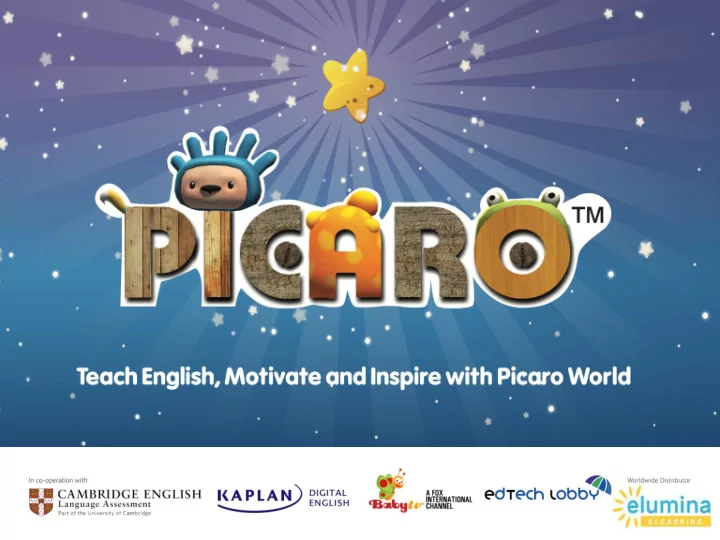
What is Picaro? Picaro is a unique blended Primary English course - - PowerPoint PPT Presentation
What is Picaro? Picaro is a unique blended Primary English course offering an engaging, fun and innovative English teaching and learning programme that motivates and guides children from the ages of 2-12 on their English learning journey . Picaro
Picaro is a unique blended Primary English course offering an engaging, fun and innovative English teaching and learning programme that motivates and guides children from the ages of 2-12 on their English learning journey. Picaro allows kids to adventure through different planets and visit different worlds with its Picaro World theme. It is currently being used as an ELT product and as an International school curriculum product because it has the flexibility to be integrated and used alongside most global curriculums assisted by its global mapping. It is endorsed by Cambridge Language Assessment.
Age: from 2 - 12 years old
Structure: 4 levels, 4 books per level
ALIGNED TO
CEFR + YLE
CAN CUSTOM ALIGN TO INDIAN SYALLABUS
Multi Award Winning English Course
Product of three great brands
Cambridge English + Kaplan + Foxtel
Studying every year from every part of the world
Students MOST FLEXIBLE
ENGLISH COURSE
SUPPORT SELF + BLENDED STUDY
ONLINE OFFLINE APP WORKBOOKS etc
PICARO Level 1
Unit 1 Unit 2 Unit 3 Unit 4
Level 2
Unit 5 Unit 6 Unit 7 Unit 8
Level 3
Unit 9 Unit 10 Unit 11 Unit 12
Level 4
Unit 13 Unit 14 Unit 15 Unit 16
Picaro is the first Primary course created in co-operation with Cambridge English Language Assessment. Tasks in the style
familiarity with the exam’s format. Picaro is mapped to the Cambridge English: Young Learners curriculum (YLE) and the Common European Framework of Reference (CEFR). Pre-Starters Level 1 – No prior knowledge of English required, nor of reading or writing. Children first listen to English then practise speaking. Starters Level 2 – Children move from visual activities for pre-readers to text- based activities. Includes introduction to phonics, plus wider range of vocabulary (adjectives, propositions, and conjunctions). By the end of this level, children are ready for the Cambridge Young Learners Starters test. Movers Level 3 – Introduces more complex texts (stories, dialogues, and information texts). Greater emphasis on developing study skills Flyers Level 4 – Introduction to more complex language structures.
Picaro as an ELT Product and as an International School Product
PYP Curriculum ages 3-12, corresponding directly to Picaro target age groups. A PYP curriculum also requires language learning to enable students to develop language within meaningful and enjoyable contexts. With the blended approach and use of games, Picaro fills these needs. Cambridge Primary School Curriculum features English as a Second Language as a core subject. The Picaro curriculum has also been mapped to CEFR guidelines and the same Cambridge curriculum as CPSC. Below is an example of the Cambridge, English as a Second Language curriculum information which we can directly imbed Picaro content into for skills, grammar, vocabulary and pronunciation. For more information please follow the link here.
Primary School Ages 6-12 (6 years. CYLE Exams should be taken from the age of 6-12, this is where Picaro Starters, Movers and Flyers level products correspond) Early Childhood Education Ages 3-6 (3-4 years. This is where Pre-Starters level Picaro products correspond)
Children learn better when they enjoy what they do More educational online games than in any other English course. Modern child-appealing designs and famous characters from Fox International Channels’ Baby TV show. Accelerates learning Exciting interactive games and activities encourage young learners to practise over and over again. Students get more exposure to English and acquire new vocabulary and grammar faster. Time-efficient Picaro can free up the teacher by encouraging children to practise
Fun interactives activities develop autonomous learners.
Picaro offers a variety of print and digital course components, including step-by-step lesson plans adjustable for different numbers of teaching hours. Teachers can use the components all together or mix them with other English courses.
Books + Games Games Only
Simple and intuitive online tool that allows teachers to track progress, manage classes, and download additional teaching resources. Real-time progression tracking Manage classes and students Access to downloadable resources Able to lock and unlock units Access to the offline desktop version of Picaro
960 Games In Total 60 Games Per unit/Planet 16 Graded Units/Planets 20 Topics Per Unit/Planet 3 Games Per Topic
All of the Picaro games are aligned to the Cambridge Young Leaners Syllabus which also corresponds to the CEFR.
Picaro has over 40 different game types, all of which are aligned to the YLE syllabus and
Here are a few examples:
This game focuses on identifying similar sounds and spelling patterns. Phonics This game concentrates
the spelling of single words. Hangman This game allows the user to practice their vocabulary by listening and reading to the key language. Whack
Ferris Wheel This game develops listening skills and vocabulary practice. Which Word Reading and understanding a factual piece of text. Teaches phonics, sounds and spelling patterns. Make a Word Yes and No Which Picture Which Day?/Tell me about it Odd One Out Duck Arcade Puzzle Spot the Difference Spelling Bee Names of other gametypes include… Jumbled Sentences Hotspot Click Gong Feed the Monster …And many more!
The Picaro books and games mirror each other to ensure a seamless learning experience. Picaro offers a variety of print and digital course components, that can be blended together for a seamless learning experience. Also the digital components can be used separately as a standalone piece or mixed with other English courses.
The Picaro games can also be used as a standalone product.
The Picaro LMS is a Simple and intuitive online tool that allows teachers to track progress, manage classes, and download additional teaching resources. Real-time progression tracking - Data syncs with the teacher account for accurate reporting. Manage classes and students. Access to downloadable resources. Able to lock and unlock units. Access to the offline desktop version of Picaro. Access to additional Picaro materials.
Picaro Songs Audio Files Practice YLE Exams Flashcards Extra Worksheets And much much more! Features Include: Additional Picaro materials include;
Picaro is available to play on a variety of different platforms, with or without an internet connection. Giving users the flexibility and choice over how they would like to access Picaro.
PC (Windows) and Apple Mac Desktop Version Android and iOS Mobile/Tablet Version ONLINE Picaro can access via the LMS portal. OFFLINE Picaro can be downloaded and installed as an application on a computer. Once this has been downloaded the user can play the games without the need for an internet connection. ONLINE & OFFLINE Picaro can be downloaded to a tablet via iTunes
has been downloaded the user can access Picaro with or without an internet connection.
Picaro is quick and easy to set up and use, it can be accessed in so many varied ways making it ideal for use in the home and classroom. With an online browser version or an offline desktop version along with mobile versions also available on Android and iOS children can easily enjoy self-guided learning wherever they are.
Technical Requirements
System requirements from the start of 2017 Safari 9.0, Mozilla Firefox 40, Google Chrome 40, Opera 35, Internet Explorer 10 or later Internet connection speed of at least 2Mb/s for online game Minimum PC requirements Mac OS 10.6, Windows XP, Linux open SUSE 11.3, Ubuntu 12 or later. 1.8GHz processor 2GB System RAM 16 Bit capable Sound card 128MB Graphics Card with OpenGL support Adobe Reader is recommended for previewing downloadable PDF files http://get.adobe.com/reader/
Currently Picaro is a Flash based game, for the best experience Picaro will be in a HTML5 format at the start of 2018.
Picaro games are available to download or play live Children can learn English in the classroom or at home Data syncs with the teacher account for accurate reporting
Four books per level Plenty of play-based activities Tasks in the style of the Cambridge English: Young Learners Exams Each unit is accompanied by
download or play live on PC or Tablet
The Student’s Book and games mirror each other to ensure a seamless learning experience
Four books per level Perfect for homework and in-class additional practice
Teacher’s Books offer guidance and lesson plans filled with activities for young children. They provide insightful instructions on how and when to implement the
resources to deliver lessons using a blended approach, enhancing the overall learning experience - making it more motivating and fun.
Our Storybooks contain engaging reading materials that make reading fun. The vocabulary and grammar unit is clearly linked to the target language presented in the Student’s Book and Workbook Hidden Picaroons (Starting Out) Hidden letters on every page (Moving On) Hidden words on every page (Flying High) Comprehension activities Vocabulary review activities Word-building activities Phonics activities Four books per level
Four Phonic books Available with Teacher’s Handbooks Flash cards available Interactive whiteboard materials
All the materials can be downloaded through Learning Management System or can be made available on a DVD: Flashcards Whiteboard materials – Phonics Learning Scenes Picaro Diploma to celebrate students’ achievements Printable progress tests with answers Printable placement tests with answers Songs Unit audio files. Sample Cambridge Young Learners tests Posters
“The connections between the exam content or activity type and the game are especially good” AKCENT school, Czech Republic “My students really love it and I can see how they are improving in English” BabyBees Kindergarten, Vietnam “The course is ideal for our school, where we have students joining at different times throughout the year and at different levels of English within the same class” BasisSchool, Netherlands
Contact us to access: The Catalogue Academic Guide Product Sheet Curriculum Map Games Content Map Technical Requirements Student's Book (Sample) Workbook (Sample) Teacher's Book (Sample) Demo Logins
AUSTRALIA Elumina Elearning 309 Kent Street Sydney NSW 2001
Phone: 1300 313 368 Email: sales@eluminaelearning.com. au
WORLDWIDE DISTRIBUTOR