
SLIDE 1
𝑱 𝒚, 𝒚′ = 𝒉(𝒚, 𝒚′) 𝝑 𝒚, 𝒚′ +
𝑻
𝝇 𝒚, 𝒚′, 𝒚′′ 𝑱 𝒚′, 𝒚′′ 𝒆𝒚′′
INFOMAGR – Advanced Graphics
Jacco Bikker - February – April 2016
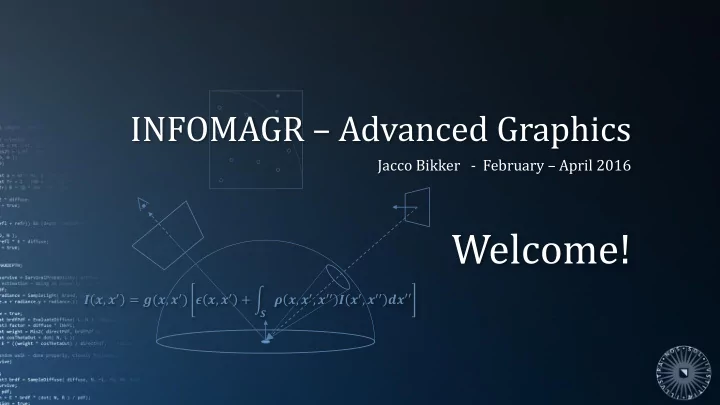
Welcome! , = (, ) , + , , - - PowerPoint PPT Presentation
INFOMAGR Advanced Graphics Jacco Bikker - February April 2016 Welcome! , = (, ) , + , , , Todays Agenda:
𝑱 𝒚, 𝒚′ = 𝒉(𝒚, 𝒚′) 𝝑 𝒚, 𝒚′ +
𝑻
𝝇 𝒚, 𝒚′, 𝒚′′ 𝑱 𝒚′, 𝒚′′ 𝒆𝒚′′
INFOMAGR – Advanced Graphics
Jacco Bikker - February – April 2016
Today’s Agenda:
Introduction
Advanced Graphics – GPU Ray Tracing (1) 3
Transferring Ray Tracing to the GPU
Platform characteristics:
Consequences:
Introduction
Advanced Graphics – GPU Ray Tracing (1) 4
Transferring Ray Tracing to the GPU
Survey
Today’s Agenda:
Survey
Advanced Graphics – GPU Ray Tracing (1) 6
Ray Tracing on Programmable Graphics Hardware*
Graphics hardware in 2002:
Expectations:
*: Ray tracing on programmable graphics hardware, Purcell et al., 2002.
NVidia GeForce 3 ATi Radeon 8500 No branching
2002
Advanced Graphics – GPU Ray Tracing (1) 7
Ray Tracing on Programmable Graphics Hardware
Challenge: to map ray tracing to stream computing. Stage 1: Produce a stream of primary rays. Stage 2: For each ray in the stream, find a voxel containing geometry. Stage 3: For each voxel in the stream, intersect the ray with the primitives in the voxel. Stage 4: For each intersection point in the stream, apply shading and produce a new ray.
Generate Eye Rays Traverse Accstruc Intersect Prims Shade and Generate Shadow Rays Camera Accstruc Prims Normals, materials
Survey
2002
Advanced Graphics – GPU Ray Tracing (1) 8
Ray Tracing on Programmable Graphics Hardware
Stream computing without flow control: Assign a state to each ray:
Now, for each program render a quad using a stencil based
state*.
*: Interactive multi-pass programmable shading, Peercy et al., 2000.
Generate Eye Rays Traverse Accstruc Intersect Prims Shade and Generate Shadow Rays Camera Accstruc Prims Normals, materials
Survey
2002
Advanced Graphics – GPU Ray Tracing (1) 9
Ray Tracing on Programmable Graphics Hardware
Stream computing without flow control:
Generate Eye Rays Traverse Accstruc Intersect Prims Shade and Generate Shadow Rays Camera Accstruc Prims Normals, materials
Survey
Render two triangles, shader performs ray tracing Use stencil to select functionality
2002
Advanced Graphics – GPU Ray Tracing (1) 10
Ray Tracing on Programmable Graphics Hardware
Acceleration structure (grid) traversal:
Note that each step through the grid requires one pass.
*: Accelerated ray tracing system. Fujimoto et al., 1986.
Generate Eye Rays Traverse Accstruc Intersect Prims Shade and Generate Shadow Rays Camera Accstruc Prims Normals, materials
Survey
2002
Advanced Graphics – GPU Ray Tracing (1) 11
Ray Tracing on Programmable Graphics Hardware
Results
2443 0.009 1198 0.061 1999 0.062 2835 0.062 1085 0.105 pass passes ef effi ficiency
Survey
2002
Advanced Graphics – GPU Ray Tracing (1) 12
Ray Tracing on Programmable Graphics Hardware
Conclusions
Survey
2002
Advanced Graphics – GPU Ray Tracing (1) 13
KD-Tree Acceleration Structures for a GPU Raytracer*
Observations on previous work:
problem. Goal:
*: KD-Tree Acceleration Structures for a GPU Raytracer, Foley & Sugerman, 2005
Survey
2005
Advanced Graphics – GPU Ray Tracing (1) 14
KD-Tree Acceleration Structures for a GPU Raytracer
Recall standard kD-tree traversal: Setup:
Root node:
Survey
2005
Advanced Graphics – GPU Ray Tracing (1) 15
KD-Tree Acceleration Structures for a GPU Raytracer
Recall standard kD-tree traversal: Setup:
Root node:
Push far ar chi child
with nea near ch child
Survey
2005
Advanced Graphics – GPU Ray Tracing (1) 16
KD-Tree Acceleration Structures for a GPU Raytracer
Traversing the tree without a stack: If we always pick the nearest child, the only value that will change is tmax. Setup:
This algorithm is referred to as kd-restart.
Note that the average ray intersects only a small number of leafs. Since restart only happens for each intersected leaf that didn’t yield an intersection point, the expected cost is still 𝑃(log𝑜).
Survey
2005
Advanced Graphics – GPU Ray Tracing (1) 17
KD-Tree Acceleration Structures for a GPU Raytracer
We can reduce the cost of a restart by storing node bounds and a parent pointer with each node. Instead of restarting at the root, we now restart at the first ancestor that has a non-empty intersection with (tmin,tmax). This algorithm is referred to as kd-backtrack.
Survey
2005
Advanced Graphics – GPU Ray Tracing (1) 18
KD-Tree Acceleration Structures for a GPU Raytracer
Implementation: each ray is assigned a state:
As before, the state is used to mask rays in the input stream when executing each
Survey
2005
Advanced Graphics – GPU Ray Tracing (1) 19
KD-Tree Acceleration Structures for a GPU Raytracer
Results*:
23 63 80 84 4620 357 701 690 4770 8344 968 946 7350 2687 992 857 bru rute for
grid rid kd kd-restart rt kd kd-backtrack
*: Hardware: 256MB ATI X800 XT PE (2004), rendering @ 512x512, time in milliseconds.
Survey
2005
Advanced Graphics – GPU Ray Tracing (1) 20
Interactive k-d tree GPU raytracing* Stackless KD-tree traversal for high performance GPU ray tracing**
Observations on previous work:
*: Interactive k-d tree GPU raytracing, Horn et al., 2007 **: Stackless KD-tree traversal for high performance GPU ray tracing, Popov et al., 2007
Survey
2007
Advanced Graphics – GPU Ray Tracing (1) 21
Interactive k-d tree GPU raytracing Stackless KD-tree traversal for high performance GPU ray tracing
Ray tracing with a short stack: By keeping a fixed-size stack we can prevent a restart in almost all cases.
slot 1 slot 2 slot 3 slot 4 base stackPtr stackPtr stackPtr stackPtr node A node B node C node D base node E
Survey
2007
Advanced Graphics – GPU Ray Tracing (1) 22
kD-tree Traversal using Ropes*
“The main goal of any traversal algorithm is the efficient front-to-back enumeration of all leaf nodes pierced by a
necessary to locate leafs quickly.” Algorithm:
*: Ray tracing with rope trees, Havran et al., 1998
Survey
2007
Advanced Graphics – GPU Ray Tracing (1) 23
Interactive k-d tree GPU raytracing Stackless KD-tree traversal for high performance GPU ray tracing
Ray tracing with flow control: 25x performance of the previous paper 1.65x – 2.3x from algorithmic improvements 3.75x from hardware advances 2.9x from switching from multi-pass to single-pass.
Survey
2007
Advanced Graphics – GPU Ray Tracing (1) 24
Interactive k-d tree GPU raytracing Stackless KD-tree traversal for high performance GPU ray tracing
Results*:
*: Hardware: GeForce 8800 GTX / Opteron @ 2.6 Ghz, performance in fps @ 1024x1024.
12.7
3.6 36.0 6.6 16.7 3.9 GP GPU CP CPU (1 (1 co core)
Survey
2007
Advanced Graphics – GPU Ray Tracing (1) 25
Interactive k-d tree GPU raytracing Stackless KD-tree traversal for high performance GPU ray tracing
Conclusions
Survey
2007
Advanced Graphics – GPU Ray Tracing (1) 26
Realtime Ray Tracing on GPU with BVH-based Packet Traversal*
Observations on previous work:
Solution: Use BVH instead of kD-tree.
*: Realtime ray tracing on GPU with BVH-based packet traversal, Günther et al., 2007
Survey
2007
Advanced Graphics – GPU Ray Tracing (1) 27
Realtime Ray Tracing on GPU with BVH-based Packet Traversal
To achieve maximum utilization of a G80 GPU, we need 768 threads per multiprocessor (24 warps). Each multiprocessor has 16Kb shared memory and 32Kb register space. For 24 warps we have 5 words plus 10 registers per thread available. An important differences between kD-tree packet traversal and BVH packet traversal is that kD-tree traversal requires a stack for the packet plus (tmin, tmax) per ray, while the BVH packet only requires a stack.
Survey
2007
Advanced Graphics – GPU Ray Tracing (1) 28
Realtime Ray Tracing on GPU with BVH-based Packet Traversal
GPU packet traversal for BVH:
handled by a single warp
using masked traversal (where t is used as mask)
R=O,D ; t=∞ ; N=root stack[] = empty N is leaf? intersect update t stack empty? pop N yes no no yes b1=intersect(R,left) b2=intersect(R,right) N=near push far b1⋀b2: b1⋁b2: N=near
Survey
2007
yes yes
Advanced Graphics – GPU Ray Tracing (1) 29
Realtime Ray Tracing on GPU with BVH-based Packet Traversal
Observations: This is hardly a packet traversal scheme; we are essentially traversing 32 independent rays. However: the rays in the packet do share a single stack. Question: will rays ever visit a node they didn’t have to visit? (i.e., do they visit a node they would not have visited using a stack per ray?)
R=O,D ; t=∞ ; N=root stack[] = empty N is leaf? intersect update t stack empty? pop N yes no no yes b1=intersect(R,left) b2=intersect(R,right) N=near push far b1⋀b2: b1⋁b2: N=near
Survey
Answer: yes they will. The weakness of this algorithm is in determining the near and far child. This is based on ‘the majority of rays’, and therefore an individual ray may visit nodes in a sub-optimal order. The paper does not address this issue.
2007
Advanced Graphics – GPU Ray Tracing (1) 30
Realtime Ray Tracing on GPU with BVH-based Packet Traversal
Results*:
*: Hardware: GeForce 8800 GTX, rendering at 1024x1024, performance in fps.
Survey
19.0 6.1 16.2 5.7 6.4 2.9 prim primary +s +shadow
2007
Advanced Graphics – GPU Ray Tracing (1) 31
Digest
Challenges in GPU ray tracing:
Survey
Today’s Agenda:
5 Faces
Advanced Graphics – GPU Ray Tracing (1) 33
5 Faces
Advanced Graphics – GPU Ray Tracing (1) 34
5 Faces
Advanced Graphics – GPU Ray Tracing (1) 35
Pragmatic GPU Ray Tracing*
Context:
Rasterize primary hit No BVH / kD-tree Use a grid (or better: sparse voxel octree / brickmap).
*: Real-time Ray Tracing Part 2 – Smash / Fairlight, Revision 2013 https://directtovideo.wordpress.com/2013/05/08/real-time-ray-tracing-part-2
2013
5 Faces
Advanced Graphics – GPU Ray Tracing (1) 36
Pragmatic GPU Ray Tracing
Grid traversal: 3D-DDA Brickmap traversal:
2013
5 Faces
Advanced Graphics – GPU Ray Tracing (1) 37
Pragmatic GPU Ray Tracing
Filling the grid: using rasterization hardware. Determine which voxels a triangle overlaps. Algorithm:
triangle has the greatest projected area.
and depth to determine voxel coordinate.
*: GPU Gems 2, chapter 42: Conservative Rasterization. Hasselgren et al., 2005. http://http.developer.nvidia.com/GPUGems2/gpugems2_chapter42.html **: The Basics of GPU Voxelization, Masaya Takeshige, 2015. https://developer.nvidia.com/content/basics-gpu-voxelization
2013
5 Faces
Advanced Graphics – GPU Ray Tracing (1) 38
Pragmatic GPU Ray Tracing
In this case, we are not building a voxel set, but a grid with pointers to the original triangles. Add each triangle to a preallocated list per node. From grid to brickmap:
Note that voxelization can be part of a rasterization-based rendering pipeline; it can e.g. be fed with triangles of a skinned mesh or even procedurally generated meshes.
2013
5 Faces
Advanced Graphics – GPU Ray Tracing (1) 39
Pragmatic GPU Ray Tracing
Pragmatic traversal:
After this:
bounce depth.
2013
5 Faces
Advanced Graphics – GPU Ray Tracing (1) 40
Pragmatic GPU Ray Tracing
Pragmatic diffraction: Each ray represents 3 ‘wavelengths’, and each results in a different refracted direction. However, only the direction of the first ray is actually used to find the next intersection for the triplet. EXCEPT: when the rays exit the scene and returns a skybox color; only then the three directions are used to fetch 3 skybox colors which are then blended.
2013
5 Faces
Advanced Graphics – GPU Ray Tracing (1) 41
Pragmatic GPU Ray Tracing
Pragmatic depth of field: Since primary rays are rasterized, the camera used is a pinhole camera. Depth of field with bokeh is simulated using a postprocess. See for a practical approach: Bokeh depth of field – going insane! part 1, Bart Wroński, 2014, http://bartwronski.com/2014/04/07/bokeh-depth-of-field-going-insane-part-1
2013
5 Faces
Advanced Graphics – GPU Ray Tracing (1) 42
Pragmatic GPU Ray Tracing
Limitations:
The method is not good for a general purpose ray tracer, but really clever for a special purpose renderer. Performance is very good, although hard to estimate: Demo runs @ 60fps on a high-end GPU; Traces ~1M primary rays; Most rays make several bounces (very divergent!); Guestimate: ~250M rays per second for a fully dynamic scene.
2013
5 Faces
Advanced Graphics – GPU Ray Tracing (1) 43
Other Real-time Ray Tracing Demos
For a brief history, see these links: http://datunnel.blogspot.nl/2009/12/history-of-realtime-raytracing-part-1.html http://datunnel.blogspot.nl/2009/12/history-of-realtime-raytracing-part-2.html http://datunnel.blogspot.nl/2009/12/history-of-realtime-raytracing-part-3.html Also check here: http://mpierce.pie2k.com/pages/108.php
2013
Today’s Agenda:
Next Time
Advanced Graphics – GPU Ray Tracing (1) 45
Coming Soon in Advanced Graphics
GPU Ray Tracing Part 2:
INFOMAGR – Advanced Graphics
Jacco Bikker - February – April 2016
END of “Various”
next lecture: “GPU Path Tracing (2)”