
SLIDE 1
𝑱 𝒚, 𝒚′ = 𝒉(𝒚, 𝒚′) 𝝑 𝒚, 𝒚′ +
𝑻
𝝇 𝒚, 𝒚′, 𝒚′′ 𝑱 𝒚′, 𝒚′′ 𝒆𝒚′′
INFOMAGR – Advanced Graphics
Jacco Bikker - February – April 2016
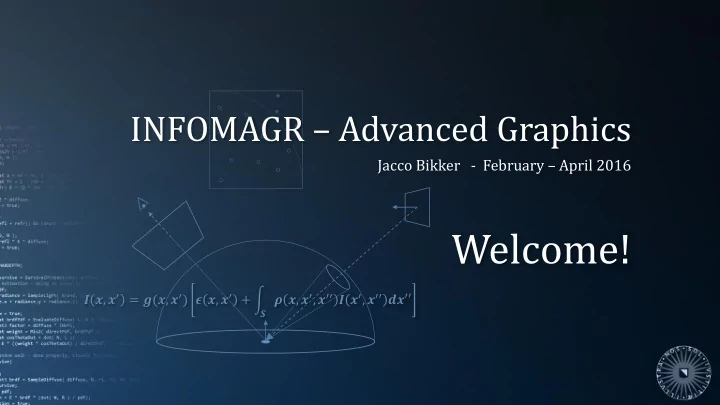
Welcome! , = (, ) , + , , - - PowerPoint PPT Presentation
INFOMAGR Advanced Graphics Jacco Bikker - February April 2016 Welcome! , = (, ) , + , , , Todays Agenda:
𝑱 𝒚, 𝒚′ = 𝒉(𝒚, 𝒚′) 𝝑 𝒚, 𝒚′ +
𝑻
𝝇 𝒚, 𝒚′, 𝒚′′ 𝑱 𝒚′, 𝒚′′ 𝒆𝒚′′
Jacco Bikker - February – April 2016
Advanced Graphics – Path Tracing 3
Previously in Advanced Graphics
The Rendering Equation: 𝑀𝑝 𝑦, 𝜕𝑝 = 𝑀𝐹 𝑦, 𝜕𝑝 +
𝛻
𝑔
𝑠 𝑦, 𝜕𝑝, 𝜕𝑗 𝑀𝑗 𝑦, 𝜕𝑗 cos 𝜄𝑗 𝑒𝜕𝑗
…which models light transport as it happens in the real world, by summing:
𝛻 𝑔 𝑠 𝑦, 𝜕𝑝, 𝜕𝑗 𝑀𝑗 𝑦, 𝜕𝑗 cos 𝜄𝑗 𝑒𝜕𝑗
We used quantities flux 𝛸 (joules per second), radiance 𝑀 (flux per 𝑛2 per sr) and irradiance 𝐹 (joules per second per 𝑛2).
Advanced Graphics – Path Tracing 4
Previously in Advanced Graphics
Particle transport: As an alternative to discrete flux / radiance / irradiance, we can reason about light transport in terms of particle transport.
area in a unit direction;
A BRDF tells us how many particles are absorbed, and how outgoing particles are
Advanced Graphics – Path Tracing 5
Previously in Advanced Graphics
Probabilities: We can also reason about the behavior of a single photon. In that case, the BRDF tells us the probability of a photon being absorbed, or leaving in a certain direction.
Advanced Graphics – Path Tracing 6
Previously in Advanced Graphics
BRDFs: The BRDF describes how incoming light is absorbed or scattered. A physically based BRDF has some important properties:
𝑠 𝜕𝑝, 𝜕𝑗 ≥ 0
𝑠 𝜕𝑝, 𝜕𝑗 = 𝑔 𝑠 𝜕𝑗, 𝜕𝑝
𝑠 𝜕𝑝, 𝜕𝑗 cos 𝜄𝑝 𝑒𝜕𝑝 ≤ 1
Advanced Graphics – Path Tracing 7
Previously in Advanced Graphics
Monte Carlo integration: Complex integrals can be approximated by replacing them by the expected value of a stochastic experiment.
In the case of the rendering equation, we are dealing with a recursive integral. Path tracing: evaluating this integral using a random walk.
Advanced Graphics – Path Tracing 9
Solving the Rendering Equation
Let’s start with direct illumination: For a screen pixel, diffuse surface point 𝑞 with normal 𝑜 is directly visible. What is the radiance travelling via 𝑞 towards the eye? Answer: 𝑀𝑝 𝑞, 𝜕𝑝 =
𝛻
𝑔
𝑠 𝑞, 𝜕𝑝, 𝜕𝑗 𝑀𝑒 𝑞, 𝜕𝑗 cos 𝜄𝑗 𝑒𝜕𝑗
p 𝜕𝑝 𝜕𝑗 𝑜
Advanced Graphics – Path Tracing 10
Direct Illumination
We can solve this integral using Monte-Carlo integration:
𝑀𝑝 𝑞, 𝜕𝑝 ≈ 2𝜌 𝑂
𝑗=1 𝑂
𝑔
𝑠 𝑞, 𝜕𝑝, 𝜕𝑗 𝑀𝑒 𝑞,
𝜕𝑗 cos 𝜄𝑗 p 𝜕𝑝 𝜕𝑗 𝑜
Advanced Graphics – Path Tracing 11
Direct Illumination
𝑀𝑝 𝑞, 𝜕𝑝 ≈ 2𝜌 𝑂
𝑗=1 𝑂
𝑔
𝑠 𝑞, 𝜕𝑝,
𝜕𝑗 𝑀𝑒 𝑞, 𝜕𝑗 cos 𝜄 Questions:
p 𝜕𝑝 𝜕𝑗 𝑜
We integrate over the hemisphere, which has an area of 2𝜌. Do not confuse this with the 1/ 𝜌 factor in the BRDF, which doesn’t compensate for the surface of the hemisphere, but the integral of cos 𝜄 over the hemisphere (𝜌). 𝑀 is per sr; 𝑀𝑒(𝑞, 𝜕𝑗) is proportional to the solid angle of 𝑀𝑒 as seen from p, so (cos 𝜄𝑝 𝐵𝑀𝑒)/𝑠2. Note that the 100W flux is spread
defined per 𝑛2.
Advanced Graphics – Path Tracing 12
Direct Illumination
𝑀𝑝 𝑞, 𝜕𝑝 =
𝛻
𝑔
𝑠 𝑞, 𝜕𝑝, 𝜕𝑗 𝑀𝑒 𝑞, 𝜕𝑗 cos 𝜄𝑗 𝑒𝜕𝑗
In many directions, we will not find light sources. We can improve our estimate by sampling the lights separately. 𝑀𝑝 𝑞, 𝜕𝑗 =
𝑘=1 𝑚𝑗ℎ𝑢𝑡 𝛻
𝑔
𝑠 𝑞, 𝜕𝑝, 𝜕𝑗 𝑀𝑒 𝑘 𝑞, 𝜕𝑗 cos 𝜄𝑗 𝑒𝜕𝑗
Obviously, sampling the entire hemisphere for each light is not necessary; we can sample the area of the light instead: 𝑀𝑝 𝑞, 𝜕𝑗 =
𝑘=1 𝑚𝑗ℎ𝑢𝑡 𝐵
𝑔
𝑠 𝑞, 𝜕𝑝, 𝜕𝑗 𝑀𝑒 𝑘 𝑞, 𝜕𝑗 𝐷 cos 𝜄𝑗 𝑒𝜕𝑗
Here, C compensates for the fact that we now sample the area of the light source, instead of the
stumbling onto an unoccluded light used to be proportional to solid angle; now it is always 1. C is therefore ~(cos 𝜄𝑝𝐵𝑀𝑒)/𝑠2.
Advanced Graphics – Path Tracing 13
Direct Illumination
𝑀𝑝 𝑞, 𝜕𝑗 =
𝑘=1 𝑚𝑗ℎ𝑢𝑡 𝐵
𝑔
𝑠 𝑞, 𝜕𝑝, 𝜕𝑗 𝑀𝑒 𝑘 𝑞, 𝜕𝑗 𝐷 cos 𝜄𝑗 𝑒𝜕𝑗
Using Monte-Carlo: 𝑀𝑝 𝑞, 𝜕𝑗 ≈ 𝑚𝑗ℎ𝑢𝑡 ∗ 1 𝑂
𝑗=1 𝑂
𝑔
𝑠 𝑞, 𝜕𝑝,
𝑞′ 𝑀𝑒
𝑘 𝑞,
𝑞′ 𝑊 𝑞 ↔ 𝑞′ 𝐵𝑀𝑒
𝑘 cos 𝜄𝑗 cos 𝜄𝑝
∥ 𝑞 − 𝑞′ ∥2 where
𝑘 is the direct light to p from random point
𝑞′ on random light 𝑘
𝑘 is the area of this light source
𝑞′ is the mutual visibility between p and p’.
Advanced Graphics – Path Tracing 14
Direct Illumination
We now have two methods to estimate direct illumination using Monte Carlo integration:
𝑀𝑝 𝑞, 𝜕𝑝 ≈ 2𝜌 𝑂
𝑗=1 𝑂
𝑔
𝑠 𝑞, 𝜕𝑝, 𝜕𝑗 𝑀𝑒 𝑞,
𝜕𝑗 cos 𝜄𝑗
𝑀𝑝 𝑞, 𝜕𝑗 ≈ 𝑚𝑗ℎ𝑢𝑡 ∗ 1 𝑂
𝑗=1 𝑂
𝑔
𝑠 𝑞, 𝜕𝑝,
𝑞′ 𝑀𝑒
𝑘 𝑞,
𝑞′ 𝑊 𝑞 ↔ 𝑞′ 𝐵𝑀𝑒
𝑘 cos 𝜄𝑗 cos 𝜄𝑝
∥ 𝑞 − 𝑞′ ∥2 For 𝑂 = ∞, these yield the same result.
Advanced Graphics – Path Tracing 15
Direct Illumination
We now have two methods to estimate direct illumination using Monte Carlo integration:
𝑀𝑝 𝑞, 𝜕𝑝 ≈ 2𝜌 𝑂
𝑗=1 𝑂
𝑔
𝑠 𝑞, 𝜕𝑝, 𝜕𝑗 𝑀𝑒 𝑞,
𝜕𝑗 cos 𝜄𝑗
𝑀𝑝 𝑡 ← 𝑞 ≈ 𝑚𝑗ℎ𝑢𝑡 ∗ 1 𝑂
𝑗=1 𝑂
𝑔
𝑠 𝑡 ← 𝑞 ←
𝑟 𝑀𝑒
𝑘 𝑞 ←
𝑟 𝑊 𝑞 ↔ 𝑟 𝐵𝑀𝑒
𝑘 cos 𝜄𝑗 cos 𝜄𝑝
∥ 𝑞 − 𝑟 ∥2 For 𝑂 = ∞, these yield the same result.
Advanced Graphics – Path Tracing 16
Verification
Method 1 in a small C# ray tracing framework:
In: Ray ray, with members O, D, N, t. Already calculated: intersection point I = O + t * D. Vector3 R = RTTools.DiffuseReflection( ray.N ); Ray rayToHemisphere = new Ray( I + R * EPSILON, R, 1e34f ); Scene.Intersect( rayToHemisphere ); if (rayToHemisphere.objIdx == LIGHT) { Vector3 BRDF = material.diffuse * INVPI; float cos_i = Vector3.Dot( R, ray.N ); return 2.0f * PI * BRDF * Scene.lightColor * cos_i; }
𝑀𝑝 𝑞, 𝜕𝑝 ≈ 2𝜌 𝑂
𝑗=1 𝑂
𝑔
𝑠 𝑞, 𝜕𝑝, 𝜕𝑗 𝑀𝑒 𝑞,
𝜕𝑗 cos 𝜄𝑗
Advanced Graphics – Path Tracing 17
Verification
Method 2 in a small C# ray tracing framework:
// construct vector to random point on light Vector3 L = Scene.RandomPointOnLight() - I; float dist = L.Length(); L /= dist; float cos_o = Vector3.Dot( -L, new Vector3( 0, -1, 0 ) ); float cos_i = Vector3.Dot( L, ray.N ); if ((cos_o <= 0) || (cos_i <= 0)) return BLACK; // light is not behind surface point, trace shadow ray Ray r = new Ray( I + EPSILON * L, L, dist - 2 * EPSILON ); Scene.Intersect( r ); if (r.objIdx != -1) return Vector3.Zero; // light is visible (V(p,p’)=1); calculate transport Vector3 BRDF = material.diffuse * INVPI; float solidAngle = (cos_o * Scene.LIGHTAREA) / (dist * dist); return BRDF * Scene.lightColor * solidAngle * cos_i;
𝑀𝑝 𝑞, 𝜕𝑗 ≈ 𝑚𝑗ℎ𝑢𝑡 ∗ 1 𝑂
𝑗=1 𝑂
𝑔
𝑠 𝑞, 𝜕𝑝, 𝑞′ 𝑀𝑒 𝑘 𝑞,
𝑞′ 𝑊 𝑞 ↔ 𝑞′ 𝐵𝑀𝑒
𝑘 cos 𝜄𝑗 cos 𝜄𝑝
∥ 𝑞 − 𝑞′ ∥2
Advanced Graphics – Path Tracing 18
Advanced Graphics – Path Tracing 19
Advanced Graphics – Path Tracing 20
Advanced Graphics – Path Tracing 21
Advanced Graphics – Path Tracing 22
Rendering using Monte Carlo Integration
In the demonstration, we sampled each light using only 1 sample. The (very noisy) result is directly visualized. To get a better estimate, we average the result of several frames (and thus: several samples). Observations:
Advanced Graphics – Path Tracing 23
Indirect Light
Returning to the full rendering equation: We know how to evaluate direct lighting: What remains is indirect light. This is the light that is not emitted by the surface in direction 𝜕𝑗, but reflected.
Advanced Graphics – Path Tracing 24 direct light 1st bounce 2nd bounce
≈… Indirect Light
Let’s expand / reorganize this: 𝑀𝑝 𝑦, 𝜕𝑝
𝑦 = 𝑀𝐹 𝑦, 𝜕𝑝 𝑦
+
𝛻
𝑀𝐹 𝑧, 𝜕𝑝
𝑧 𝑔 𝑠 𝑦, 𝜕𝑝 𝑦, 𝜕𝑗 𝑦
cos 𝜄𝑗
𝑦 𝑒𝜕𝑗 𝑦
+
𝛻 𝛻
𝑀𝐹 𝑨, 𝜕𝑝
𝑨 𝑔 𝑠 𝑧, 𝜕𝑝 𝑧, 𝜕𝑗 𝑧
cos 𝜄𝑗
𝑧 𝑔 𝑠 𝑦, 𝜕𝑝 𝑦, 𝜕𝑗 𝑦
cos 𝜄𝑗
𝑦 𝑒𝜕𝑗 𝑦 𝑒𝜕𝑗 𝑧
+
𝛻 𝛻 𝛻
… 𝑦 𝑧 𝑧 𝑨
Advanced Graphics – Path Tracing 25
Indirect Light
One particle finding the light via a surface:
I, N = Trace( ray ); R = DiffuseReflection( N ); lightColor = Trace( new Ray( I, R ) ); return dot( R, N ) *
𝑏𝑚𝑐𝑓𝑒𝑝 𝜌
* lightColor * 2𝜌;
One particle finding the light via two surfaces:
I1, N1 = Trace( ray ); R1 = DiffuseReflection( N1 ); I2, N2 = Trace( new Ray( I1, R1 ) ); R2 = DiffuseReflection( N2 ); lightColor = Trace( new Ray( I2, R2 ) ); return dot( R1, N1 ) *
𝑏𝑚𝑐𝑓𝑒𝑝 𝜌
* 2𝜌 * dot( R2, N2 ) *
𝑏𝑚𝑐𝑓𝑒𝑝 𝜌
* 2𝜌 * lightColor;
𝑦 𝑧 𝑧 𝑨
Advanced Graphics – Path Tracing 26
Path Tracing Algorithm
Color Sample( Ray ray ) { // trace ray I, N, material = Trace( ray ); // terminate if ray left the scene if (ray.NOHIT) return BLACK; // terminate if we hit a light source if (material.isLight) return material.emittance; // continue in random direction R = DiffuseReflection( N ); Ray newRay( I, R ); // update throughput BRDF = material.albedo / PI; Ei = Sample( newRay ) * dot( N, R ); // irradiance return PI * 2.0f * BRDF * Ei; }
𝑦 𝑧 𝑧 𝑨
Advanced Graphics – Path Tracing 27
Advanced Graphics – Path Tracing 28
Advanced Graphics – Path Tracing 29
Advanced Graphics – Path Tracing 30
Advanced Graphics – Path Tracing 31
Particle Transport
The random walk is analogous to particle transport:
1-albedo (‘surface color’)
In the simulation, particles seem to travel backwards. This is valid because of the Helmholtz reciprocity. Notice that longer paths tend to return less energy.
Color Sample( Ray ray ) { // trace ray I, N, material = Trace( ray ); // terminate if ray left the scene if (ray.NOHIT) return BLACK; // terminate if we hit a light source if (material.isLight) return emittance; // continue in random direction R = DiffuseReflection( N ); Ray r( I, R ); // update throughput BRDF = material.albedo / PI; Ei = Sample( r ) * (N∙R); return PI * 2.0f * BRDF * Ei; }
Advanced Graphics – Path Tracing 32
Particle Transport - Mirrors
Handling a pure specular surface: A particle that encounters a mirror continues in a deterministic way. Question:
Color Sample( Ray ray ) { // trace ray I, N, material = Trace( ray ); // terminate if ray left the scene if (ray.NOHIT) return BLACK; // terminate if we hit a light source if (material.isLight) return emittance; // surface interaction if (material.isMirror) { // continue in fixed direction Ray r( I, Reflect( N ) ); return material.albedo * Sample( r ); } // continue in random direction R = DiffuseReflection( N ); BRDF = material.albedo / PI; Ray r( I, R ); // update throughput Ei = Sample( r ) * (N∙R); return PI * 2.0f * BRDF * Ei; }
Advanced Graphics – Path Tracing 33
Particle Transport - Glass
Handling dielectrics: Dielectrics reflect and transmit light. In the ray tracer, we handled this using two rays. A particle must chose. The probability of each choice is calculated using the Fresnel equations.
Color Sample( Ray ray ) { // trace ray I, N, material = Trace( ray ); // terminate if ray left the scene if (ray.NOHIT) return BLACK; // terminate if we hit a light source if (material.isLight) return emittance; // surface interaction if (material.isMirror) { // continue in fixed direction Ray r( I, Reflect( N ) ); return material.albedo * Sample( r ); } // continue in random direction R = DiffuseReflection( N ); BRDF = material.albedo / PI; Ray r( I, R ); // update throughput Ei = Sample( r ) * (N∙R); return PI * 2.0f * BRDF * Ei; }
Advanced Graphics – Path Tracing 34
Advanced Graphics – Path Tracing 35
Jacco Bikker - February – April 2016
Advanced Graphics – Path Tracing 37
Solid Angle
A few words on solid angle: As mentioned in lecture 5, solid angle is measured in steradians. Where radians are the length of an arc on the unit circle subtended by two directions, steradians are the surface
In this lecture, we used:
𝐵 cos θ 𝑠2
, which is only an approximation, except when the shape is a segment of a sphere and cos θ = 1. For 𝑠 ≫ 𝐵, this approximation is ‘good enough’.
Advanced Graphics – Path Tracing 38
Additional literature:
Slides for lecture 9 of the Advanced Computer Graphics course of the University of Freiburg, by Matthias Teschner: http://cg.informatik.uni-freiburg.de/course_notes/graphics2_09_pathTracing.pdf Blog: A graphics guy’s note: https://agraphicsguy.wordpress.com Monte Carlo Path Tracing, Path Hanrahan: http://cs.brown.edu/courses/cs224/papers/mc_pathtracing.pdf Path Tracing - Theoretical Foundation, by Vidar Nelson: http://www.vidarnel.com/post/path_tracing Importance Sampling for Production Rendering, SIGGRAPH 2010 course: http://igorsklyar.com/system/documents/papers/4/fiscourse.comp.pdf Please share additional resources on the forum.