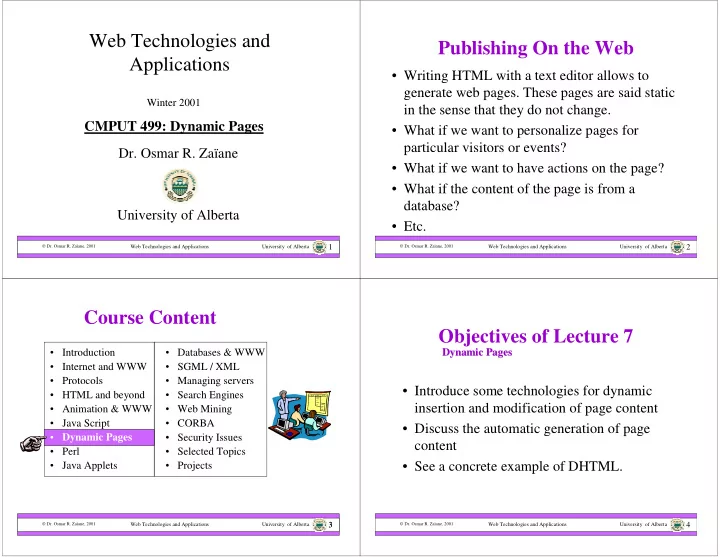
Web Technologies and Publishing On the Web Applications Writing - - PowerPoint PPT Presentation

web technologies and publishing on the web applications
SMART_READER_LITE
LIVE PREVIEW

Web Technologies and Publishing On the Web Applications Writing - - PowerPoint PPT Presentation

Web Technologies and Publishing On the Web Applications Writing HTML with a text editor allows to generate web pages. These pages are said static Winter 2001 in the sense that they do not change. CMPUT 499: Dynamic Pages What if we


slide-1
SLIDE 1

Web Technologies and Applications University of Alberta

 Dr. Osmar R. Zaïane, 2001

1

Web Technologies and Applications

  • Dr. Osmar R. Zaïane

University of Alberta

Winter 2001

CMPUT 499: Dynamic Pages

Web Technologies and Applications University of Alberta

 Dr. Osmar R. Zaïane, 2001

2

Publishing On the Web

  • Writing HTML with a text editor allows to

generate web pages. These pages are said static in the sense that they do not change.

  • What if we want to personalize pages for

particular visitors or events?

  • What if we want to have actions on the page?
  • What if the content of the page is from a

database?

  • Etc.

Web Technologies and Applications University of Alberta

 Dr. Osmar R. Zaïane, 2001

3

  • Databases & WWW
  • SGML / XML
  • Managing servers
  • Search Engines
  • Web Mining
  • CORBA
  • Security Issues
  • Selected Topics
  • Projects

3

Course Content

  • Introduction
  • Internet and WWW
  • Protocols
  • HTML and beyond
  • Animation & WWW
  • Java Script
  • Dynamic Pages
  • Perl
  • Java Applets

Web Technologies and Applications University of Alberta

 Dr. Osmar R. Zaïane, 2001

4

Objectives of Lecture 7

  • Introduce some technologies for dynamic

insertion and modification of page content

  • Discuss the automatic generation of page

content

  • See a concrete example of DHTML.

Dynamic Pages Dynamic Pages

slide-2
SLIDE 2

Web Technologies and Applications University of Alberta

 Dr. Osmar R. Zaïane, 2001

5

Outline of Lecture 7

  • What are Dynamic Pages?
  • Server-Side Includes (SSI)
  • Conditional SSI (XSSI)
  • Generating Pages on the fly
  • Dynamic HTML
  • DHTML Example (sliding menu)

Web Technologies and Applications University of Alberta

 Dr. Osmar R. Zaïane, 2001

6

Dynamic pages

  • Dynamic pages are pages that change
  • Dynamic pages are not static by definition
  • The change can be the fact that the page is

never the same when downloaded again

  • The change can be that the content of the

page is different for different visitors

  • The change can be generated by interaction

Web Technologies and Applications University of Alberta

 Dr. Osmar R. Zaïane, 2001

7

Static versus Dynamic

Request Response URL HTML page Response URL HTML page Request Request URL Response HTML page Dynamic

  • n the

client Dynamic

  • n the

server

Web Technologies and Applications University of Alberta

 Dr. Osmar R. Zaïane, 2001

8

Problems with cache

  • Browsers cache web pages to avoid fetching

them again.

  • If a page is meant to be different each time it is

visited we should not cache it.

  • Force the browser to flush the cache by

expiring the page or requesting that the browser does not cache the page

  • Some type of pages are by default not cached
slide-3
SLIDE 3

Web Technologies and Applications University of Alberta

 Dr. Osmar R. Zaïane, 2001

9

Outline of Lecture 7

  • What are Dynamic Pages?
  • Server-Side Includes (SSI)
  • Conditional SSI (XSSI)
  • Generating Pages on the fly
  • Dynamic HTML
  • DHTML Example (sliding menu)

Web Technologies and Applications University of Alberta

 Dr. Osmar R. Zaïane, 2001

10

Server Side Includes

  • Server side Includes (SSI) are commands

that are “included” in HTML documents and are executed on the “server side”

  • The server parses the HTML document

containing SSI and replaces the commands by the result of their execution

  • A web server has to be configured to parse

HTML documents and process SSI

Web Technologies and Applications University of Alberta

 Dr. Osmar R. Zaïane, 2001

11

Enabling Server-Side Includes

  • Web server has to be instructed to parse

HTML documents

  • Parsing HTML documents adds an overhead
  • Only files that contain SSI need to be parsed
  • Usually HTML files with SSI have .shtml as

suffix

  • What if a HTML document with SSI is not

parsed?

addType text/html .shtml addHandler sever-parsed .shtml

Web Technologies and Applications University of Alberta

 Dr. Osmar R. Zaïane, 2001

12

Syntax for SSI

  • Server-Side Includes are embedded inside the

HTML document as HTML comments

<!-- server-side include -->

  • There are different recognized commands

called SSI elements

<!--#element attribute=value attribute=value … -->

  • Values are usually enclosed between double

quotes and there is often only one attribute

slide-4
SLIDE 4

Web Technologies and Applications University of Alberta

 Dr. Osmar R. Zaïane, 2001

13

Allowed SSI Elements

  • config

controls aspects of parsing

– Valid attributes are:

  • errmsg

a message that is sent back to the client if an error occurs during parsing

  • sizefmt

sets the format to be used when displaying the size of files (bytes/abbrev)

  • timefmt

sets the format to print dates

  • echo

prints an include variable or environment variables

– There are many available variables

Web Technologies and Applications University of Alberta

 Dr. Osmar R. Zaïane, 2001

14

Other SSI Elements

  • exec

executes a given shell command or

  • cgi. The valid attributes are:
  • cgi

the server executes the cgi which is given the QUERY_STRING variable

  • cmd

the server executes the given string using /bin/sh

  • fsize

prints the size of specified file subject to sizefmt in config

  • file

file relative to the current directory

  • virtual

file relative to the current document

Web Technologies and Applications University of Alberta

 Dr. Osmar R. Zaïane, 2001

15

Other SSI Elements (con’t)

  • flastmod prints the last modification date of

specified file. Same attributes as fsize

  • include inserts the text of a specified
  • document. (no absolute path and no ../)
  • file

file relative to the current directory

  • virtual

file relative to the current document

Web Technologies and Applications University of Alberta

 Dr. Osmar R. Zaïane, 2001

16

Other SSI Elements (con’t)

  • printenv prints all existing environment

variables

  • set

sets values of variables

– For example:

  • <!--#set var=“foo” value=“bar” -->
  • <!--#set var=“who”

value=“${REMOTE_HOST}_${REQUEST_METHOD}” -->

slide-5
SLIDE 5

Web Technologies and Applications University of Alberta

 Dr. Osmar R. Zaïane, 2001

17

Include Variables

  • DATE_GMT
  • The current date in Greenwich Mean Time
  • DATE_LOCAL
  • The current date in local time zone
  • DOCUMENT_NAME
  • The file name of the document requested
  • DOCUMENT_URI
  • The URL path of the document requested
  • LAST_MODIFICATION
  • The last modification date of the document requested

Web Technologies and Applications University of Alberta

 Dr. Osmar R. Zaïane, 2001

18

Example for SSI

Home Products Services Contact-us

Today is Thursday February 8th 2001 Welcome Mr. John Smith

<!--#include file=“..” -->” <!--#exec cmd=“..” -->” <!--#include file=“.. -->” <!--#echo var=“..” -->”

Web Technologies and Applications University of Alberta

 Dr. Osmar R. Zaïane, 2001

19

Outline of Lecture 7

  • What are Dynamic Pages?
  • Server-Side Includes (SSI)
  • Conditional SSI (XSSI)
  • Generating Pages on the fly
  • Dynamic HTML
  • DHTML Example (sliding menu)

Web Technologies and Applications University of Alberta

 Dr. Osmar R. Zaïane, 2001

20

Adding Code Logic to SSI

  • Conditional SSI (XSSI) is a feature

supported by Apache servers. IIS and Netscape servers may also support it.

  • Allows to execute different commands

depending upon environment variables

  • There are 4 flow-control statements

<!--#if expr=“expression” --> <!--#elif expr=“expression” --> <!--#else --> <!--#endif -->

slide-6
SLIDE 6

Web Technologies and Applications University of Alberta

 Dr. Osmar R. Zaïane, 2001

21

Test Conditions

  • The test condition could be only one of the

following:

String (true if String not empty) String1 = String2 String1 != String2 String1 < String2 String1 > String2 String1 <= String2 String1 >= String2

String could be a regular expression with unix egrep syntax /string/ Conjunction and disjunction are && and ||

Web Technologies and Applications University of Alberta

 Dr. Osmar R. Zaïane, 2001

22

Examples of XSSI

  • Loading a different file depending on browser

<!--#if expr= “${HTTP_USER_AGENT} = /Mozilla/” --> <!--#include file=“netscapebar.html” --> <!--#elif expr=“${HTTP_USER_AGENT} = /MSIE/” --> <!--#include file=“iebar.html” --> <!--#else --> <!--#include file=“defaultbar.html” --> <!--#endif -->

Web Technologies and Applications University of Alberta

 Dr. Osmar R. Zaïane, 2001

23

Outline of Lecture 7

  • What are Dynamic Pages?
  • Server-Side Includes (SSI)
  • Conditional SSI (XSSI)
  • Generating Pages on the fly
  • Dynamic HTML
  • DHTML Example (sliding menu)

Web Technologies and Applications University of Alberta

 Dr. Osmar R. Zaïane, 2001

24

Dynamically Generated Pages

Response URL HTML page Request

  • Initially, the pages don’t exist on the server
  • Pages are created on the fly when requested
slide-7
SLIDE 7

Web Technologies and Applications University of Alberta

 Dr. Osmar R. Zaïane, 2001

25

Creation of HTML

  • CGIs are program that generate web pages on

the fly (written in any language)

  • There are many technologies for automatic

generationg of HTML on the fly (asp, php, etc.)

  • Used when accessing databases after user query
  • Used after receiving data from HTML forms
  • Progam needs to generate HTML as well as

HTTP response header

  • Search engine result pages are good examples

Web Technologies and Applications University of Alberta

 Dr. Osmar R. Zaïane, 2001

26

Outline of Lecture 7

  • What are Dynamic Pages?
  • Server-Side Includes (SSI)
  • Conditional SSI (XSSI)
  • Generating Pages on the fly
  • Dynamic HTML
  • DHTML Example (sliding menu)

Web Technologies and Applications University of Alberta

 Dr. Osmar R. Zaïane, 2001

27

Dynamic HTML

  • Dynamic HTML is a combination of positioning in CSS

and a scripting language in order to give life to a page, either creating animation or enhancing interaction.

  • Dynamic HTML is a term used to describe HTML pages

with dynamic content.

  • There are three components in dynamic HTML:

1. HTML 2. Cascading Style Sheets (CSS) 3. JavaScript

  • The three components are glued together with DOM, the

Document Object Model.

Web Technologies and Applications University of Alberta

 Dr. Osmar R. Zaïane, 2001

28

DHTML

DHTML, or Dynamic HTML, is a new web technology that enables elements inside your web page, such as text, font, color, size, etc., to be dynamic and change after the page is downloaded. See Lecture 4 for Cascading Style Sheets and Positioning inside web pages.

slide-8
SLIDE 8

Web Technologies and Applications University of Alberta

 Dr. Osmar R. Zaïane, 2001

29

Outline of Lecture 7

  • What are Dynamic Pages?
  • Server-Side Includes (SSI)
  • Conditional SSI (XSSI)
  • Generating Pages on the fly
  • Dynamic HTML
  • DHTML Example (sliding menu)

Web Technologies and Applications University of Alberta

 Dr. Osmar R. Zaïane, 2001

30 <!DOCTYPE HTML PUBLIC "-//W3C//DTD HTML 4.0 Transitional//EN"> <HTML> <HEAD><TITLE>SLIDING MENU</TITLE> <STYLE> <!-- .link { color : blue; font-weight : bold; text-decoration : none; } A.link:hover { color : red; } A.link:active { color : blue; text-decoration : none; text-transform : uppercase; } //--> </STYLE>

Web Technologies and Applications University of Alberta

 Dr. Osmar R. Zaïane, 2001

31

<style> <!-- #slidemenubar, #slidemenubar2{ position:absolute; left:-160px; width:170px; top:180px; border:1.5px solid black; background-color:lightyellow; layer-background-color:lightyellow; font:bold 16px Verdana; line-height:20px; }

  • ->

</style> </HEAD> <body bgcolor="336699" leftmargin="0">

Web Technologies and Applications University of Alberta

 Dr. Osmar R. Zaïane, 2001

32

<p><script language="JavaScript1.2"> if (document.all) document.write('<div id="slidemenubar2" style="left:-150"

  • nMouseover="pull()" onMouseout="draw()">')

</script> <layer id="slidemenubar" onMouseover="pull()" onMouseout="draw()"> <script language="JavaScript1.2"> var sitems=new Array() var sitemlinks=new Array() //extend or shorten this list sitems[0]="Home (CMPUT499)" sitems[1]="Syllabus" sitems[2]="Course Content" sitems[3]="Assignments" sitems[4]="Project" sitems[5]="Grades" sitems[6]="Glossary" sitems[7]="Student Resourses" sitems[8]="Chat" sitems[9]="Links" sitems[10]="Announcements" sitems[11]="Frequently AQ" sitems[12]="Your Instructor"

slide-9
SLIDE 9

Web Technologies and Applications University of Alberta

 Dr. Osmar R. Zaïane, 2001

33

//These are the links pertaining to the above text. sitemlinks[0]="http:/www.cs.ualberta.ca/~zaiane/courses/cmput499/" sitemlinks[1]="http:/www.cs.ualberta.ca/~zaiane/courses/cmput499/outline.html" sitemlinks[2]="http://www.cs.ualberta.ca/~zaiane/courses/cmput499/materials.shtml" sitemlinks[3]="http://www.cs.ualberta.ca/~zaiane/courses/cmput499/activities.html" sitemlinks[4]="http://www.cs.ualberta.ca/~zaiane/courses/cmput499/activities.html" sitemlinks[5]="http://www.cs.ualberta.ca/~zaiane/courses/Tools/GradeBook/" sitemlinks[6]="http://www.cs.ualberta.ca/~zaiane/courses/cmput499/glossary.html" sitemlinks[7]="http://www.cs.ualberta.ca/~zaiane/courses/cmput499/sresource.shtml" sitemlinks[8]="http://www.cs.ualberta.ca/~zaiane/courses/cmput499/Uchat.html" sitemlinks[9]="http://www.cs.ualberta.ca/~zaiane/courses/cmput499/links.html" sitemlinks[10]="http://www.cs.ualberta.ca/~zaiane/courses/cmput499/news.html" sitemlinks[11]="http://www.cs.ualberta.ca/~zaiane/courses/cmput499/faq.html" sitemlinks[12]="http://www.cs.ualberta.ca/~zaiane/" for (i=0;i<=sitems.length-1;i++) document.write('<a href='+sitemlinks[i]+'>'+sitems[i]+'</a><br>') </script> </layer>

Web Technologies and Applications University of Alberta

 Dr. Osmar R. Zaïane, 2001

34

<script language="JavaScript1.2"> function regenerate(){ window.location.reload() } function regenerate2(){ if (document.layers) setTimeout("window.onresize=regenerate",400) } window.onload=regenerate2 if (document.all){ document.write('</div>') themenu=document.all.slidemenubar2.style rightboundary=0 leftboundary=-150 } else{ themenu=document.layers.slidemenubar rightboundary=150 leftboundary=10 }

Web Technologies and Applications University of Alberta

 Dr. Osmar R. Zaïane, 2001

35

function pull(){ if (window.drawit) clearInterval(drawit) pullit=setInterval("pullengine()",50) } function draw(){ clearInterval(pullit) drawit=setInterval("drawengine()",50) }

Web Technologies and Applications University of Alberta

 Dr. Osmar R. Zaïane, 2001

36

function pullengine(){ if (document.all&&themenu.pixelLeft<rightboundary) themenu.pixelLeft+=5 else if(document.layers&&themenu.left<rightboundary) themenu.left+=5 else if (window.pullit) clearInterval(pullit) } function drawengine(){ if (document.all&&themenu.pixelLeft>leftboundary) themenu.pixelLeft-=5 else if(document.layers&&themenu.left>leftboundary) themenu.left-=5 else if (window.drawit) clearInterval(drawit) } </script></p>

slide-10
SLIDE 10

Web Technologies and Applications University of Alberta

 Dr. Osmar R. Zaïane, 2001

37

<center><font face="arial" color="white">Script originally at:</font></center> <center><font face="arial"> <a href="http://www.shortysworld.com" class="link"> www.shortysworld.com</a> </center><p> <center><font face="arial" color="white"> Just put your mouse over the cream border!</font> </center> </body> </html>