Web services CSCI 470: Web Science Keith Vertanen Overview Web - - PowerPoint PPT Presentation

web services
SMART_READER_LITE
LIVE PREVIEW

Web services CSCI 470: Web Science Keith Vertanen Overview Web - - PowerPoint PPT Presentation

Web services CSCI 470: Web Science Keith Vertanen Overview Web services What does that mean? Why are they useful? Examples! Major interaction types REST SOAP 2 thanks Wikipedia 3 W3C says 1.4 What is a Web


slide-1
SLIDE 1

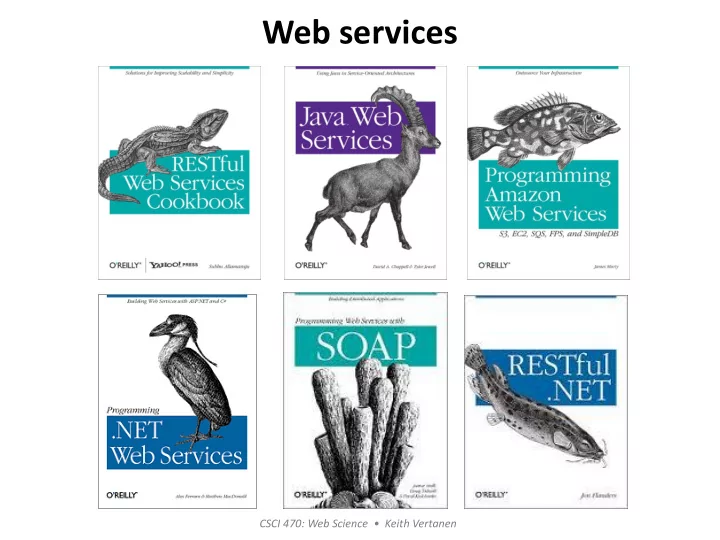
Web services

CSCI 470: Web Science • Keith Vertanen
slide-2
SLIDE 2

Overview

  • Web services

– What does that mean? – Why are they useful?

  • Examples!
  • Major interaction types

– REST – SOAP

2

slide-3
SLIDE 3

3

thanks Wikipedia…

slide-4
SLIDE 4

W3C says…

4

1.4 What is a Web service? For the purpose of this Working Group and this architecture, and without prejudice toward other definitions, we will use the following definition: [Definition: A Web service is a software system designed to support interoperable machine-to-machine interaction over a network. It has an interface described in a machine-processable format (specifically WSDL). Other systems interact with the Web service in a manner prescribed by its description using SOAP messages, typically conveyed using HTTP with an XML serialization in conjunction with other Web-related standards.]

slide-5
SLIDE 5

Web services

  • Basic idea:

– Allows others to use your:

  • Unique algoirthms, e.g. translating English to Spanish
  • Unique data, e.g. find out where your FedEx package is

– Do this over the Internet

  • In a standard way using a known protocol (e.g. HTTP)

– Possible business uses:

  • Within a company to integrate things
  • Between a company and partners
  • For free, promote your new fangled search engine

– e.g. Bing (but now commercial)

  • For money, (e.g. $5/1000 search queries)

5

slide-6
SLIDE 6

Bing web services

6

slide-7
SLIDE 7

Using Bing search API

  • Apply for an app ID

– Get a Windows Live account – Get an app ID: e.g. ABBJ3923CEFHB39398FEFE37

  • Choose your “protocol”:

– JavaScript Object Notation (JSON) – Extensible Markup Language (XML) – SOAP (original Simple Object Access Protocol)

  • Make your search request

– Use a language/command line tool of your choice – My example: REST with JSON result format

7

slide-8
SLIDE 8

Using Bing search API

  • Find the top-10 Bing results for "orediggers"

– Make a HTTP GET request – 2012 style, authentication via GET parameter:

  • http://api.bing.net/json.aspx?

AppId=AFKJEAWKFJEAWKFJA&Version=2.2& Market=enUS& Query=orediggers&Sources=web+spell& Web.Count=10& JsonType=raw

– 2013-15 style, HTTP basic authentication:

  • https://api.datamarket.azure.com/Bing/Search/Web?

Query=%27oredigger%27& $top=10& $format=json

8

slide-9
SLIDE 9

Yahoo web services

9

slide-10
SLIDE 10

Google web services

10

slide-11
SLIDE 11

11

slide-12
SLIDE 12

Facebook web services

12

slide-13
SLIDE 13

FedEx web services

13

slide-14
SLIDE 14

14

http://www.programmableweb.com/

slide-15
SLIDE 15

Twitter web services

15

slide-16
SLIDE 16

Sipping on the Twitter Spritzer…

16

statuses/sample

Returns a random sample of all public statuses. The default access level, ‘Spritzer’ provides a small proportion of the Firehose, very roughly, 1% of all public statuses. The “Gardenhose” access level provides a proportion more suitable for data mining and research applications that desire a larger proportion to be statistically significant sample. Currently Gardenhose returns, very roughly, 10% of all public statuses. Note that these proportions are subject to unannounced adjustment as traffic volume varies.

  • URL: https://stream.twitter.com/1/statuses/sample.json
  • Method(s): GET
  • Parameters: count, delimited, stall_warnings
  • Returns: stream of status element

Just go to this URL in a browser and enter your Twitter username and

password! Or programmatically:

curl -k https://stream.twitter.com/1/statuses/sample.json - umyuser:mypassword

slide-17
SLIDE 17

17

static void Main(string[] args) { HttpWebRequest webRequest = null; HttpWebResponse webResponse = null; StreamReader responseStream = null; while (true) { try { webRequest = (HttpWebRequest) WebRequest.Create("https://stream.twitter.com/1/statuses/sample.json"); webRequest.Credentials = new NetworkCredential("username", "password"); webRequest.Timeout = -1; webResponse = (HttpWebResponse) webRequest.GetResponse(); responseStream = new StreamReader(webResponse.GetResponseStream(), System.Text.Encoding.GetEncoding("utf-8")); Console.WriteLine(responseStream.ReadLine()); } catch (WebException ex) { Console.WriteLine(ex.Message); } ...

Twitter programmatic access…

C# example printing the spritzer (worked prior to June 2013, now requires OAuth).

http://tools.ietf.org/html/rfc5849 https://dev.twitter.com/docs/auth/authorizing-request

slide-18
SLIDE 18

Twitter harvesting

  • Streaming API: ~1% of world's Tweets for free

– Collecting since 2011

  • 2.5 TB compressed, using xz
  • Uncompressed, ~ 38 TB!
  • 3.8B in English alone

18

slide-19
SLIDE 19

Twitter harvesting

  • Tweet meta data: JSON format (next lecture)

– lang field, identifies language of tweet

  • Use to be set by user, now machine-detected by Twitter
  • I additionally use Google CLD and langid-java

19

slide-20
SLIDE 20

I just bought some milk…

  • What do with all these Tweets?

– Often informal person-to-person communications – Augmentative and Alternative Communication (AAC)

  • Enable users with certain disabilities to speak
  • AAC devices often rely on statistical language models
  • Language models historically have been trained on small

amounts of non-representative data

20 http://www.tobii.com/en/assistive-technology/global/products/hardware/tobii-i-series/socially-connected/#.UuaZHHkQFFQ

slide-21
SLIDE 21

21

slide-22
SLIDE 22

22

– TurkTrain

  • Invented communications by workers on Amazon Mechanical Turk

– Perplexity

  • Average branching factor after each word, lower is better
slide-23
SLIDE 23

Mashups

  • Mashups

– A web application hybrid

  • Combine the functionality or data from several web sites

– Frequently done using web services

  • e.g. Combine Google Maps API with Twitter API

23

http://www.youtube.com/watch?v=zfZROP2ky4I

slide-24
SLIDE 24

Web services protocols

  • Two major protocols:

– REST (Representational state transfer)

  • An HTTP GET request to a specific URL
  • HTTP is the protocol, no other choice
  • e.g. Bing and Twitter examples

– SOAP

  • Originally Simple Object Access Protocol

– Dropped acronym, not so simple?

  • XML message format
  • Really a framework for specifying protocols

– HTTP is one profile choice

  • Strong typing

– Generate proxy class using toolkit

24

slide-25
SLIDE 25

Bing via SOAP

25

slide-26
SLIDE 26

26

using BingSOAP.net.bing.api; namespace BingSOAP { class Program { static void Main(string[] args) { BingService service = new BingService(); SearchRequest request = new SearchRequest(); request.AppId = "FAEWKJAEAEFJKAFWJKJAEFKJEFWKAFEWJKAWEFKAFWEJFAWE"; request.Sources = new SourceType[] { SourceType.Web }; request.Query = "orediggers"; SearchResponse response = service.Search(request); int i = 0; foreach (WebResult r in response.Web.Results) { Console.WriteLine(i + ": " + r.Title); Console.WriteLine(i + ": " + r.Url); Console.WriteLine(i + ": " + r.Description); Console.WriteLine(); i++; } } } }

C# example that does a query using the Bing SOAP API.

slide-27
SLIDE 27

27

slide-28
SLIDE 28

28

slide-29
SLIDE 29

Summary

  • Web services

– Access to remote procedures / data – Promotes integration

  • Better than everybody inventing custom interchange

schemes

– Makes it through firewalls – Runs on top of the mature web architecture

29