Introduction to REST Web REST Web Services Characteristics Services - - PDF document

introduction to rest web
SMART_READER_LITE
LIVE PREVIEW

Introduction to REST Web REST Web Services Characteristics Services - - PDF document

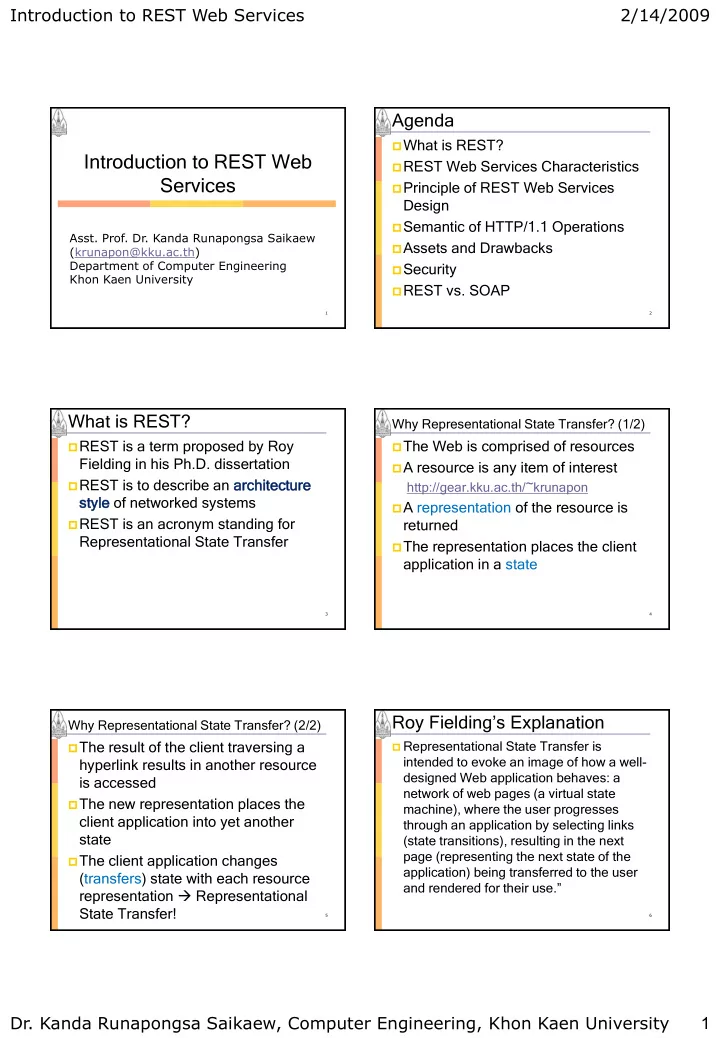
Introduction to REST Web Services 2/14/2009 Agenda What is REST? Introduction to REST Web REST Web Services Characteristics Services Principle of REST Web Services Design Semantic of HTTP/1.1 Operations Asst. Prof. Dr. Kanda


slide-1
SLIDE 1

Introduction to REST Web Services

  • Dr. Kanda Runapongsa Saikaew, Computer Engineering, Khon Kaen University

1 2/14/2009

1

  • Asst. Prof. Dr. Kanda Runapongsa Saikaew

(krunapon@kku.ac.th) Department of Computer Engineering Khon Kaen University

Introduction to REST Web Services

Agenda

What is REST? REST Web Services Characteristics Principle of REST Web Services

Design

Semantic of HTTP/1.1 Operations Assets and Drawbacks Security REST vs. SOAP

2

What is REST?

REST is a term proposed by Roy

Fielding in his Ph.D. dissertation

REST is to describe an archit

itecture ecture styl yle of networked systems

REST is an acronym standing for

Representational State Transfer

3

Why Representational State Transfer? (1/2)

The Web is comprised of resources A resource is any item of interest

http://gear.kku.ac.th/~krunapon

A representation of the resource is

returned

The representation places the client

application in a state

4

Why Representational State Transfer? (2/2)

The result of the client traversing a

hyperlink results in another resource is accessed

The new representation places the

client application into yet another state

The client application changes

(transfers) state with each resource representation  Representational State Transfer!

5

Roy Fielding‟s Explanation

 Representational State Transfer is

intended to evoke an image of how a well- designed Web application behaves: a network of web pages (a virtual state machine), where the user progresses through an application by selecting links (state transitions), resulting in the next page (representing the next state of the application) being transferred to the user and rendered for their use.”

6

slide-2
SLIDE 2

Introduction to REST Web Services

  • Dr. Kanda Runapongsa Saikaew, Computer Engineering, Khon Kaen University

2 2/14/2009

REST, An Architectural Style, Not a Standard REST is not a standard

You will not see the W3C putting out a

REST specification

REST is just an architectural style You can only understand the style

and design your Web services in that style

Analogous to the client-server

architectural style, there is no client- server standard

7

REST Uses These Standards

HTTP URL XML/HTML/GIF/JPEG/etc

(Resource Representations)

text/xml, text/html, image/gif,

image/jpeg, etc (Resource Types, MIME Types)

8

The Classic REST System

The Web is a REST system Many of those Web services that you

have been using these many years

Book-ordering services Search services Online dictionary services

REST is concerned with the “big

picture” of the Web

It does not deal with implementation

details

9

Parts Depot Web Services

Parts Depot has deployed some

web services to enable its customers to

Get a list of parts Get detailed information about a

particular part

Submit a purchase order

10

Get Parts List

The web service makes available a

URL to a parts list resource

For example, a client would use this

URL to get the parts list

http://www.parts-depot.com/parts

Parts Depot is free to modify the

underlying implementation of this resource without impacting clients (loose coupling)

11

The Client will Receive

<?xml version=“1.0”?> <p:Parts xmlns:p=„http://www.parts-depot.com‟ xmlns:xlink=„http://www.w3.org/1999/xlink‟> <Part id=„00345‟ xlink:href=„http://www.parts- depot.com/parts/00345‟/> <Part id=„00346‟ xlink:href=„http://www.parts- depot.com/parts/00346‟/> </p:Parts>

 The parts has links to get detailed info about each part  The client transfers from one state to the next by

examining and choosing from among the alternative URLs in the response document.

12

slide-3
SLIDE 3

Introduction to REST Web Services

  • Dr. Kanda Runapongsa Saikaew, Computer Engineering, Khon Kaen University

3 2/14/2009

Get Detailed Part Data

The web service makes available a

URL to each part resource

For example, here‟s how a client

requests part 00345:

http://www.parts-depot.com/parts/00345

13

The Client will Receive

<?xml version=“1.0”?> <p:Part xmlns:p=„http://www.parts-depot.com‟ xmlns:xlink=„http://www.w3.org/1999/xlink‟> <Part-ID>00345</Part-ID> <Name>Widget-A</Name> <Description>This part is used within the frap assembly</Description> … <Quantity>10</Quantity> </p:Part>

14

Agenda

What is REST? REST Web Services Characteristics Principle of REST Web Services

Design

SOAP vs. REST Style REST Assets and Drawbacks Security with REST Public Web Services

15

REST Web Services Characteristics (1/3)

Client-server

A pull-based interaction style:

consuming components pull representations

Stateless

Each request from client to server must

contain all the information necessary to understand the request

Cannot take advantage of any stored

text on the server

16

REST Web Services Characteristics (2/3)

 Cache

 To improve network efficiency, responses

must be capable of being labeled as cacheable or non-cacheable

 Uniform interface

 All resources are accessed with a generic

interface (e.g., HTTP GET, POST, PUT, DELETE)

 Named resources

 The system is comprised of resources which

are named using a URL

17

REST Web Services Characteristics (3/3)

Interconnected resource

representations

The representations of the resources

are interconnected using URLs, thereby enabling a client to progress from one state to another

Layered components

Intermediaries, such as proxy servers,

cache servers, gateways, etc, can be inserted between clients and resources to support performance, security, etc.

18

slide-4
SLIDE 4

Introduction to REST Web Services

  • Dr. Kanda Runapongsa Saikaew, Computer Engineering, Khon Kaen University

4 2/14/2009

Agenda

What is REST? REST Web Services Characteristics Principle of REST Web Services

Design

Semantic of HTTP/1.1 Operations Assets and Drawbacks Security REST vs. SOAP

19

Principles of REST Web Service Design (1/4)

The key to creating Web services

in a REST network (i.e., the Web) is to identify all of the conceptual entities that you wish to expose as services

Above we saw some examples of

resources: parts list, detailed part data, purchase order

20

Principles of REST Web Service Design (2/4) Create a URL to each resource. The

resources should be nouns, not verbs

For example, do not use this

http://www.parts-

depot.com/parts/getPart?id=00345

Note the verb, getPart Instead, use a

noun

http://www.parts-depot.com/parts/00345

21

Principles of REST Web Service Design (3/4)  Categorize your resources according to

whether clients can just receive a representation of the resource or whether clients can modify (add to) the resource

 All resources accessible via HTTP GET

should be side-effect free

 No man/woman is an island Put hyperlinks within resource

representation to enable clients to drill down for more information

22

Principles of REST Web Service Design (4/4)

 Design to reveal data gradually

 Don‟t reveal everything in a single response

document

 Provide hyperlinks to obtain more details

 Specify the format of response data using

a schema (DTD, W3C Schema)

 Describe how your services are to be

invoked using either a WSDL document or simply an HTML document

23

Agenda

What is REST? REST Web Services Characteristics Principle of REST Web Services

Design

Semantic of HTTP/1.1 Operations Assets and Drawbacks Security REST vs. SOAP

24

slide-5
SLIDE 5

Introduction to REST Web Services

  • Dr. Kanda Runapongsa Saikaew, Computer Engineering, Khon Kaen University

5 2/14/2009

Semantic of HTTP/1.1 Operations (1/3)

GET

“Retrieve whatever information (in the

form of an entity) is identified by the Request-URI”

Retrieve representation, shouldn‟t result

in data modification

25

Semantic of HTTP/1.1 Operations (2/3)

POST

“Request that the origin server accept

the entity enclosed in the request as a new subordinate of the resource identified by the Request-URI”

Annotation of existing resources, extending

a database through an append operation

Posting a message to a bulletin board, or

group of articles

Providing a block of data (e.g., form data)

to a data-handling process

26

Semantic of HTTP/1.1 Operations (3/3)

PUT

“Requests that the enclosed entity be

stored under the supplied Request-URI”, create/put a new resource

DELETE

“Requests that the origin server deletes

the resource identified by the Request- URI”

27

Agenda

What is REST? REST Web Services Characteristics Principle of REST Web Services

Design

Semantic of HTTP/1.1 Operations Assets and Drawbacks Security REST vs. SOAP

28

REST Assets

 Development and testing without complex

toolkits

 Debugging of REST requests with a web

browser

 Requires a HTTP client, available in every

common language

 REST services can be easily used by AJAX

applications

 APIs in REST style are more consumable than

complex APIs

 Lower learning curve for consumer  Everything accessible through universal API

29

REST Drawbacks

Restrictions for GET length

sometimes may be a problem

No direct bridge to the OOP world

Difference between REST and RPC

style may be subtle sometimes, but not necessarily in general case

30

slide-6
SLIDE 6

Introduction to REST Web Services

  • Dr. Kanda Runapongsa Saikaew, Computer Engineering, Khon Kaen University

6 2/14/2009

Agenda

What is REST? REST Web Services Characteristics Principle of REST Web Services

Design

Semantic of HTTP/1.1 Operations Assets and Drawbacks Security REST vs. SOAP

31

Security with REST

 Firewall

 Operations based on URIs and HTTP

methods

 Can be filtered by firewalls  No need to inspect and parse, e.g., SOAP

 Server side

 Simple ACL based security possible  Security and authentication through HTTP(S)  Request and response data may be secured

by OASIS Web Services Security

32

Applying Security to REST

 Applying ACLs to REST methods

(GET, POST, PUT, DELETE)

Filtering query strings

How REST security is similar to Web

Application Security

Logging and keeping an audit trail of

REST data

How Google and Amazon apply

security to their REST interfaces

33

Query Strings and Web Application (1/2)

 We‟ve seen that in practice, REST

means: “HTTP GETs with the parameters passed in the QueryString”

This means that many standard Web

Application Security techniques are applicable to REST Web Services

34

Query Strings and Web Application (2/2)

Validating the size of parameters on

the QueryString

Validating the content of parameters

  • n the QueryString

Examining parameters in the

QueryString for known attacks such as SQL injection

Applying regular expressions

(RegEx‟s) to QueryString parameters

35

Logging and Audit Trail (1/2)

With REST, the URIs are the audit

trail

Unless SSL is used, network

infrastructure can cache, or log, information that is contained in HTTP QueryStrings

Has privacy implications, e.g., for

Google searches

36

slide-7
SLIDE 7

Introduction to REST Web Services

  • Dr. Kanda Runapongsa Saikaew, Computer Engineering, Khon Kaen University

7 2/14/2009

Logging and Audit Trail (2/2)

 All the information is contained in the

method and the URI

 This means that the URI can be “replayed”  Sequences of URIs can be “replayed” to

replay a transaction

 With SOAP, the invocation data is in the

SOAP message contained in the POST, not in the URI

 The POST itself may not be logged,

depending on your Web server logging configuration

37

Amazon and Google Web Services (1/2)

Both started with the concept of the

“Developer Token”

This token is passed as a parameter

to the Web Service

In the REST model, it is passed within a

name-value pair in the URL QueryString

38

Amazon and Google Web Services (2/2)

The token is used to limit developers

to a certain amount of Web Service requests per day

1000 calls per day for Google‟s

Developer ID

Developer tokens are an

unsophisticated security device

Can be discovered and used by other

parties

 No “proof of possession”

39

Amazon Web Services (1/3)

Amazon‟s “Developer token” model is

more sophisticated than Google‟s

Amazon has a growing number of

commercial Web services for which users are billed via credit cards

Developers apply for an “Access Key

ID” and a “Secret Access Key” in

  • rder to use Amazon Web Services

These two keys replaced in the single

“SubscriberID” in October 2005

40

Amazon Web Services (2/3)

The “Access Key ID” is used to

identify the developer whose code is accessing the Web Service

Not a “public key” since it can be used

for impersonation to Web Services that do not need authentication

The “Secret Access Key” is used to

generate a HMAC signature which is used by Amazon to authenticate requests

41

Amazon Web Services (3/3)

The signature is calculated over

service, operation, and timestamp

The timestamp is used in order to

prevent replay attacks

The Access Key ID is sent with the

request to identify the developer, so Amazon Web Services (AWS) can look up their Secret Access Key

So the Secret Access Key is a

“shared secret”, not a private key

42

slide-8
SLIDE 8

Introduction to REST Web Services

  • Dr. Kanda Runapongsa Saikaew, Computer Engineering, Khon Kaen University

8 2/14/2009

REST “reinventing the wheel”

43

 With the “Developer Token” and the “Secret Access

Key”/”Access Key ID” schemes, we see that Amazon has reinvented functionality that is already present in SOAP/WS-Security

 WS-Security UsernameTokens, with timestamp

support, for sending username tokens

 WS-Security‟s support for XML Signature  But the functionality is much more limited than what you

get with WS-Security [certificate support], WS-Trust [translation of tokens], WS-SecureConversation [creation

  • f a session for trusted messages], etc.

REST Security Conclusion

 REST theory is quite complex and academic  Rest practice is simple, allowing quick-and-dirty Web

Service creation and deployment

 Many principals of Web Application Security apply

 Never trust your input

 Amazon and Google, amongst others, have REST Web

Services

 Developers expect the option of SOAP or REST

 Plain “XML Firewalls” don‟t filter traffic to REST Web

Services, since in practice REST is almost always “HTTP GET in, XML out”

 Consider a unified approach that protects both SOAP

and REST

44

Agenda

What is REST? REST Web Services Characteristics Principle of REST Web Services

Design

Semantic of HTTP/1.1 Operations Assets and Drawbacks Security REST vs. SOAP

45 46

Conceptual Diagram of REST

Reference: http://res.sys-con.com/story/apr05/79282/fig1.jpg

47

Conceptual Diagram of SOAP Web

48

Implementing a Web Services using REST

Response (HTML/XML doc)

Web Server

HTTP GET request URL 1 HTTP response

Response (HTML/XML doc)

HTTP GET request URL 2 HTTP response HTTP POST URL 3 HTTP response URL to submitted PO

PO (HTML/XML)

Parts List Part PO

http://www.parts-depot.com/parts/0035

slide-9
SLIDE 9

Introduction to REST Web Services

  • Dr. Kanda Runapongsa Saikaew, Computer Engineering, Khon Kaen University

9 2/14/2009

49

In SOAP 1.1

All requests are made using the HTTP

Post Method

The target operation is hidden inside the

SOAP envelope.

A SOAP server has to peek into this

document to determine what procedure to invoke. Implementing Web Services using SOAP 1.1

50

Example of A Soap Request

<?xml version="1.0"?> <soap:Envelope xmlns:soap="http://schemas.xmlsoap.org/soap/ envelope/"> <soap:Body> <p:getPar art xmlns:p="http://www.parts- depot.com"> <part-id>00345</part-id> </p:getPar art> </soap:Body> </soap:Envelope>

51

Implementing Web Services using SOAP

Request (XML doc) Response (XML doc)

Web Server

SOAP envelope

HTTP POST

URL 1

HTTP Response

getPartsList()

Request (XML doc) Response (XML doc)

HTTP POST

URL 1

HTTP Response

getPart(id)

SOAP Server

PO (XML doc)

HTTP POST

URL 1 submit(PO)

Response (XML doc)

HTTP Response

Note the use of the same URL (URL 1) for all transactions. The SOAP Server parses the SOAP message in the envelope to determine which method to invoke. All SOAP messages are sent using an HTTP POST.

52

Implementing Web Services using SOAP 1.2

In SOAP 1.2

You have the option of using both

HTTP Get and Post methods

All resources that have their own URI

can be accessed using the HTTP Get method

Most SOAP Servers are still using the

RPC style of HTTP Post

53

Caching in SOAP 1.1

In SOAP 1.1 no Caching was possible

with SOAP, because the cache server could not determine

If data is being requested, as SOAP

  • perations are always HTTP Post, even

requests.

What resource is being requested as the

URI is always to the SOAP server, not the target resource

54

Caching in SOAP 1.2

In SOAP 1.2 you do have the option

  • f declaring your resources with URI‟s

and using HTTP Get

Only these SOAP resources can be

cached.

slide-10
SLIDE 10

Introduction to REST Web Services

  • Dr. Kanda Runapongsa Saikaew, Computer Engineering, Khon Kaen University

10 2/14/2009

55

REST vs. SOAP Scorecard (1/3)

Issue REST SOAP

Standards- based Yes, existing standard like XML and HTTP Yes, old and new standards together Development tools Few, not largely necessary Yes, plentiful commercial and

  • pen source

Management tools Uses existing network tools Yes, often costly but in abundance

56

REST vs. SOAP Scorecard (2/3)

Issue REST SOAP

Extensible Not in a standards-based way Yes, many extensions, including the WS-* standards Service-

  • riented

architecture friendly Limited, few building blocks for advanced service-

  • rientation exist

Yes

57

REST vs. SOAP Scorecard (3/3)

Issue REST SOAP

Platform restrictive No, easy to use from virtually all OS, language, and tool platforms Somewhat, the more of SOAP used, the more restrictive it can be High performance Yes Slower than REST, but SOAP 1.2‟s binary compression may change that

58

Summary of REST Features

 Messages are represented in plain XML  HTTP is used for the transfer protocol  HTTP verbs are used for

access/manipulation commands

 URIs are used to uniquely identify

resources in message

 HTTP authentication provides security  There is no formal method for expressing

the interface contract

59

Summary of SOAP Features

 Messages are represented in a

standardized XML SOAP “envelope”

 Can be bound to various protocols

including HTTP and SMTP

 Access to and manipulation of data are

application specific

 Security is not described by SOAP and is

to be provided by the developer

 XML schemas are used to define the

contract between client and service

Who‟s using REST?

 All of Yahoo's web services use REST,

including Flickr, del.icio.us API uses it

 As of December 5, 2006, Google is no longer issuing

new API keys for the SOAP Search API.

 AJAX Search API may be a better choice for you

instead  eBay, and Amazon have web services for

both REST and SOAP

 But Only Amazon REST Web services clients

using Ruby on Rails are supported

60

slide-11
SLIDE 11

Introduction to REST Web Services

  • Dr. Kanda Runapongsa Saikaew, Computer Engineering, Khon Kaen University

11 2/14/2009

Who‟s using SOAP?

 You will find SOAP web services in lots of

enterprise software

 eBay supports SOAP and REST Web services

 Shopping Web services (HTTP GET and POST)

 http://developer.ebay.com/products/shopping/

 eBay Trading Web Services (HTTPS POST)

 http://developer.ebay.com/products/trading/

 Paypal supports SOAP Web services

61

REST vs. SOAP

 The main advantages of REST web

services are:

 Lightweight - not a lot of extra xml markup  Human Readable Results  Easy to build - no toolkits required

 SOAP also has some advantages:

 Easy to consume - sometimes  Rigid - type checking, adheres to a contract  Development tools

62 63

Caching in REST

A Cache Server is able to store a copy of

any response to a HTTP Get request.

This shortens the distance that the client

must go to get the data, thus speeding up the request.

The results of a resource request in REST

contains an indication in the HTTP header

  • f whether these results are cacheable

(and when the data will become stale).

64

When to Use Which Approach

REST is an attractive choice

Basic applications that involves high

levels of interoperability between multiple platforms

SOAP is appropriate for

Large, formal applications that require

advanced capabilities between relatively homogenous systems

When to Use REST

 The web services are completely stateless  A caching infrastructure can be leveraged

for performance.

 The service producer and service

consumer have a mutual understanding of the context

 Bandwidth is particularly important and

needs to be limited

 Web service delivery or aggregation into

existing web sites can be enabled easily with a RESTful style

65

REST with AJAX

Developers can use technologies

such as AJAX to consume the services in their web applications

Services can be exposed with XML

and consumed by HTML pages

Without significantly refactoring the

existing web site architecture

66

slide-12
SLIDE 12

Introduction to REST Web Services

  • Dr. Kanda Runapongsa Saikaew, Computer Engineering, Khon Kaen University

12 2/14/2009

When to use SOAP

A formal contract (WSDL) must be

established to describe the interface that the web service offers

The architecture must address

complex nonfunctional requirements

Transactions, Security, Addressing,

Trust, Coordination

The architecture needs to handle

asynchronous processing and invocation

67

References (1/2)

 Roger L. Costello, “Building Web Services

the REST Way”, http://www.xfront.com/REST-Web- Services.html

 Stefan Marr, “RESTful Web Services”, HPI,

Seminar Advanced Database Technology

 Pete Freitag, “REST vs SOAP Web

Services”, http://www.petefreitag.com/item/431.cfm

 Google, “Google SOAP Search API”,

http://code.google.com/apis/soapsearch/

68

References (2/2)

 Sameer Tyagi, “RESTful Web Services”,

http://java.sun.com/developer/technicalArti cles/WebServices/restful/?feed=JSC

 PayPal, “PayPal Web Services &

Developer Central”, https://www.paypal.com/us/cgi- bin/webscr?cmd=p/pdn/devcentral_landin g-outside

69