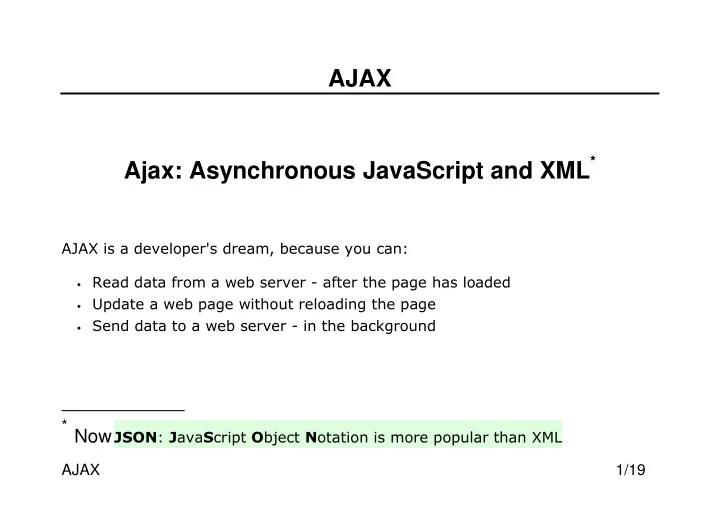
SLIDE 1 AJAX 1/19
AJAX Ajax: Asynchronous JavaScript and XML*
* Now "#$
SLIDE 2 AJAX 2/19
EXAMPLE
https://www.w3schools.com/js/tryit.asp?filename=tryjs_ajax_first <html> <body> <div id="demo"> <button type="button" onclick="loadDoc()">Change Content</button> </div> <script> function loadDoc() { var xhttp = new XMLHttpRequest(); xhttp.onreadystatechange = function() { if (this.readyState == 4 && this.status == 200) { document.getElementById("demo").innerHTML = this.responseText; } }; xhttp.open("GET", "ajax_info.txt", true); xhttp.send(); } </script> </body> </html>
SLIDE 3 AJAX 3/19
CREATE AN XMLHTTPREQUEST OBJECT
variable = new XMLHttpRequest();
SLIDE 4 AJAX 4/19
XMLHTTPREQUEST METHODS
'
() ' *+,' () '/
'&()
SLIDE 5
AJAX 5/19
GET REQUESTS
xhttp.open("GET", "demo_get1.html", true); xhttp.send(); xhttp.open("GET", "demo_get2.php?fname=Henry&lname=Ford", true); xhttp.send();
SLIDE 6
AJAX 6/19
POST REQUESTS
xhttp.open("POST", "ajax_test.php", true); xhttp.setRequestHeader("Content-type", "application/x-www-form- urlencoded"); xhttp.send("fname=Henry&lname=Ford");
SLIDE 7 AJAX 7/19
ONREADYSTATECHANGE PROPERTY
xhttp.onreadystatechange = function() { if (this.readyState == 4 && this.status == 200) { document.getElementById("demo").innerHTML = this.responseText; } };
SLIDE 8 AJAX 8/19
READYSTATE & STATUS PROPERTIES
&#$&'/ 2'3 4 5' 6' 7'
7268:8 7278-8 :&# ,% %(//8.988;:8)
SLIDE 9 AJAX 9/19
AJAX & PHP #1
https://www.w3schools.com/js/tryit.asp?filename=tryjs_ajax_suggest_php
<html><head> <script> function showHint(str) { if (str.length == 0) { document.getElementById("txtHint").innerHTML = ""; return; } else { var xmlhttp = new XMLHttpRequest(); xmlhttp.onreadystatechange = function() { if (this.readyState == 4 && this.status == 200) { document.getElementById("txtHint").innerHTML =this.responseText; } }; xmlhttp.open("GET", "gethint.php?q=" + str, true); xmlhttp.send(); } } </script> </head>
SLIDE 10 AJAX 10/19
AJAX & PHP #2
https://www.w3schools.com/js/tryit.asp?filename=tryjs_ajax_suggest_php
<body> <p><b>Start typing a name in the input field below:</b></p> <form> First name: <input type="text" onkeyup="showHint(this.value)"> </form> <p>Suggestions: <span id="txtHint"></span></p> </body> </html>
SLIDE 11
AJAX 11/19
JSON
.;"/ .;%%/ .;% "/
SLIDE 12 AJAX 12/19
In JSON, values must be one of the following data types:
- a string
- a number
- an array
- a boolean
- null
SLIDE 13
AJAX 13/19
JSON OBJECTS { "name":"John", "age":30, "car":null };
SLIDE 14
AJAX 14/19
JSON ARRAYS [ "Ford", "BMW", "Fiat" ]
SLIDE 15
AJAX 15/19
JSON ARRAYS OF OBJECTS
[ {"name":"Jose Bastos","micropost_id":"70","user_id":"74","cont ent":"mais um","created_at":"2017-11-12 00:39:57","total":"2"}, {"name":"Jose Bastos","micropost_id":"70","user_id":"74","cont ent":"vamos a ver","created_at":"2017-11-12 00:06:08","total":"2"}, {"name":"Jose Bastos","micropost_id":"70","user_id":"74","cont ent":"\r\ntest","created_at":"2017-11-11 23:44:44","total":"2"} ]
SLIDE 16 AJAX 16/19
JAVASCRIPT PARSING JSON
- '{ "name":"John", "age":30, "city":"New York"}'
! " var obj = JSON.parse('{ "name":"John", "age":30, "city":"New York"}');
SLIDE 17 AJAX 17/19
STRINGIFY A JAVASCRIPT OBJECT
var obj = { "name":"John", "age":30, "city":"New York"};
- # !
- var myJSON = JSON.stringify(obj);
SLIDE 18 AJAX 18/19
JSON PHP #1
- Objects in PHP can be converted into JSON by using the
PHP function json_encode():
<?php $myObj->name = "John"; $myObj->age = 30; $myObj->city = "New York"; $myJSON = json_encode($myObj); echo $myJSON; ?>
{"age":30,"city":"New York","name":"John"}
SLIDE 19 AJAX 19/19
JSON PHP #2
Associative Arrays in PHP can be converted into JSON by using the PHP function json_encode():
$age = array("Peter"=>"35", "Ben"=>"37", "Joe"=>"43"); $myJSON = json_encode($age); echo $myJSON; ?> {"Peter":"35","Ben":"37","Joe":"43"}