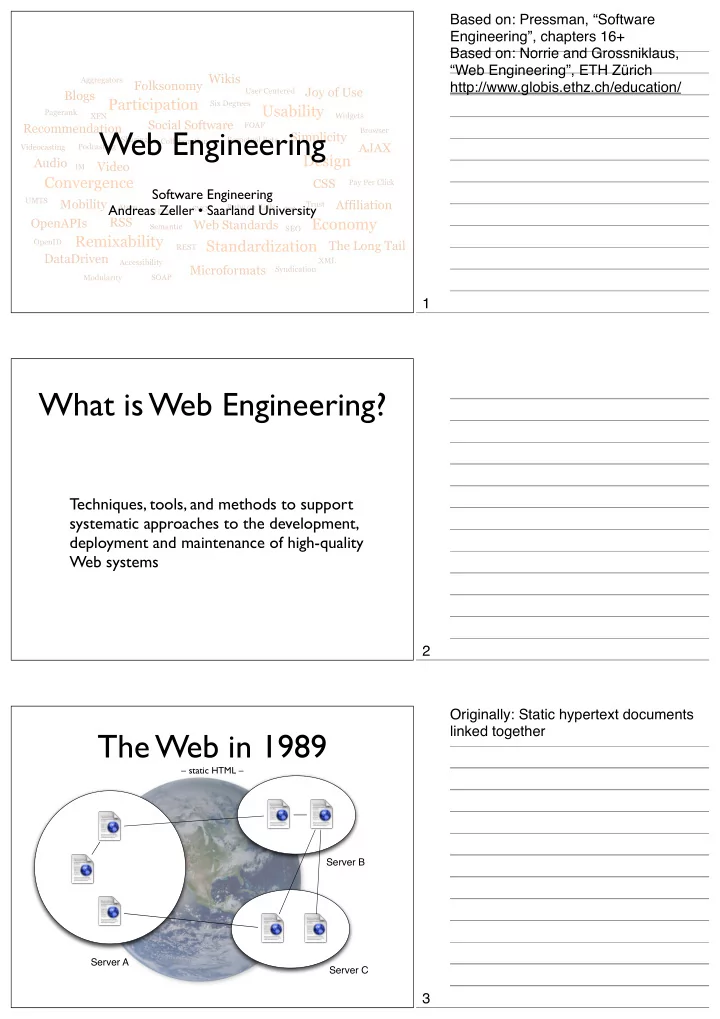
Web 2.0 Design Audio Video IM Convergence CSS Pay Per Click - - PDF document

web 2 0
SMART_READER_LITE
LIVE PREVIEW

Web 2.0 Design Audio Video IM Convergence CSS Pay Per Click - - PDF document

Based on: Pressman, Software Engineering, chapters 16+ Based on: Norrie and Grossniklaus, Web Engineering, ETH Zrich Wikis Aggregators Folksonomy http://www.globis.ethz.ch/education/ Joy of Use User Centered Blogs


slide-1
SLIDE 1

Usability Economy Design Standardization Remixability Convergence Participation

Widgets Collaboration Sharing Pagerank User Centered Perpetual Beta Trust FOAF Six Degrees XFN Aggregators VC Pay Per Click Modularity Ruby on Rails Syndication SOAP REST SEO IM XHTML Accessibility Semantic XML UMTS Videocasting Podcasting SVG Atom Browser OpenID

Wikis Simplicity Joy of Use AJAX The Long Tail Affiliation CSS Web Standards Microformats DataDriven OpenAPIs RSS Mobility Video Audio Blogs Social Software Recommendation Folksonomy

Web 2.0

Web Engineering

Software Engineering Andreas Zeller • Saarland University

What is Web Engineering?

Techniques, tools, and methods to support systematic approaches to the development, deployment and maintenance of high-quality Web systems

The Web in 1989

– static HTML – Server A Server B Server C

Based on: Pressman, “Software Engineering”, chapters 16+ Based on: Norrie and Grossniklaus, “Web Engineering”, ETH Zürich http://www.globis.ethz.ch/education/ 1 2 Originally: Static hypertext documents linked together 3

slide-2
SLIDE 2

The Web today

– everything is dynamic – static Web pages

Database

dynamic Web pages

The Web tomorrow

Usability Economy Design Standardization Remixability Convergence Participation

Widgets Collaboration Sharing Pagerank User Centered Perpetual Beta Trust FOAF Six Degrees XFN Aggregators VC Pay Per Click Modularity Ruby on Rails Syndication SOAP REST SEO IM XHTML Accessibility Semantic XML UMTS Videocasting Podcasting SVG Atom Browser OpenID

Wikis Simplicity Joy of Use AJAX The Long Tail Affiliation CSS Web Standards Microformats DataDriven OpenAPIs RSS Mobility Video Audio Blogs Social Software Recommendation Folksonomy

Web 2.0

Web 2.0

WebApp Attributes

  • Network-intensive
  • Concurrent
  • Unpredictable load
  • Performance
  • Availability
  • Data driven
  • Content sensitive
  • Continuous evolution
  • Immediacy
  • Security
  • Aesthetics

Today: Web pages generated by programs, from databases… 4 5 See Pressman, “Software Engineering”, chapter 16 6

slide-3
SLIDE 3

Network-intensive

  • A WebApp resides on a network and

serves a diverse community of clients

  • Includes multi-channel access

→ separating functionality and presentation

Desktop browsers (HTML, Flash, …) WAP browsers (WML, CHTML) Mobile browsers (HTML) Phone access (Voice XML) Web services (SOAP, XML)

  • Network-intensive
  • Concurrent
  • Unpredictable load
  • Performance
  • Availability
  • Data driven
  • Content sensitive
  • Continuous evolution
  • Immediacy
  • Security
  • Aesthetics

Concurrency

  • A large number of users may access the

WebApp at one time; patterns of usage among end-users will vary greatly.

  • Implies designing for concurrency
  • Network-intensive
  • Concurrent
  • Unpredictable load
  • Performance
  • Availability
  • Data driven
  • Content sensitive
  • Continuous evolution
  • Immediacy
  • Security
  • Aesthetics

www.st.cs.uni-sb.de www.st.cs.uni-sb.de

Dashboard Dashboard

Oct 27, 2007 - Nov 26, 2007 Oct 27, 2007 - Nov 26, 2007

100 200 100 200

Site Usage Site Usage

1,425 1,425 Visits

Visits

3,249 3,249 Pageviews

Pageviews

2.28 2.28 Pages/Visit

Pages/Visit

65.12% 65.12% Bounce Rate

Bounce Rate

00:02:32 00:02:32 Avg. Time on Site

  • Avg. Time on Site

70.11% 70.11% % New Visits

% New Visits Visitors Overview Visitors Overview

100 200 100 200

Visitors Visitors

1,008 1,008

Traffic Sources Overview Traffic Sources Overview

Search Engines

Search Engines 588 (41.26%)

Direct Traffic

Direct Traffic 538 (37.75%)

Referring Sites

Referring Sites 299 (20.98%) Map Overlay world Map Overlay world

Visits 1 900

Content Overview Content Overview Pages Pages Pageviews Pageviews % Pageviews % Pageviews / 604 18.59% /zeller/ 253 7.79% /?lang=en 248 7.63% /dd/ 170 5.23% /edu/einst/c++-uebungen.php 114 3.51%

Unpredictable load

  • The number of

WebApp users may vary by

  • rders of

magnitude from day to day.

  • Network-intensive
  • Concurrent
  • Unpredictable load
  • Performance
  • Availability
  • Data driven
  • Content sensitive
  • Continuous evolution
  • Immediacy
  • Security
  • Aesthetics

7 8 9

slide-4
SLIDE 4

Performance

  • If a WebApp user must wait too long, he or

she may decide to go elsewhere.

  • Performance hogs include:
  • access
  • server-side processing
  • client-side formatting and display
  • Network-intensive
  • Concurrent
  • Unpredictable load
  • Performance
  • Availability
  • Data driven
  • Content sensitive
  • Continuous evolution
  • Immediacy
  • Security
  • Aesthetics

Availability

  • Users of popular

WebApps often demand access on a “24/7/365” basis.

  • This is

unreasonable.

  • Network-intensive
  • Concurrent
  • Unpredictable load
  • Performance
  • Availability
  • Data driven
  • Content sensitive
  • Continuous evolution
  • Immediacy
  • Security
  • Aesthetics

Data driven

  • Most WebApps use hypermedia to present

content to the end-user.

Includes text, graphics, audio, and video content

  • WebApps also enable providing access to

e-commerce and financial information

Original access via specialized apps only

  • Network-intensive
  • Concurrent
  • Unpredictable load
  • Performance
  • Availability
  • Data driven
  • Content sensitive
  • Continuous evolution
  • Immediacy
  • Security
  • Aesthetics

10 11 12

slide-5
SLIDE 5

Content sensitive

  • The quality and aesthetic nature of content

remains an important determinant of the quality of a WebApp.

  • “It’s the content, stupid!”
  • Network-intensive
  • Concurrent
  • Unpredictable load
  • Performance
  • Availability
  • Data driven
  • Content sensitive
  • Continuous evolution
  • Immediacy
  • Security
  • Aesthetics

Continuous evolution

  • Unlike conventional application software

that evolves over a series of planned, chronologically-spaced releases, Web applications evolve continuously.

  • Network-intensive
  • Concurrent
  • Unpredictable load
  • Performance
  • Availability
  • Data driven
  • Content sensitive
  • Continuous evolution
  • Immediacy
  • Security
  • Aesthetics

Immediacy

  • WebApps often

exhibit a time to market that can be a matter of days or weeks.

  • Network-intensive
  • Concurrent
  • Unpredictable load
  • Performance
  • Availability
  • Data driven
  • Content sensitive
  • Continuous evolution
  • Immediacy
  • Security
  • Aesthetics

13 14 15

slide-6
SLIDE 6

Security

  • WebApps have to protect

sensitive content and provide secure modes of data transmission.

  • Strong security measures

must be implemented throughout the infrastructure and within the WebApp itself.

  • Network-intensive
  • Concurrent
  • Unpredictable load
  • Performance
  • Availability
  • Data driven
  • Content sensitive
  • Continuous evolution
  • Immediacy
  • Security
  • Aesthetics

Aesthetics

  • When an application has been designed to

market or sell products or ideas, aesthetics may have as much to do with success as technical design.

  • Network-intensive
  • Concurrent
  • Unpredictable load
  • Performance
  • Availability
  • Data driven
  • Content sensitive
  • Continuous evolution
  • Immediacy
  • Security
  • Aesthetics
  • When an application has been designed to

market or sell products or ideas, aesthetics may have as much to do with success as technical design.

Aesthetics

  • Network-intensive
  • Concurrent
  • Unpredictable load
  • Performance
  • Availability
  • Data driven
  • Content sensitive
  • Continuous evolution
  • Immediacy
  • Security
  • Aesthetics

16 17 http://www.ingenfeld.de/ 18

slide-7
SLIDE 7

WebApp Attributes

  • Network-intensive
  • Concurrent
  • Unpredictable load
  • Performance
  • Availability
  • Data driven
  • Content sensitive
  • Continuous evolution
  • Immediacy
  • Security
  • Aesthetics

Building Web Apps

Requirements Design Coding Quality Assurance

WebApps are different

  • Large variety of people involved in

development

programmers • database experts • designers • content providers

  • Typically developed for unknown set of

users with no training

WebApps typically compete for users

  • Speed of development and evolution

See Pressman, “Software Engineering”, chapter 16 19 20 21

slide-8
SLIDE 8

WebApp Process

  • Must accomodate:
  • Incremental delivery
  • Frequent changes
  • Short timeline

Incremental Process

Modeling Construction Delivery & Feedback Planning Software Increment Modeling Construction Delivery & Feedback Planning Software Increment

The Customer

Customer Communication

  • Defines the business +
  • rganizational context

for the WebApp

  • Describes the problem

the WebApp is to solve

  • Gather requirements:

user tasks • content • interaction • navigation

22 23 24

slide-9
SLIDE 9

Modeling Construction Delivery & Feedback Planning Software Increment

The Plan

  • Defines the project plan

for the WebApp

  • Contains task definition

and timeline schedule (usually weeks)

  • Establish milestones that

can be verified Planning Modeling Construction Delivery & Feedback Planning Software Increment

The Model

  • Analysis model:

a basis for design

Content • interaction • functions • configuration

  • Design model:

key WebApp elements

Content • aesthetics • architecture • user interface • navigation

Modeling Modeling Construction Delivery & Feedback Planning Software Increment

Construction

  • Using Web tools and

techniques

  • Run rapid tests for

content • architecture • interface • navigation Construction

25 26 27

slide-10
SLIDE 10

Modeling Construction Delivery & Feedback Planning Software Increment

Deployment

  • Deliver WebApp

to end users

  • Monitor usage

and feed into next planning cycle Delivery & Feedback Software Increment

Incremental Process

Modeling Construction Delivery & Feedback Planning Software Increment

Best Practices

Take the time to understand business tools and project objectives, even if they are very vague.

28 29 30

slide-11
SLIDE 11

Best Practices

Describe how users will interact with the WebApp using a scenario-based approach

Best Practices

Develop a project plan, even if it is very brief

Best Practices

Spend some time modeling what it is that you’re going to build

31 32 33

slide-12
SLIDE 12

Best Practices

Review the models for consistency and quality

Best Practices

Use tools and technology that enable you to construct the system with as many reusable components as possible

Best Practices

Do not rely on early users to debug the WebApp – design tests and execute them before releasing the system

34 35 36

slide-13
SLIDE 13

Modeling Construction Delivery & Feedback Planning Software Increment

The Model

  • 1. Analysis model:

a basis for design

Content • interaction • functions • configuration

  • 2. Design model:

key WebApp elements

Content • aesthetics • architecture • user interface • navigation

Modeling

Analysis Model

A basis for design

  • Content
  • Interaction
  • Functions
  • Configuration

Example: SafeHome Shop

37 38 39

slide-14
SLIDE 14

Users

  • Almost all

WebApps have different user types

SafeHomeAssured.com user guest registered user customer service staff existing customer new customer

Use Cases

Figure 18.2 Use- case diagram for new- customer

new customer log-in to
  • SafeHomeAssured. com
customize SafeHome describe home layout select SafeHome components save configuration purchase configuration view shopping cart provide purchase data recall saved configuration peruse descriptive content complete SafeHome order customization functionality e-commerce functionality <<include>> <<include>> <<include>> <<include>> <<include>> <<include>>

A WebApp Scenario

Use case: describe home layout Actor: new customer

  • 1. The WebApp asks general questions about the user’s

environment–number of rooms, size of rooms, …

  • 2. The WebApp enables the user to enter a floor plan by

putting together outline shapes for each room

  • 3. Each floor plan can be given a name and saved for

future reference 40 Each use case becomes a scenario on its own 41 42

slide-15
SLIDE 15

Content objects provided by content developers

Data Tree

Figure 18.3 Data tree for a SafeHome component

component partNumber partName partType description price MarketingDescription Photograph TechDescription Schematic Video WholesalePrice RetailPrice

Object Model

BillOfMaterials identifier priceTotal addEntry() deleteEntry() editEntry() name() save() computePrice() ProductComponent partNumber partName partType description price createNewItem() getDescription() getTechSpec BoMItem quantity price addtoList() deletefromList() Sensor Camera ControlPanel SoftFeature 1

*

1

*

Sequence Diagram

new customer

:Room :FloorPlan describes room* places room in floor plan :Product Component selects product component* :Billof Materials add to BoM FloorPlan Repository save floor plan configur ation save bill of mater ials BoM Repository

Shaded rectangles are content objects – which need to be provided by content developers (not programmers) See Pressman, “Software Engineering”, chapter 18 43 Nothing fancy about this – this is straight-forward design 44 Refine operations across components 45

slide-16
SLIDE 16

State Diagram

new customer Validating user system status=“input ready” display msg = “enter userid” display msg =“enter pswd” entry/ log-in requested do: run user validation exit/set user access switch select “log-in” userid validated password validated Selecting user action system status=“link ready” display: navigation choices” entry/ validated user do: link as required exit/user action selected select other functions select customization functionality select e-commerce (purchase) functionality Customizing system status=“input ready” display: basic instructions entry/validated user do: process user selection exit/customization terminated select descriptive content room being defined Defining room system status=“input ready” display: room

  • def. window

entry/ room def. selected do: run room queries do: store room variables exit/room completed select descriptive content Building floor plan system status=“input ready” display: floor plan window entry/ floor plan selected do: insert room in place do: store floor plan variables exit/room insertion completed select descriptive content select enter room in floor plan Saving floor plan system status=“input ready” display: storage indicator entry/ floor plan save selected do: store floor plan exit/save completed select save floor plan room insertion completed next selection customization complete all rooms defined

Activity Diagram

initialize totalCost invoke calcShippingCost get price and quantity

components remain on BoMList

invoke determineDiscount

discount <= 0 discount>0

totalCost= totalCost - discount taxTotal= totalCost x taxrate

no components remain on BoMList

lineCost = price x quantity add lineCost to totalCost priceTotal= totalCost + taxTotal + shippingCost returns: shippingCost returns: discount

  • Describes how individual

functions work

  • Handles all cases,

including exceptions

Configuration Model

  • Consider all environments (configurations)

that are likely to be used

  • on the server side
  • ne/multiple servers • server load • caching • databases • …
  • on the client side

browsers • devices • browser features • accessibility • …

46 47 48

slide-17
SLIDE 17

Refine operations across components

All these Browsers

Modeling Construction Delivery & Feedback Planning Software Increment

The Model

  • 1. Analysis model:

a basis for design

Content • interaction • functions • configuration

  • 2. Design model:

key WebApp elements

Content • aesthetics • architecture • user interface • navigation

Modeling

Design Model

key WebApp elements

Interface design Aesthetic design Content design Navigation design Architecture design Component design user technology

http://www.shenz.com/browsersite/ A1.htm 49 50 51

slide-18
SLIDE 18 Interface design Aesthetic design Content design Navigation design Architecture design Component design user technology

Interface Design

  • Describes the structure and organization of

the user interface

Screen layout • interaction modes • navigation mechanisms

  • General principles of UI design apply

as set forth in the course

  • Consider WebApp-specific issues

Where am I? • What can I do now? • Where have I been? • Where am I going?

Where am I?

The interface should

  • provide an indication of the WebApp that

has been accessed

  • inform the user of her location in the

content hierarchy.

What can I do now?

The interface should always help the user understand his current options

  • what functions are available?
  • what links are live?
  • what content is relevant?

See Pressman, ch 19 52 53 54

slide-19
SLIDE 19

Where have I been, where am I going?

The interface must facilitate navigation.

  • Provide a “map” (implemented in a way

that is easy to understand) of where the user has been and what paths may be taken to move elsewhere within the WebApp.

Mapping User Objectives

  • bjective #1
  • bjective #2
  • bjective #3
  • bjective #4
  • bjective #5
  • bjective #n

List of user objectives

Home page text copy graphic graphic, logo, and company name

Navigation menu Menu bar major functions

Interface design Aesthetic design Content design Navigation design Architecture design Component design user technology

Aesthetic Design

  • Do not be afraid of white space.
  • Emphasize content.
  • Don’t extend real estate with the scrolling bar.
  • Consider resolution and browser window size

when designing layout.

55 Ensure each objective is actually implemented 56 See Pressman, ch 19 57

slide-20
SLIDE 20 Interface design Aesthetic design Content design Navigation design Architecture design Component design user technology

Conventions are your Friend

  • Organize layout from top-left to bottom right.
  • Group navigation, content, and function

geographically within the page.

  • Don’t hesitate to do the “same old thing.”

See Pressman, ch 19 58 59 60

slide-21
SLIDE 21
  • When an application has been designed to

market or sell products or ideas, aesthetics may have as much to do with success as technical design.

Don’t make me think!

61 http://www.ingenfeld.de/ 62 From Steve Krug, “Donʼt make me think” 63

slide-22
SLIDE 22

Don’t make me think! Searching a Book Searching a Book

From Steve Krug, “Donʼt make me think” 64 65 66

slide-23
SLIDE 23

Searching a Book Searching a Book Searching a Book

67 68 69

slide-24
SLIDE 24

The Alternative Why is this important?

Interface design Aesthetic design Content design Navigation design Architecture design Component design user technology

Content Design

  • Develop a design representation for

content objects

  • For WebApps, content objects are closely

aligned with data objects

  • Represent relationships between content
  • Represent attributes with content-specific

information

70 71 See Pressman, ch 19 72

slide-25
SLIDE 25

Content Objects

ProductComponent partNumber partName partType description price createNewItem() displayDescription() display TechSpec Sensor Camera ControlPanel SoftFeature

CompDescription Photograph horizontal dimension vertical dimension border style Schematic horizontal dimension vertical dimension border style Video horizontal dimension vertical dimension border style audio volume TechDescription text color font style font size line spacing text image size background color MarketingDescription text color font style font size line spacing text image size background color is part of 1 1 1 1..* 0..1 0..1 1 1

Interface design Aesthetic design Content design Navigation design Architecture design Component design user technology

Navigation Design

  • The content architecture describes how

content is organized

  • Typically hierarchical with

some network connections

Navigation Design

  • Consider user hierarchy and use cases

Each actor may use and browse the WebApp differently

  • As users navigate, they encounter

Navigational Semantic Units (NSUs)

NSU—“a set of information and related navigation structures that collaborate in the fulfillment of a subset of related user requirements”

73 See Pressman, ch 19 74 75

slide-26
SLIDE 26

Navigation Semantic Units

  • Ways of navigation (WoN)

represents the best navigation way or path for users with certain profiles to achieve their desired goal or sub-goal

  • Composed of

Navigation nodes (NN) connected by Navigation links

NN1 NN2 NN4 NN3 link13 link12 link34 link24

Creating an NSU

<<navigation link>> select Room Room <<navigation link>> recommend component(s) ProductComponent BillOfMaterials <<navigation link>> view BillOfMaterials <<navigation link>> show description <<navigation link>> return to Room <<navigation link>> request alternative

photograph schematic video MarketingDescription techDescription

CompDescription <<navigation link>> purchase ProductComponent <<navigation link>> show ProductComponent <<navigation link>> purchase ProductComponent

  • Shows how actor moves between

content objects or WebApp functions

  • Describes navigation for each use case

Lost in the Woods

76 77 78

slide-27
SLIDE 27 Interface design Aesthetic design Content design Navigation design Architecture design Component design user technology

Architecture Design

Modeling Construction Delivery & Feedback Planning Software Increment

Getting Feedback

Delivery & Feedback Software Increment

www.st.cs.uni-sb.de www.st.cs.uni-sb.de

Dashboard Dashboard

Oct 27, 2007 - Nov 26, 2007 Oct 27, 2007 - Nov 26, 2007

100 200 100 200

Site Usage Site Usage

1,425 1,425 Visits

Visits

3,249 3,249 Pageviews

Pageviews

2.28 2.28 Pages/Visit

Pages/Visit

65.12% 65.12% Bounce Rate

Bounce Rate

00:02:32 00:02:32 Avg. Time on Site

  • Avg. Time on Site

70.11% 70.11% % New Visits

% New Visits Visitors Overview Visitors Overview

100 200 100 200

Visitors Visitors

1,008 1,008

Traffic Sources Overview Traffic Sources Overview

Search Engines

Search Engines 588 (41.26%)

Direct Traffic

Direct Traffic 538 (37.75%)

Referring Sites

Referring Sites 299 (20.98%) Map Overlay world Map Overlay world

Visits 1 900

Content Overview Content Overview Pages Pages Pageviews Pageviews % Pageviews % Pageviews / 604 18.59% /zeller/ 253 7.79% /?lang=en 248 7.63% /dd/ 170 5.23% /edu/einst/c++-uebungen.php 114 3.51%

Field Reports

  • Collect data

where users navigate to…

  • and whether

they reach their goal!

MVC is the standard architecture of WebApps – to accomodate separation

  • f functionality and presentation

79 80 81

slide-28
SLIDE 28

Usability Tests Usability Tests Users scan Pages

(rather than reading them)

http://www.useit.com/alertbox/fancy- formatting.html One site did most things right, but still had a miserable 14% success rate for its most important task. The reason? Users ignored a key area because it resembled a promotion. 82 The following heatmap from one of our eyetracking studies shows how users looked at this homepage. Their task was to find the current population of the United States. 83 Weʼre thinking “great literature” while the user is looking at a billboard on the highway From Steve Krug, “Donʼt make me think” 84

slide-29
SLIDE 29

Designers vs. Users Usability Tests The Truth about Testing

  • If you want a great site, you’ve got to test
  • Testing one user is 100% better than

testing none

  • Testing one user early is better than

testing 50 near the end

  • Nothing beats a live audience reaction

We focus on word and phrases that match the task at hand or our personal interests – plus trigger words like “free”/”sale”/”sex”… From Steve Krug, “Donʼt make me think” 85 http://www.betterdesktop.org/ Task: Email A Tale of Two Cities to arthur@ximian.com Issues: Evolution is hard to discover as being the mail application, Send/ Receive button is unintuitive, Attachment list is hidden by default, though attachments are added. 86 From Steve Krug, “Donʼt make me think” 87

slide-30
SLIDE 30

Summary

88