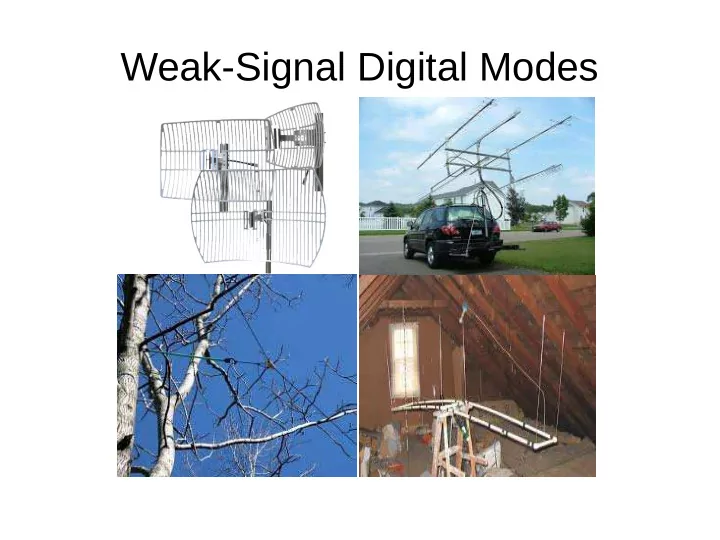
Weak-Signal Digital Modes Weak-Signal Digital Modes The weak-signal - - PowerPoint PPT Presentation

weak signal digital modes weak signal digital modes
SMART_READER_LITE
LIVE PREVIEW

Weak-Signal Digital Modes Weak-Signal Digital Modes The weak-signal - - PowerPoint PPT Presentation

Weak-Signal Digital Modes Weak-Signal Digital Modes The weak-signal digimodes have been invented and their software has been created by Joe Taylor, K1JT. In his other life, he is an American astrophysicist and Nobel Prize in Physics


slide-1
SLIDE 1

Weak-Signal Digital Modes

slide-2
SLIDE 2

20 October 2017 K9PLX 2

Weak-Signal Digital Modes

  • The weak-signal digimodes have been “invented” and their

software has been created by Joe Taylor, K1JT.

  • In his other life, he is an American astrophysicist and Nobel

Prize in Physics laureate for his discovery with Russell Alan Hulse of a "new type of pulsar, a discovery that has opened up new possibilities for the study of gravitation." He is a retired professor of physics at Princeton University and former Dean of the Faculty there.

  • It’s just one more example of hams using their work-related

discoveries to benefit amateur radio (and vice-versa).

slide-3
SLIDE 3

20 October 2017 K9PLX 3

Weak-Signal Digital Modes

  • This presentation will focus on two of the most

popular weak-signal modes:

– JT65 – FT8

  • Both act in a similar way and the same software

handles both modes (and many more).

slide-4
SLIDE 4

20 October 2017 K9PLX 4

JT65

  • JT65 gets much of its strength through requiring that each

transmission be short and to the point, and through relying

  • n the fact that the clocks of both computers involved in

the QSO are synchronized to a fraction of a second.

  • Each transmission contains only the minimum information

needed, and the information is resent several times during the same transmission to help ensure that the information is received correctly by the station on the other end.

  • JT65: Joe Taylor, 65-frequency shift keying format.
slide-5
SLIDE 5

20 October 2017 K9PLX 5

Using WSJT-X

Band selection Shows Rx or Tx and mode # of seconds elapsed / # of seconds total

slide-6
SLIDE 6

20 October 2017 K9PLX 6

Choosing a Band

Drop-down menu to choose band also shows the frequency to which to tune your transceiver

slide-7
SLIDE 7

20 October 2017 K9PLX 7

Choosing a Mode

Choose the operating mode from this drop-down menu The mode will be confirmed here

slide-8
SLIDE 8

20 October 2017 K9PLX 8

Logging a QSO to the Internal Log

This window opens automatically when you send your 73 to the other station.

slide-9
SLIDE 9

20 October 2017 K9PLX 9

Logging a QSO to a Supported Log

This window is from a companion app called JTAlertX (unfortunately only available for Windows). JTAlertX runs at the same time as WSJT-X and communicates behind the scenes with WSJT-X and with a number of 3rd-party logging programs. * JTAlertX sees the call sign you just double-clicked, and looks it up on QRZ.com (you have to have an XML subscription to QRZ.com). It then fills in the appropriate information in its windows. * At the conclusion of the QSO, JTAlertX will add the QSO and its details to any of several 3rd party logging programs.

slide-10
SLIDE 10

20 October 2017 K9PLX 10

Compatible Logs

As of today I am aware of six 3rd party logging apps with which JTAlertX will play nice:

– ACLog by N3FJP – DXLab’s DXKeeper – HRD Log V5 – Log4OM – MixW CSV file – It will also write to an ADIF v 2.2 file on disk (for

importing into other loggers not directly supported).

slide-11
SLIDE 11

20 October 2017 K9PLX 11

JT65

A typical QSO will take this format:

Station A Station B CQ K9PLX EN51 K9PLX ZS2I KF15 ZS2I K9PLX -10 K9PLX ZS2I R -07 ZS2I K9PLX RRR K9PLX ZS2I 73 ZS2I K9PLX 73 Each one of these exchanges takes exactly one minute; 48 seconds of transmission by one ham followed by 12 seconds of decoding and deciding what to send next by the other.

slide-12
SLIDE 12

20 October 2017 K9PLX 12

JT65

Transmission Decoding by the computer & choosing the next message to send

slide-13
SLIDE 13

20 October 2017 K9PLX 13

A Typical JT65 QSO

With Timings

CQ K9PLX EN51 K9PLX ZS2I KF15 ZS2I K9PLX

  • 10

K9PLX ZS2I R -07 ZS2I K9PLX RRR K9PLX ZS2I 73 ZS2I K9PLX 73 QSO ENDS

Total Time: 6 minutes, 48 seconds if you count the original CQ (most people don’t) or 5 minutes, 48 seconds otherwise.

slide-14
SLIDE 14

20 October 2017 K9PLX 14

FT8

  • Written by Steven Franke (K9AN – professor of

Electrical and Computer Engineering at the University of Illinois at Urbana-Champaign) and Joe Taylor (K1JT), in many ways, FT8 is very much the same as JT65. The biggest differences are:

– FT8 uses a narrower bandwidth (50 Hz compared to JT65’s

180 Hz); and

– Drs Franke and Taylor also responded to complaints from

hams about the length of time needed to complete a JT65 QSO by making the cycles for FT8 MUCH shorter.

– FT8: Franke & Taylor, 8-frequency shift keying format.

slide-15
SLIDE 15

20 October 2017 K9PLX 15

FT8

Decoding & choosing Transmission 1 Transmission 2 Decoding & choosing Transmission 3 Decoding & choosing Transmission 4 Decoding & choosing

slide-16
SLIDE 16

20 October 2017 K9PLX 16

Total Time: 1 minute, 43 seconds if you count the original CQ (most people don’t) or 1 minute, 28 seconds otherwise.

A Typical FT8 QSO

With Timings

CQ VP8DLB GD08 VP8DLB K9PLX EN51 K9PLX VP8DLB -05 VP8DLB K9PLX R -17 K9PLX VP8DLB RRR VP8DLB K9PLX 73 K9PLX VP8DLB 73 QSO ENDS

slide-17
SLIDE 17

20 October 2017 K9PLX 17

Two FT8 QSOs

slide-18
SLIDE 18

20 October 2017 K9PLX 18

30 Seconds of FT8

France, AZ Cuba, NY CA, Liechtenstein AZ, France Netherlands, SC Bulgaria, Trinidad & Tobago Slovak Republic, Cuba South Africa, CA French Polynesia, Dominican Rep. OH, Italy Liechtenstein, NY Liechtenstein, TX Trinidad & Tobago, IL

slide-19
SLIDE 19

20 October 2017 K9PLX 19

A look at a typical waterfall showing many FT8 QSO’s

slide-20
SLIDE 20

20 October 2017 K9PLX 20

Moving slightly up the band the waterfall shows both FT8 & JT65

slide-21
SLIDE 21

20 October 2017 K9PLX 21

FAQs

  • Where can I get the software (WSJT-X) to run both JT65 and FT8 (and a bunch of other modes we

haven’t talked about)?

– https://www.physics.princeton.edu/pulsar/K1JT/wsjtx.html

– NOTE: Near the top of this page are the download links for Ver 1.7.0 – this version does NOT include FT8. Scroll to the bottom

  • f the page and download Ver. 1.8.0.
  • Will WSJT-X run on my computer?

– Almost certainly. There are downloads for:

  • Windows for XP through 10
  • Macintosh for OS X 10.7 and later
  • Linux for Debian, Ubuntu, Red Hat, & Fedora
  • Where can I get software for Windows that will synchronize the time each time I start the computer?

– http://www.thinkman.com/dimension4/download.htm

  • Where can I get JTAlertX?

– http://hamapps.com/

  • Is this all really as much fun as it appears?

– YES!

slide-22
SLIDE 22

Would you like a copy of this presentation?

You can download it in PDF format from:

http://downloads.k9plx.com/digi/ft8-presentation.pdf It will probably be on the club website as well.

slide-23
SLIDE 23

Thank you!