Visual al T Thinki king ng: a a Prerequisite f for Owen - - PowerPoint PPT Presentation

visual al t thinki king ng a a prerequisite f for
SMART_READER_LITE
LIVE PREVIEW

Visual al T Thinki king ng: a a Prerequisite f for Owen - - PowerPoint PPT Presentation

Michael Keeling, IBM, @michaelkeeling Visual al T Thinki king ng: a a Prerequisite f for Owen Keeling, Linden Elementary School Dem emocratic D ic Des esign Draw a tree. You have 60 seconds. Go. Times up! Show youre tree to


slide-1
SLIDE 1

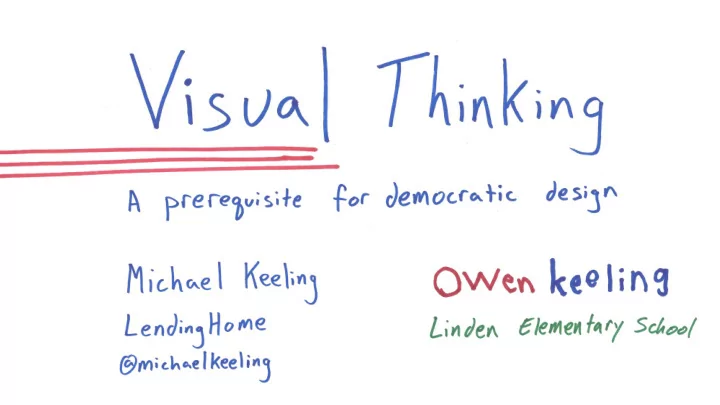
Visual al T Thinki king ng: a a Prerequisite f for Dem emocratic D ic Des esign

Michael Keeling, IBM, @michaelkeeling Owen Keeling, Linden Elementary School
slide-2
SLIDE 2
slide-3
SLIDE 3
slide-4
SLIDE 4
slide-5
SLIDE 5
slide-6
SLIDE 6
slide-7
SLIDE 7

Draw a tree. You have 60 seconds. Go.

slide-8
SLIDE 8
slide-9
SLIDE 9

Time’s up!

slide-10
SLIDE 10

Show you’re tree to the people at your table.

slide-11
SLIDE 11
slide-12
SLIDE 12

Lesson 1: What you choose to draw will show people what you want them to think about.

slide-13
SLIDE 13

Lesson 1: What you choose to draw will show people what you want them to think about. Pictures and diagrams command focus

slide-14
SLIDE 14

Choose abstractions carefully.

slide-15
SLIDE 15

Since what you choose to draw matters, how do you decide what to draw?

slide-16
SLIDE 16

Lesson 2: Sketch ideas to help your audience

slide-17
SLIDE 17
slide-18
SLIDE 18

Dan Roam’s 6x6 framework

  • Use a portrait to answer who? or what? – qualitative representation
slide-19
SLIDE 19

Dan Roam’s 6x6 framework

  • Use a portrait to answer who? or what? – qualitative representation
slide-20
SLIDE 20
slide-21
SLIDE 21

Dan Roam’s 6x6 framework

  • Use a portrait to answer who? or what? – qualitative

representation

  • Use a chart to answer questions about quantity, how many?

Quantitative representation

slide-22
SLIDE 22
slide-23
SLIDE 23

Dan Roam’s 6x6 framework

  • Use a portrait to answer who? or what? – qualitative

representation

  • Use a chart to answer questions about quantity, how many?

Quantitative representation

  • Use a map to answer where? – position in space
slide-24
SLIDE 24
slide-25
SLIDE 25

Context map? Story Map… ?

slide-26
SLIDE 26
slide-27
SLIDE 27

Dan Roam’s 6x6 framework

  • Use a portrait to answer who? or what? –

qualitative representation

  • Use a chart to answer questions about

quantity, how many? Quantitative representation

  • Use a map to answer where? – position in

space

  • Use a timeline to answer when? – position in

time

slide-28
SLIDE 28
slide-29
SLIDE 29
slide-30
SLIDE 30

Dan Roam’s 6x6 framework

  • Use a portrait to answer who? or what? – qualitative

representation

  • Use a chart to answer questions about quantity, how many?

Quantitative representation

  • Use a map to answer where? – position in space
  • Use a timeline to answer when? – position in time
  • Use a flowchart to answer how? -- cause and effect
slide-31
SLIDE 31
slide-32
SLIDE 32

Dan Roam’s 6x6 framework

  • Use a portrait to answer who? or what? – qualitative

representation

  • Use a chart to answer questions about quantity, how many?

Quantitative representation

  • Use a map to answer where? – position in space
  • Use a timeline to answer when? – position in time
  • Use a flowchart to answer how? -- cause and effect
  • Use a multi-variable chart to answer why? – deduction and

prediction

slide-33
SLIDE 33
slide-34
SLIDE 34

Dan Roam’s 6x6 framework

  • Use a portrait to answer who? or what? – qualitative

representation

  • Use a chart to answer questions about quantity, how many?

Quantitative representation

  • Use a map to answer where? – position in space
  • Use a timeline to answer when? – position in time
  • Use a flowchart to answer how? -- cause and effect
  • Use a multi-variable chart to answer why? – deduction and

prediction

slide-35
SLIDE 35

What happened to the learning by doing?!?

slide-36
SLIDE 36

Exercise: Explain Dinner at Grandma’s House

slide-37
SLIDE 37

Exercise: Explain how to cook dinner. Take 60 seconds to plan. What question do you want to answer about dinner? Go!

slide-38
SLIDE 38

Dan Roam’s 6x6 framework

  • Use a portrait to answer who? or what? – qualitative

representation

  • Use a chart to answer questions about quantity, how many?

Quantitative representation

  • Use a map to answer where? – position in space
  • Use a timeline to answer when? – position in time
  • Use a flowchart to answer how? -- cause and effect
  • Use a multi-variable chart to answer why? – deduction and

prediction

slide-39
SLIDE 39

Exercise: Explain how to cook dinner. You have two minutes Go!

slide-40
SLIDE 40

Reflection – Share with your neighbor (5 minutes) Dan Roam’s 6x6 framework

  • Use a portrait to answer who? or what? – qualitative

representation

  • Use a chart to answer questions about quantity, how

many? Quantitative representation

  • Use a map to answer where? – position in space
  • Use a timeline to answer when? – position in time
  • Use a flowchart to answer how? -- cause and effect
  • Use a multi-variable chart to answer why? – deduction

and prediction

slide-41
SLIDE 41
slide-42
SLIDE 42

Lesson 3: Use visual thinking to help you explore ideas through story telling.

slide-43
SLIDE 43

A drawing doesn’t stand on it’s own It’s part of a living story that

slide-44
SLIDE 44

What does all this have to do with software architecture and design?

slide-45
SLIDE 45

Software architects are story tellers. Example: How does the system promote availability? Which parts of the system are the most risky? Where is our technical debt? How are we going to deliver our software? These are all stories.

slide-46
SLIDE 46

Dan Roam’s 6x6 framework

  • Use a portrait to answer who? or what? – qualitative

representation

  • Use a chart to answer questions about quantity, how many?

Quantitative representation

  • Use a map to answer where? – position in space
  • Use a timeline to answer when? – position in time
  • Use a flowchart to answer how? -- cause and effect
  • Use a multi-variable chart to answer why? – deduction and

prediction

slide-47
SLIDE 47
slide-48
SLIDE 48
slide-49
SLIDE 49
slide-50
SLIDE 50
slide-51
SLIDE 51
slide-52
SLIDE 52
slide-53
SLIDE 53
slide-54
SLIDE 54
slide-55
SLIDE 55

Wrap-up

slide-56
SLIDE 56

3 Lessons. 1) What you choose to draw will show people what you want them to think about. (Pictures and diagrams command focus so choose your abstractions well) 2) Sketch ideas to help your audience. (we recommend Dan Roam’s 6x6 framework as one way to figure out how to do this) 3) Use visual thinking to help you explore ideas through story telling. We also saw some examples of how these lessons apply to software design.

slide-57
SLIDE 57

The pieces of paper here are prototype sketch books. Take them. Share feedback with us. The pencils are yours to keep as well. Enjoy them! You can do this. It just takes some practice.

slide-58
SLIDE 58

Michael wrote a book…. You should buy it. If you’ve already got a copy, by one for a friend. Design It!: From Programmer to Software Architect

slide-59
SLIDE 59

Thank you! Lessons: 1) What you choose to draw will show people what you want them to think about. (Pictures and diagrams command focus so choose your abstractions well) 2) Sketch ideas to help your audience. (we recommend Dan Roam’s 6x6 framework as one way to figure out how to do this) 3) Use visual thinking to help you explore ideas through story telling. Buy Design It! Practice with your sketchbook and send us feedback! Dan Roam’s 6x6 framework

  • Use a portrait to answer who? or

what? – qualitative representation

  • Use a chart to answer questions about

quantity, how many? Quantitative representation

  • Use a map to answer where? –

position in space

  • Use a timeline to answer when? –

position in time

  • Use a flowchart to answer how? --

cause and effect

  • Use a multi-variable chart to answer

why? – deduction and prediction