
SLIDE 1
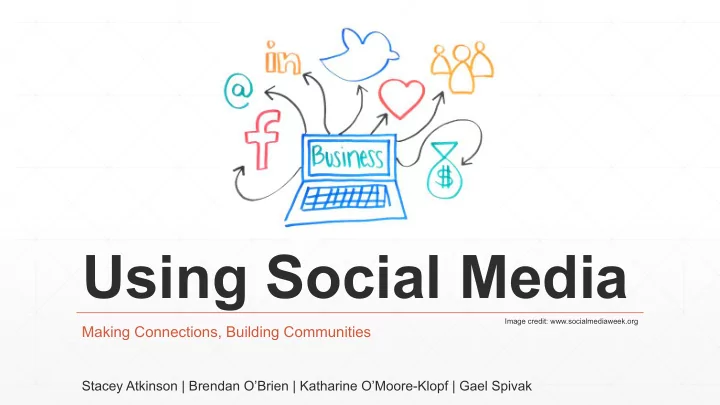
Using Social Media
Making Connections, Building Communities
Stacey Atkinson | Brendan O’Brien | Katharine O’Moore-Klopf | Gael Spivak
Image credit: www.socialmediaweek.org
Using Social Media Image credit: www.socialmediaweek.org Making - - PowerPoint PPT Presentation
Using Social Media Image credit: www.socialmediaweek.org Making Connections, Building Communities Stacey Atkinson | Brendan OBrien | Katharine OMoore-Klopf | Gael Spivak Agenda What is social media? How to manage your online
Making Connections, Building Communities
Stacey Atkinson | Brendan O’Brien | Katharine O’Moore-Klopf | Gael Spivak
Image credit: www.socialmediaweek.org
Agenda
▪ What is social media? ▪ How to manage your online personality(ies) (Stacey) ▪ Using social media for professional development (Gael) ▪ Sharing experiences (Brendan) ▪ How to be social (Katharine)
Google+
“Share and discover all across Google” ▪ 500 million registered users: 63% male, 37% female ▪ 1.5 billion photos uploaded to Google+ every week ▪ The US and India are the top 2 countries using Google+ ▪ 300 million monthly active users ▪ 25% of users make at least $60,000/year
“Create and share ideas and information instantly, without barriers” ▪ A billion tweets are sent every 48 hours ▪ 300 billion tweets have been sent since inception ▪ 26% of Internet users ages 18–29 use Twitter, nearly double the rate for those ages 30–49 ▪ 31% of people ages 18–24 are on Twitter ▪ Residents of urban areas are significantly more likely to use Twitter than their rural counterparts
“To give people the power to share and make the world more open and connected” ▪ Facebook has the same amount of monthly users (1.35 billion) as China has people ▪ More than one trillion posts on Facebook ▪ 1.35 billion monthly active users ▪ 1/7 of the people on Earth (more than 1.1 billion) use Facebook on a mobile device on a monthly basis
“To capture and share the world’s moments—visual storytelling” ▪ 300 million active users ▪ 60 million photos uploaded per day ▪ 50% of American ages 12–24 have accounts ▪ Image and brand driven ▪ Mobile
“Save creative ideas from around the web with one click” ▪ 70 million users worldwide ▪ Acts like a personal media platform ▪ Upload, save, sort, and manage images and other media content on pin boards ▪ Designed to connect people with things they are interested in
“Connect the world’s professionals to make them more productive and successful” ▪ 347 million users in 200 countries ▪ Core users are those between 30–49 ▪ More popular than Twitter among US adults ▪ Skewed toward well-educated users
Tumblr
“Follow the world’s creators” ▪ Share text, quotes, links, music, and video ▪ 240 million blogs ▪ 77 million posts per day ▪ 113 billion posts
How to Manage Your Online Personality(ies)
Use social media to: ▪ promote yourself ▪ promote others ▪ have fun
Google+
Instagram*
Tumblr*
Facebook (business)
Facebook (personal)
How to Manage It All
▪ Instagram ▪ Hootsuite
Hootsuite
Tips
▪ What do you want to share? ▪ Who do you want to share it with? ▪ Always consider the audience ▪ Monitor
There are lots of ways to learn things.
▪ One way is through formal classroom or online seminars. ▪ You may get more effective training by talking and thinking, and by interacting with other editors.
Princeton learning formula
Princeton University has a 70/20/10 formula for learning. ▪ 70% comes from real life and on-the-job experiences, tasks and problem solving. ▪ 20% comes from feedback and from observing and working with role models. ▪ 10% comes from formal training.
What’s social media got to do with this?
Some people think ▪ Facebook is mostly for keeping up with friends and family. ▪ Twitter is for talking about politics or sports. ▪ And that LinkedIn is the only social media platform that’s sort of professional.
But that’s not true
▪ The main users of social media are between 35 and 50 years old. They’re employed and highly educated.* ▪ What are these people doing on social media? ▪ They’re sharing information.
* “Advocating plain language in the media,” in the journal Clarity (Number 67, May 2012)
Why does it matter?
▪ I learn how to write and edit better. ▪ By receiving and sharing that information on social media, I can participate in—or even start—conversations about the content.
What kind of information?
▪ The basics of writing and editing, such as grammar, punctuation and style. ▪ Managing projects, dealing with difficult clients, and being diplomatic. ▪ There are a lot of articles for freelancers, on things like fee levels, billing practices and marketing.
Increases my network
▪ I know writers and editors in many countries around the world. ▪ Having these connections means I have a much broader resource base when I need information. ▪ It also means that I can find experts easily when I need
How do you start?
▪ Try a volunteer environment. ▪ As the co-chair of the Editors’ Association of Canada 2012 conference, I was thrown into social media. ▪ I was responsible, along with my co-chair, for a year’s worth of marketing in arenas that were new to me.
Giving back
▪ If you post questions, be sure to share information, too. ▪ Social media is a conversation. ▪ Share, just like you do in real life.
Brendan O’Brien
editor & writer brendanedits.com
USING SOCIAL MEDIA Brendan O’Brien Hello everybody. I’m delighted to be here, and very grateful to the Editors’ Association of Canada for inviting me to Editing Goes
publishing. I know that my colleagues on the panel are covering a lot of ground regarding the ways in which editors can use social media. I’m going to try to avoid covering too much of the same ground, and will instead present myself as a kind of case study of social media’s potential benefjts. I hope people will forgive me if I’m telling them some things that they already know, or preaching to the converted. I feel like this could be the opening scene of a movie, with me speaking at the Editing Goes Global conference. And the next scene could be captioned, say ‘three years earlier’, so that the story could then unfold of how I came to be here. It’s not a particularly dramatic
an important one. Just over three years ago I was extremely isolated as an editor. I was operating in a vacuum, alone at my desk in a rural part of
zero contact with editors in real life, except for one man who lives fairly close to me, whom I used to meet for coffee or lunch once
celebrant of humanist weddings: a booming sector in Ireland these
way of comparing my experiences with theirs, of learning from them, of sharing my work-related joys and sorrows with them. Then: along came Facebook. Essentially there is only one reason why I am here today, and that reason is Facebook. This is what social media can do. Social media has taken me outside Europe for the fjrst time in my life, at the age of 54, and given me the
Social media has helped to improve my position as a freelancer both emotionally and fjnancially, and has made it more secure. It has enhanced my career as an editor and a writer. Social media makes things happen in the real world. In fact, social media is the real world, or a large part of it. It’s a resource that editors can most certainly use for their benefjt. My fjrst experience of social media was on the readers’ blogsite
a great interface and at times a great site, but in the long term all I gained from it was a particularly virulent stalker who later sent hundreds of hate-mail messages to my personal blog. As an aside, I think anonymity as on online paradigm has some serious fmaws, and one of the good things about Facebook and some other platforms is that people use their real names and give something
anonymously, in my opinion. I set up my blog in May 2010, but didn’t use it for work-related
my opinions, poems, etc. At this time my wife and teenage children were using Facebook. I thought of it as being mainly geared to young people and relatively trivial concerns, and had no interest in joining. I fjnally stopped resisting in May 2012, and joined Facebook. It was good timing on my part. One of my Irish editor colleagues soon introduced me and others to some Canadian editors she knew
Facebook group was born. For me, the rest is history. So, I’m very grateful to Averill and Greg for the idea and the implementation
– simply because I happened to be there when Greg was looking for admins. I have made a lot of friends through Editors’ Association of Earth – people I see as genuine friends like any others, even though I’m meeting many of them physically for the fjrst time this weekend. I made friends through trying to be helpful at some times and to be amusing at others, and through not taking myself too seriously. These are good rules of thumb on social media, I think: be helpful; try to be amusing if that suits your temperament – any word-based jokes or puns tend to be popular among editors – and don’t take yourself too seriously. I think it’s good to have a light touch and to be able to let things that annoy you fmow by: otherwise you could spend all your time having arguments. This is possibly a lesson that it took me some time to learn on social media. I do sometimes need to curb a tendency to be argumentative and to want to have the last word. The atmosphere in Editors’ Association of Earth and related groups is pleasant and welcoming, with an occasional minor squab- ble, perhaps when editors are stressed and overworked. The mind- less abuse that one often sees in other corners of the Internet is entirely absent. Newcomers are made to feel at home. The ethos is collegial and supportive, and this helps the community to grow. The rationale of this session is that social media can be a great professional resource for editors, and this is particularly true of Editors’ Association of Earth. One can post a query at any time of the day or night and get a lot of high-quality – though probably not unanimous – feedback very quickly. Every possible angle on a topic is likely to be represented. Also, the group’s ‘back room’ serves as a venue where editors can ‘vent’ about irritating situa- tions if they wish – some seem to fjnd this therapeutic! (Including myself from time to time.) I have learned a lot about editing and language from Facebook. In particular I have learned to be less prescriptive. Having originally entered the editing trade in in-house environments with strong house styles, and having had no particular reason to change in the meantime, this was not an easy transition for me. What I have
learned could be summed up as ‘It ain’t necessarily so.’ Cogent arguments can often be advanced for ideas that you used to see as just plain wrong. I think this is very healthy. I have got a lot of work through Facebook, via referrals from colleagues and sharing of leads. Some of this turned out of be of fairly low quality, but the acquisition of new clients is often a bit hit and miss. I have also got some very good work, at times when it was needed. My main diffjculty in the course of my freelance career has been not a lack of work but a periodic lack of well-paid work: settling for poorly paid work because I had no other offers at a given time. Now that my horizons are so much wider, this is unlikely to arise again. And when someone emails me to say ‘Would you like to do a lot of work for very little money?’, I can feel more secure than ever before in saying ‘no’. This is what social media can do. For a freelancer it can change everything, for the better. If you use it wisely, it can help you to replace bad problems with good ones. It can increase your choices. For example, last October I fjnished the last of several large jobs for a regular client and suddenly found myself without work, having been extremely busy for months. At such times I do tend to become a bit anxious and stressed, and to worry about money. But when I mentioned my situation in Editors’ Association of Earth I was immediately given a lead that yielded several months of good steady work from a German journal publisher. Recently an Irish colleague asked me if it would be OK to post a notice on the Editors of Ireland Facebook page – this is a small group of which I am an admin. He was putting together a team
in applying. The upshot was that I did a test and was accepted, and now I have possibly a year and a half of well-paid writing work lined up: the best situation I have ever been in in 22 years of free-
work for other regular clients, or turning it down. This is my idea
not having choices. A couple of weeks ago I was doing some training for the video script-writing project that I just mentioned. I was in a room in Dublin with writers and instructional design experts from Ire- land, Canada and the US. One of the Americans commented on a phrase that one of the Irish writers had put in the mouth of an American character: she said that an American would not say that. The writer was bewildered. I was able to say, ‘I know a resource where you can ask if a particular turn of phrase would be used in a particular country, and get almost instant feedback from editors in that country.’ Everyone was impressed. The resource, of course, is Editors’ Association of Earth. Another of the good things about making contacts in social me- dia is that they can create or foster contacts in real life that were
available all along, but unknown or underdeveloped. For example, I have met more Irish editors in real life in the past three years than in the previous 12: people like Liz Hudson, Mary McCauley and Averill Buchanan had been only names I might see in emails circu- lated by our association; now they are people I have met several times in real life and feel that I know fairly well. I certainly know them better than I would do if I knew them solely through online contact – or solely through real-life contact, for that matter. All in all, I probably know 100 times more editors than I did three years ago, and interact in some small way with 1000 times more editors (these are rough fjgures). So, at this point I feel that I can make some observations about editors. Editors generally show a high degree of empathy: they love their friends, families and pets, and are sincere, well balanced, and eager to help and advise. Their niceness quotient, in my opinion, is much higher than that of other professions. I have always vaguely believed this, but previously my belief was based on an unscientif- ically small sample. Now it is based on my unscientifjc observation
friendly people, and that alone is reason enough to do more net- working with them. Thank you.
Be Social—Don’t Sell (#1)
▪ Use photos. ▪ Completely fill out your business profile.
Be Social—Don’t Sell (#2)
What not to do: ▪ Don’t ask for work. ▪ Don’t complain. ▪ Don’t say you need to make money.
Be Social—Don’t Sell (#3)
What to do: ▪ Be friendly and answer questions. ▪ Be approachable. ▪ Join conversations. ▪ Keep things relaxed but professional.
Show—Don’t Tell (#1)
▪ Don’t list your qualifications; talk about issues to show your qualifications. ▪ Share industry news and humor. ▪ Share tips.
Show—Don’t Tell (#2)
▪ Cultivate and discuss an industry niche. ▪ Show excitement about your work.
How to Find and Vet Clients/Employers via Social Media (#1)
▪ Talk about the kind of work you do. ▪ Search for keywords related to your work.
How to Find and Vet Clients/Employers via Social Media (#2)
▪ Follow people in industries that use your skills. ▪ Follow current clients/employers and desired clients/ employers. ▪ Follow or friend colleagues in your niche and in related niches.
How to Find and Vet Clients/Employers via Social Media (#3)
▪ Look for clients or employers in multiple venues. ▪ Read what other say about your desired clients/ employers. ▪ Start conversations with desired clients or employers.
How I Landed a Book Contract (#1)
How I Landed a Book Contract (#2)
▪ I tweeted a series of marketing tips for editors in 2009. ▪ A university press’s publisher saw the tips and contacted me about freelance projects. ▪ I edited several books for the press. ▪ In 2010, the publisher asked me to be a coauthor to 2nd edition of a textbook.
How To Get Referrals via Social Media (#1)
▪ Be consistently present. ▪ Follow colleagues. ▪ Follow competitors. ▪ Follow editorial workers you don’t know who have interesting posts.
How To Get Referrals via Social Media (#2)
▪ Congratulate followers on their successes. ▪ Be helpful; answer questions. ▪ Do not overtly ask for referrals.
How To Get Referrals via Social Media (#3)
▪ Talk about work triumphs, your ideal client/employer, and your ideal project. ▪ Share editing and business tips and news. ▪ Publicly thank followers who have helped you.
How To Get Referrals via Social Media (#4)
▪ Talk about your niche often enough that colleagues remember your specialty. ▪ Be active enough in niche groups to become known. ▪ Give referrals to qualified followers; they’ll reciprocate.
How To Give Referrals via Social Media (#1)
▪ Find and follow editorial workers you already know. ▪ Keep lists of people you follow and their editorial niches. ▪ Watch these people’s posts for reliability, flexibility, skills, and professionalism.
How To Give Referrals via Social Media (#2)
▪ Approach people privately, not publicly, when referring. ▪ Use email for BCC privacy when referring to several people at once.