User Interfaces for Live Programming Jun Kato https://junkato.jp - - PowerPoint PPT Presentation

user interfaces
SMART_READER_LITE
LIVE PREVIEW

User Interfaces for Live Programming Jun Kato https://junkato.jp - - PowerPoint PPT Presentation

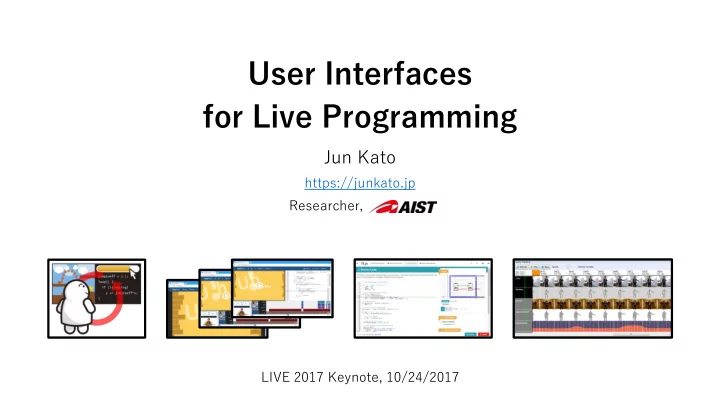
User Interfaces for Live Programming Jun Kato https://junkato.jp Researcher, LIVE 2017 Keynote, 10/24/2017 Jun Kato junkato https://junkato.jp Research Topic Computer Science (Human-Computer Interaction, Programming Language) Phybots


slide-1
SLIDE 1

User Interfaces for Live Programming

Jun Kato

Researcher, https://junkato.jp LIVE 2017 Keynote, 10/24/2017
slide-2
SLIDE 2

Jun Kato

Computer Science (Human-Computer Interaction, Programming Language)

Research Topic

https://junkato.jp junkato

ACM DIS’12 ACM CHI’13 ACM PLDI’13 ACM UIST’12 GI’14 ACM CHI’15 ACM DIS’17

Phybots Picode It’s Alive! DejaVu VisionSketch TextAlive f3.js

  • Created Tools and Environments for Creativity/Productivity Support
  • Application Domains: Prototyping, Physical Computing, Computer

Vision, Robots, Internet of Things, Animation Authoring, ...

  • Founded SIGPX (SIG on Programming Experience) https://sigpx.org/en

User Interfaces for Live Programming

slide-3
SLIDE 3

SIGPX

Programming Experience in the intersection of HCI/PL/SE

A group of researchers/engineers/teachers in Japan, studying ...

https://sigpx.org/en

User Interfaces for Live Programming

1st meetup, 2/27/2016 PX Special Issue in IPSJ Journal (Nov 2017)

Emerging Research on Programming Experience: From Language Design to Industrial Applications

Meet & Discuss Publish Collect

https://scrapbox.io/ProgrammingExperience/

slide-4
SLIDE 4

Today, I’m going to talk about ...

  • What is Live Programming?
  • UIs for Live Programming with end-users
  • UIs for Live Programming of this material world
  • UIs for Live Programming with time travel
  • Live Programming as User Interface research

User Interfaces for Live Programming

It is about ...

  • Showcase of user interfaces for programming
  • Not only my work but also others’ notable work
  • Discussion on live programming system design

It is not about ...

  • No λ or greek symbols in slides
  • Not a consensus in the field (it’s ongoing!)
  • No peer review involved (my personal view)
slide-5
SLIDE 5

Today, I’m going to talk about ...

  • What is Live Programming?
  • UIs for Live Programming with end-users
  • UIs for Live Programming of this material world
  • UIs for Live Programming with time travel
  • Live Programming as User Interface research

User Interfaces for Live Programming

slide-6
SLIDE 6

What is Live Programming?

User Interfaces for Live Programming

  • Programming experience
  • Continuous feedback
  • Concrete information

Not new but hot!

  • Early examples in VPL and OOP
  • Attracting much attention these days
slide-7
SLIDE 7

Text-based Programming

Dartmouth BASIC [1964]

  • Text-based editor
  • Text-based debugger
  • Text-based ...

Visual Studio Code [as of today]

User Interfaces for Live Programming

IDEs haven’t changed much

slide-8
SLIDE 8

With some exceptions ...

  • A tool for NeXT UI

development

  • Later integrated

into Xcode

  • Many IDEs have

similar built-in tools

User Interfaces for Live Programming

Interface Builder [since 1986]

slide-9
SLIDE 9

Visual Programming

  • Mostly dealing with symbolic representations of programs
  • Often considered as tools for novices and good for education
  • Dataflow languages: early examples of live programming

User Interfaces for Live Programming

Scratch

MIT

ConMan

Haberli [SIGGRAPH 1988]

slide-10
SLIDE 10

Character-based UIs or Graphical UIs?

User Interfaces for Live Programming

  • r

Live Programming as a hybrid approach

Modern

slide-11
SLIDE 11

User Interfaces with Text and Graphics

User Interfaces for Live Programming

TouchDevelop

[PLDI 2014]

https://touchdevelop.com

slide-12
SLIDE 12

User Interfaces with Text and Graphics

User Interfaces for Live Programming

f3.js

[DIS 2017]

http://f3js.org

slide-13
SLIDE 13

Character-based UIs and Graphical UIs

  • It’s like text and figures in

research papers

  • Text is good at abstraction
  • Graphics are good at

presenting concrete information

User Interfaces for Live Programming

They complement each other

Integrated Graphical Representations [2014, dissertation] [2016]

slide-14
SLIDE 14

In Live Programming systems, we ...

  • first have vague ideas
  • then explore the ideas with concrete examples
  • gradually start turning the ideas into programs

User Interfaces for Live Programming

Live Programming requires decent UIs for exploring the problem space

slide-15
SLIDE 15

UIs for Live Programming should ...

  • avoid sudden changes in the program behavior
  • keep the program and its output relevant
  • allow continuously exploring the problem space

User Interfaces for Live Programming

Appropriate user interface design differs from application to application

slide-16
SLIDE 16

When designing live programming systems ...

Don’t be afraid to be domain-specific

  • Good UI is always specifically designed for the target domain
  • It might be like replaying the history of end-user computing

in the domain of programming

  • We might need PX workbench (cf. language workbench)

User Interfaces for Live Programming

  • Cf. Programming eXperience Toolkit (PXT)

https://github.com/microsoft/pxt

Take-home message

slide-17
SLIDE 17

Today, I’m going to talk about ...

  • What is Live Programming?
  • UIs for Live Programming with end-users
  • UIs for Live Programming of this material world
  • UIs for Live Programming with time travel
  • Live Programming as User Interface research

User Interfaces for Live Programming

slide-18
SLIDE 18

UIs for Live Programming

Good mixture of text-based and graphical user interfaces

User Interfaces for Live Programming

slide-19
SLIDE 19

UIs for Live Programming

Why not expose GUI to users so that they can edit programs?

User Interfaces for Live Programming

Live Tuning [LIVE 2016]

slide-20
SLIDE 20

Mode Switch between “Use” and “Build”

User Interfaces for Live Programming

Halo in Morphic UI Pause button in TouchDevelop

What if we add another layer for users?

Promoting universal usability with multi-layer interface design

Ben Shneiderman [2002]

slide-21
SLIDE 21

TextAlive [CHI 2015] http://textalive.jp

User Interfaces for Live Programming

slide-22
SLIDE 22

TextAlive [CHI 2015] http://textalive.jp

User Interfaces for Live Programming

slide-23
SLIDE 23

TextAlive [CHI 2015] http://textalive.jp

User Interfaces for Live Programming

slide-24
SLIDE 24

Co-hosting UIs for programmers and users

User Interfaces for Live Programming

Literate Programming in Jupyter (Ipython) Notebook Inline Photos in Picode [CHI 2013]

slide-25
SLIDE 25

Merging UIs for programmers and users (direct manipulation on program output)

User Interfaces for Live Programming

Sketch-n-Sketch, Hempel et al. [UIST 2016 etc.] Para, Jacobs et al. [CHI 2017]

slide-26
SLIDE 26

When designing live programming systems ...

How about making the ladder of expertise?

  • From live programming for programmers
  • To live programming for the community of people

User Interfaces for Live Programming

Use Customize Write code

Multi-layer Co-host Merge Take-home message

slide-27
SLIDE 27

Today, I’m going to talk about ...

  • What is Live Programming?
  • UIs for Live Programming with end-users
  • UIs for Live Programming of this material world
  • UIs for Live Programming with time travel
  • Live Programming as User Interface research

User Interfaces for Live Programming

slide-28
SLIDE 28

What is “live” and what not?

  • System response time:
  • Computation
  • Network
  • Touch display response

User Interfaces for Live Programming

How Live are Live Programming Systems?

Rein et al. [PX 2016]

  • Reflex time:
  • Visual 0.25s
  • Audio 0.17s
  • Touch 0.15s
  • and more ...
  • 3D printers and laser cutters
  • Shape changing devices and robots
  • Taste/smell interfaces

Various kinds of “latencies”

slide-29
SLIDE 29

Printing physical computing devices

User Interfaces for Live Programming

Slow “framerates” prevent live feedback

f3.js [DIS 2017]

slide-30
SLIDE 30

Slow display

User Interfaces for Live Programming

Slow “framerates” can be useful, too

Daniel Saakes et al. [SIGGRAPH Etech 2010]

slide-31
SLIDE 31

User Interfaces for Live Programming

f3.js: IoT apps with enclosures from single code base [DIS 2017] http://f3js.org

slide-32
SLIDE 32

User Interfaces for Live Programming

MakeCode for BBC micro:bit, Microsoft Research [2017] http://makecode.microbit.org

slide-33
SLIDE 33

User Interfaces for Live Programming

Picode: inline photos representing posture data in source code [CHI 2013]

slide-34
SLIDE 34

When designing live programming systems ...

Deceiving users’ perception is a good thing

  • As long as the lie is reasonable
  • The actual “framerate” can be very slow
  • Emulating, or sometimes even pretending, is needed to

provide the continuous feedback

  • Make full use of five senses in programming environments

User Interfaces for Live Programming

Take-home message

slide-35
SLIDE 35

Today, I’m going to talk about ...

  • What is Live Programming?
  • UIs for Live Programming with end-users
  • UIs for Live Programming of this material world
  • UIs for Live Programming with time travel
  • Live Programming as User Interface research

User Interfaces for Live Programming

slide-36
SLIDE 36

“Live” is not always about “now”

  • UIs for exploring and modifying the past
  • UIs for predicting and choosing the future
  • Absolute vs semantic timeline

User Interfaces for Live Programming

slide-37
SLIDE 37

User Interfaces for Live Programming

DejaVu [UIST 2012]

slide-38
SLIDE 38

Replay & Refresh

  • DejaVu

User Interfaces for Live Programming

DejaVu [UIST 2012]

slide-39
SLIDE 39

User Interfaces for Live Programming

VisionSketch [GI 2012]

slide-40
SLIDE 40

“Live” is not always about “now”

  • UIs for exploring and modifying the past
  • UIs for predicting and choosing the future
  • Absolute vs semantic timeline

User Interfaces for Live Programming

slide-41
SLIDE 41

User Interfaces for Live Programming

Light Table – a new IDE concept, Chris Granger [2012] http://www.chris-granger.com/2012/04/12/light-table-a-new-ide-concept/

slide-42
SLIDE 42

User Interfaces for Live Programming

Many-Worlds Browsing for Control of Multibody Dynamics Twigg et al. [SIGGRAPH 2007]

slide-43
SLIDE 43

User Interfaces for Live Programming

Rktcr, McCann (TCHOW) [2013]

slide-44
SLIDE 44

“Live” is not always about “now”

  • UIs for exploring and modifying the past
  • UIs for predicting and choosing the future
  • Absolute vs semantic timeline

User Interfaces for Live Programming

slide-45
SLIDE 45

Absolute time vs semantic time

User Interfaces for Live Programming

DejaVu [UIST 2012] TextAlive [CHI 2015]

slide-46
SLIDE 46

When designing live programming systems ...

Try providing good sense of time

  • Enable time travel to find critical timings in the history
  • Allow editing the code and program input to explore futures

User Interfaces for Live Programming

Replay & Refresh

Superspeed & slowmo

“Many worlds”

Stroboscopic visualization

Timeline

for absolute/semantic time

Take-home message

slide-47
SLIDE 47

Today, I’m going to talk about ...

  • What is Live Programming?
  • UIs for Live Programming with end-users
  • UIs for Live Programming of this material world
  • UIs for Live Programming with time travel
  • Live Programming as User Interface research

User Interfaces for Live Programming

slide-48
SLIDE 48

Live Programming research as User Interface research

  • Don’t be afraid to be domain-specific
  • How about making the ladder of expertise?
  • Deceiving users’ perception is a good thing
  • Try providing good sense of time

User Interfaces for Live Programming

Take-home message

It’s not only about language design, a single user, a single UI, but about designing the whole experience

slide-49
SLIDE 49

User Interfaces for Live Programming

Jun Kato

Researcher, https://junkato.jp LIVE 2017 Keynote, 10/24/2017

slide-50
SLIDE 50

References

  • 1. Jun Kato, Masataka Goto, “f3.js: A Parametric Design Tool for Physical Computing Devices for Both Interaction

Designers and End-users", In Proceedings of the 2017 Conference on Designing Interactive Systems. pp.1099-1110, 2017.

  • 2. Jun Kato, Masataka Goto, "Live Tuning: Expanding Live Programming Benefits to Non-Programmers", In Proceedings of

the Second Workshop on Live Programming Systems. 2016.

  • 3. Jun Kato, Takeo Igarashi, Masataka Goto, "Programming with Examples to Develop Data-Intensive User Interfaces",

In Computer 49(7). pp.34-42, Jul. 2016. Special Issue on 21st User Interfaces.

  • 4. Jun Kato, Tomoyasu Nakano, Masataka Goto, "TextAlive: Integrated Design Environment for Kinetic Typography",

In Proceedings of the 33rd Annual ACM Conference on Human Factors in Computing Systems. pp.3403-3412, 2015. ACM CHI 2015 Best Paper Honorable Mention Award.

  • 5. Jun Kato, Takeo Igarashi, "VisionSketch: Integrated Support for Example-centric Programming of Image Processing

Applications", In Proceedings of the 2014 Graphics Interface Conference. pp.115-122, 2014.

  • 6. Sebastian Burckhardt, Manuel Fahndrich, Peli Halleux, Sean McDirmid, Michal Moskal, Nikolai Tillmann, Jun Kato, "It's Alive!

Continuous Feedback in UI Programming", In PLDI '13: Proceedings of the 34th ACM SIGPLAN Conference on Programming Language Design and Implementation. pp.95-104, 2013.

  • 7. Jun Kato, Daisuke Sakamoto, Takeo Igarashi, "Picode: Inline Photos Representing Posture Data in Source Code", In CHI

'13: Proceedings of the SIGCHI conference on Human Factors in Computing Systems. pp.3097-3100, Apr. 2013. ACM CHI 2013 Best Paper Honorable Mention Award.

  • 8. Jun Kato, Sean McDirmid, Xiang Cao, "DejaVu: Integrated Support for Developing Interactive Camera-Based Programs",

In UIST '12: Proceedings of the 25th annual ACM symposium on User Interface Software and Technology. pp.189-196, Oct. 2012.

User Interfaces for Live Programming