Usability testing on steroids How to get feedback from more people - - PowerPoint PPT Presentation

usability testing on steroids
SMART_READER_LITE
LIVE PREVIEW

Usability testing on steroids How to get feedback from more people - - PowerPoint PPT Presentation

Usability testing on steroids How to get feedback from more people in less time Dr Nikiforos Karamanis Senior User Experience Designer European Bioinformatics Institute niki@ebi.ac.uk @technorasis What is usability testing? Traditional


slide-1
SLIDE 1

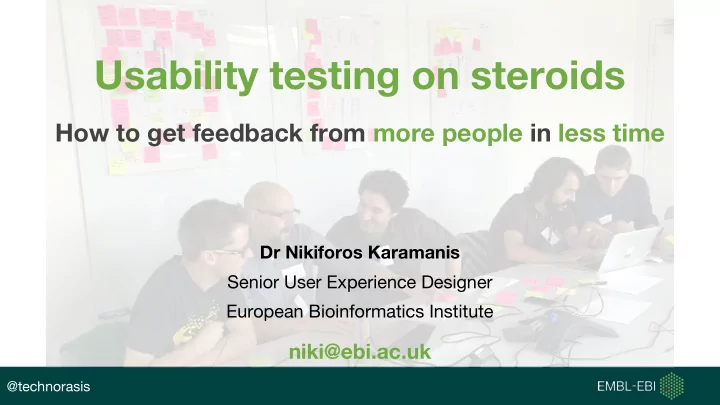
Dr Nikiforos Karamanis Senior User Experience Designer European Bioinformatics Institute

niki@ebi.ac.uk

Usability testing on steroids

How to get feedback from more people in less time

@technorasis
slide-2
SLIDE 2

What is usability testing?

slide-3
SLIDE 3

Traditional usability testing

“Usability tests are about watching one person at a time try to use something (whether it’s a website, a prototype, or some sketches of a new design) to do typical tasks so you can detect and fix the things that confuse or frustrate them.”

Steve Krug

https://goo.gl/images/1dSqmG

slide-4
SLIDE 4

Don't make me think Demo usability test

slide-5
SLIDE 5

Traditional usability testing

  • A one-to-one session, one participant at a time giving

you feedback about your product.

  • Typically takes about 60 to 90 minutes per participant.
  • Feedback from 3 to 10 participants over a couple of

days.

  • Need to ask for feedback early and often!
slide-6
SLIDE 6

What if you...

  • Have the opportunity to get feedback from several

participants...

  • But only have 60-90 minutes with the whole group?
slide-7
SLIDE 7

Group usability testing

(testing on steroids)

slide-8
SLIDE 8
slide-9
SLIDE 9

We’re not testing you!

“There are no right or wrong answers. We are testing our website, not you. Please give us your honest feedback as this is the best way for us to see the website through your eyes.”

slide-10
SLIDE 10

Please think aloud!

“As you are trying it out, please think aloud. Tell your partner what you’re trying to do and what’s going through your mind.”

slide-11
SLIDE 11
slide-12
SLIDE 12

Probing the participant without leading

slide-13
SLIDE 13

Probing the participant without leading

  • “What goes through your mind when you look at this?”
  • “What would you do if you were doing this on your own?”
  • “What would you do to…?”
  • “What are you looking for?”
  • “What do you expect to happen next?”
  • “Mmmm” and “huh” instead of “Great” and “Good job”
  • “So what…” [trail into silence]
slide-14
SLIDE 14

Give it a go!

Form pairs:

  • One person is the participant, the other is the facilitator.
  • Participant:

You need to go to London immediately after this session. Use your phone to find out when is the next train from Cambridge to Kings Cross.

  • Facilitator helps participant to think aloud and takes notes.
slide-15
SLIDE 15
slide-16
SLIDE 16
slide-17
SLIDE 17
slide-18
SLIDE 18
slide-19
SLIDE 19

Give it a go!

In each table:

  • Review the feedback on each post-it.
  • Organise the post-its into themes.
  • Give names to the themes.
slide-20
SLIDE 20

Group usability testing: Pros

  • Great way for our team to collaborate before, during and

after the session.

  • Team gets exposed to more feedback in less time.
  • Participants get exposed to each other’s views:
  • Helps us spot common issues vs individual preferences.
  • Participants loved it!
  • Became integral part of our project’s quarterly meetings.
  • Some participants later became facilitators.
slide-21
SLIDE 21

Group usability testing: Tips

  • Initial pairing helps capture individual feedback and avoid

groupthink.

  • Up to 5 pairs in 60 to 90 minutes works best.
  • Combine it with
  • user research to better understand people’s motivations

and

  • traditional usability testing for more in-depth feedback.
  • Works best with trained facilitators!
slide-22
SLIDE 22

Group usability testing: Verdict

Enabled us to:

  • Do a couple of days work within a couple of hours.
  • Leverage user feedback without compromising on its

quality.

slide-23
SLIDE 23

Thanks

  • Our participants
  • My colleagues and management at EMBL-EBI
slide-24
SLIDE 24

Questions?

niki@ebi.ac.uk

@technorasis