Topic 17 You have just been introduced to an assignment operator in - - PDF document

topic 17
SMART_READER_LITE
LIVE PREVIEW

Topic 17 You have just been introduced to an assignment operator in - - PDF document

Substitution Model and Why it Doesnt work Topic 17 You have just been introduced to an assignment operator in Assignment, Local State, and the scheme this is really the first time where symbols are viewed as variables whose values


slide-1
SLIDE 1

1

Fall 2008 Programming Development Techniques 1

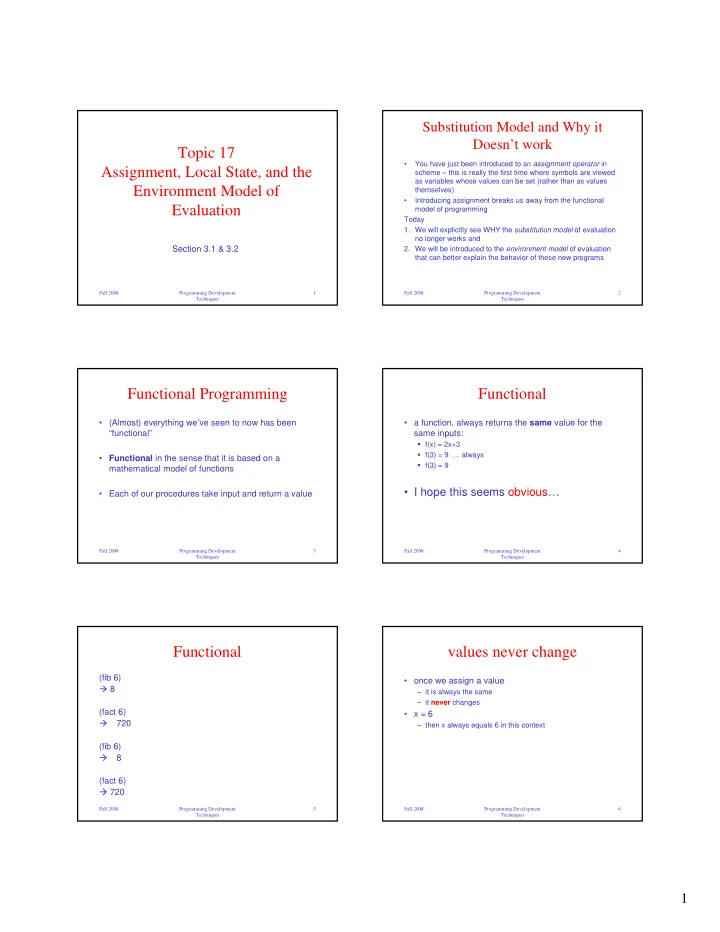
Topic 17 Assignment, Local State, and the Environment Model of Evaluation

Section 3.1 & 3.2

Fall 2008 Programming Development Techniques 2

Substitution Model and Why it Doesn’t work

  • You have just been introduced to an assignment operator in

scheme – this is really the first time where symbols are viewed as variables whose values can be set (rather than as values themselves)

  • Introducing assignment breaks us away from the functional

model of programming Today

  • 1. We will explicitly see WHY the substitution model of evaluation

no longer works and

  • 2. We will be introduced to the environment model of evaluation

that can better explain the behavior of these new programs

Fall 2008 Programming Development Techniques 3

Functional Programming

  • (Almost) everything we’ve seen to now has been

“functional”

  • Functional in the sense that it is based on a

mathematical model of functions

  • Each of our procedures take input and return a value

Fall 2008 Programming Development Techniques 4

Functional

  • a function, always returns the same value for the

same inputs:

f(x) = 2x+3 f(3) = 9 … always f(3) = 9

  • I hope this seems obvious…

Fall 2008 Programming Development Techniques 5

Functional

(fib 6) 8 (fact 6)

  • 720

(fib 6)

  • 8

(fact 6) 720

Fall 2008 Programming Development Techniques 6

values never change

  • once we assign a value

– it is always the same – it never changes

  • x = 6

– then x always equals 6 in this context

slide-2
SLIDE 2

2

Fall 2008 Programming Development Techniques 7

but we do have different contexts

  • f(x) = x * f(x-1) ;; x > 1
  • i.e. different calls may have different bindings for x
  • but within a call (a single function)

– the value of any variable never changes

Fall 2008 Programming Development Techniques 8

no change

  • and a call to a function never changes anything else
  • (f 6) (g 7) (f 8)
  • (f 6) (f 8) ;; return the same thing

;; regardless of call to g

  • (+ (f 6) (g 7) (f 8))
  • (+ (f 6) (f 8) (g 7)) ;; same value

Fall 2008 Programming Development Techniques 9

Functional Model

  • is a beautiful model of computation
  • completely capable

– can solve any computable problem with it

  • easy to reason about
  • …but it does make programming some things

awkward.

Fall 2008 Programming Development Techniques 10

change

  • introduce the ability to change values

– a variable’s value may change over time

  • once we start using this

– the substitution view won’t be correct

Fall 2008 Programming Development Techniques 11

in other languages...

  • changing values of variables happens all the time
  • e.g. in C:

int y = 10; y = 20; y = y + 30;

  • in those languages, change is second nature

Fall 2008 Programming Development Techniques 12

set!

  • By introducing set! we just produced the ability to

change values in scheme

  • set! is another special form

– evaluate its 2nd argument (value) – reassign the 1st argument (variable) to the second

  • change the binding
  • also known as mutation
  • variable "mutates" to new value
slide-3
SLIDE 3

3

Fall 2008 Programming Development Techniques 13

consider:

  • (define astate 0)
  • (define (accum0! x)

(set! astate (+ astate x)))

  • (accum0! 1)
  • astate
  • 1
  • (accum0! 1)
  • astate
  • 2

Fall 2008 Programming Development Techniques 14

value changes over time

  • (define (accum0! x)

(set! astate (+ astate x)))

  • astate does not have a unique value here

– initially has one value – has a different value after assignment

Fall 2008 Programming Development Techniques 15

accumulator (revised)

  • (define astate 0)
  • (define (accum! x)

(begin (set! astate (+ astate x)) astate))

  • Now, the set! expression changes the value of the

final expression

Fall 2008 Programming Development Techniques 16

accumulator (revised)

  • (define astate 0)
  • (define (accum! x)

(begin (set! astate (+ astate x)) astate)) – that is:

  • (begin (set! astate (+ astate x)) astate)
  • is not the same as merely: astate

Fall 2008 Programming Development Techniques 17

using accum!

  • (accum! 1)

1

  • (accum! 1)

2

  • (accum! 1)

3

Fall 2008 Programming Development Techniques 18

history starts to matter

  • (define astate 0)
  • (begin

(accum! 1) (accum! 1) (accum! 1) )

  • 3

not same as:

  • (define astate 0)
  • (accum! 1)
  • 1
  • intervening accum!’s change

the value of astate

  • changes the value of the final

(accum! 1)

slide-4
SLIDE 4

4

Fall 2008 Programming Development Techniques 19

side-effects

  • operations with embedded set!

– may have effects other than to compute their value – may change state

  • that affects the way other things behave

– we say they have “side effects”

  • have an effect beyond their local computation

Fall 2008 Programming Development Techniques 20

notational conventions

  • (foo …) is a functional function

;; no side effects

  • (foo? …) is a predicate

;; returns a boolean value

  • (foo! …) has side effects

;; has an internal set! or equivalent

Fall 2008 Programming Development Techniques 21

so far…

  • before introducing set!

– variable values did not change – intervening functions never changed the value of succeeding operations

  • introduce set!

– variable values may change – results of operations may depend on previous operations

Fall 2008 Programming Development Techniques 22

evaluating with set!

  • (define (sadd x y z)

(begin (set! x (+ x y)) (set! x (+ x z)) x))

  • intuitively: what does this do?

Fall 2008 Programming Development Techniques 23

Substitution Model evaluating with set!

  • (define (sadd x y z)

(begin (set! x (+ x y)) (set! x (+ x z)) x))

  • evaluate:

(sadd 1 2 3)

  • apply sadd to 1 2 3
  • substitute
  • (begin

(set! 1 (+ 1 2)) (set! 1 (+ 1 3)) 1)

Fall 2008 Programming Development Techniques 24

Huh?

  • (begin

(set! 1 (+ 1 2)) (set! 1 (+ 1 3)) 1)

  • does this make any sense?

set!: not an identifier in: 1

slide-5
SLIDE 5

5

Fall 2008 Programming Development Techniques 25

problem

  • (define (sadd x y z)

(begin (set! x (+ x y)) (set! x (+ x z)) x))

  • substitute
  • (begin

(set! 1 (+ 1 2)) (set! 1 (+ 1 3)) 1)

  • ur substitution model does not admit the

possibility that a variable’s value might change

Fall 2008 Programming Development Techniques 26

problem

  • (define (sadd x y z)

(begin (set! x (+ x y)) (set! x (+ x z)) x))

  • substitute
  • (begin

(set! 1 (+ 1 2)) (set! 1 (+ 1 3)) 1)

  • ur substitution model does not distinguish

between a value and a variable

Fall 2008 Programming Development Techniques 27

the bottom line

  • the substitution model

– breaks down in the presence of side-effects – cannot handle change of variable's value

  • we need a better model...

Fall 2008 Programming Development Techniques 28

the environment model

  • new model

– need to reason about variables as locations

  • recall that we said define created an "association"

– a mapping between a variable and a value

  • now need to bring that to the forefront of our model

Fall 2008 Programming Development Techniques 29

frames

  • we call the association table a frame
  • a frame contains bindings

– mapping from a variable name – to a value

  • e.g.

– x is currently 1 – y is currently 2

Fall 2008 Programming Development Techniques 30

environment

  • An environment

– is a collection of linked frames

slide-6
SLIDE 6

6

Fall 2008 Programming Development Techniques 31

enclosing environment

  • frames

– include a pointer to their enclosing environment – except for a special frame called the global environment

Fall 2008 Programming Development Techniques 32

variables and their values

  • the value of a variable

– is the value associated with the variable in the lowest enclosing frame – relative to the current frame x ? 1 x ? 10 x ? 100

Fall 2008 Programming Development Techniques 33

variables and their values

  • the value of a variable

– if variable binding not found in current frame – search the parent frame q ? 12 q ? 12 z ? 3

Fall 2008 Programming Development Techniques 34

environments

  • are trees made out of

connected frames

  • from the POV of any

given frame, you "see" the environment as a list of frames 1 2 3

Fall 2008 Programming Development Techniques 35

Substitution Model

to evaluate a Scheme expression:

1. evaluate its operands 2. evaluate the operator 3. apply the operator to the evaluated operands

(fun op1 op2 op3 …)

Day 1 Substitution Model

Fall 2008 Programming Development Techniques 36

environment model evaluation

  • changes the way we model apply
  • to apply a procedure

1. construct a new frame 2. bind the formal parameters to the arguments of the call in that new frame 3. the new frame’s parent is the environment associated with the called procedure

  • not the calling procedure

4. evaluate the body in the new environment

slide-7
SLIDE 7

7

Fall 2008 Programming Development Techniques 37

huh?

  • environment associated with the called procedure?
  • how are environments associated with procedures,

anyway?

Fall 2008 Programming Development Techniques 38

environment model: rule 1

When we create a procedure (evaluate a lambda expression)

  • its environment is the environment in which the lambda

expression is evaluated

  • a procedure is a pair

– the text of the lambda expression – a pointer to the environment in which it was created

Fall 2008 Programming Development Techniques 39

Procedure

  • A procedure is a pair,

e.g.

(define x 3) (define y 100) (define foo (lambda (x y) (+ x y))

text of lambda pointer to environment where lambda evaluated

Fall 2008 Programming Development Techniques 40

environment model: rules 2, 3

  • RULE 2: define

– creates a binding in the current environment frame

  • RULE 3: set!

– locates the binding of the variable in the environment (lowest enclosing binding relative to the current frame) – changes the binding to the new value

Fall 2008 Programming Development Techniques 41

evaluating a procedure call

(define (f x y) (+ (* 3 x) (* -4 y) 2)) evaluate (f 3 2)

evaluate 3 evaluate 2 apply f to 3 2

current environment

Fall 2008 Programming Development Techniques 42

evaluating a procedure call (2)

(define (f x y) (+ (* 3 x) (* -4 y) 2)) evaluate (f 3 2)

... create new frame for formal params of f parent frame is env of lambda

current env

slide-8
SLIDE 8

8

Fall 2008 Programming Development Techniques 43

evaluating a procedure call (3)

(define (f x y) (+ (* 3 x) (* -4 y) 2)) evaluate (f 3 2)

... evaluate body in new frame (+ (* 3 x) (* -4 y) 2)

current env

Fall 2008 Programming Development Techniques 44

evaluating a procedure call (4)

lookup not substitution

current env

(define (f x y) (+ (* 3 x) (* -4 y) 2)) evaluate (f 3 2)

... (+ (* 3 x) (* -4 y) 2) (+ (* 3 3) (* -4 2) 2) (+ 9 -8 2) 3

Fall 2008 Programming Development Techniques 45

another example...

  • (define x 20)
  • (define y 100)
  • (define (f x) (+ x y))
  • (f 1)

current env

Fall 2008 Programming Development Techniques 46

cont'd... (2)

  • (define x 20)
  • (define y 100)
  • (define (f x) (+ x y))
  • (f 1)
  • create new frame for f

– and bind call arguments to formal params

current env

Fall 2008 Programming Development Techniques 47

cont'd... (3)

  • (define x 20)
  • (define y 100)
  • (define (f x) (+ x y))
  • (f 1)
  • create new frame for f

– and bind call arguments to formal params

  • evaluate body: (+ x y)

Call environment

current env

Fall 2008 Programming Development Techniques 48

cont'd... (4)

  • evaluate: (+ x y)

– evaluate + + – evaluate x 1 – evaluate y 100

  • (+ 1 100)
  • 101

Call environment

current env

slide-9
SLIDE 9

9

Fall 2008 Programming Development Techniques 49

evaluate accum!

  • (define astate 0)
  • (define (accum! x)

(begin (set! astate (+ astate x)) astate))

  • (accum! 1)
  • (accum! 1) ; again!

current env

Fall 2008 Programming Development Techniques 50

evaluate accum! (2)

  • (define (accum! x) …)
  • (accum! 1)

– create call frame – bind formal params

current env

Fall 2008 Programming Development Techniques 51

evaluate accum! (3)

  • evaluate:

– (begin (set! astate (+ astate x)) astate)

– evaluate first expression

  • (set! astate

(+ astate x) )

  • evaluate 2nd arg.

(+ astate x) (+ 0 1) 1 current env

Fall 2008 Programming Development Techniques 52

evaluate accum! (4)

  • evaluate:

– (begin (set! astate (+ astate x)) astate) – evaluate first expression

  • (set! astate …)
  • evaluate 2nd arg.
  • 1
  • update binding of first

argument (variable astate)

current env

Fall 2008 Programming Development Techniques 53

evaluate accum! (5)

  • evaluate:

– (begin … astate) – evaluate first expr

current env (end)

– evaluate second expr

  • astate
  • 1
  • return value of final expression =

1

Fall 2008 Programming Development Techniques 54

after first (accum! 1)

current env

slide-10
SLIDE 10

10

Fall 2008 Programming Development Techniques 55

  • ne more time...
  • second call
  • (accum! 1)
  • create env frame

– bind formal params

current env

Fall 2008 Programming Development Techniques 56

evaluate accum! again

  • evaluate body:

– (begin (set! ….) astate) – evaluate first expr

  • (set! astate

(+ astate x) )

  • evaluate 2nd arg

(+ astate x) (+ 1 1) 2

current env

Fall 2008 Programming Development Techniques 57

cont'd... (2)

  • evaluate:

– (begin (set! …)) astate)

– evaluate first exp.

  • (set! astate (+ astate x))
  • eval 2nd arg…2
  • update binding of first

argument (variable)

running env

current env

Fall 2008 Programming Development Techniques 58

cont'd... (3)

  • evaluate:

– (begin (set! astate (+ astate x)) astate) – evaluate first expression – evaluate second expression

  • astate
  • 2
  • return value of final expression

= 2

running env

current env (end)

Fall 2008 Programming Development Techniques 59

after second (accum! 1)

current env

Fall 2008 Programming Development Techniques 60

evaluate sadd

  • (define (sadd x y z)

(begin (set! x (+ x y)) (set! x (+ x z)) x))

  • (sadd 1 2 3)

current env

slide-11
SLIDE 11

11

Fall 2008 Programming Development Techniques 61

evaluate sadd (2)

  • (sadd 1 2 3)
  • create new frame
  • bind args to formal

params

current env

Fall 2008 Programming Development Techniques 62

evaluate sadd (3)

  • (sadd 1 2 3)
  • create call frame
  • bind args to formal params
  • evaluate body

(begin (set! x (+ x y)) (set! x (+ x z)) x))

current env

Fall 2008 Programming Development Techniques 63

evaluate sadd (4)

  • evaluate 1st set!

– (set! x (+ x y)) – (set! x (+ 1 2))

current env

Fall 2008 Programming Development Techniques 64

evaluate sadd (5)

  • evaluate 1st set!

– (set! x (+ x y)) – (set! x (+ 1 2))

  • Update binding

current env

Fall 2008 Programming Development Techniques 65

evaluate sadd (6)

  • evaluate 2nd set!

– (set! x (+ x z)) – (set! x (+ 3 3))

current env

Fall 2008 Programming Development Techniques 66

evaluate sadd (7)

  • evaluate 2nd

– (set! x (+ x z)) – (set! x (+ 3 3))

  • update binding

current env

slide-12
SLIDE 12

12

Fall 2008 Programming Development Techniques 67

evaluate sadd (8)

  • evaluate final exp

x 6

current env

Fall 2008 Programming Development Techniques 68

evaluate sadd (9)

  • evaluate final exp

x 6

  • ….which is return value

from sadd

current env

Fall 2008 Programming Development Techniques 69

Big Ideas

  • functional model

– adequate, easy to reason, simple model

  • add the ability to change values

– has convenience – complicates reasoning and model – must reason about locations

  • can still model precisely

– environment model