Todays lecture What is a database? Databases 1 Organisation and - - PowerPoint PPT Presentation

today s lecture
SMART_READER_LITE
LIVE PREVIEW

Todays lecture What is a database? Databases 1 Organisation and - - PowerPoint PPT Presentation

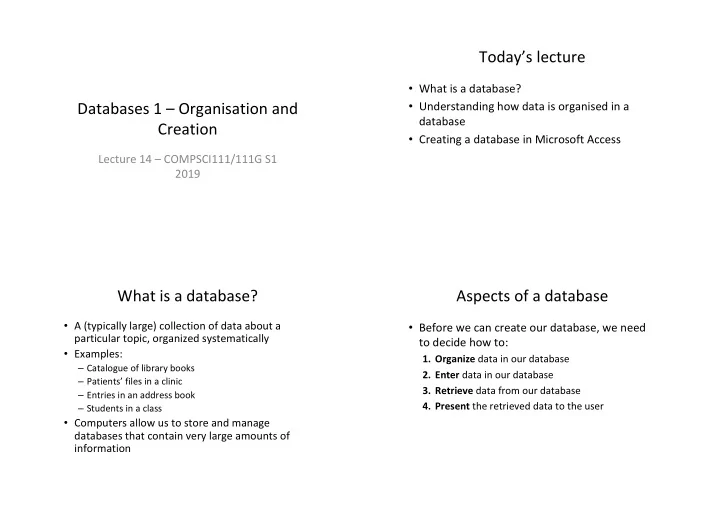
Todays lecture What is a database? Databases 1 Organisation and Understanding how data is organised in a database Creation Creating a database in Microsoft Access Lecture 14 COMPSCI111/111G S1 2019 What is a database?


slide-1
SLIDE 1

Databases 1 – Organisation and Creation

Lecture 14 – COMPSCI111/111G S1 2019

Today’s lecture

  • What is a database?
  • Understanding how data is organised in a

database

  • Creating a database in Microsoft Access

What is a database?

  • A (typically large) collection of data about a

particular topic, organized systematically

  • Examples:

– Catalogue of library books – Patients’ files in a clinic – Entries in an address book – Students in a class

  • Computers allow us to store and manage

databases that contain very large amounts of information

Aspects of a database

  • Before we can create our database, we need

to decide how to:

  • 1. Organize data in our database
  • 2. Enter data in our database
  • 3. Retrieve data from our database
  • 4. Present the retrieved data to the user
slide-2
SLIDE 2

Question?

  • What websites have you visited that probably

use a database?

  • 1. Organising data - models
  • A model defines how data is organized and

structured within the database

– We’re going to look at the relational model in this course

  • When deciding what data to store in a database,

we need to think about:

– Entities: things about which we store information

  • Eg. students in uni, courses in uni

– Relationships: specific connections among entities

  • Eg. students enrolled in CompSci111/111G
  • 1. Organising data - tables
  • The relational model was developed by Edgar

Codd in 1970

  • Data is stored and organized in tables

– A table’s columns are called fields; an entity’s attributes – A table’s rows are called records; one instance of an entity

  • A collection of tables form a database

Field Record

  • 1. Organising data
  • Tables are connected together using

relationships, thereby creating connections between different entities

slide-3
SLIDE 3
  • 1. Organising data
  • There are two parts to a relationship; primary key

and foreign key

  • 1. Primary key:

– Generally, all tables must have a primary key field – All records must have a value in the primary key field – The primary key’s value must be unique

Primary key

Question?

  • Which field makes a good primary key in a

table?

  • 1. Organising data
  • 2. Foreign key

– A field in one table that is related to a primary key field in another table – Creates a connection between the two fields – Can take blank values and/or repeated value depending on the relationship

Referential integrity

  • An important concept underlying relationships

between tables

  • Referential integrity requires all values of a

foreign key field to be:

– Present in the related primary key field, OR – Null (ie. blank)

slide-4
SLIDE 4

Referential integrity

Insert 9998881, COMPSCI111, 22/12/2015 into Enrolments Insert 6697826, COMPSCI105, 16/12/2015 into Enrolments Insert , COMPSCI101, 01/12/2015 into Enrolments Delete 5468975, from Students Delete 5468975, from Enrolments

P O P O P

Types of relationships

  • There are three kinds of relationship that can

exist between tables

  • One to one: one record in PK related to one

record in FK

– Eg. student can only have one transcript

  • One to many: one record in PK related to

multiple records in FK

– Eg. student can have multiple emergency contacts

  • Many to many: multiple records in PK related to

multiple records in FK

– Eg. many students can be enrolled in many papers

Many to Many

  • The many-to-many relationships are usually

implemented by a pair of one-to-many relationships using three tables

Exercises

  • 1. What is the primary key and the foreign key (if
  • ne exists) for the Label table?
  • 2. What is the primary key and the foreign key (if
  • ne exists) for the Artist table?
  • 3. What is the primary key and the foreign key (if
  • ne exists) of the Albums table?
slide-5
SLIDE 5

Answers

  • Label

– PK: ID – FK: none

  • Artist

– PK: ID – FK: LabelID

  • Albums

– PK: ID – FK ArtistID

Aspects of a database

  • Before we can create our database, we need

to decide how to:

  • 1. Organize data in our database
  • Models, tables, relationships
  • 2. Enter data in our database
  • 3. Retrieve data from our database
  • 4. Present the retrieved data to the user

Database Management System (DBMS)

  • Application software that is used to manage

databases.

  • Four main functions:

– Definition – Update – Querying – Administration

  • Examples:

– Microsoft Access – Microsoft SQL Server

Creating a database

Templates Creating a new database

slide-6
SLIDE 6

Creating a table

New table button

Creating a table

  • Design view: create/view the fields in the

table

  • Datasheet view: create/view data in the table

Design view Design view

slide-7
SLIDE 7

Datasheet view

  • Allows us to enter data into our table
  • Need to ensure that we enter the correct type of

data in each field (eg. no text in a number field)

Creating relationships

  • Relationships view allows us to create relationships

between fields in different tables

  • Database Tools tab à Relationships button

Creating relationships Creating relationships

slide-8
SLIDE 8

Creating relationships Inserting data

  • Can we insert this record in the

Enrolments table?

Inserting data

  • This won’t work; StudentID’s value (‘5’)

doesn’t exist in the primary key ID

Summary

  • A database is used to store information in a

systematic and orderly manner

  • The relational model uses tables to store

information about entities and relationships to connect tables together

  • Relationships require tables, primary keys,

foreign keys. Referential integrity is an important concept

  • Microsoft Access is a popular DBMS that we can

use to insert and manage data in our database