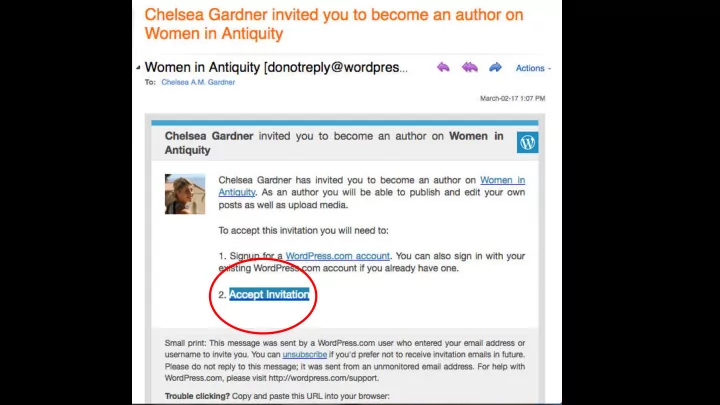
SLIDE 1
SLIDE 2
TO CREATE YOUR PAGE à CLICK WRITE!!!
SLIDE 3
YOUR PROFILE CAN BE ACCESSED THROUGH THE ROUND ICON FROM ANY PAGE
SLIDE 4
TO EDIT YOUR PERSONAL PROFILE à ICON
SLIDE 5
THE INFORMATION YOU ENTER HERE WILL APPEAR ON YOUR PAGE (IF YOU CHOOSE TO MAKE IT PUBLIC)
SLIDE 6
ON LEFT BAR: ADD AS MANY TAGS AS YOU WANT
SLIDE 7
ON LEFT BAR: ADD A FEATURED IMAGE FOR YOUR PAGE (MUST HAVE PERMISSION FOR IMAGE (CC)
SLIDE 8
LEFT BAR: KEEP THESE BUTTONS ENABLED IF YOU WANT PEOPLE TO ‘LIKE’ OR ‘SHARE’ YOUR PAGE
SLIDE 9
LEFT BAR: ‘SLUG’ IS WHAT APPEARS IN THE WEB URL! ‘EXCERPT’ IS AN ABSTRACT FOR SOCIAL MEDIA
SLIDE 10
MAIN TOOLBAR: USE THE LINK TO HYPERLINK TO OTHER WEBPAGES
SLIDE 11
MAIN TOOLBAR: IF YOU ARE REALLY AMBITIOUS, CLICK ON HTML…
SLIDE 12
MAIN TOOLBAR: THE PLUS SIGN IS TO ADD MEDIA
SLIDE 13
YOU CAN UPLOAD PHOTOS HERE OR VIA A LINK (WIKIPEDIA, ETC.)
SLIDE 14
WHEN YOU PREVIEW YOUR PAGE IT WILL OPEN IN A EMBEDDED WINDOW
SLIDE 15
YOU CAN SAVE YOUR PAGE OR PUBLISH IT à IT WILL NOT BE PUBLICLY VISIBLE UNTIL I RELEASE IT
SLIDE 16
TO ACCESS YOUR SITE, CLICK THE W ICON (MY SITE) à BLOG POSTS
SLIDE 17
YOU CAN ONLY EDIT YOUR OWN PAGE
SLIDE 18 THINGS TO REMEMBER
- You are in complete control of the appearance and content of
your page (‘blog’)
- You can include as much or as little of your research paper as
you want --> if you want to add something that wasn’t in your paper, go for it! If there was an aspect of your paper that you hated, take it out! Ultimately, YOU are making the decision about how to present your work
- You must ensure that you have the proper permissions for any
image/videos, etc. (open-access sources)
- Be resilient and resourceful! If you run into a technical problem,
see if you can figure it out through a Wordpress forum or simply by Googling it. If you aren’t sure about photo permissions, contact the source. You will be evaluated on your ability to learn this new set of skills.
SLIDE 19 THINGS TO REMEMBER
- You can remain anonymous if you wish – in that case, please
clear it (and your username) with me beforehand
- Even if you ‘publish’ your post, it will not be publicly visible until
you tell me to make it public
- I recommend making it public EARLY and getting feedback from
as many people (friends, family, the internet in general) as possible à use the tools available to you!
- You can change any aspect of your page up to the deadline; no
evaluation will take place until then!