Tirgul 1 Course Guidelines Todays topics: Two newsgroups are - - PDF document

tirgul 1
SMART_READER_LITE
LIVE PREVIEW

Tirgul 1 Course Guidelines Todays topics: Two newsgroups are - - PDF document

Tirgul 1 Course Guidelines Todays topics: Two newsgroups are available for communication: Courses details and guidelines. local.course.dast.stud Followed by us (for detecting important questions), yet not moderated. Feel


slide-1
SLIDE 1

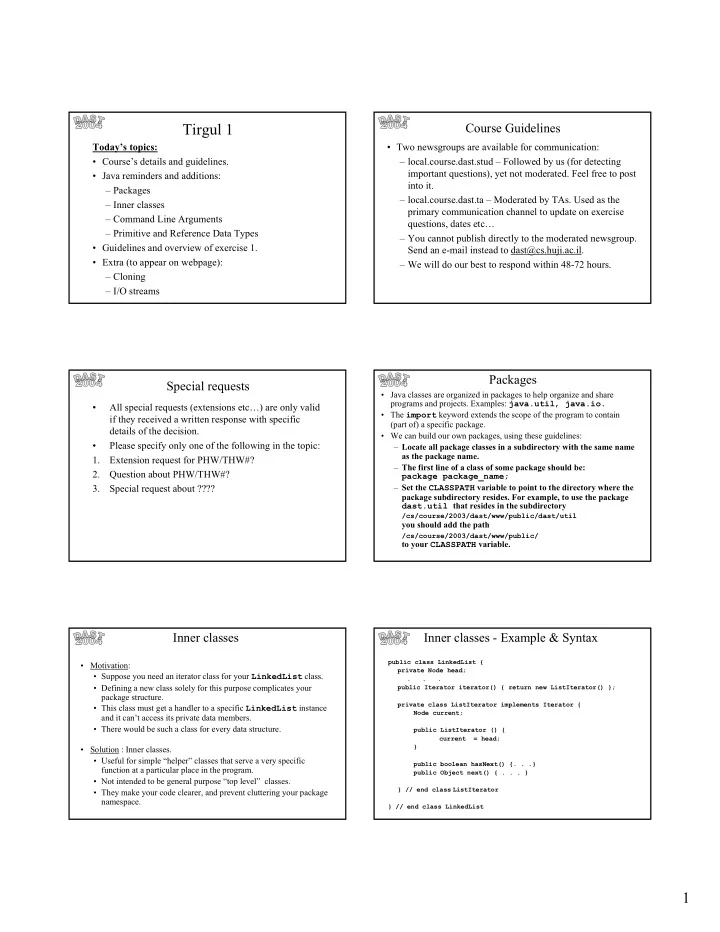
1 Tirgul 1

Today’s topics:

  • Course’s details and guidelines.
  • Java reminders and additions:

– Packages – Inner classes – Command Line Arguments – Primitive and Reference Data Types

  • Guidelines and overview of exercise 1.
  • Extra (to appear on webpage):

– Cloning – I/O streams

Course Guidelines

  • Two newsgroups are available for communication:

– local.course.dast.stud – Followed by us (for detecting important questions), yet not moderated. Feel free to post into it. – local.course.dast.ta – Moderated by TAs. Used as the primary communication channel to update on exercise questions, dates etc… – You cannot publish directly to the moderated newsgroup. Send an e-mail instead to dast@cs.huji.ac.il. – We will do our best to respond within 48-72 hours.

Special requests

  • All special requests (extensions etc…) are only valid

if they received a written response with specific details of the decision.

  • Please specify only one of the following in the topic:

1. Extension request for PHW/THW#? 2. Question about PHW/THW#? 3. Special request about ????

Packages

  • Java classes are organized in packages to help organize and share

programs and projects. Examples: java.util, java.io.

  • The import keyword extends the scope of the program to contain

(part of) a specific package.

  • We can build our own packages, using these guidelines:

– Locate all package classes in a subdirectory with the same name as the package name. – The first line of a class of some package should be: package package_name; – Set the CLASSPATH variable to point to the directory where the package subdirectory resides. For example, to use the package dast.util that resides in the subdirectory

/cs/course/2003/dast/www/public/dast/util

you should add the path

/cs/course/2003/dast/www/public/

to your CLASSPATH variable.

Inner classes

  • Motivation:
  • Suppose you need an iterator class for your LinkedList class.
  • Defining a new class solely for this purpose complicates your

package structure.

  • This class must get a handler to a specific LinkedList instance

and it can’t access its private data members.

  • There would be such a class for every data structure.
  • Solution : Inner classes.
  • Useful for simple “helper” classes that serve a very specific

function at a particular place in the program.

  • Not intended to be general purpose “top level” classes.
  • They make your code clearer, and prevent cluttering your package

namespace.

Inner classes - Example & Syntax

public class LinkedList { private Node head; . . . public Iterator iterator() { return new ListIterator() }; private class ListIterator implements Iterator { Node current; public ListIterator () { current = head; } public boolean hasNext() {. . .} public Object next() { . . . } } // end class ListIterator } // end class LinkedList

slide-2
SLIDE 2

2

Command Line Arguments

  • A way to pass parameters to a program.
  • The method main() accepts a single argument that is an array of

strings.

  • Command line arguments (separated by blank(s)) are stored in this

array (each argument is a string).

  • For example, if we have:

class Test { public static void main(String[] args){...} }

then, when we run the command: java Test 1 abc -a – b we’ll have:

args[0] = "1", args[1] = "abc", args[2]="-a", args[3]="-", args[4]="b"

Primitive and Reference Data Types

Primitive DT: (boolean, int, float, etc.) each is stored in a unique memory place: int a=5; int b=a; a = 6; So after this command sequence b will have a value of 5. (This is called copy “by value”). a b

Primitive and Reference Data Types

Reference DT: (all objects) a variable points to a memory place created by the new command. Many variables may point to the same memory place Employee a = new Employee(); a.ID = 5; Employee b = a; a.ID = 6; So after this command sequence b.ID will have a value of 6. (by changing a we also changed b).

ID

b a

Primitive and Reference DT

  • When we pass an object as an argument to a method, a new reference to

the same object is created. When we pass primitive DT to a method, a new variable is created.

  • If an object variable has the value null, this actually means: “this

variable does not point to any memory place”

  • How do we make an actual copy of the object, not another reference to

same object? This is called cloning.

  • Cloning will not be discussed today, but details will appear in the

lecture slides on the course’s webpage.

Programming Exercise 1

  • Handout date: Tuesday 2.03.2004
  • Submission date: Sunday 28.03.2004, 12:00 Noon.
  • Extensions: None.
  • What is it about? An extremely advanced bookstore.
  • Please make sure you read the entire exercise

description, regulations, and follow all of them.

  • You may ask questions through the newsgroup. Do not

expect a response in less than 24-48 hours.

Some details

  • Input and output is done through implementing

interfaces – no parsing is needed for the input.

  • However:

– In order to efficiently test your program, we recommend designing your own generic test program, that accepts inputs. – An example of a non-generic test program will be given. – Details on how to use input and output streams appear in the tirgul slides on the webpage.

slide-3
SLIDE 3

3

Internals

  • A Map (as its name implies) is a mapping from keys to values. It

is used for fast searches of items in a set.

  • Question: What does that say about the keys?
  • A SortedMap is…a sorted mapping of the above.

Theoretical Homework 1

  • Assigned: Tuesday 9.3.2004
  • Due: Sunday 21.3.2004, 12:00 Noon.

Extra! Extra!

Java I/O Streams

  • In order to import/export information to/from an external source (a file,

a network, etc.) we open a stream on an information source.

  • The java.io package contains all classes, interfaces, exceptions, etc.

that involve I/O streams.

  • Two types of I/O streams:

– Character:

  • Information is represented by an encoding that gives a numeric value for each

symbol.

  • Text is stored as a list of numbers. Java translates between internal Unicode

representation and external representation (e.g. ASCII).

  • Class hierarchy based in Reader and Writer abstract classes.

– Binary (byte):

  • Views information as a sequence of bytes (e.g. images, sound).
  • No translation occurs.
  • Class hierarchy based in InputStream and OutputStream abstract

classes.

Hierarchy Structure

  • File streams: FileReader, FileWriter (similarly,

FileInputStream and FileOutputStream).

  • Layered streams:

– A Reader may operate on top of an InputStream. – BufferedReader on top of another Reader, to aggregate the reading (e.g. read an entire line). – PrintWriter, to format the output (prints integer, strings, etc.) – Many possibilities – see API.

Java streams - Example

import java.io.*; . . . public void doSomething throws IOException { FileReader in = new FileReader("results.txt"); FileWriter out = new FileWriter("statistics.txt"); BufferedReader r = new BufferedReader(in); PrintWriter p = new PrintWrite(out); String input, output; while ((input = r.readLine()) != null) { ... //do something interesting and create

  • utput string

p.print(output); } r.close(); in.close(); p.close(); out.close(); }

slide-4
SLIDE 4

4

Default I/O Streams

  • Class System has 3 default streams, available to every Java program:
  • Input from the keyboard goes into the ‘standard input’. This is the data

member System.in of type java.io.InputStream

  • Output (usually to the terminal window) written through 2 streams:

– ‘Standard output’ – System.out of type java.io.PrintStream – ‘Standard error’ – System.err of type java.io.PrintStream [PrintStream is an exception - it is a stream, but allows character output through its print() and println() methods.]

  • The standard output and error are directed by the Operating
  • System. By default - both to the terminal.
  • The convention - standard error for error messages, standard
  • utput for regular output.
  • In UNIX, the user can redirect to a file:

– standard output by adding “> my_out.txt”. For example: java MyClass param1 > out.txt – both to the same file, by adding “>& my_out.txt” – You can’t redirect only the standard error, but redirecting to different files is possible (by outsmarting): (java MyClass > out.txt) >& err.txt

Default I/O Streams Cloning

  • Cloning – The Java way of making a copy of an object.

Employee a = new Employee(); a.ID = 5; if ( a instanceof Cloneable ) { Employee b = (Employee) a.clone(); a.ID = 6; }

  • Now b is a reference to a new object (identical to a)
  • A class that provides the clone() method should implement the

Cloneable interface.

  • We can check if a class is Cloneable by using the instanceof
  • perator.

How to be “cloneable”

  • Class Object contains the method clone(), which we override.
  • Class Object implements clone() as a bit-by-bit memory

copy.

public class Employee implements Cloneable { public int ID; public Object clone() { try { return super.clone(); } catch (CloneNotSupportedExcetion e) { } // this catch is not supposed to happen. }

Cloning

  • Method Object.clone() throws

CloneNotSupportedException if the class does not implement

  • Cloneable. Therefore, if you want to use Object.clone() you

should nest it in a try-catch block.

  • Method Object.clone() is declared protected, therefore you

must override the clone() method, declaring it public.

public class Employee implements Cloneable { public int ID; public Object clone() { try { return super.clone(); } catch (CloneNotSupportedExcetion e) { } // this catch is not supposed to happen. }

Cloning - “deep” and “shallow” copy

  • Shallow/Deep copy – Copies by reference/value the object

data members. For example:

A B A B

A1

A

A1

B B1 Shallow copy Deep copy Original

slide-5
SLIDE 5

5

“deep” and “shallow” copy

  • Notice that Object.clone() performs shallow copy
  • For example, Java’s Vector implements shallow copy:

Emp e1 = new Emp(); Emp e2 = new Emp(); e1.id = 1; e2.id = 2; Vector v1 = new Vector(); v1.addElement(e1) ; v1.addElement(e2); Vector v2 = v1.clone();

Then:

((Emp)v2.elementAt(0)).id = 3; System.out.println(((Emp)v1.elementAt(0)).id);

will print 3, but:

v2.removeElementAt(0); System.out.println(((Emp)v1.elementAt(0)).id);

will still print 3.

Cloning vs. Copy Constructor

  • Copy constructors can be used to solve the same problem as

cloning.

  • They play an important role in languages (e.g. C++) where
  • bjects can be passed by value as well as by reference.
  • In Java, although you can use both techniques, cloning is

more general. For example, a deep copy of a list of objects of different types. There is no way of knowing what kind of copy constructor should be called for each element, but the

clone() method makes sure you get the right copy of each.

Debugger

  • We recommend using a debugger for debugging your

program.

  • There are currently two debuggers you can use, installed on

the HUJI machines:

  • DDD: ‘Data Display Debugger’ unix debugger installed
  • n the HUJI machines, can be used for debugging

C++/Java applications.

  • Jswat: a simple open source, multi-platform java
  • debugger. Can be used anywhere.

download from http://bluemarsh.com/java/jswat/

Debugger

  • A debugger usually has the following basic features:
  • Defining breakpoints.
  • Using watches.
  • Stepping into a method.
  • Stepping over a method.
  • Stepping out of a method (frame).
  • For using the DDD debugger:
  • Compile your program using the –g flag.
  • Run > ddd –gdb <main_class> &

Using a Debugger

  • For using the Jswat debugger: run > jswat2 &