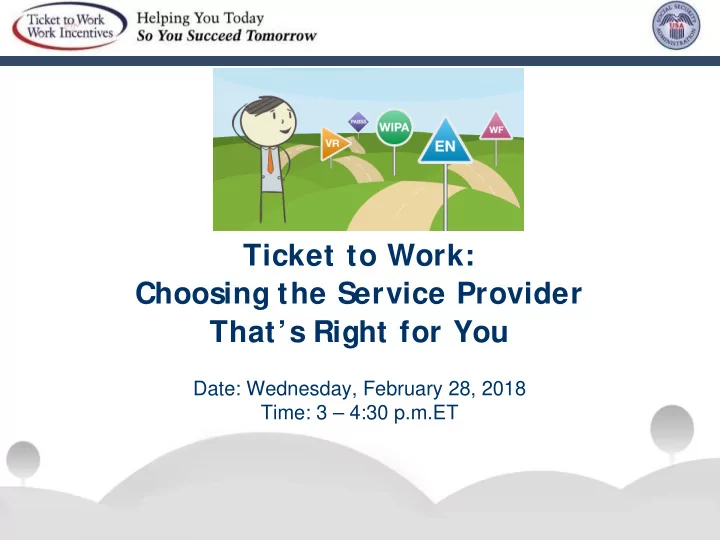
Ticket to Work: Choosing the Service Provider Thats Right for You - - PowerPoint PPT Presentation

ticket to work choosing the service provider that s right
SMART_READER_LITE
LIVE PREVIEW

Ticket to Work: Choosing the Service Provider Thats Right for You - - PowerPoint PPT Presentation

Ticket to Work: Choosing the Service Provider Thats Right for You Date: Wednesday, February 28, 2018 Time: 3 4:30 p.m.ET Accessing Todays Webinar You can manage your audio using the audio option at the top of your screen. It will


slide-1
SLIDE 1

Ticket to Work: Choosing the Service Provider That’s Right for You

Date: Wednesday, February 28, 2018 Time: 3 – 4:30 p.m.ET

slide-2
SLIDE 2

Accessing Today’s Webinar

  • You can manage your audio using the audio option at the top of

your screen. It will look like a microphone or telephone icon.

  • All attendees will be muted and we encourage you to attend by

choosing “lis isten onl

  • nly” from the audio menu; this will enable the

sound to be broadcast through your computer, so please make sure your spe speakers ar are t turned o

  • n o

n or y your ur head adph phones ar are pl plug ugged in in.

2

slide-3
SLIDE 3

If you do not have sound capabilities on your computer or prefer to listen by phone, dial: Toll ll-Fre ree num umber: r: 800-832 32-073 0736 Access code: 845846 8458462 Accessing Today’s Webinar (cont inued)

3

slide-4
SLIDE 4

Webinar Accessibility

4

slide-5
SLIDE 5

Captioning Real-time captioning is provided during this webinar.

  • The captions can be found in the Capti

ptioni

  • ning pod, which appears

below the slides.

You can also access captioning onl nline: http://www.captionedtext.com/client/event.aspx?CustomerID =846&EventID=3532031

5

slide-6
SLIDE 6

Questions and Answers (Q&A)

  • For Q&

Q&A: Please use the Q&A pod to submit any questions you have during the webinar and we will direct the questions accordingly during the Q&A portion.

  • If you are listening by phone and not logged in to the

webinar, you may also ask questions by emailing questions to webin inars ars@ch choo

  • osework

rk.ssa. a.gov

  • v.

. Please not note: This webinar is being recorded and the archive will be available within two weeks on the Choose Work website at http:/

://bi bit.ly/ .ly/WIS WISEarc rchives.

6

slide-7
SLIDE 7

Technical Assistance If you experience any technical difficulties during the webinar, please use the Q&A box to send a message or you may email web ebin inar ars@ch choosewo ework.ssa. sa.gov.

7

slide-8
SLIDE 8

Agenda

Welcome and nd Intro ntrodu ducti tions

  • ns

Moderator:

  • Brittany Thome, NDI Consulting

Presente ters rs:

  • Mary Lynn ReVoir, American Dream Employment Network (ADEN)
  • Tina Skeel, Indiana Works
  • Sandy Widener, Indiana Vocational Rehabilitation Services

8

slide-9
SLIDE 9

Topics

  • Social Security disability benefits and the Ticket to Work program
  • Exploring your work goals
  • Meet your employment team
  • American Dream Employment Network
  • Long-term employment supports
  • Choosing a service provider that’s right for you
  • Next steps and the path to success
  • Additional resources

9

slide-10
SLIDE 10

Social Security Disability Benefits

10

slide-11
SLIDE 11

Social Security Disability Benefit Programs

Social Security Disability Insurance

11

slide-12
SLIDE 12

Social Security Disability Benefit Programs

Supplemental Security Income

12

slide-13
SLIDE 13

The Ticket to Work Program

13

slide-14
SLIDE 14

Starting the Journey

Only you can decide if work is the right choice for you.

14

slide-15
SLIDE 15

Why Choose Work?

  • Earn more income
  • Gain independence
  • Meet new people
  • Learn new skills

15

slide-16
SLIDE 16

What is the Ticket to Work Program?

Ticket to Work:

  • Is a free and volunt

ntary ry Social Security program; and

  • Offers care

reer deve velop lopment for people age 18 through 64 who receive Social Security disability benefits.

16

slide-17
SLIDE 17

Taking the Next Step

  • Gathering information and resources

is key to planning your journey toward employment.

  • Ticket to Work and Work Incentives

can help make your journey a smooth one.

17

slide-18
SLIDE 18

Call the Ticket to Work Help Line:

  • 866-968-7842
  • 866-833-2967 (TTY)

Visit:

  • choosework.ssa.gov

Taking the Next Step (Cont inued)

18

slide-19
SLIDE 19

Exploring Your Work Goals

19

slide-20
SLIDE 20

Why Set Work Goals? Work goals help you to focus on your pathway to a career. Work goals help you:

  • Measure your progress
  • Hold yourself accountable
  • Stay motivated and keep on track
  • Increase your chance of success

20

slide-21
SLIDE 21

What Are Your Work Goals? (S

lide 1 of 3)

Think about these questions:

  • What type of work do I like to do?
  • What are my interests?
  • What kind of job do I want now?
  • What kind of job do I want 5 years from now?

21

slide-22
SLIDE 22

What Are Your Work Goals? (S

lide 2 of 3)

Take some time to think about these questions:

  • What are my long-term career goals?
  • Where do I want to work? At home? In an office?

Outside?

  • Do I want to be self-employed or work for

someone else?

22

slide-23
SLIDE 23

What Are Your Work Goals? (S

lide 3 of 3)

Once you know the kind of job you want, ask yourself what you need to succeed:

  • Information about specific job options
  • Training or education
  • Resume or interview skills
  • Understanding of how work affects

benefits

  • Reasonable accommodations and/or

assistive technology

23

slide-24
SLIDE 24

Meet Your Employment Team!

24

slide-25
SLIDE 25

Who Can Help You Achieve Your Work Goal?

Through the Ticket program, you’ll have access to a variety of Ticket program service providers, including:

  • Work Incentives Planning and Assistance (WIPA)

projects

  • Employment Networks (EN)
  • Workforce ENs
  • State Vocational Rehabilitation (VR) agencies
  • Protection and Advocacy for Beneficiaries of Social

Security (PABSS) organizations

25

slide-26
SLIDE 26

What Are Work Incentives Planning and Assistance (WIPA) Projects?

WIPA projects:

  • Provide free Benefits Counseling to Social Security disability

beneficiaries.

  • Offer a range of services to help you understand your options.
  • Are staffed by Community Work Incentive Coordinators (CWIC)

who provide in-depth counseling about working, earning more money, and how working may affect your benefits.

26

slide-27
SLIDE 27

How Can Working with a WIPA Project Help You?

(Cont inued)

WIPA projects can help you:

  • Understand the potential benefits of employment.
  • Analyze how work and earnings may affect your SSI,

SSDI, and other Federal and State benefits.

  • Understand Work Incentives and how they apply to you.
  • Understand the services provided by a State VR agency
  • r an EN, and how they might fit best with your needs

27

slide-28
SLIDE 28

Who Do WIPA projects serve?

You can work with a WIPA project if you:

  • Are working
  • Have a job offer pending
  • Are actively interviewing for jobs

– Had an interview in the past 30 days – Have a job interview scheduled in the next 2 weeks

  • Are age 14-25, not necessarily actively pursuing work

28

slide-29
SLIDE 29

What is an Employment Network (EN)?

An EN is an organization or an agency that provides free employment support services to people eligible for the Ticket

  • program. The services help you prepare for, find, or maintain

employment and may include:

  • Career planning
  • Job search and job placement
  • Ongoing employment support
  • Benefits Counseling
  • Assistance with accommodations

29

slide-30
SLIDE 30

What is an Employment Network (EN)? (Cont inued)

Who may ENs serve?

  • Their local community
  • Regions or across one or multiple states
  • The whole country

ENs may offer their services

  • In person
  • By phone
  • Virtually, by email or website

30

slide-31
SLIDE 31

American Dream Employment Network (ADEN)

31

slide-32
SLIDE 32

ADEN Core Services for Ticketholders

  • Career counseling
  • Job search supports: developing or improving job skills, resume

writing, job interview tips, and job search strategies

  • Long-term support on the job
  • Social Security Benefits Counseling
  • Financial wellness
  • Referral to financial resources or services to build financial

wellness

32

slide-33
SLIDE 33

ADEN Key Stakeholders

Participants

  • Job seekers who receive Social Security disability benefits and use

the Ticket program

Members

  • Employment service providers across the country who help

Ticketholders find and retain employment

Employer Partners

  • Employers who have an interest in hiring and retaining qualified

Ticketholders

33

slide-34
SLIDE 34

Service Provider Members and Partners

  • There are 58 ADEN Members in 24

states and the District of Columbia.

  • ADEN also provides virtual services

across the U.S. ADEN works closely with State VR agencies and has Partnership Plus agreements with:

  • Connecticut
  • Florida
  • Georgia
  • Iowa
  • Massachusetts
  • Wisconsin

34

slide-35
SLIDE 35

Where Does ADEN Serve?

ADEN has developed employer relationships and currently partners with over 900 employers across the nation. 90% are federal contractors.

Dist ribut ion of beneficiaries wit h assigned t icket s

35

slide-36
SLIDE 36

Ame merican an Dre Dream am Emp Employment nt Ne Netw twork (A (ADE DEN)

www.American icanDr Dream eamEN.org

ADEN N Co-Dir irect ctors s

Mary Lyn y Lynn n ReVoir ir mlrevoir@ndi-inc.org Kevin N in Nick ickerson knickerson@ndi-inc.org

info@A

  • @Ameri

ricanD nDre reamEN.or N.org 844 844-687 87-233 2336

For

  • r de

deaf/hard of

  • f hearing u

use Relay 36

slide-37
SLIDE 37

What is a Workforce EN?

Workforce ENs are ENs that are also part of the state public workforce system. Workforce ENs provide a variety of support services including:

  • Training
  • Special programs for veterans and young adults

37

slide-38
SLIDE 38

What Are State Vocational Rehabilitation (VR) Agencies?

State VR agencies furnish a variety of services to help people with disabilities:

– Return to work – Enter a new line of work – Enter the workforce for the first time

VR services may include:

– Intensive training or education – Rehabilitation – Career counseling – Job placement – Benefits Counseling

38

slide-39
SLIDE 39

What is Partnership Plus?

An agreement where State VR agencies may partner with ENs to provide a transition of services for those who need ongoing support.

  • VR agencies typically close a case

approximately 90 days after you start working

  • An EN may offer continued support services to

maintain employment and increase your earnings over time.

39

slide-40
SLIDE 40

Partnership Plus

EN services after VR case closure may include:

  • Ongoing support services
  • Job retention and career advancement
  • Job coaching
  • Transportation
  • Benefits Counseling
  • Wage reporting
  • Job accommodation requests

40

slide-41
SLIDE 41

Partnership Plus Fact Sheet Learn more about Part Partners rship ip Pl Plus s online: cho choosework.ssa.gov/l v/libra rary/p /part rtne nership-plus lus

41

slide-42
SLIDE 42

What is Protection and Advocacy for Beneficiaries

  • f Social Security (PABSS)?

The PABSS program:

  • Helps people who receive Social Security disability benefits and have a

disability-related barrier to employment.

PABSS advocates provide:

  • Legal support
  • Advocacy
  • Information to assist beneficiaries resolve employment-related concerns

with employers, Social Security, ENs, State VR agencies, WIPA projects or

  • thers.

42

slide-43
SLIDE 43

What is Protection and Advocacy for Beneficiaries

  • f Social Security (PABSS)? (Cont inued)

PABSS services may include:

  • Navigating organizations and services to support your effort

to work and protect your rights

  • Requesting reasonable accommodations in your workplace,

college classes, training courses, and licensing programs

  • Addressing other disability-based legal issues that are

barriers to employment

43

slide-44
SLIDE 44

Choosing the Service Provider That’s Right for You

44

slide-45
SLIDE 45

Choosing a Service Provider That’s Right for You

When you choose a service provider:

  • Take time to feel confident about the choice you are making.
  • Make sure you understand the affect working will have on your

benefits.

  • Talk to an EN or VR agency that offers Benefits Counseling
  • It may be helpful to talk to several ENs and your State VR agency

about your work goals before you assign your Ticket.

45

slide-46
SLIDE 46

Questions to Ask Prospective Service Providers

As you talk to service providers, you may want to ask some of these questions:

  • Do you offer guidance for participating in the Ticket to

Work program?

  • Do you serve others who have the same disability I

have or a similar one?

  • What types of jobs have you found for other people

with similar experience/skill sets?

  • Do you work with clients in-person or virtually?
  • What happens after I assign my ticket?

46

slide-47
SLIDE 47

What Do You Need Help with to Achieve Your Goals?

As you meet with potential service providers, be sure to talk about:

  • The services you need

– Resume writing? – Interview skills? – Benefits Counseling?

  • Why are you looking for help with these services?
  • Can this service provider help you achieve your

work goals?

47

slide-48
SLIDE 48

Keep These Questions in Mind

Ask yourself:

  • Do you want to assign your Ticket to this EN or State VR

agency?

  • Did the staff seem friendly and willing to work with you?
  • Does the EN or State VR agency provide all the services you

need?

  • How does the service provider compare to other providers

you’re considering?

  • Do you know anyone who has used this service provider?
  • What did he or she think?

48

slide-49
SLIDE 49

Next Steps and The Path to Success

49

slide-50
SLIDE 50

How Do You Find a Service Provider?

If you’re ready to find a service provider, visit choosework.ssa.gov/findhelp. Search by:

  • ZIP code
  • Services offered
  • Disability type
  • Languages spoken
  • Provider type (EN, Workforce EN, VR, WIPA or PABSS)

Or call the Ticket to Work Help line for a list of service providers.

50

slide-51
SLIDE 51

The Path to Success

The first step is to decide on your service provider. Then follow these next steps:

  • Assign your Ticket
  • Talk with a Benefits Counselor
  • Work with your service provider to create a plan to achieve your

goals and set a timeline

  • Follow your plan
  • Report your work and earnings
  • Celebrate your success!

51

slide-52
SLIDE 52

Other Resources

52

slide-53
SLIDE 53

Choosing the Right EN for You

When you are ready to explore work, this worksheet may help you to find an EN or VR agency that that is right for you. This resource gives you:

  • Questions that can help you choose
  • An explanation of the process and what to expect

Download the worksheet: ch choosewo ework.ssa. sa.gov/A /Ass sset ets/do docs cs-materials ls/TTW TW-Choosin sing- EN_201 015_ 5_50 508. 8.pdf df

53

slide-54
SLIDE 54

Finding an EN and Assigning Your Ticket

Once you have a list of service providers, this worksheet may help you call, email or visit an EN

  • r VR to find one that is right for you.

This worksheet gives you a list of questions to ask which may help you with your decision to assign your Ticket.

Download online at: ch choo

  • osework.s

.ssa.gov/l /lib ibrar ary/f /fin indin ing-EN-as assig ignin ing-you your-ticket et-wor

  • rksheet

54

slide-55
SLIDE 55

Get Updates!

  • Want to learn more about our monthly WISE webinars? Subscribe

to find out our topics each month and be the first to register: Bit. it.ly/WI WISE SEsubscri cribe.

  • Interested in learning more about the Ticket program, employment

providers, and other topics? Subscribe to the Choose Work blog to get our weekly updates sent directly to your inbox: bi bit.ly/ ly/subc bcribe beCW. .

55

slide-56
SLIDE 56

For More Information

Call ll the Tic icket to Wo Work Help p Lin ine:

  • 866-968-7842
  • 866-833-2967 (TTY)

Vis Visit:

  • choosework.ssa.gov

Connect ct:

Like us on Facebook: www.facebook.com/choosework Follow us on Twitter: www.twitter.com/chooseworkssa Watch Ticket to Work Videos on YouTube: www.youtube.com/choosework Follow us on LinkedIn: www.linkedin.com/company/ticket-to-work

56

slide-57
SLIDE 57

Join Us for Our Next Webinar on ABLE Accounts! Date te: Wednesday, March 21, 2018 Time ime: 3-4:30 PM ET Register r onli line ne at choose sewo work.ssa. a.gov/wi wise

  • r call 866

866-968 68-78 7842 42 or 866 866-83 833-2967 (TTY) TY)

57

slide-58
SLIDE 58

Questions?

58

slide-59
SLIDE 59

Tell Us What You Think!

Please remember to take our webinar survey! A link will pop up after the webinar, or you can visit choosework.ssa.gov/surveys/wise

59