This course is important for... End users of DBS DB application - - PDF document

this course is important for
SMART_READER_LITE
LIVE PREVIEW

This course is important for... End users of DBS DB application - - PDF document

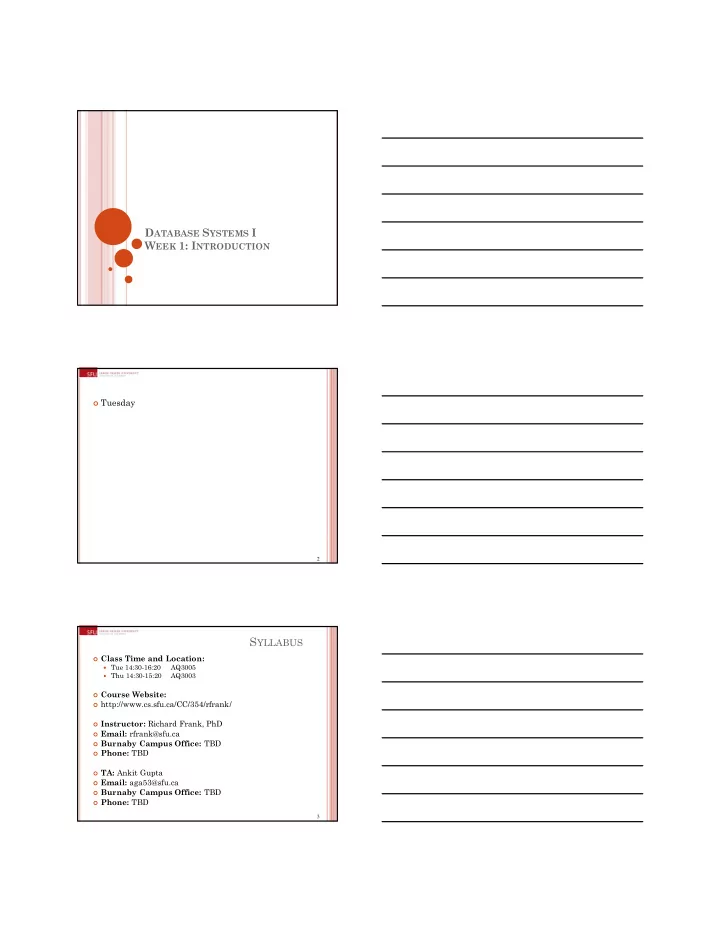
D ATABASE S YSTEMS I W EEK 1: I NTRODUCTION Tuesday 2 S YLLABUS Class Time and Location: Tue 14:30-16:20 AQ3005 Thu 14:30-15:20 AQ3003 Course Website: http://www.cs.sfu.ca/CC/354/rfrank/ Instructor: Richard Frank, PhD


slide-1
SLIDE 1

DATABASE SYSTEMS I WEEK 1: INTRODUCTION

2

 Tuesday

3

SYLLABUS

 Class Time and Location:  Tue 14:30-16:20

AQ3005

 Thu 14:30-15:20

AQ3003

 Course Website:  http://www.cs.sfu.ca/CC/354/rfrank/  Instructor: Richard Frank, PhD  Email: rfrank@sfu.ca  Burnaby Campus Office: TBD  Phone: TBD  TA: Ankit Gupta  Email: aga53@sfu.ca  Burnaby Campus Office: TBD  Phone: TBD

slide-2
SLIDE 2

4

REQUIRED TEXT

 Database Management

Systems, third edition.

 By Raghu Ramakrishnan,

Johannes Gehrke, McGraw Hill, 2002 (9780072465631)

 60$ used at www.amazon.ca  The book has a

complimentary website with lecture slides, solutions to odd numbered exercises.

 The website is:

http://pages.cfs.wisc.edu/~dbb

  • ok/

5

SYLLABUS

 there will be theory/conceptual questions on the

assignments

 we will also apply the course material in a

practical setting, and thus some assignment questions will require programming.

 Programs must be written in VB.NET, C#, C++ as

part of Visual Studio (VS) 2010, or below

 The database component must be SQL Server

2008 R2, or below.

 Express [free] editions of both these software are

available via CS@SFU and http://www.microsoft.com/express/downloads/

6

SYLLABUS

 Some assignments will require programming  stand-alone application  web-based application  (both can be done via VS)  The entire VS Project, and the corresponding

database, must be submitted as part of the assignment.

 Code must be documented to a level sufficient to

easily understand the code.

 This means document what the INPUT and OUTPUT

are, along with any sections of code that are not

  • bvious.

 Err on the side of “too much”  Do not write a book.

slide-3
SLIDE 3

7

SYLLABUS

Week of Lecture Topic Due 1 Sept 7, 9 Introduction to Course - Overview of DBS [Ch 1] 2 Sept 14, 16 Database Design [Ch 2] Assignment #1 3 Sept 21, 23 Relational Model [Ch 3] Assignment #2 4 Sept 28, 30 Algebra [Ch 4] Assignment #3 5 Oct 5, 7 Queries [Ch 5] Assignment #4 6 Oct 12, 14 Review of Ch3.1 & Transactions [Ch 16.1-16.4] Exam Review Assignment #5 7 Oct 19, 21 Midterm Exam 8 Oct 26, 28 Server Architecture [Ch 7.5] Standalone Application Development [Ch 6] Assignment #6 9 Nov 2, 4 Standalone Application Development [Ch 6] Security [Ch 21.1-21.3] Assignment #7 10 Nov 9 Internet Application Development [Ch 7] Assignment #8 11 Nov 16, 18 XML Query Language [Ch 27.5-27.8] Assignment #9 12 Nov 23, 25 Data Warehousing [Ch 25] Assignment #10 13 Nov 30, Dec 2 Various Topics:

  • Parallel Databases [Ch 22.2]
  • Distributed Databases [Ch 22.6-22.8]
  • Deductive Databases [Ch 24.1-24.2]
  • Data Mining [quick overview of Ch 26]
  • Spatial Data [Ch 28.1-28.2]

Assignment #11 14 Final Exam 8

SYLLABUS

Individual Assignments 50% Midterm Exam 20% Final Exam 30%

9

SYLLABUS

 All assignments are due immediately before class on

the Thursday of the week indicated on the assignment.

 For example, Assignment #1 is due on September 16 at

14:30.

 For electronic submissions, submit your solution to the

  • nline submission server.

 For paper assignments, hand in hard copies of your

assignments before lecture.

 There are in total 11 assignments, all worth 5%.  At the end of the course, the best 10 of 11 assignments

will make up the Individual Assignment portion of your course grade.

 All paper-based submissions should be 1.5-spaced, 1”

margins, size 10 font. Page requirements include all references, images/diagrams, but not cover pages.

slide-4
SLIDE 4

CHAPTER 1: OVERVIEW OF DATABASE SYSTEMS

11

This course is important for...

 End users of DBS  DB application programmers  Database administrators(DBA)  DBMS vendors

Must understand how a DBMS works! 12

THE INREASING FLOOD OF DATA

Online Bookstore Customer Transactions Human Genome

  • The human genome contains 3.2

billion chemical nucleotide base pairs (A, C, T, and G).

  • Largest known human gene is

dystrophin at 2.4 million base pairs.

  • Functions are unknown for more

than 50% of discovered genes.

  • Source:

http://www.ornl.gov/sci/techresources/Huma n_Genome/project/journals/insights.shtml

  • As of 2004, Walmart data-

warehouse was 500terabytes in size.

  • In 2007, it was over 1petabyte

(1m gigabytes)

  • Sources:
  • http://www.eweek.com/c/a/Enterprise-

Applications/At-WalMart-Worlds-Largest- Retail-Data-Warehouse-Gets-Even-Larger/

  • http://www.informationweek.com/news/stor

age/showArticle.jhtml?articleID=201203024

  • Amazon has roughly a bazillion

products, give or take a couple zillion.

slide-5
SLIDE 5

13

 Amazon: Website, database or application?

14 15

WHAT IS A DATABASE?

 A database (DB) is a very large, integrated,

permanent collection of data.

 Models real-world 

Entities (e.g., students, courses)

Relationships (e.g., Madonna is taking CMPT354).

 Example databases:  Customer Transactions  Human Genome  Online Bookstore  . . .

slide-6
SLIDE 6

16

WHAT IS A DB(M)S?

 A Database Management System (DBMS) is a

software package designed to store, manage and retrieve databases.

 A Database System (DBS) consists of two

components:

 the DBMS  the DB.  A DBMS can manage databases for any application

as long as they are in the proper format (data model).

17

DATA STORAGE WITHOUT DBMS

File 1 File 2 File m . . . Application program 1 Application program 2 Application program n . . . reads / writes

18

DATA STORAGE WITHOUT DBMS

 Working directly with the file system creates major

problems:

 What if one attribute is added to the records in file 1?  How to efficiently access only one out of one million

records?

 What if several programs simultaneously want to access

and modify the same record?

 How to restore a meaningful database state after a

system crash during the run of an application program?

 How to fix a corrupted file?

slide-7
SLIDE 7

19

DATA STORAGE WITH DBMS

File 1 File 2 File m . . . Application program 1 Application program 2 Application program n . . . reads / writes DBMS

20

DATA STORAGE WITH DBMS

 All data access is centralized and managed by the

DBMS.

 The DBMS provides:  Logical data independence.  Physical data independence.  Reduced application development time.  Efficient access.  Data administration.  Data integrity and security.  Concurrent access / concurrency control.  Recovery from crashes.

21

DATA INDEPENDENCE

 The layered DBMS architectureinsulates

applicationsfrom how data is structured and stored.

 A DBMS can be programmed at a much higher

level of abstraction than the file system.

 Application programs need not be modified on

change of database structure and / or storage.

 Reduced application development and

maintainencetime

slide-8
SLIDE 8

22

DATA INDEPENDENCE

 Applications are insulated from data and how

data is structured and stored.

 Logical data independence: Protection from

changes in logical structure of data. Ex.: adding another attribute to a relation

 Physical data independence: Protection from

changes in physical structure of data. Ex.: adding / removing index structure

  • r moving file to another disk

* One of the most important benefits of using a DBMS!

23

DATA MODELS

 A data model is a collection of conceptsfor

describing data (a formal language!).

 A schema is a description of a particular collection

  • f data (database), using the given data model.

 The relational data model is the most widely used

model today.

 Main concept: relation, basically a table with rows

and columns.

 Every relation has a schema, which describes the

columns, or fields.

24

LEVELS OF ABSTRACTION

 The conceptual schema

defines the logical structure of the whole database.

 An external schema (view)

describes how some user sees the data (restricted access, derived data).

 The physical schema

describes the storage and index structures of the database. Physical Schema Conceptual Schema View 1 View 2 View 3

slide-9
SLIDE 9

25

EXAMPLE: UNIVERSITY DATABASE

 Conceptual schema  Physical schema  External schema (view)

26

EXAMPLE: UNIVERSITY DATABASE

 Conceptual schema:

Students(sid: string, name: string, login: string, age: integer, gpa:real) Courses(cid: string, cname:string, credits:integer) Enrolled(sid:string, cid:string, grade:string)

27

EXAMPLE: UNIVERSITY DATABASE

 Physical schema:  Relations stored as unordered tuples.  Index on first column of Students.

Conceptual schema: Students(sid: string, name: string, login: string, age: integer, gpa:real) Courses(cid: string, cname:string, credits:integer) Enrolled(sid:string, cid:string, grade:string)

slide-10
SLIDE 10

28

EXAMPLE: UNIVERSITY DATABASE

 External schema (view):  Course_info(cid:string, enrollment:integer)

Conceptual schema: Students(sid: string, name: string, login: string, age: integer, gpa:real) Courses(cid: string, cname:string, credits:integer) Enrolled(sid:string, cid:string, grade:string)

29

 Updates:  insert new student (XXXid, XXX, XXX, 21, 3.5)  delete course CMPT-YYY  enroll student XXXid in course CMPT-ZZZ  Queries:  retrieve all students having a gpa of < 3.0  retrieve the average gpa of all students enrolled in

course CMPT-ZZZ

 retrieve the names of all courses having at least one

student with a grade of 4.0

EXAMPLE: UNIVERSITY DATABASE

30

 Thursday

slide-11
SLIDE 11

31

SYLLABUS

 Class Time and Location:  Tue 14:30-16:20

AQ3005

 Thu 14:30-15:20

AQ3003

 Course Website:  http://www.cs.sfu.ca/CC/354/rfrank/  Instructor: Richard Frank, PhD  Email: rfrank@sfu.ca  Burnaby Campus Office: TBD  Phone: TBD  TA: Ankit Gupta  Email: aga53@sfu.ca  Burnaby Campus Office: TBD  Phone: TBD 32

SYLLABUS

Week of Lecture Topic Due 1 Sept 7, 9 Introduction to Course - Overview of DBS [Ch 1] 2 Sept 14, 16 Database Design [Ch 2] Assignment #1 3 Sept 21, 23 Relational Model [Ch 3] Assignment #2 4 Sept 28, 30 Algebra [Ch 4] Assignment #3 5 Oct 5, 7 Queries [Ch 5] Assignment #4 6 Oct 12, 14 Review of Ch3.1 & Transactions [Ch 16.1-16.4] Exam Review Assignment #5 7 Oct 19, 21 Midterm Exam 8 Oct 26, 28 Server Architecture [Ch 7.5] Standalone Application Development [Ch 6] Assignment #6 9 Nov 2, 4 Standalone Application Development [Ch 6] Security [Ch 21.1-21.3] Assignment #7 10 Nov 9 Internet Application Development [Ch 7] Assignment #8 11 Nov 16, 18 XML Query Language [Ch 27.5-27.8] Assignment #9 12 Nov 23, 25 Data Warehousing [Ch 25] Assignment #10 13 Nov 30, Dec 2 Various Topics:

  • Parallel Databases [Ch 22.2]
  • Distributed Databases [Ch 22.6-22.8]
  • Deductive Databases [Ch 24.1-24.2]
  • Data Mining [quick overview of Ch 26]
  • Spatial Data [Ch 28.1-28.2]

Assignment #11 14 Final Exam 33

ASSIGNMENT 1

 References  What I had in mind was simply to quote any sources

that you used. If you found a fact from http://www.xyz.com, say so in the paper.

 Make reasonable and believable assumptions  Due Sept 16, 2:30. blah blah blah [1] blah blah. References/Bibliography [1] http://www.xyz.com accessed at DATE

slide-12
SLIDE 12

34

CROW’S FEET

35

VIEW VS. CONCEPTUAL VS. PHYSICAL

http://www.agiledata.org/essays/dataModeling101.html

 Physical Schema  Conceptual

Schema

 View

(external schema)

36

EX: CONCEPTUAL SCHEMA

slide-13
SLIDE 13

37

EX: PHYSICAL SCHEMA

38

 Onto the Lecture

39

STRUCTURE OF A DBMS

 A typical DBMS has a

layered architecture.

 The figure does not show

the concurrency control and recovery components.

 This is one of several

possible architectures; each system has its own variations.

Query Optimization and Execution Relational Operators Files and Access Methods Buffer Management Disk Space Management

DB These layers must consider concurrency control and recovery

slide-14
SLIDE 14

40

 When the user wants to access only a small portion

  • f a large relation, the DBMS does not scan the

entire relation.

 Ex.: retrieve sid of all students enrolled in course

CMPT-ZZZ

 An index structure maps (logical) attribute values

to (physical) storage addresses.

 Ex.: need index on attribute sid of relation Enrolled  Index lookup returns the storage addresses of all

matching tuples that can be directly accessed without scanning the whole relation.

Much more efficient query processing

EFFICIENT ACCESS

41

 Concurrent execution of several user programs  Many users want to work on the same database

concurrently, cannot wait for other users to finish.

 Because disk accesses are frequent, and relatively slow,

it is important to keep the cpu humming by working on several user programs concurrently.

 Interleaving actions of different user programscan

lead to inconsistency: e.g., check is cleared while account balance is being computed.

 DBMS ensures such problemsdon’t arise: users

can pretend they are using a single-user system.

CONCURRENCY CONTROL

42

TRANSACTION

 Key concept is transaction, which is an atomic

sequence of database actions (reads/writes).

 Each transaction, executed completely,must leave

the DB in a consistent state if DB is consistent when the transaction begins.

 Users can specify some simple integrity constraints on

the data, and the DBMS will enforce these constraints.

 Beyond this, the DBMS does not really understand

the semantics of the data. (e.g., it does not understand how the interest on a bank account is computed).

 Thus, ensuring that a transaction (run alone)

preserves consistency is ultimately the user’s responsibility!

slide-15
SLIDE 15

43

TRANSACTIONS

 A transaction has the following properties:

 Atomicity: all-or-nothing property  Consistency: must leave the DB in a consistent

state if DB is consistent when the transaction begins

 Isolation: transaction is performed as if only

  • ne transaction at a time (serial processing)

 Durability: effects of completed transactions

are permanent

!!ACID principle!!

44

 Users can specify integrity constraintson the data,

and the DBMS will enforce these constraints upon all database updates.

 Ex: Insert Student X into Course, only if Student X is

enrolled.

 Beyond this, the DBMS does not really understand

the semantics of the data.

 e.g., it does not understand how the interest on a bank

account is computed.

 Application level logic.

 Thus, ensuring that a transaction (run alone)

preserves consistency is ultimately the user’s responsibility!

ENSURING CONSISTENCY

45

ENSURING ISOLATION

 DBMS ensures that concurrent (interleaved)

execution of {T1, ... , Tn} is equivalent to some serial execution of {T1, ... , Tn}.

 Before reading/writing an object, a transaction

requests a lock on the object, and waits till the DBMS gives it the lock.

 Read locks are compatible with each other, but

there can be only one write lock on an object at a given point of time.

 Many reads can occur on a record  As soon as one write occurs on a record, no reads can

take place at that time.

 All locks are released at the end of the transaction.
slide-16
SLIDE 16

46

ENSURING ISOLATION

 If an action of Ti (say, writing X) affects Tj (which

perhaps reads X), one of them, say Ti, will obtain the lock on X first and Tj is forced to wait until Ti completes.

 This effectively orders the transactions.

47

 DBMS ensures atomicity even if system crashes in

the middle of a transaction.

 a series of database operations either all occur, or nothing

  • ccurs

 DBMS ensures durability also if system crashes after

the commit of a transaction.

 transactions that have committed will survive

permanently

 Idea: Keep a log (history) of all relevant actions

carried out by the DBMS while executing a set of transactions, i.e. log all updates and “transaction events” (commit, abort).

ENSURING ATOMICITY / DURABILITY

48

THE LOG

 The following actions are recorded in the log:  Ti writes an object: the old value and the new value.

 Log record must go to disk before the changed page!

 Ti commits/aborts: a log record indicating this action.  Log recordschained together by Xact id, so it’s easy to

undo a specific Xact (e.g., to resolve a deadlock).

 Log is often duplexed and archived on “stable” storage.  All log related activities(and in fact, all activities such

as lock/unlock, dealing with deadlocks etc.) are handled transparently by the DBMS.

slide-17
SLIDE 17

49

 A system crash may lead to the loss of

information, that has not yet been flushed to the hard disk.

 A system crash can lead to partially executed

transactions and inconsistent (disk-resident) databases.

 After a crash,  the effects of partially executed transactions are

undone using the log, and

 the effects of completely executed transactions are

redone using the log.

CRASH RECOVERY

50

SUMMARY

 Datasets increasing in diversity and volume.  DBMS used to manage and query large datasets.  Benefits include recovery from system crashes,

concurrent access, quick application development, data integrity and security.

 Levels of abstraction give data independence.  A DBMS typically has a layered architecture.  DBS is one of the broadest, most exciting areas in

CS.