The PUNCH Portal to Internet Computing: Run Any Software Anywhere - - PowerPoint PPT Presentation

the punch portal to internet computing run any software
SMART_READER_LITE
LIVE PREVIEW

The PUNCH Portal to Internet Computing: Run Any Software Anywhere - - PowerPoint PPT Presentation

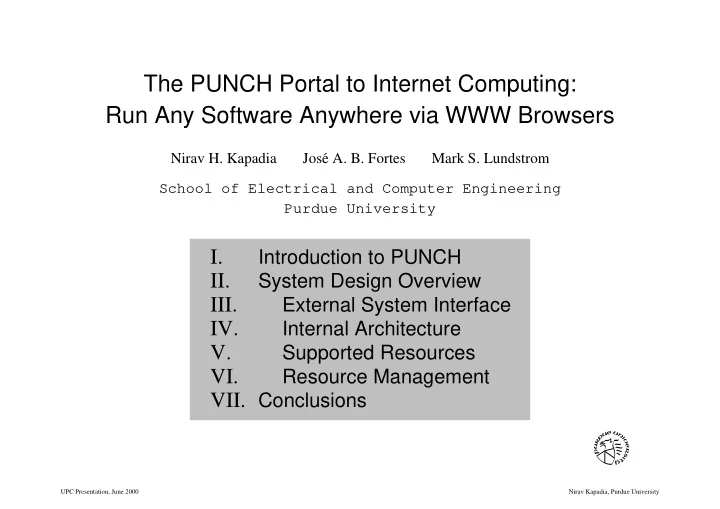
The PUNCH Portal to Internet Computing: Run Any Software Anywhere via WWW Browsers Nirav H. Kapadia Jos e A. B. Fortes Mark S. Lundstrom School of Electrical and Computer Engineering Purdue University I. Introduction to PUNCH II. System


slide-1
SLIDE 1

The PUNCH Portal to Internet Computing: Run Any Software Anywhere via WWW Browsers

Nirav H. Kapadia Jos´ e A. B. Fortes Mark S. Lundstrom School of Electrical and Computer Engineering Purdue University

I.

Introduction to PUNCH

II.

System Design Overview

III.

External System Interface

IV.

Internal Architecture

V.

Supported Resources

VI.

Resource Management

  • VII. Conclusions

UPC Presentation, June 2000 Nirav Kapadia, Purdue University

slide-2
SLIDE 2

I.

Introduction to PUNCH

II.

System Design Overview

III.

External System Interface

IV.

Internal Architecture

V.

Supported Resources

VI.

Resource Management

  • VII. Conclusions

UPC Presentation, June 2000 Nirav Kapadia, Purdue University

slide-3
SLIDE 3

PUNCH Overview:

g PUNCH is a distributed network-computing infrastructure that

allows geographically dispersed users to run unmodified tools via standard Web browsers

( www.ece.purdue.edu/punch )

UPC Presentation, June 2000 Nirav Kapadia, Purdue University

slide-4
SLIDE 4

Core Research Team:

Nirav Kapadia, Jos´ e Fortes, Mark Lundstrom, Renato Figueiredo, and Sumalatha Adabala

Collaborators:

Rudolf Eigenmann, Dolors Royo, and Jos´ e Miguel-Alonso

Partner Institutions:

Northwestern, U. of Wisconsin at Madison, Chicago State, U. of Illinois at Urbana-Champaign, Arizona State, Stanford, U. of Texas at El Paso, SIGDA, IUPUI, and Purdue Calumet.

UPC Presentation, June 2000 Nirav Kapadia, Purdue University

slide-5
SLIDE 5

1999 1995 1M #Hits

‘‘as is’’ installation in 30 mins

  • perational for five years

version 5 being developed 50+ engineering tools 3,000,000+ hits 800+ users users in 10 countries usage doubles each year

UPC Presentation, June 2000 Nirav Kapadia, Purdue University

slide-6
SLIDE 6

. . .

Physical Location ‘n’ Physical Location ‘1’

SCION (Network Desktop) Front End

. . .

Software SCION

Tool (Application) Workstation Cluster Parallel Machine Compute-Server Parallel Machine

. . . . . . . .

Tool (Application) Tool (Application) Tool (Application)

Software

CA Tool (Application) ES

ES RT

Workstation Cluster Toolkit The Compute-Server The Simulation Hub Semiconductor

. . .

Network -Desktop Interface

Tool (Application) The Computer Hub Architecture

SCION

The Parallel Programming Hub D The VLSI Design Hub Internet / Intranet

Network -Desktop Interface

The Purdue University Network-Computing Hubs (PUNCH)

UPC Presentation, June 2000 Nirav Kapadia, Purdue University

slide-7
SLIDE 7

Portal Screen Shot ( http://www.ece.purdue.edu/punch/ )

UPC Presentation, June 2000 Nirav Kapadia, Purdue University

slide-8
SLIDE 8

I.

Introduction to PUNCH

II.

System Design Overview

III.

External System Interface

IV.

Internal Architecture

V.

Supported Resources

VI.

Resource Management

  • VII. Conclusions

UPC Presentation, June 2000 Nirav Kapadia, Purdue University

slide-9
SLIDE 9

Resource Management

(application management; resource allocation)

Resources Supported

(class of programs/machines supported)

Internal Architecture (internal system design and structure) External System Interface (external view of the system)

Network-Computing Systems

UPC Presentation, June 2000 Nirav Kapadia, Purdue University

slide-10
SLIDE 10

External System Interface:

g Objective: universal access g Approach: leverage the World Wide Web g Challenge: work within the existing WWW framework g Status: students and researchers in ten countries routinely

use PUNCH via standard Web browsers; 50+ discipline-specific and productivity tools are available

UPC Presentation, June 2000 Nirav Kapadia, Purdue University

slide-11
SLIDE 11

Internal Architecture:

g Objective: scalability and interoperability g Approach: hierarchically distributed architecture g Challenge: manage tools and information in situ g Status: system deployed on Unix; support for customized user

views, global user accounts, and virtual filesystems; root access not required

UPC Presentation, June 2000 Nirav Kapadia, Purdue University

slide-12
SLIDE 12

Supported Resources:

g Objective: work with unmodified tools g Approach: virtual interfaces; configurable environment g Challenge: state management; flow control g Status: batch, interactive, and graphical tools supported; new

prototype supports PVM programs and Condor, DQS, and PBS jobs

UPC Presentation, June 2000 Nirav Kapadia, Purdue University

slide-13
SLIDE 13

Resource Management:

g Objective: address usage policy and performance issues g Approach: metaprograms; application management g Challenge: predictive performance modeling; interoperability g Status: scheduling customizable on a per-tool and per-user

basis; prototype machine learning system facilitates automated cost/performance tradeoff decisions

UPC Presentation, June 2000 Nirav Kapadia, Purdue University

slide-14
SLIDE 14

I.

Introduction to PUNCH

II.

System Design Overview

III.

External System Interface

IV.

Internal Architecture

V.

Supported Resources

VI.

Resource Management

  • VII. Conclusions

UPC Presentation, June 2000 Nirav Kapadia, Purdue University

slide-15
SLIDE 15

External System Interface:

g Problem: must work within existing WWW framework

Solution: virtual URLs; web-accessible OS

g Problem: HTML is static

Solution: HTML templates; embedded variables/objects

g Problem: no flow-control

Solution: metaprograms; programmable state machine

UPC Presentation, June 2000 Nirav Kapadia, Purdue University

slide-16
SLIDE 16

WWW-Based Computing (Issues):

Processing supported as an add-on via CGI scripts. Processing is an integral part

  • f the service.

Integration of distributed computing and WWW. Designed for a (mostly) read-only environment. A read-write environment is critical for correct operation

  • f OS services.

Need synchronization and resource locking. Support for a multi-user web OS. Designed for document serving, with some support for dynamic information. Primarily provides OS functions (e.g., process management). Document serving is secondary. Standard WWW resource management model not appropriate.

WWW-Based Internet/Intranet Computing WWW Framework Issues

Mostly public space, with some support for access control. Mostly private space, with some support for sharing user data. Authentication model for WWW does not scale. Unique mapping between URL and some entity within the filesystem (physical URL). URL is a functional request that is mapped in a context-sensitive manner (virtual URL). WWW URL model does not support truely dynamic URL mappings.

UPC Presentation, June 2000 Nirav Kapadia, Purdue University

slide-17
SLIDE 17

Virtual Addresses:

Address Translation Virtual Address Physical Address

Offset Base Page Address Offset in Page Translation process involves a simple table lookup.

UPC Presentation, June 2000 Nirav Kapadia, Purdue University

slide-18
SLIDE 18

Virtual URLs:

URL Translation Partially Translated URL Virtual URL

Base Offset Base Offset Meta-Information

. . .

Repeat Process Base-Offset Pair for each Physical ‘‘URL’’

and generates side-effects (e.g., state and context initialization). Translation process involves database queries, Meta-Information

. . .

Object Handle Target Module Base Offset Meta-Information

. . .

Object Handle

UPC Presentation, June 2000 Nirav Kapadia, Purdue University

slide-19
SLIDE 19

HTML Templates (Variables/Objects):

Begin PageTemplate Begin Declarations menu myFiles = 1:<UserFiles>; bind myFiles = <WorkingFolder>; End Declarations Begin HTML <FORM> Select a file (or folder to open): <myFiles> <P> <CENTER><INPUT TYPE="submit" VALUE="Proceed"></CENTER> </FORM> End HTML End PageTemplate

UPC Presentation, June 2000 Nirav Kapadia, Purdue University

slide-20
SLIDE 20

Metaprograms (Flow Control):

. . .

retrievestate ’directory’; display ’Page1’; while(isdir(<myFiles>)) { chdir(<myFiles>); display ’Page1’; } savestate ’directory’;

UPC Presentation, June 2000 Nirav Kapadia, Purdue University

slide-21
SLIDE 21

Performance Summary:

60 61 75 61 64 47 53 58 27 27 35 27 30 29 20 24 Entry Page Input Management Run Management Output Management Tool Interface Static Info Publicly-Accessible URL Access Control Enforced Process Status Dynamic Information No Preforking With Preforking Response Time (milliseconds) Type of Transaction

UPC Presentation, June 2000 Nirav Kapadia, Purdue University

slide-22
SLIDE 22

I.

Introduction to PUNCH

II.

System Design Overview

III.

External System Interface

IV.

Internal Architecture

V.

Supported Resources

VI.

Resource Management

  • VII. Conclusions

UPC Presentation, June 2000 Nirav Kapadia, Purdue University

slide-23
SLIDE 23

Internal Architecture:

g Problem: dynamic/incremental/distributed information

Solution: hierarchically distributed architecture

g Problem: multiple administrative domains

Solution: resources usable/visible/invisible; partitioned root

g Problem: scalability of information retrieval

Solution: hashing; access codes

UPC Presentation, June 2000 Nirav Kapadia, Purdue University

slide-24
SLIDE 24

Core Architecture:

Management Unit Execution Unit Client Unit Interface Network Interface Network Resources User User-Specific Information Site-Specific Information Tool-Specific Information

(e.g., tool-input, preferences, etc.) (e.g., algorithmic complexity, (e.g., default configuration, platforms supported, etc.) path to executable, etc.)

UPC Presentation, June 2000 Nirav Kapadia, Purdue University

slide-25
SLIDE 25

Repositories Application Managed

. . .

Application Resources

Units Units

Resources

Execution

5 Managed

Desktop

Repositories 4

Interface

Hub User Accounts

Units

3 Hub User Accounts

Network

. . .

2

Management Desktop

1

Purdue University Network-Computing Hubs

Execution Interface

Tools

Network Interface

Logical Resource-Interface Scheduling Job Control

Network

Tool-Specific Input Analysis

Desktop

Resource Resolution

SCION

Allocation Resource Tool-Keyed Knowledge Base Machine Learning Subsystem Management User-Command Authentication URL Translation View-Customization HTML Data Files Preferences Restrictions State Info. World-Wide Web Standard Browser

  • 3. Application-invocation requests are forwarded

to an appropriate Management Unit. resource requirements, and selects Execution Unit.

  • 4. Management Unit authenticates request, determines
  • 5. Execution Unit processes run request and notifies

Management Unit on completion. ‘‘non-application-invocation’’ requests.

  • 2. Network Desktop processes and responds to all
  • 1. User-access via standard WWW browsers.

Management

Application Specs.

User Platform

Front End

Units User Platform User Platform

. . .

User n User 2 User 1 HTTP

UPC Presentation, June 2000 Nirav Kapadia, Purdue University

slide-26
SLIDE 26

Compute Server Compute Server Server

R1.1

Hub User Accounts Server Network

. . .

User Platform User Platform Desktop

M1.1

Router Router Router Router Server

R1.2

Repository Accounts Platform Router

. . .

Application Router Machine Accounts Execution Unit Hub User Application Execution Unit Repository Desktop Server Cluster Front-End Network Compute Server

S1.2

Execution Unit Platform Unit Management User

. . .

Server Compute Server Compute Server Platform Unit Execution User Server Compute Hub User Unit Execution Router Router

Main Site ‘M1’ Intranet ‘O’ Organization ‘R1’ Site Remote ‘S1’ Service Provider

Internet

Provider Internet

Platform User Parallel User

S1.1

Management Unit Server

M1.2

Network Desktop

. . .

UPC Presentation, June 2000 Nirav Kapadia, Purdue University

slide-27
SLIDE 27

Scalable Information Retrieval:

(O(1) access with code)

Hash Function Resource-Lookup Manager

(k files; ~ n/k entries per file)

Password Resource Access Code (Offset in File) Hash Index (Filename Extension) Identifier Identifier (Offset in File) Access Code Hash-Table Size (k)

(n Identifiers)

UPC Presentation, June 2000 Nirav Kapadia, Purdue University

slide-28
SLIDE 28

10 20 30 2 4 6 8 10 12 14 16 18 20 Effects of Using a Hash Function (994 Users) Number of Buckets Average Authentication Time, in milliseconds 10 20 30 0.5 0.55 0.6 0.65 0.7 0.75 0.8 0.85 0.9 0.95 1 Effects of Using Access Codes (994 Users) Number of Buckets Average Authentication Time, in milliseconds

UPC Presentation, June 2000 Nirav Kapadia, Purdue University

slide-29
SLIDE 29

Member Authentication Internal References 1,086,732 946,652 45,896 81 Present Absent Access Code Type of Use

Access Code Proliferation

UPC Presentation, June 2000 Nirav Kapadia, Purdue University

slide-30
SLIDE 30

I.

Introduction to PUNCH

II.

System Design Overview

III.

External System Interface

IV.

Internal Architecture

V.

Supported Resources

VI.

Resource Management

  • VII. Conclusions

UPC Presentation, June 2000 Nirav Kapadia, Purdue University

slide-31
SLIDE 31

Supported Resources:

g Problem: many tools are not network-aware

Solution: configurable ‘‘operating system’’ and environment

g Problem: must accommodate independently-developed tools

Solution: resource description language for tools

g Problem: graphical user interfaces

Solution: leverage display-management technologies

UPC Presentation, June 2000 Nirav Kapadia, Purdue University

slide-32
SLIDE 32

Database Hub Database Hub

Filesystem Map

. . .

Template Server Compiler

URL Map Organization URL Map Filesystem Map Access Control Map MIME Types

Tool

Behavior

MIME Types

Tool Specification

Server

Tool Specification

Configuration Directory

Compiler File Server

Cache Workspace User Accounts

Template

Specification

Programmable State Machine Access Manager Run Time Services Intranet / Internet Run-Time System

LAN

UPC Presentation, June 2000 Nirav Kapadia, Purdue University

slide-33
SLIDE 33

Compiler

Tool

Input Translation

Specification

Input Pre-Processing Execution Syntax Implementation Selection

Application Management

Access Control Logical Indexing Documentation MIME Types

General Information

Output Post-Processing Interface Template Flow Control Input Grammar Analysis Rules

Interface Generation

UPC Presentation, June 2000 Nirav Kapadia, Purdue University

slide-34
SLIDE 34

I.

Introduction to PUNCH

II.

System Design Overview

III.

External System Interface

IV.

Internal Architecture

V.

Supported Resources

VI.

Resource Management

  • VII. Conclusions

UPC Presentation, June 2000 Nirav Kapadia, Purdue University

slide-35
SLIDE 35

Resource Management:

g Problem: usage policies and performance issues intertwined

Solution: metaprograms; application management

g Problem: dynamic, heterogeneous environment

Solution: run-time cost/performance tradeoff decisions

g Problem: need a priori estimates of resource usage

Solution: predictive application-performance modeling

UPC Presentation, June 2000 Nirav Kapadia, Purdue University

slide-36
SLIDE 36

Resource Management Model:

Status Resource Availability Scheduling Objective

Performance Constraints

Resource Control

Administrative Constraints

Policies Usage Access Tool-specific Information Run-specific Information

Performance Modeling

Demand-driven Resource Management

UPC Presentation, June 2000 Nirav Kapadia, Purdue University

slide-37
SLIDE 37

Resource Management Architecture:

5

SCION

1 PUNCH 4 Resources Managed 6 3

. . .

Users Users 2 Network Desktop Network Desktop PUNCH Application Management

Pool Manager Manager Pool

Resource Management Pipeline for Computational Grids

Resource Knowledge-base

Manager

Hierarchy Pool

Software Machines

Management Pool

Pool

Resource Manager Query

UPC Presentation, June 2000 Nirav Kapadia, Purdue University

slide-38
SLIDE 38

e.g.: #carriers #nodes in grid device size convergence norm Parse User-Input Extract Relevant Parameters Qualify Extracted Information Select Appropriate Algorithm(s) Rank Algorithms: f(parameters, available algorithms) e.g.: Monte Carlo, Hydro-Dynamic, Drift Diffusion e.g.: cpuUnits = f(parameters) memReqd = g(parameters) Determine Hardware Requirements Reserve Resource(s) Verify Delivered QoS More Options ? Dispatch Request Re-Negotiate QoS and Repeat/Abort (Retry using alternate architectures and/or algorithms) Command-Keyed Knowledge Base

User-Supplied Command, Input, and QoS Range

e.g.: Simulate carrier transport for the given device specs; QoS specified in terms of

  • ne or more of wall-clock

time, Mflop/s, I/O, etc. e.g.: SPARC or HP Architecture with >=256MB RAM and >=300 SPECfp Get Resource: f(Architecture, Memory, I/O, Performance, QoS) e.g.: SPARC ULTRA (karr.ecn) Ok Low Y N

UPC Presentation, June 2000 Nirav Kapadia, Purdue University

slide-39
SLIDE 39

Performance Modeling (Synthetic Dataset):

10 20 30 40 50 10 20 30 40 50 Target Concept Feature Value CPU Time 10 20 30 40 50 10 20 30 40 50 1−Nearest−Neighbor Algorithm Feature Value Predicted CPU Time 10 20 30 40 50 10 20 30 40 50 3−point Weighted Average Feature Value Predicted CPU Time 10 20 30 40 50 10 20 30 40 50 Linear Locally Weighted Regression Feature Value Predicted CPU Time

UPC Presentation, June 2000 Nirav Kapadia, Purdue University

slide-40
SLIDE 40

Performance Modeling (Real Dataset):

g Tool ≡ T-Suprem3, a commercial silicon process simulator g Data ≡ ∼

∼8,100 runs from normal use of PUNCH over 10 months

g Features for T-Suprem3:
  • number of grid points,
  • total diffusion time,
  • cumulative epitaxial growth,
  • minimum implant energy,
  • number of deposit steps,
  • number of etch steps,
  • number of implant steps

UPC Presentation, June 2000 Nirav Kapadia, Purdue University

slide-41
SLIDE 41

Summary of Results:

1000 2000 3000 4000 5000 6000 7000 8000 10 20 30 Results for T−Suprem3 Data−Set Run Number Prediction Error (s) NN

  • Wtd. Avg.

LLWR 1000 2000 3000 4000 5000 6000 7000 8000 0.1 0.2 0.3 0.4 Run Number Lookup Time (s) noedit, c=0 noedit, c=5 iedit, c=0 iedit, c=5 5 10 15 20 25 30 500 1000 CPU Time #Occurrences Exact Match Linear LWR

UPC Presentation, June 2000 Nirav Kapadia, Purdue University

slide-42
SLIDE 42

I.

Introduction to PUNCH

II.

System Design Overview

III.

External System Interface

IV.

Internal Architecture

V.

Supported Resources

VI.

Resource Management

  • VII. Conclusions

UPC Presentation, June 2000 Nirav Kapadia, Purdue University

slide-43
SLIDE 43

Related Research:

g Application-specific designs

Exploratorium, JSPICE, SIP, Virtual Lab, etc.

g Systems for numerical software

MMM, NEOS, NetSolve, Ninf, RCS, etc.

g Systems for general-purpose software

Bond, Nimrod, PUNCH, Rivendell, WinFrame, etc.

g Systems for metacomputing applications

ATLAS, Globe, GUSTO, IceT, Legion, etc.

UPC Presentation, June 2000 Nirav Kapadia, Purdue University

slide-44
SLIDE 44

Industry Directions:

g New ASPs -- e.g., AppCity and Corio

( focus is on business apps, as opposed to computing apps )

g Sun, Microsoft, and others

( focus is on new or rewritten applications )

g Software vendors -- e.g., CAD companies

( applications are modified to work with browsers )

g Middleware companies -- e.g., Citrix and SCO

( closest to PUNCH’s approach; connectivity solution )

g PUNCH infrastructure

( deployed and tested over 5 years; version 5; global user base )

UPC Presentation, June 2000 Nirav Kapadia, Purdue University

slide-45
SLIDE 45

Summary: External System Interface

g Access via standard WWW browsers g Semantics for computing services via virtual URLs g HTML templates (embedded objects); compiler; generator g Token-based caching (access codes); user-view customization

Summary: Internal Architecture

g Scalable information management g Security and access-control across domains g Account, process, and data management g Error management and recovery

UPC Presentation, June 2000 Nirav Kapadia, Purdue University

slide-46
SLIDE 46

Summary: Supported Resources

g Tool specification and metaprogramming languages; compilers g Metaprogramming environment (interpreter, virtual machine) g State/session management; persistence engine g Programmable parser (to emulate interactivity)

Summary: Resource Management

g Run-specific resource-usage prediction g Knowledge management; locality of runs g Run-time cost/performance tradeoff decisions g Interoperation with external resource management systems

UPC Presentation, June 2000 Nirav Kapadia, Purdue University

slide-47
SLIDE 47

Hierarchically distributed architecture; partitionable. Ability to work across administrative domains. removed via configuration files. Resources can be added or Dynamic addition and removal of resources. Learning algorithms allow resource-usage prediction. Ability to determine run-specific ‘‘needs’’. Users access and run tools via standard WWW browsers. Pervasive access to comp- uting for authorized users. Unmodified tools installed in as little as thirty minutes. Ability to work with diverse software.

The Purdue University Network-Computing Hubs Implications of Network-Based Wide-Area Computing

UPC Presentation, June 2000 Nirav Kapadia, Purdue University