The Parallel Revolution Has Started: Are You Part of the Solution - - PowerPoint PPT Presentation

the parallel revolution has started are you part of the
SMART_READER_LITE
LIVE PREVIEW

The Parallel Revolution Has Started: Are You Part of the Solution - - PowerPoint PPT Presentation

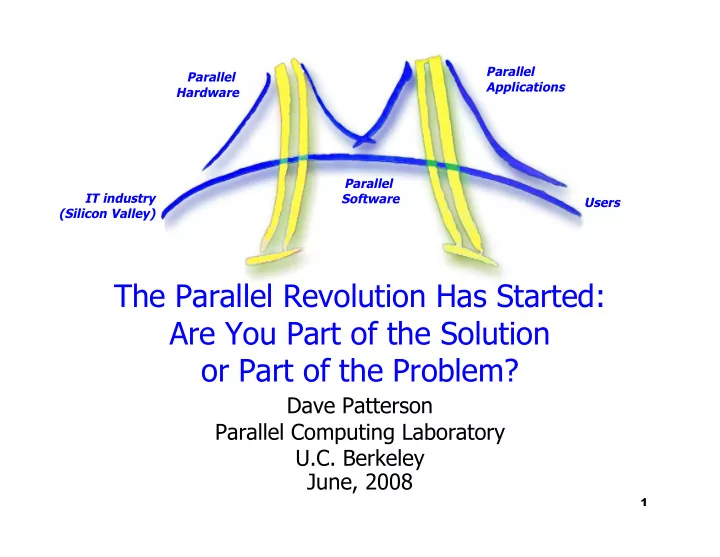
Parallel Parallel Applications Hardware Parallel IT industry Software Users (Silicon Valley) The Parallel Revolution Has Started: Are You Part of the Solution or Part of the Problem? Dave Patterson Parallel Computing Laboratory U.C.


slide-1
SLIDE 1

Parallel Applications Parallel Hardware Parallel Software IT industry (Silicon Valley) Users

1

The Parallel Revolution Has Started: Are You Part of the Solution

  • r Part of the Problem?

Dave Patterson Parallel Computing Laboratory U.C. Berkeley June, 2008

slide-2
SLIDE 2

Outline

 What Caused the Revolution?  Is it Too Late to Stop It?  Is it an Interesting, Important Research

Problem or Just Doing Industry’s Dirty Work?

 Why Might We Succeed (this time)?  Projected Hardware/Software Context?  Example Coordinated Attack: Par Lab @ UCB  Conclusion

2

slide-3
SLIDE 3

3

A Parallel Revolution, Ready or Not

 PC, Server: Power Wall + Memory Wall = Brick Wall

⇒ End of way built microprocessors for last 40 years

⇒ New Moore’s Law is 2X processors (“cores”) per chip

every technology generation, but ≈ same clock rate

 “This shift toward increasing parallelism is not a

triumphant stride forward based on breakthroughs …; instead, this … is actually a retreat from even greater challenges that thwart efficient silicon implementation of traditional solutions.”

The Parallel Computing Landscape: A Berkeley View, Dec 2006  Sea change for HW & SW industries since changing

the model of programming and debugging

slide-4
SLIDE 4

2005 IT Roadmap Semiconductors

4

Clock Rate (GHz) Clock Rate (GHz)

2005 Roadmap 2005 Roadmap Intel single core Intel single core

slide-5
SLIDE 5

Change in ITS Roadmap in 2 yrs

5

Clock Rate (GHz) Clock Rate (GHz)

2005 Roadmap 2005 Roadmap 2007 Roadmap 2007 Roadmap Intel single core Intel single core Intel multicore Intel multicore

slide-6
SLIDE 6

You can’t prevent the start

  • f the revolution

 While evolution and global warming are

“controversial” in scientific circles, belief in need to switch to parallel computing is unanimous in the hardware community

 AMD, Intel, IBM, Sun, … now sell more

multiprocessor (“multicore”) chips than uniprocessor chips

 Plan on little improvement in clock rate (8% / year?)  Expect 2X cores every 2 years, ready or not  Note – they are already designing the chips that will

appear over the next 5 years, and they’re parallel

6

slide-7
SLIDE 7

7

50 100 150 200 250 300 1985 1995 2005 2015

Millions of PCs / year

But Parallel Revolution May Fail

 100% failure rate of Parallel Computer Companies

 Convex, Encore, Inmos (Transputer), MasPar, NCUBE,

Kendall Square Research, Sequent, (Silicon Graphics), Thinking Machines, …

 What if IT goes from a growth industry to a

replacement industry?

 If SW can’t effectively

use 32, 64, ... cores per chip ⇒ SW no faster on new computer ⇒ Only buy if computer wears out ⇒ Fewer jobs in IT indsutry

slide-8
SLIDE 8

How important and difficult is parallel computing research?

 Jim Gray’s 12 Grand Challenges as part of

Turing Award Lecture in 1998

 Examined all past Turing Award Lectures  Develop list for 21st Century

 Gartner 7 IT Grand Challenges in 2008

 a fundamental issue to be overcome within the field

  • f IT whose resolutions will have broad and extremely

beneficial economic, scientific or societal effects on all aspects of our lives.

 David Kirk, NVIDIA, 10 Challenges in 2008  John Hennessy’s assessment of parallelism

8

slide-9
SLIDE 9

9

Gray’s List of 12 Grand Challenges

1.

Devise an architecture that scales up by 10^6.

2.

The Turing test: win the impersonation game 30% of time.

a.

3.Read and understand as well as a human.

b.

4.Think and write as well as a human.

3.

Hear as well as a person (native speaker): speech to text.

4.

Speak as well as a person (native speaker): text to speech.

5.

See as well as a person (recognize).

6.

Remember what is seen and heard and quickly return it on request.

7.

Build a system that, given a text corpus, can answer questions about the text and summarize it as quickly and precisely as a human expert. Then add sounds: conversations, music. Then add images, pictures, art, movies.

8.

Simulate being some other place as an observer (Tele-Past) and a participant (Tele-Present).

9.

Build a system used by millions of people each day but administered by a _ time person.

10.

Do 9 and prove it only services authorized users.

11.

Do 9 and prove it is almost always available: (out 1 sec. per 100 years).

12.

Automatic Programming: Given a specification, build a system that implements the spec. Prove that the implementation matches the spec. Do it better than a team of programmers.

slide-10
SLIDE 10

Gartner 7 IT Grand Challenges

  • 1. Never having to manually recharge devices
  • 2. Parallel Programming
  • 3. Non Tactile, Natural Computing Interface
  • 4. Automated Speech Translation
  • 5. Persistent and Reliable Long-Term Storage
  • 6. Increase Programmer Productivity 100-fold
  • 7. Identifying the Financial Consequences of IT

Investing

10

slide-11
SLIDE 11

David Kirk’s (NVIDIA) Top 10

  • 1. Reliable Software
  • 2. Reliable Hardware
  • 3. Parallel Programming
  • 4. Memory Power, Size,

Bandwidth Walls

  • 5. Locality:

Eliminate/Respect Space-time constraints

11

  • 6. Threading: MIMD,

SIMD, SIMT

  • 7. Secure Computing
  • 8. Compelling U.I.
  • 9. Extensible Distrib.

Computing

  • 10. Interconnect
  • 11. Power

Keynote Address, 6/24/08, Int Keynote Address, 6/24/08, Int’ ’l Symposium on l Symposium on Computer Architecture, Beijing, China Computer Architecture, Beijing, China

slide-12
SLIDE 12

John Hennessy

 Computing Legend and President of

Stanford University:

“…when we start talking about parallelism and ease of use of truly parallel computers, we're talking about a problem that's as hard as any that computer science has faced.”

“A Conversation with Hennessy and Patterson,” ACM Queue Magazine, 4:10, 1/07.

12

slide-13
SLIDE 13

Outline

 What Caused the Revolution?  Is it Too Late to Stop It?  Is it an Interesting, Important Research

Problem or Just Doing Industry’s Dirty Work?

 Why Might We Succeed (this time)?  Projected Hardware/Software Context?  Example Coordinated Attack: Par Lab @ UCB  Conclusion

13

slide-14
SLIDE 14

Why might we succeed this time?

 No Killer Microprocessor

 No one is building a faster serial microprocessor  Programmers needing more performance have no

  • ther option than parallel hardware

 Vitality of Open Source Software

 OSS community is a meritocracy, so it’s more likely to

embrace technical advances

 OSS more significant commercially than in past

 All the Wood Behind One Arrow

 Whole industry committed, so more people working

  • n it

14

slide-15
SLIDE 15

Why might we succeed this time?

 Single-Chip Multiprocessors Enable

Innovation

 Enables inventions that were impractical or

uneconomical

 FPGA prototypes shorten HW/SW cycle

 Fast enough to run whole SW stack, can change

every day vs. every 5 years

 Necessity Bolsters Courage

 Since we must find a solution, industry is more likely

to take risks in trying potential solutions

 Multicore Synergy with Software as a Service

15

slide-16
SLIDE 16

16

Context: Re-inventing Client/Server

 Laptop/Handheld as future client,

Datacenter as future server

 “The Datacenter is the Computer”

Building sized computers: Google, MS, …

 “The Laptop/Handheld is the Computer”

 ‘07: HP no. laptops > desktops  1B+ Cell phones/yr, increasing in function  Otellini demoed "Universal Communicator”

 Combination cell phone, PC and video device

 Apple iPhone

slide-17
SLIDE 17

Context: Trends over Next Decade

 Flash memory replacing mechanical disks

 Especially in portable client, but also increasing used

along side disks in servers

 Expanding Software As A Service

 Applications for the datacenter  Web 2.0 apps delivered via browser  Continue transition from shrink wrap software to

services over the Internet

 Expanding “Hardware As A Service” (aka

Cloud Computing aka Utility Computing)

 New trend to outsource datacenter hardware  E.g, Amazon EC2/S3, Google Apps Engine, …

17

slide-18
SLIDE 18

Context: Excitement of Utility/Cloud Computing/HW as a Service

 0$ Capital for your own “Data Centers”

 Pay as you go: for startups “S3 means no VC”

 Cost Associativity for Data Center: cost of

1000 servers x 1 hr = 1 server x 1000 hrs

 Data Center Price Model  Reward

Conservation, “Just In Time” Provisioning

 “Fast” scale-down  No dead or idle CPUs  “Instant” scale-up  No provisioning

18

slide-19
SLIDE 19

Outline

 What Caused the Revolution?  Is it Too Late to Stop It?  Is it an Interesting, Important Research

Problem or Just Doing Industry’s Dirty Work?

 Why Might We Succeed (this time)?  Projected Hardware/Software Context?  Example Coordinated Attack: Par Lab @ UCB  Conclusion

19

slide-20
SLIDE 20

20

Need a Fresh Approach to Parallelism

Berkeley researchers from many backgrounds meeting since Feb. 2005 to discuss parallelism

 Krste Asanovic, Ras Bodik, Jim Demmel, Kurt Keutzer, John

Kubiatowicz, Edward Lee, George Necula, Dave Patterson, Koushik Sen, John Shalf, John Wawrzynek, Kathy Yelick, …

 Circuit design, computer architecture, massively parallel

computing, computer-aided design, embedded hardware and software, programming languages, compilers, scientific programming, and numerical analysis 

Tried to learn from successes in high performance computing (LBNL) and parallel embedded (BWRC)

Led to “Berkeley View” Tech. Report 12/2006 and new Parallel Computing Laboratory (“Par Lab”)

Goal: Productive, Efficient, Correct, Portable SW for 100+ cores & scale as double cores every 2 years (!)

slide-21
SLIDE 21

21

Try Application Driven Research?

 Conventional Wisdom in CS Research

 Users don’t know what they want  Computer Scientists solve individual parallel problems

with clever language feature (e.g., futures), new compiler pass, or novel hardware widget (e.g., SIMD)

 Approach: Push (foist?) CS nuggets/solutions on users  Problem: Stupid users don’t learn/use proper solution

 Another Approach

 Work with domain experts developing compelling apps  Provide HW/SW infrastructure necessary to build,

compose, and understand parallel software written in multiple languages

 Research guided by commonly recurring patterns

actually observed while developing compelling app

slide-22
SLIDE 22

22

5 Themes of Par Lab

1.

Applications

  • Compelling apps drive top-down research agenda

2.

Identify Common Design Patterns

Breaking through disciplinary boundaries

3.

Developing Parallel Software with Productivity, Efficiency, and Correctness

2 Layers + Coordination & Composition Language + Autotuning

4.

OS and Architecture

Composable primitives, not packaged solutions Deconstruction, Fast barrier synchronization, Partitions

5.

Diagnosing Power/Performance Bottlenecks

slide-23
SLIDE 23

23

Personal Health Image Retrieval Hearing, Music Speech Parallel Browser Design Patterns/Motifs Sketching Legacy Code Schedulers Communication &

  • Synch. Primitives

Efficiency Language Compilers

Par Lab Research Overview

Easy to write correct programs that run efficiently on manycore

Legacy OS Multicore/GPGPU OS Libraries & Services RAMP Manycore Hypervisor

OS Arch. Productivity Layer Efficiency Layer Correctness Applications

Composition & Coordination Language (C&CL) Parallel Libraries Parallel Frameworks Static Verification Dynamic Checking Debugging with Replay Directed Testing Autotuners C&CL Compiler/Interpreter Efficiency Languages Type Systems

Diagnosing Power/Performance

slide-24
SLIDE 24

24

“Who needs 100 cores to run M/S Word?”

Need compelling apps that use 100s of cores 

How did we pick applications?

1.

Enthusiastic expert application partner, leader in field, promise to help design, use, evaluate our technology

2.

Compelling in terms of likely market or social impact, with short term feasibility and longer term potential

3.

Requires significant speed-up, or a smaller, more efficient platform to work as intended

4.

As a whole, applications cover the most important

Platforms (handheld, laptop)

Markets (consumer, business, health)

Theme 1. Applications. What are the problems?

slide-25
SLIDE 25

25

Compelling Laptop/Handheld Apps

(David Wessel)

Musicians have an insatiable appetite for computation

More channels, instruments, more processing, more interaction!

Latency must be low (5 ms)

Must be reliable (No clicks)

1.

Music Enhancer

Enhanced sound delivery systems for home sound systems using large microphone and speaker arrays

Laptop/Handheld recreate 3D sound over ear buds

2.

Hearing Augmenter

Laptop/Handheld as accelerator for hearing aide

3.

Novel Instrument User Interface

New composition and performance systems beyond keyboards

Input device for Laptop/Handheld

Berkeley Center for New Music and Audio Technology (CNMAT) created a compact loudspeaker array: 10-inch-diameter icosahedron incorporating 120 tweeters.

slide-26
SLIDE 26

26

Content-Based Image Retrieval

(Kurt Keutzer)

Relevance Feedback

Image Image Database Database

Query by example Similarity Metric Candidate Results

Final Result Final Result

 Built around Key Characteristics of personal

databases

 Very large number of pictures (>5K)  Non-labeled images  Many pictures of few people  Complex pictures including people, events, places,

and objects

1000’s of images

slide-27
SLIDE 27

27

Coronary Artery Disease (Tony Keaveny)

  Modeling to help patient compliance?

Modeling to help patient compliance?

  • 450k deaths/year, 16M w. symptom, 72M↑BP

  Massively parallel, Real-time variations

Massively parallel, Real-time variations

  • CFD FE

CFD FE

solid (non-linear), fluid (Newtonian),

solid (non-linear), fluid (Newtonian), pulsatile pulsatile

  • Blood pressure, activity,

Blood pressure, activity, habitus habitus, cholesterol , cholesterol

Before After

slide-28
SLIDE 28

28

Compelling Laptop/Handheld Apps

(Nelson Morgan)

 Meeting Diarist

 Laptops/ Handhelds

at meeting coordinate to create speaker identified, partially transcribed text diary of meeting

 Teleconference speaker identifier,

speech helper

 L/Hs used for teleconference, identifies who is

speaking, “closed caption” hint of what being said

slide-29
SLIDE 29

29

Parallel Browser

(Ras Bodik)

 Web 2.0: Browser plays role of traditional OS

 Resource sharing and allocation, Protection

 Goal: Desktop quality browsing on handhelds

 Enabled by 4G networks, better output devices

 Bottlenecks to parallelize

 Parsing, Rendering, Scripting

 “SkipJax”

 Parallel replacement for JavaScript/AJAX  Based on Brown’s FlapJax

slide-30
SLIDE 30

30

Compelling Laptop/Handheld Apps

 Health Coach

 Since laptop/handheld always with you,

Record images of all meals, weigh plate before and after, analyze calories consumed so far

 “What if I order a pizza for my next meal?

A salad?”

 Since laptop/handheld always with you,

record amount of exercise so far, show how body would look if maintain this exercise and diet pattern next 3 months

 “What would I look like if I regularly ran

less? Further?”

 Face Recognizer/Name Whisperer

 Laptop/handheld scans faces, matches

image database, whispers name in ear (relies on Content Based Image Retrieval)

slide-31
SLIDE 31

31

Theme 2. Use design patterns

How invent parallel systems of future when tied to

  • ld code, programming models, CPUs of the past?

Look for common design patterns (see A Pattern Language, Christopher Alexander, 1975)

design patterns: time-tested solutions to recurring problems in a well-defined context

“family of entrances” pattern to simplify comprehension of multiple entrances for a 1st-time visitor to a site

pattern “language”: collection of related and interlocking patterns that flow into each other as the designer solves a design problem

slide-32
SLIDE 32

32

Theme 2. What to compute?

Look for common computations across many areas

1.

Embedded Computing (42 EEMBC benchmarks)

2.

Desktop/Server Computing (28 SPEC2006)

3.

Data Base / Text Mining Software

4.

Games/Graphics/Vision

5.

Machine Learning

6.

High Performance Computing (Original “7 Dwarfs”)

Result: 13 “Motifs”

(Use “motif” instead when go from 7 to 13)

slide-33
SLIDE 33

33

 How do compelling apps relate to 13 motifs?

“Motif" Popularity

(Red Hot → Blue Cool Blue Cool)

Embed SPEC DB Games ML HPC Health Image Speech Music Browser 1 Finite State Mach. 2 Combinational 3 Graph Traversal 4 Structured Grid 5 Dense Matrix 6 Sparse Matrix 7 Spectral (FFT) 8 Dynamic Prog 9 N-Body 10 MapReduce 11 Backtrack/ B&B 12 Graphical Models 13 Unstructured Grid

slide-34
SLIDE 34

Graph Algorithms Dynamic Programming Dense Linear Algebra Sparse Linear Algebra Unstructured Grids Structured Grids Model-view controller Bulk synchronous Map reduce Layered systems Arbitrary Static Task Graph Pipe-and-filter Agent and Repository Process Control Event based, implicit invocation Graphical models Finite state machines Backtrack Branch and Bound N-Body methods Combinational Logic Spectral Methods Task Decomposition _ Data Decomposition Group Tasks Order groups data sharing data access Patterns?

Applications

Pipeline Discrete Event Event Based Divide and Conquer Data Parallelism Geometric Decomposition Task Parallelism Graph Partitioning Fork/Join CSP Master/worker Loop Parallelism Distributed Array Shared Data Shared Queue Shared Hash Table Barriers Mutex Thread Creation/destruction Process Creation/destruction Message passing Collective communication Speculation Transactional memory Choose your high level structure – what is the structure of my application? Guided expansion Identify the key computational patterns – what are my key computations? Guided instantiation Implementation methods – what are the building blocks of parallel programming? Guided implementation Choose you high level architecture? Guided decomposition Refine the strucuture - what concurrent approach do I use? Guided re-organization Utilize Supporting Structures – how do I implement my concurrency? Guided mapping

Productivity Layer Efficiency Layer

Digital Circuits Semaphores

slide-35
SLIDE 35

35

Themes 1 and 2 Summary

 Application-Driven Research (top down) vs.

CS Solution-Driven Research (bottom up)

 Bet is not that every program speeds up with more

cores, but that we can find some compelling ones that do

 Drill down on (initially) 5 app areas to guide

research agenda

 Design Patterns + Motifs to guide design of

apps through layers

slide-36
SLIDE 36

36

Personal Health Image Retrieval Hearing, Music Speech Parallel Browser Design Patterns/Motifs Sketching Legacy Code Schedulers Communication &

  • Synch. Primitives

Par Lab Research Overview

Easy to write correct programs that run efficiently on manycore

Legacy OS Multicore/GPGPU OS Libraries & Services RAMP Manycore Hypervisor

OS Arch. Productivity Layer Efficiency Layer Correctness Applications

Composition & Coordination Language (C&CL) Parallel Libraries Parallel Frameworks Static Verification Dynamic Checking Debugging with Replay Directed Testing Autotuners C&CL Compiler/Interpreter Efficiency Languages Type Systems

Diagnosing Power/Performance

Efficiency Language Compilers

slide-37
SLIDE 37

37

Theme 3: Developing Parallel SW

 2 types of programmers ⇒ 2 layers  Efficiency Layer (10% of today’s programmers)

 Expert programmers build Frameworks & Libraries,

Hypervisors, …

 “Bare metal” efficiency possible at Efficiency Layer

 Productivity Layer (90% of today’s programmers)

 Domain experts / Naïve programmers productively build

parallel apps using frameworks & libraries

 Frameworks & libraries composed to form app frameworks

 Effective composition techniques allows the efficiency

programmers to be highly leveraged ⇒ Create language for Composition and Coordination (C&C)

slide-38
SLIDE 38

38

C & C Language Requirements

(Kathy Yelick)

Applications specify C&C language requirements:

 Constructs for creating application frameworks  Primitive parallelism constructs:

 Data parallelism  Divide-and-conquer parallelism  Event-driven execution

 Constructs for composing programming frameworks:

 Frameworks require independence  Independence is proven at instantiation with a variety

  • f techniques

 Needs to have low runtime overhead and ability to

measure and control performance

slide-39
SLIDE 39

39

Ensuring Correctness

(Koushek Sen)

 Productivity Layer

 Enforce independence of tasks using decomposition

(partitioning) and copying operators

 Goal: Remove chance for concurrency errors (e.g.,

nondeterminism from execution order, not just low-level data races)

 Efficiency Layer: Check for subtle concurrency

bugs (races, deadlocks, and so on)

 Mixture of verification and automated directed testing  Error detection on frameworks with sequential code as

specification

 Automatic detection of races, deadlocks

slide-40
SLIDE 40

40

21st Century Code Generation

(Demmel, Yelick)

Search space for block sizes (dense matrix):

  • Axes are block

dimensions

  • Temperature is

speed

 Problem: generating optimal code is

like searching for needle in a haystack

 Manycore ⇒ even more diverse  New approach: “Auto-tuners”

 1st generate program variations of

combinations of optimizations (blocking, prefetching, …) and data structures

 Then compile and run to heuristically

search for best code for that computer

 Examples: PHiPAC (BLAS), Atlas (BLAS),

Spiral (DSP), FFT-W (FFT)

 Example: Sparse Matrix (SpMV) for 4 multicores

 Fastest SpMV; Optimizations: BCOO v. BCSR data

structures, NUMA, 16b vs. 32b indicies, …

slide-41
SLIDE 41

41

Example: Sparse Matrix * Vector

Name Clovertwn Opteron Cell Niagara 2 Chips*Cores 2*4 = 8 2*2 = 4 1*8 = 8 1*8 = 8 Architecture 4-/3-issue, SSE3, OOO, caches, prefch 2-VLIW, SIMD,RAM 1-issue, cache,MT Clock Rate 2.3 GHz 2.2 GHz 3.2 GHz 1.4 GHz Peak MemBW 21 GB/s 21 GB/s 26 GB/s 41 GB/s Peak GFLOPS 74.6 GF 17.6 GF 14.6 GF 11.2 GF Base SpMV

(median of many matrices)

1.0 GF 0.6 GF

  • 2.7 GF

Efficiency % 1% 3%

  • 24%

Autotuned 1.5 GF 1.9 GF 3.4 GF 2.9 GF Auto Speedup 1.5X 3.2X

1.1X

slide-42
SLIDE 42

42

Theme 3: Summary

 SpMV: Easier to autotune single local RAM + DMA

than multilevel caches + HW and SW prefetching

 Productivity Layer & Efficiency Layer  C&C Language to compose Libraries/Frameworks  Libraries and Frameworks to leverage experts

slide-43
SLIDE 43

43

Personal Health Image Retrieval Hearing, Music Speech Parallel Browser Design Patterns/Motifs Sketching Legacy Code Schedulers Communication &

  • Synch. Primitives

Par Lab Research Overview

Easy to write correct programs that run efficiently on manycore

Multicore/GPGPU RAMP Manycore

OS Arch. Productivity Layer Efficiency Layer Correctness Applications

Composition & Coordination Language (C&CL) Parallel Libraries Parallel Frameworks Static Verification Dynamic Checking Debugging with Replay Directed Testing Autotuners C&CL Compiler/Interpreter Efficiency Languages Type Systems

Diagnosing Power/Performance

Efficiency Language Compilers Hypervisor OS Libraries & Services Legacy OS Multicore/GPGPU RAMP Manycore

slide-44
SLIDE 44

44

 Traditional OSes brittle, insecure, memory hogs

 Traditional monolithic OS image uses lots of precious

memory * 100s - 1000s times (e.g., AIX uses GBs of DRAM / CPU)

 How can novel OS and architectural support

improve productivity, efficiency, and correctness for scalable hardware?

 Efficiency instead of performance to capture energy as

well as performance

 Other HW challenges: power limit, design and

verification costs, low yield, higher error rates

 How prototype ideas fast enough to run real SW?

Theme 4: OS and Architecture

(Krste Asanovic, Eric Brewer, John Kubiatowicz)

slide-45
SLIDE 45

45

Deconstructing Operating Systems

 Resurgence of interest in virtual machines

Hypervisor: thin SW layer btw guest OS and HW

 Future OS: libraries where only functions

needed are linked into app, on top of thin hypervisor providing protection and sharing of resources

Opportunity for OS innovation

 Leverage HW partitioning support for very thin

hypervisors, and to allow software full access to hardware within partition

slide-46
SLIDE 46

46

Partitions and Fast Barrier Network

 Partition: hardware-isolated group

 Chip divided into hardware-isolated partition, under control of

supervisor software

 User-level software has almost complete control of hardware

inside partition  Fast Barrier Network per partition (≈ 1ns)

 Signals propagate combinationally  Hypervisor sets taps saying where partition sees barrier

InfiniCore chip with 16x16 tile array

slide-47
SLIDE 47

47

HW Solution: Small is Beautiful

 Want Software Composable Primitives,

Not Hardware Packaged Solutions

 “You’re not going fast if you’re headed in the wrong direction”  Transactional Memory is usually a Packaged Solution

 Expect modestly pipelined (5- to 9-stage)

CPUs, FPUs, vector, SIMD PEs

 Small cores not much slower than large cores

 Parallel is energy efficient path to performance:CV2F

 Lower threshold and supply voltages lowers energy per op

 Configurable Memory Hierarchy (Cell v. Clovertown)

 Can configure on-chip memory as cache or local RAM  Programmable DMA to move data without occupying CPU  Cache coherence: Mostly HW but SW handlers for complex cases  Hardware logging of memory writes to allow rollback

slide-48
SLIDE 48

48

1008 Core “RAMP Blue”

(Wawrzynek, Krasnov,… at Berkeley)

 1008 = 12 32-bit RISC cores /

FPGA, 4 FGPAs/board, 21 boards

 Simple MicroBlaze soft cores @ 90 MHz

 Full star-connection between modules

 NASA Advanced Supercomputing (NAS)

Parallel Benchmarks (all class S)

 UPC versions (C plus shared-memory abstraction)

CG, EP, IS, MG  RAMPants creating HW & SW for many-

core community using next gen FPGAs

 Chuck Thacker & Microsoft designing next boards  3rd party to manufacture and sell boards: 1H08  Gateware, Software BSD open source

slide-49
SLIDE 49

49

Personal Health Image Retrieval Hearing, Music Speech Parallel Browser Design Patterns/Motifs Sketching Legacy Code Schedulers Communication &

  • Synch. Primitives

Par Lab Research Overview

Easy to write correct programs that run efficiently on manycore

Multicore/GPGPU RAMP Manycore

OS Arch. Productivity Layer Efficiency Layer Correctness Applications

Composition & Coordination Language (C&CL) Parallel Libraries Parallel Frameworks Static Verification Dynamic Checking Debugging with Replay Directed Testing Autotuners C&CL Compiler/Interpreter Efficiency Languages Type Systems

Diagnosing Power/Performance

Efficiency Language Compilers Hypervisor OS Libraries & Services Legacy OS Multicore/GPGPU RAMP Manycore Legacy OS Multicore/GPGPU OS Libraries & Services Hypervisor RAMP Manycore

slide-50
SLIDE 50

50

 Collect data on Power/Performance bottlenecks  Aid autotuner, scheduler, OS in adapting system  Turn data into useful information that can help

efficiency-level programmer improve system?

 E.g., % peak power, % peak memory BW, % CPU, %

network

 E.g., sample traces of critical paths

 Turn data into useful information that can help

productivity-level programmer improve app?

 Where am I spending my time in my program?  If I change it like this, impact on Power/Performance?

Theme 5: Diagnosing Power/ Performance Bottlenecks

slide-51
SLIDE 51

51

Par Lab Summary

 Try Apps-Driven vs. CS

Solution-Driven Research

 Design patterns + Motifs  Efficiency layer for ≈10%

today’s programmers

 Productivity layer for ≈90%

today’s programmers

 C&C language to help

compose and coordinate

 Autotuners vs. Compilers  OS & HW: Primitives vs.

Solutions

 Diagnose Power/Perf.

bottlenecks

Personal Health Image Retrieval Hearing, Music Speech Parallel Browser Design Patterns/Motifs Sketching Legacy Code Schedulers Communication &

  • Synch. Primitives

Efficiency Language Compilers Legacy OS Multicore/GPGPU OS Libraries & Services RAMP Manycore Hypervisor

OS Arch. Productivity Efficiency Correctness Apps

Composition & Coordination Language (C&CL) Parallel Libraries Parallel Frameworks Static Verification Dynamic Checking Debugging with Replay Directed Testing Autotuners C&CL Compiler/Interpreter Efficiency Languages Type Systems

Easy to write correct programs that run efficiently and scale up on manycore

Diagnosing Power/Performance Bottlenecks

slide-52
SLIDE 52

Conclusion

 Power wall + Memory Wall = Brick Wall for

serial computers

 Industry bet its future on parallel computing,

  • ne of the hardest problems in CS

 Once in a career opportunity to reinvent

whole hardware/software stack if can make it easy to write correct, efficient, portable, scalable parallel programs

 Failure is not the sin; the sin is not trying.  Are you going to be part of the problem or

part of the solution?

52

slide-53
SLIDE 53

53

Acknowledgments

 Intel and Microsoft for being founding sponsors

  • f the Par Lab

 Faculty, Students, and Staff in Par Lab  See parlab.eecs.berkeley.edu  RAMP based on work of RAMP Developers:

 Krste Asanovic (Berkeley), Derek Chiou (Texas),

James Hoe (CMU), Christos Kozyrakis (Stanford), Shih-Lien Lu (Intel), Mark Oskin (Washington), David Patterson (Berkeley, Co-PI), and John Wawrzynek (Berkeley, PI)

 See ramp.eecs.berkeley.edu  CACM update (if time permits)

slide-54
SLIDE 54

CACM Rebooted July 2008: to become Best Read Computing Publication?

 New direction, editor, editorial board, content

 Moshe Vardi as EIC + all star editorial board

 3 News Articles for MS/PhD in CS

 E.g., “Cloud Computing”, “Dependable Design”

 6 Viewpoints

 Interview: “The ‘Art’ of being Don Knuth”  “Technology Curriculum for 21st Century”: Stephen

Andriole (Villanova) vs. Eric Roberts (Stanford)

 3 Practice articles: Merged Queue with CACM

 “Beyond Relational Databases” (Margo Seltzer, Oracle),

“Flash Storage” (Adam Leventhal, Sun), “XML Fever”

 2 Contributed Articles

 “Web Science” (Hendler, Shadbolt, Hall, Berners-Lee, …)  “Revolution inside the box” (Mark Oskin, Wash.)

slide-55
SLIDE 55

(New) CACM is worth reading (again): Tell your friends!

 1 Review: invited overview of recent hot topic

 “Transactional Memory” by J. Larus and C. Kozyrakis

 2 Research Highlights: Restore field overview?

 Mine the best of 5000 conferences papers/year:

Nominations, then Research Highlight Board votes

 Emulate Science by having 1 page Perspective +

8-page article revised for larger CACM audience

 “CS takes on Molecular Dynamics” (Bob Colwell) +

“Anton, a Special-Purpose Machine for Molecular Dynamics” (Shaw et al)

 “Physical Side of Computing” (Feng Shao) + “The

Emergence of a Networking Primitive in Wireless Sensor Networks” (Levis, Brewer, Culler et al)

slide-56
SLIDE 56

Parallel Applications Parallel Hardware Parallel Software IT industry (Silicon Valley) Users

56

Backup Slides

slide-57
SLIDE 57

Utility Computing Arrives?

 Many attempts at utility computing over the

years: Sun $1/CPU hour (2004), HP, IBM, .com collocation SW, …

 Amazon Elastic Computing Cloud (EC2) /

Simple Storage Service (S3) bet is:

 Low-level platform: Standard VMM/OS, x86 HW  Customers store data on S3, install/manage whatever

SW they want as VM images on S3

 NO guarantees of quality, just best effort  But very low cost per CPU hour, per GB month, not

trivial cost per GB of network traffic

57

slide-58
SLIDE 58

Utility Computing Arrives?

 EC2 CPU: 1 hour of 1000 cores = $100

 1 EC2 Compute Unit

≈ 1.0-1.2 GHz 2007 Opteron or 2007 Xeon core

 S3 Disk: $0.15 / GB-Month capacity used  Network: Free between S3 and EC2;

External: ≈ $0.10/GB (in or out)

58

“Instances” Platform Cores Memory Disk Small - $0.10 / hr 32-bit 1 1.7 GB 160 GB Large - $0.40 / hr 64-bit 4 7.5 GB 850 GB – 2 spindles XLarge - $0.80 / hr 64-bit 8 15.0 GB 1690 GB – 3 spindles

slide-59
SLIDE 59
  • Animoto

Animoto adds application to adds application to Facebook Facebook

  • 25,000 to 250,000 users in 3 days

25,000 to 250,000 users in 3 days

  • Signing up 20,000 new users per

Signing up 20,000 new users per hour at peak hour at peak

  • 50 EC2 instances to 3500 in 2 days

50 EC2 instances to 3500 in 2 days

4/11 4/11 4/12 4/12 4/13 4/13 4/14 4/14 4/15 4/15 4/16 4/16 4/17 4/17 4/18 4/18

(Every (Every 16 hours) 16 hours)

http://blog.rightscale.com/2008/04/23/animoto-facebook-scale-up/ http://blog.rightscale.com/2008/04/23/animoto-facebook-scale-up/ http://www.omnisio.com/v/9ceYTUGdjh9/jeff-bezos-on-animoto http://www.omnisio.com/v/9ceYTUGdjh9/jeff-bezos-on-animoto