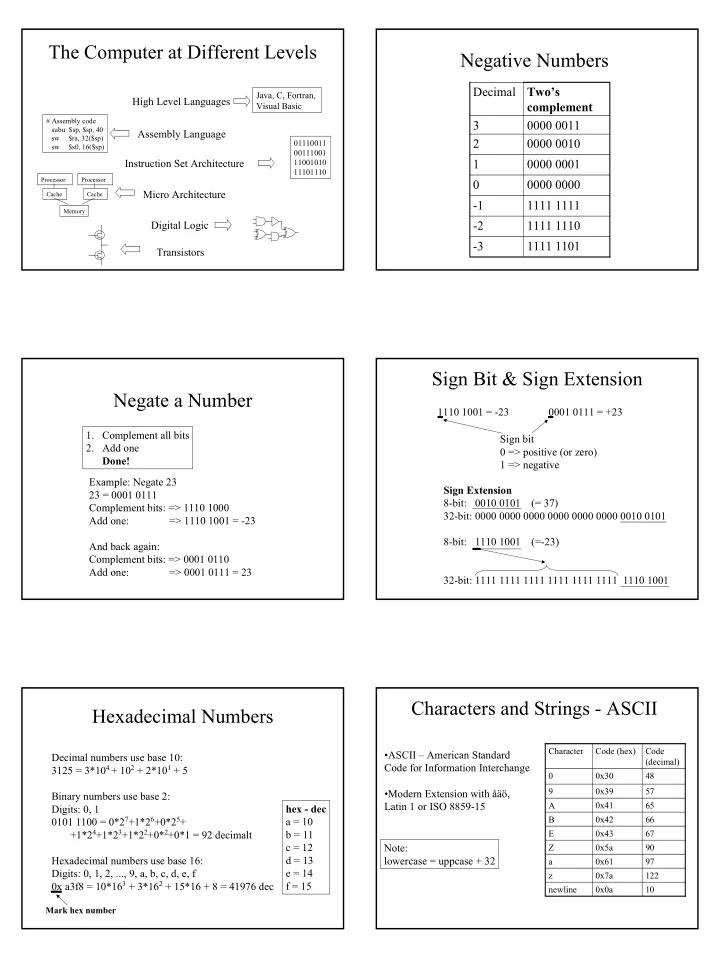

SLIDE 1
The Computer at Different Levels
Cache Processor Cache Processor Memory
# Assembly code subu $sp, $sp, 40 sw $ra, 32($sp) sw $s0, 16($sp)
01110011 00111001 11001010 11101110
Java, C, Fortran, Visual Basic
Transistors Digital Logic Micro Architecture Instruction Set Architecture Assembly Language High Level Languages
Negative Numbers
Two’s complement Decimal 1111 1101
- 3
1111 1110
- 2
1111 1111
- 1
0000 0000 0000 0001 1 0000 0010 2 0000 0011 3
Negate a Number
- 1. Complement all bits
- 2. Add one
Done! Example: Negate 23 23 = 0001 0111 Complement bits: => 1110 1000 Add one: => 1110 1001 = -23 And back again: Complement bits: => 0001 0110 Add one: => 0001 0111 = 23
Sign Bit & Sign Extension
1110 1001 = -23 0001 0111 = +23 Sign bit 0 => positive (or zero) 1 => negative Sign Extension 8-bit: 0010 0101 (= 37) 32-bit: 0000 0000 0000 0000 0000 0000 0010 0101 8-bit: 1110 1001 (=-23) 32-bit: 1111 1111 1111 1111 1111 1111 1110 1001
Hexadecimal Numbers
Decimal numbers use base 10: 3125 = 3*104 + 102 + 2*101 + 5 Binary numbers use base 2: Digits: 0, 1 0101 1100 = 0*27+1*26+0*25+ +1*24+1*23+1*22+0*2+0*1 = 92 decimalt Hexadecimal numbers use base 16: Digits: 0, 1, 2, ..., 9, a, b, c, d, e, f 0x a3f8 = 10*163 + 3*162 + 15*16 + 8 = 41976 dec hex - dec a = 10 b = 11 c = 12 d = 13 e = 14 f = 15
Mark hex number
Characters and Strings - ASCII
10 0x0a newline 57 0x39 9 48 0x30 0x7a 0x61 0x5a 0x43 0x42 0x41 Code (hex) 122 z 97 a 90 Z 67 E 66 B 65 A Code (decimal) Character
- ASCII – American Standard
Code for Information Interchange
- Modern Extension with åäö,