Structuring Two-Dimensional Space The Pa7ern Processing Machinery - - PowerPoint PPT Presentation

structuring two dimensional space
SMART_READER_LITE
LIVE PREVIEW

Structuring Two-Dimensional Space The Pa7ern Processing Machinery - - PowerPoint PPT Presentation

Structuring Two-Dimensional Space The Pa7ern Processing Machinery and Pa7ern for Design 2.5D Space We live in a 3D world, but can we see 3D effecEvely? Up-down, sideways, and away dimensions InformaEon at only one point along each


slide-1
SLIDE 1

Structuring Two-Dimensional Space

The Pa7ern Processing Machinery and Pa7ern for Design

slide-2
SLIDE 2

2.5D Space

  • We live in a 3D world, but can we see 3D

effecEvely?

– Up-down, sideways, and away dimensions

  • InformaEon at only one point along each away

direcEon is available, and has to be indirectly inferred

– So we actually only see 2.5D, or 2.05D according to Ware

slide-3
SLIDE 3

2.5D Space

  • We can sample up-down and sideways dimensions very

rapidly (1/10 second), but to get new informaEon in depth, we have to move our head

– Image space sampling is 100 Emes faster than depth sampling

  • The pa7ern-processing resources in the brain are

mostly devoted to informaEon in image plane, not depth

  • Pa7erns:

– The precursors of objects – Reveal relaEonships between objects

slide-4
SLIDE 4

Pa7erns

slide-5
SLIDE 5

The Pa7ern-Processing Machinery

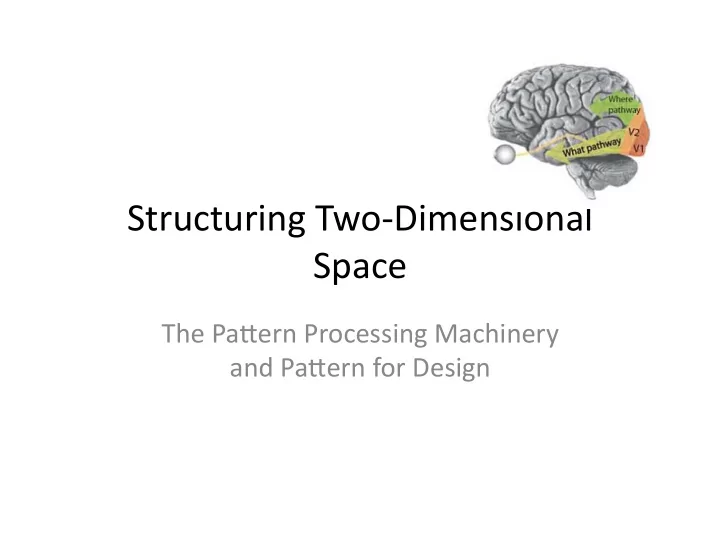
  • The What pathway:

– V1 -> V2 -> V4 -> Infero-temporal cortex (IT) -> Lateral Occipital Cortex (LOC) – Task-driven signals are also sent back from prefrontal cortex to help region finding

slide-6
SLIDE 6

Features to Contours

  • Millions of fragmented pieces of informaEon

in V1 need to be put together to form contours

– Binding: combining different features that are parts of the same contour or region

slide-7
SLIDE 7

Features to Contours

  • Millions of fragmented pieces of informaEon

in V1 need to be put together to form contours

– Binding: combining different features that are parts of the same contour or region

slide-8
SLIDE 8

Generalized Contour

  • Objects can be separated from its surrounding

in many different ways

  • A generalized contour extracEon mechanism is

needed (occurring in LOC with input from V2 V3)

slide-9
SLIDE 9

Texture Regions

  • The edges of objects can be defined by

textures too

slide-10
SLIDE 10

Texture Regions

  • The edges of objects can be defined by

textures too

Harder to disEnguish

slide-11
SLIDE 11

Interference

  • One should maximize the feature-level

difference

slide-12
SLIDE 12

A7enEon and Pa7erns

  • Only features (colors, orientaEon, size,

moEon, etc) can be pre-a7enEve

  • Pa7erns with different features can also pop
  • ut
slide-13
SLIDE 13

Pa7ern Finding Hierarchy

  • Pa7erns are found in the what pathway, v1,

v2, v3, v4, TI, etc in an increasingly complex way

  • It becomes harder to localize where in the

brain the high level pa7erns are detected

slide-14
SLIDE 14

Pa7ern Learning

  • The ability to discern low level and simple

features and pa7erns is pre7y much universal

  • More complex pa7erns can be learned by

individuals, taking place in V4

  • Pa7ern detecEon is mostly done sequenEally,

with very li7le pop out effect

slide-15
SLIDE 15

Pa7erns formed by Groups of Objects

  • Pa7erns can be formed based on proximity
  • Pa7ern detecEon works on many different

scales

slide-16
SLIDE 16

MulE-scale, DistorEon, and Preference

slide-17
SLIDE 17

Pa7ern For Design

  • Pa7erns can be used to establish relaEonships between

components and make a design visually efficient

  • Pa7erns can be used to express the structure of ideas
slide-18
SLIDE 18

Example of Pa7ern Queries

slide-19
SLIDE 19

Example of Pa7ern Queries

slide-20
SLIDE 20

SemanEc Pa7ern Mappings

slide-21
SLIDE 21

SemanEc Pa7ern Mappings

slide-22
SLIDE 22

Reference

  • Visual Thinking for Design by Colin Ware