Soil Science Society of America Division S-5, Pedology Guidelines - - PDF document

soil science society of america division s 5 pedology
SMART_READER_LITE
LIVE PREVIEW

Soil Science Society of America Division S-5, Pedology Guidelines - - PDF document

Soil Science Society of America Division S-5, Pedology Guidelines for Posters and Oral Presentations for the Graduate Student Competition Cynthia A. Stiles 1 , Eric C. Brevik 2 and Daniel Hirmas 3 1 United States Department of Agriculture -


slide-1
SLIDE 1

SSSA Div S-5 (Pedology) Student Presentation Competition Guidelines Page 1 of 8

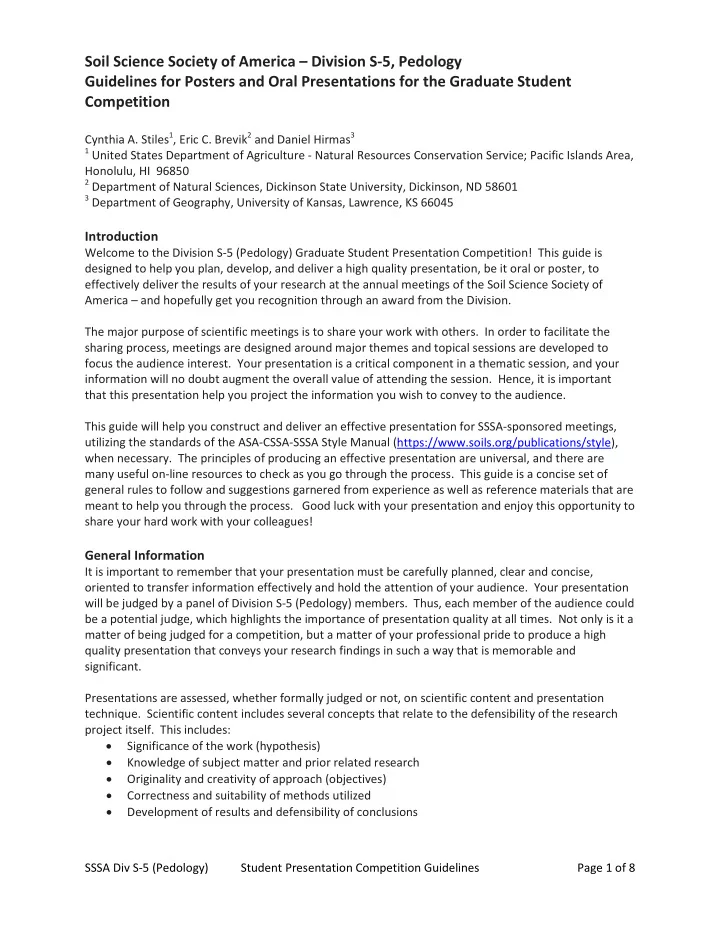
Soil Science Society of America – Division S-5, Pedology Guidelines for Posters and Oral Presentations for the Graduate Student Competition

Cynthia A. Stiles1, Eric C. Brevik2 and Daniel Hirmas3

1 United States Department of Agriculture - Natural Resources Conservation Service; Pacific Islands Area,

Honolulu, HI 96850

2 Department of Natural Sciences, Dickinson State University, Dickinson, ND 58601 3 Department of Geography, University of Kansas, Lawrence, KS 66045

Introduction

Welcome to the Division S-5 (Pedology) Graduate Student Presentation Competition! This guide is designed to help you plan, develop, and deliver a high quality presentation, be it oral or poster, to effectively deliver the results of your research at the annual meetings of the Soil Science Society of America – and hopefully get you recognition through an award from the Division. The major purpose of scientific meetings is to share your work with others. In order to facilitate the sharing process, meetings are designed around major themes and topical sessions are developed to focus the audience interest. Your presentation is a critical component in a thematic session, and your information will no doubt augment the overall value of attending the session. Hence, it is important that this presentation help you project the information you wish to convey to the audience. This guide will help you construct and deliver an effective presentation for SSSA-sponsored meetings, utilizing the standards of the ASA-CSSA-SSSA Style Manual (https://www.soils.org/publications/style), when necessary. The principles of producing an effective presentation are universal, and there are many useful on-line resources to check as you go through the process. This guide is a concise set of general rules to follow and suggestions garnered from experience as well as reference materials that are meant to help you through the process. Good luck with your presentation and enjoy this opportunity to share your hard work with your colleagues!

General Information

It is important to remember that your presentation must be carefully planned, clear and concise,

  • riented to transfer information effectively and hold the attention of your audience. Your presentation

will be judged by a panel of Division S-5 (Pedology) members. Thus, each member of the audience could be a potential judge, which highlights the importance of presentation quality at all times. Not only is it a matter of being judged for a competition, but a matter of your professional pride to produce a high quality presentation that conveys your research findings in such a way that is memorable and significant. Presentations are assessed, whether formally judged or not, on scientific content and presentation

  • technique. Scientific content includes several concepts that relate to the defensibility of the research

project itself. This includes:

  • Significance of the work (hypothesis)
  • Knowledge of subject matter and prior related research
  • Originality and creativity of approach (objectives)
  • Correctness and suitability of methods utilized
  • Development of results and defensibility of conclusions
slide-2
SLIDE 2

SSSA Div S-5 (Pedology) Student Presentation Competition Guidelines Page 2 of 8 Presentation technique is assessed using several general rules. The principle rule of thumb to remember is that a visually pleasing presentation has more appeal then a lifeless formulaic poster or slide show. The components of presentation technique include:

  • Organization of materials
  • Visual clarity and logical structure
  • Appropriate narrative content and clear and unambiguous written presentation
  • Useful visual aids and aesthetic appeal
  • Verbal delivery – whether giving a talk or addressing a poster audience
  • Ability to answer questions accurately and thoroughly

Within the context of these qualities, the audience (and judges) respond (award scores) according to presenter performance. Many of the same qualities that make a good poster also make a good talk and vice versa. Some of these qualities include:

  • Keep it simple. Don’t crowd too much information into one presentation, but rather focus on

two or three key take-away points.

  • Avoid overwhelming your audience with too many numbers and too much text. Keep the

audience focused on your key findings by judicious selection of graphs, figures, and photos that emphasize what you want them to take away from the presentation.

  • Select a visually pleasing color combination and font for your presentation. Standardize the

format and style throughout the whole presentation to avoid audience distraction, because the human eye is drawn to differences. Use color to your advantage when you wish to emphasize something.

  • Be “present” during your presentation. Know your talk or poster well enough to not be tied to

the material while you present. You should be able to give most of your presentation without looking at the supporting materials. Engage your audience by maintaining eye contact. Be proactive in responding to questions by restating a question if you are not 100% sure of what is being asked.

  • Remember to “tell the audience what you are going to tell them, tell them, then tell them

what you told them”. This means that your conclusions should flow directly from your hypothesis and objectives, using your methods and results to tell the story of how the research proved (or disproved) your hypothesis. Audiences get the most from a story that flows, and you get the most out of your time with the audience by conducting that flow.

  • Be aware of your time/space parameters. If you are giving a 15 minute talk, practice the talk to

make sure it is approximately 12 minutes long with about 3 minutes for questions. A talk that is too long or too short will not be well received by your audience and is discourteous to other session participants. If you are giving a poster, be certain you know the size of the poster board. Use most of the poster board, but do not exceed your allotted space. The audience for your presentation will only get out of it what you are willing to put in. Poor

  • rganization, aesthetically unappealing format, and/or inability to interact with the audience mean that

your presentation will not be readily understood or accepted. Because your research is important to you, presenting well conveys that worth to others and makes your work more rewarding.

slide-3
SLIDE 3

SSSA Div S-5 (Pedology) Student Presentation Competition Guidelines Page 3 of 8

Guidelines for Poster Presentations

Planning Scientific presentations are successful when they have told a clear story. As you prepare your poster,

  • utline the parts of your story (or research narrative) and how they clearly link to each other. It is often

useful to think of these parts as falling into one of five main sections, much like a standard scientific manuscript – Introduction, Methods, Results and Discussion, and Summary. Visualize what you would like to say on the poster by sketching on paper or white board and placing the sections into an order that has a logical flow following your outline. Emphasize the main points you want to stress, keeping the number of critical points to no more than three, for the sake of simplicity. Think of “headlines” that work to emphasize the critical points, and include relevant photos, graphs, charts and illustrations. Where possible, make your point visually and keep text to a minimum. This stage of the process is the most challenging, but also can be very fun. Once you have an idea of what you will put in your poster, use a “blank” presentation in whatever graphic program you are using sized to 44.5” x 44.5”. Block off areas where the information will be placed, then “follow the flow” of the information blocks to determine if the organization scheme works. At this point, when no ‘binding content’ is up there yet, just the concept of the poster organization, you might wish to employ the assistance of your peers. Ask them to look at the poster mock-up with

  • rganization blocks and follow them, to see if they can follow your ideas.

Generally speaking, each person perceives organization slightly differently which means the author must develop a scheme which appeals to the broadest cross-section of the potential audience. Most posters start in the upper left corner and flow to the lower right corner. As a general guide, the title, author and affiliations should be in the uppermost portion of the poster, either in the left corner or in the center, taking up around 10% of the poster space. The Introduction and Methods block should take up roughly 20 – 25% of the space, the Results and Discussion block 50 – 60% of the space, and the Summary and references blocks the remaining 5 – 20%. The spatial allocation depends upon the nature of the work – most research posters NOT focused on technique development or method testing have a 15%-60%-15% distribution of these three sections. Work that involves the presentation of new methods or the validation of existing methods might have a distribution more like 25%-55%-10%, because it is important to review literature and present the method. The presenter decides what spatial balance most effectively projects the information to the audience. Design and Visual Impact The aesthetics of effective poster presentations is a difficult concept to quantify, as it is the “artistic” quality of delivering the message. As described in the planning section, there are critical components of a scientific presentation that are routinely included in the poster, but it is the personal decision of the presenter to what degree they wish to take artistic license with their visualization. An effective poster has a design and visual aesthetic that appeals to the broadest cross-section of the target audience. It draws the eye without overwhelming the content. Once you have chosen the content for your poster and have developed an idea of spatial distribution of your materials, spend time thinking about design and visual impact. For the overall appearance of your poster, you will need to choose

  • Font type
slide-4
SLIDE 4

SSSA Div S-5 (Pedology) Student Presentation Competition Guidelines Page 4 of 8

  • Hierarchy of font sizes and formats
  • Format of text materials
  • Color scheme

Attention to small details might seem tedious, but the overall appearance of your poster reflects your interest in effective delivery of your findings. Remember that your poster can really stand out with a little attention to detail. Some rules of thumb as you develop your design elements

  • Use fonts that are ‘sans serif’ (such as the font used in this document) versus ‘serif’ fonts (such

as the font shown here) to conserve space and make reading easier.

  • Different fonts and formats can be used to build your ‘information hierarchy’. Use no more than

four different fonts in your poster, however, to avoid confusion (e.g., Bold and bold italic for headers and figure numbering, italic and regular for narrative).

  • Your smallest font should be large enough to be read from at least 5 feet back.
  • Use a combination of narrative and bulleted points for your materials. Narrative is good for

Introduction and Conclusions, bullets often work well for Materials and Methods and Results and Discussion. Keep in mind, however, that most people do not come to a poster to read a

  • paper. Always strive to make your point with the fewest words possible while maintaining

clarity.

  • Choose a background for your poster that will complement your topic and the format of

information provided. Simple graphics and basic color combinations are preferred. Although we have sophisticated graphic design programs that allow us to customize the backgrounds of posters from photographs, avoid the temptation to place a photo in the background that will detract from delivering the information. The background colors should complement the color scheme of the data figures. Also, make sure all lettering can be read over the background

  • selected. Complicated backgrounds with multiple tones often obscure a portion of the lettering,

reducing the effectiveness of the poster. Content Your poster starts out by broadcasting the topic and ownership. Besides the title, you will list yourself and your co-authors. (If you have a number of co-authors with multiple affiliations, use a numbering or lettering system where each author’s name is followed by a superscripted number or letter associated with an affiliation institute in a list). Following the title and affiliation, provide the main parts of your research narrative outlined during the planning phase (e.g., Introduction, Methods, Results and Discussion, and Summary). Each of these parts should be thorough, but not ‘wordy’. A section for cited literature should only be used if references are explicitly cited in the body of your poster. References should be used sparingly in a poster and only when necessary. Your poster should also, contain (often at the end) an Acknowledgments statement to recognize any source of funding and laboratory, field, or intellectual assistance you received that has helped you with your work. Use photographs to emphasize content. Make sure the photos are high quality and show exactly what you want to show without too much clutter to detract from your subject. If you are discussing soil characteristics, let a photo amplify the story without adding too much text. Digital technology allows us to manipulate photos to include labels and draw lines, but don’t be tempted to change color balances or “photo-shop” in such a way that the photographic image no longer expresses the true nature of your

  • findings. Remember that the information you are visually presenting must be accurate.
slide-5
SLIDE 5

SSSA Div S-5 (Pedology) Student Presentation Competition Guidelines Page 5 of 8 Some important tips:

  • Try to utilize your content as a way to justify your study by emphasizing “Why this is important

to YOU (audience member)”

  • Keep your writing style clear and concise
  • Make sure your information is accurate – have someone critique your materials before you

commit it to the poster

  • Your conclusions should match the objectives of your poster and what you did to reach your

findings should follow your methodology

  • Know your materials well enough to be able to talk about them without reading. If you have to

read your poster to explain to someone who asks, you have made it too complicated. Presenting your poster Now that your poster is complete, the next step is to prepare for presenting your information. Be sure to read the specific instructions provided by the SSSA about the dimensions, the means of set-up, locations and times for display / discussion. During your allotted presentation time, you will be interacting with a broad audience. You should therefore be prepared to discuss all aspects of your work and be able to answer specific questions. Some important tips for making an effective and professional quality poster presentation:

  • Be present at your poster – be there at the assigned times and stay throughout the whole

presentation period

  • Offer to guide your audience through the poster. This is your chance to disseminate your work

and receive feedback and advice from the larger research community. Don’t passively stand by your poster hoping someone asks you a question. Instead, actively draw everyone who shows interest into your poster.

  • Be engaged with your audience – maintain eye contact and employ “active questioning” with

those listening to your presentation. When they ask a question, restate the question to make sure you understand what is being asked.

  • If you are inclined, provide single-page copies of your poster or abstract and conclusions. Some

presenters leave a pad and pen for feedback when they are not at their posters as well as business cards with contact information. Do not ‘clutter up’ your display area with too many distractions, though, as it will detract from your poster.

  • Have fun presenting – this is the best part of the whole process!
slide-6
SLIDE 6

SSSA Div S-5 (Pedology) Student Presentation Competition Guidelines Page 6 of 8

Guidelines for Oral Presentations

(Note – read through the section for Poster Presentations, because the key processes of Planning, Design / Visual Impact, and Content are essentially the same for both Poster and Oral presentations). Planning Planning a talk is much like laying out a poster. An outline is a good place to start visualizing what to include in your talk. The outline can also serve as a framework for what materials you include on your

  • slides. Since it is easy to make slides using presentation software, you can even do your “brainstorming”
  • n blank slides (no background) and then share your early materials with colleagues to see if you are

projecting what you want to say in an effective manner. Critical detail – your presentation for SSSA is basically twelve minutes long plus three minutes for questions and answers. A good rule of thumb is one slide per minute (unless you have internal transitions to highlight specific details), so you should frame your talk in terms of 10-14 slides (in addition to your opening title and closing slides). Design and Visual Impact The same basic ideas given in the Poster Presentation sections are applicable here, with the difference being that the oral presentation involves a more dynamic flow of materials to accompany the talk. The critical components of the oral presentation are the necessary framework around which the slides are built and the personal style comes through in the visual elements. The important thing to keep in mind is that the slides are accompanying a talk, not the other way around, so the format / font / color combinations should not detract from the oral delivery. Some helpful tips:

  • Avoid “loud” color combinations or too many font colors on a slide.
  • Keep the same background for all the slides in your presentation, audiences find changes in

background to be distracting.

  • Use photographs that clearly depict what you are emphasizing.
  • Don’t put too much material on one slide. Generally speaking, you should have:
  • No more than two figures on one slide
  • No more than eight lines of text
  • Transitions can be used – if they do not distract the audience and detract from the points being

made in the talk. Be careful here: many animation and transition PowerPoint features can be very effective tools for emphasizing important content but can become “gimmicky” if used in excess or incorrectly. Always decide on PowerPoint features that help highlight the point you are trying to make.

  • Don’t put your slides on an automatic timer for your final version. Placing time limits on each

slide is a useful way to practice – it helps you get the “rhythm” down for narrative – but may cause you to get distracted and flustered if something unexpected interrupts the talk.

  • Avoid serif fonts. Serif fonts are those that have fine detailed features projecting off of the
  • letters. The fine details on serif fonts often do not project onto a screen well, and so are

particularly problematic in PowerPoint or other projected presentations.

slide-7
SLIDE 7

SSSA Div S-5 (Pedology) Student Presentation Competition Guidelines Page 7 of 8 Content As with a poster presentation, your talk starts out by broadcasting the topic and ownership. Generally speaking, the content of the talk includes Introduction, Methods, Results and Discussion, and Summary. As you develop the Introduction portion of your talk, remember that it is critical to “announce” your topic and tell people why it is important. This is where you “tell people what you are going to tell them” and why they should care, to engage them enough to want to stay and listen to the rest of your talk. Keep Methods discussion, including geographical setting of the study, concise and to the point – don’t waste valuable time describing methods that the audience might be able to ask you about later. Get to the Results and Discussion materials as soon as possible, to allow yourself plenty of time to show your findings and set up your Summary/Conclusions. Use photographs to emphasize content, when appropriate. Make sure the photos are high quality and show exactly what you want to show without too much clutter to detract from your subject. If you are discussing soil characteristics, let a photo amplify the story without adding too much text. Digital technology allows us to manipulate photos to include labels and draw lines, but don’t be tempted to change color balances or “photo-shop” in such a way that the photographic image no longer expresses the true nature of your findings. Remember that the information you are visually presenting must be accurate. Graphs and figures are key components in presenting your findings and to support your discussion. Avoid the temptation to put more than two graphs at a time on a slide. If you need to show more graphs than that to make a point (comparisons of properties or responses), then utilize data overlay methods to minimize cluttering. Trend lines are helpful, as are arrows or circled sections of the graph to emphasize particular data patterns that you want your audience to pay attention to as you discuss. Wrap up your talk with a concise list of your findings and conclusions. A bulleted list is particularly useful here – highlighting the essential conclusions and allowing you to finish your talk by summarizing what you have just told your audience. In many ways, your concluding statements will sound much like your opening statements, with the strength of proof you have given in your talk. Delivering a Top Notch Talk Public speaking is one of those activities that most people are not comfortable with – even after giving many talks. The key to being relaxed in front of an audience and giving your talk is to be totally familiar with your materials. That means practice, practice, practice… Key things to remember when giving your talk:

  • Practice projecting your voice to reach your audience. You don’t have to shout, but you do want

everyone to hear what you are saying.

  • Rushing your diction is a common problem, as we do tend to talk faster when we are nervous.

Pace yourself and talk slow enough to clearly enunciate the words. Also, trying to cover too much information with one slide will enhance the tendency to rush, so split up your information between two slides (this is also easier for your audience, too). Other helpful tips:

  • Speak in front of an audience at least once before you give your actual talk, to get feedback

from your audience on any distracting mannerisms you might have.

slide-8
SLIDE 8

SSSA Div S-5 (Pedology) Student Presentation Competition Guidelines Page 8 of 8

  • Utilize automatic timing features on your graphic presentation software to help you keep your

timing on track as you practice. Remember to take off the timing options on your final version, to avoid the possible distraction of an unexpected advancing slide.

  • Check the room where you are speaking to familiarize yourself with the layout and, if possible,

check in early to get used to the controls and available tools. Check the microphone volume with your voice to gauge a correct distance from the mike to best project your voice.

  • Check in with the presiding officer at the beginning of your session to let them know you are

present to give your talk.

  • Keep your eyes on the audience and try not to “read” your slides, talking to the screen instead
  • f talking to your audience. The way the presentation desk is set up, you can look down to see

the computer screen to prompt. Keep your head level as much as possible.

  • Make sure to use the computer mouse or laser pointer to emphasize materials on slides, but

avoid the temptation to use the pointer to “follow” your text.

  • You do not have to say exactly what is on your text slides. Remember that YOU are the

presenter, not your PowerPoint. The PowerPoint is there to act as a visual aid for the audience as you progress through your talk.

  • Avoid using speech fillers such as “um” or “you know” and keep your tone of speech level

without upward vocal inflections at the end of sentences.

  • Make sure to ask for questions, if the presiding officer indicates that you have time. Answer

questions as thoroughly as you can within the timeframe allowed – if you need more time, say that you will address the question in more detail at a break. If you are uncertain of what is being asked, restate the question as you understand it.

Good Luck with your presentation and the further development of professional skill set!