Software and the economy The economies of ALL developed nations are - - PDF document

software and the economy
SMART_READER_LITE
LIVE PREVIEW

Software and the economy The economies of ALL developed nations are - - PDF document

Summary Software if engineered d consists of products at various levels of abstraction, ranging from code over designs to requireme ments. Each product is useful ONLY, if stakeholde ders (people, roles) ) are defined d using


slide-1
SLIDE 1

1

Introdu duction ction Summary

  • Software – if engineered

d – consists of products at various levels of abstraction, ranging from code over designs to requireme

  • ments. Each

product is useful ONLY, if stakeholde ders (people, roles) ) are defined d using these products, and if it is traceabl ble (up/down) ) to related d

  • products. In industry, a large variety of “real” products (terminology

& contents) ) and processes by which these products are created d exist. The common denominator, however, are essential contents. Therefo fore, in this lecture, a so-called d Virtual Product Model is used as a reference model.

  • In real-world

d developme pment environme ments each real physical docume ment contains part, one or more of these virtual products. For example, “System analysis document” may contain problem descript ption and user requireme

  • ments. In any event, lack of any virtual

product has to be justifi fied! d!

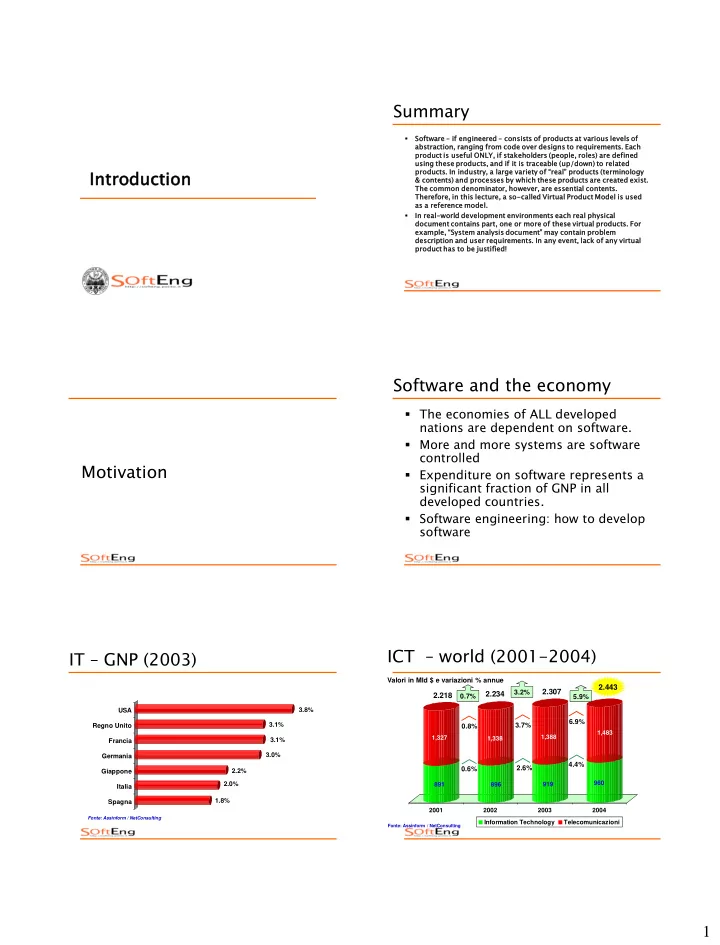
Motivation Software and the economy

  • The economies of ALL developed

nations are dependent on software.

  • More and more systems are software

controlled

  • Expenditure on software represents a

significant fraction of GNP in all developed countries.

  • Software engineering: how to develop

software

IT – GNP (2003)

1.8% 2.0% 2.2% 3.0% 3.1% 3.1% 3.8% USA Regno Unito Francia Germania Giappone Italia Spagna

Fonte: Assinform / NetConsulting

ICT – world (2001-2004)

Valori in Mld $ e variazioni % annue

Fonte: Assinform / NetConsulting

891 1,327 896 1,338 919 1,388 960 1,483 2001 2002 2003 2004 Information Technology Telecomunicazioni

2.443

0.6% 0.8%

2.218

0.7%

2.234

2.6% 3.7% 3.2% 4.4% 6.9% 5.9%

2.307

slide-2
SLIDE 2

2

Software, innovation, development

  • Evidence of correlation between ICT

diffusion and wealth

 Positive correlation IT usage and per capita GDP  Positive correlation productivity increase and ICT usage

Development and ICT usage

1 Singapore 2 Iceland 3 Finland 4 Denmark 5 USA 6 Sweden 7 Honk Kong 8 Japan 9 Switzerland 10 Canada 11 Australia 12 UK 13 Norway 14 Germany 15 Taiwan Classifica WEF (world economic forum) Global IT report 2004-2005 www.weforum.org 16 Netherlands 19 Austria 20 France 29 Spain 39 India 41 China 45 Italy

WEF – Global competitiveness

1 Finland 2 USA 3 Sweden 4 Denmark 5 Taiwan 6 Singapore 7 Iceland 8 Switzerland 9 Norway 10 Australia 11 Netherlands 12 Japan 13 UK 14 Canada 15 Germany 47 Italy Classifica WEF (world economic forum) Global competitiveness report 2004-2005 www.weforum.org

Global competitiveness

  • Institutions
  • Infrastructure
  • Macroeconomy
  • Health + primary education
  • Higher education
  • Market efficiency
  • Technological readiness
  • Business sophistication
  • Innovation

Definitions Software

  • Software is a collection of computer programs, procedures, rules,

associated documentation and data.  software development is more than merely the development of programs  software incorporates documents describing various views for various stakeholders (e.g. users, developers)

  • For a given problem, software is approximately 10 times more

expensive to produce than a simple program [Brooks75: The Mythical Man Month]  Average: 10 to 50 LoC per person day  About 7 LoC in critical systems

slide-3
SLIDE 3

3

Software - types

  • stand alone

 word processor,

  • embedded

 ABS, digital camera, mobile phone, ..

  • process support

 production process (things): industrial automation  business process (information): management automation

Software - criticality

  • safety critical

 aerospace, military, medical, ..

  • mission critical

 banking, logistics, industrial production, ..

  • other

 games, ..

Software - complexity

– Complexity: Parts and interactions among parts

– [H Simon, The sciences of the artificial 1969]

 car: 30.000 parts/components  airplane: 100.000 parts/components  cell phone, printer driver: 1M Lines of code  cellular network, operating system: several Millions

  • software systems are probably the

most complex human artifacts

Shames ..

  • Safety critical

 Therac25 - 3 casualties (1985)  crash KAL 901 - 225 casualties

  • Mission critical

 Ariane V (1996)  Mars Polar Lander (2000)  ATT switching system (1990)

Diffusion

  • local

 1945 - 1980: scientific community, military, banks, large private

  • rganizations
  • global

 1985 - today: „free‟ hardware, huge diffusion of computing, impact on everyday‟s life

Software costs

  • Software costs often dominate

computer system costs. The costs of software on a PC are often greater than the hardware cost.

  • Software costs more to maintain than

it does to develop. For systems with a long life, maintenance costs may be several times development costs.

slide-4
SLIDE 4

4

What are the costs of sw engineering?

 Roughly 60% of costs are development costs, 40% are testing costs. For custom software, evolution costs often exceed development costs.  Costs vary depending on the type of system being developed and the requirements of system attributes such as performance and system reliability.  Distribution of costs depends on the development model that is used.

Activity cost distribution

Wat er fall m

  • del

Iterative developm ent Com ponent-based software eng ineering Developm ent and evolution costs f

  • r long-lif

etim e syst ems System evolution 10 200 30 400 System developm ent Specification Design Developm ent Integration and testing 25 50 75 100 Specification Developm ent Integration and testing 25 50 75 100 Specification Iterative developm ent System testing 25 50 75 100

Product development costs

Specification Developm ent System testing 25 50 75 100

Quality

  • Most defects injected in requirements

and design

  • The earlier a defect injected, the more

costly to correct it

 Because defects are usually found in

  • peration

Defect correction cost Functional vs. non functional

  • Functional characteristics of software

 “Add two integer numbers”

  • Non functional properties

 User interface usable by not computer expert  Precision

– relative error < 10-9 – absolute error < 10-8

 Reliability

– sum must be correct 99,999999% times

 Performance, efficiency

– Sum must be performed < 0,01 millisec – Sum must use <10 kbytes ram memory

slide-5
SLIDE 5

5

Functional vs. non functional

  • Non functional properties sometimes

harder to express

  • Harder to design into software

 They are emerging properties

– Depend on the whole system, i.e. reliability, performance

Myths

Software is inexpe pensiv ive  Add-on

  • n to engineerin

ing products, as product

  • ften free?

 Very labor intensive ive -–

assuming – Productivity = 40 - 8000 LOC per person month – Personal cost = : $ 8.000 per person month

 $1 to $200 per LOC

  • a mediu

dium m sized d project with 50.000 0 LOC costs between $50.000 00 and $10.000 00.00 000 0 in person

  • nnel

Myths

Software does not break as it ages

  • Fail

ilures es do not occur due to materia ial fatig igue e (as with hardware) but due to the execu cuti tion

  • n of logica

cal l faults ts

 hardware reliability concepts don’t work

  • All software

e faults ts can be removed before e execu cuti tion

  • n
  • Software changes

ges due to requir irem ement ents changes ges, platfor

  • rm changes

ges (and defect t correcti ections

  • ns)

Myths

Software is produced ced

  • Software is not mass produce

ced (like e machines) es)

 replication (manufacturing) is almost effortless

  • Software is develo

loped ed

 the description of the solution is the product  Non-deterministic process due to human involvement  Controllable in a probabilistic manner only  Quality focus/assurance has to be part of the development phase

Typical software problems

  • Too expens

nsive (up to a f factor of 10).

  • Delivered too late (up to a factor of 2).
  • Does not live up to user expect

ctations ns (e.g., g., reliability) y)

  • High-Profil

file Example Failur ures

 Ariane-5 accident (? System process problem ?)  Year-2000 problem (? System architecture/documentation problem ?)

Solo programming vs. engineering

Solo-Pro rogram ramming charact cteri risti stics s (Dave Parnas):

  • Small program

ams  how are complex programs structured?  --> modularization

  • Program

ams s specified in compute ter r science ce jargon  how does one communicate with customers?  --> need adequate language

  • Focus on “correctness” as the measure of quality

 what other quality attributes might be important?  --> ex safety, performance

  • Activiti

ties s performed d Individu duall ally

 how is teamwork supported?  --> precise interfaces, roles, process model

slide-6
SLIDE 6

6

  • Quality

lity prope pertie ies (e.g. correctness) ) are demon monstrable ble

 usually independently of testing  --> not true for all non functional requirements

  • Quality

lity prope pertie ies are externally lly visible ible

 how does one communicate with customers?  --> specification, measurable

  • High understanda

dabili bility and changeabili bility

 How does one guarantee ease of modification & quality of modified system?  --> traceability of documentation to code & (divide & conquer)

  • The main diffe

ference between solo programm mmin ing and software engin ineerin ing is not really lly the result lt of a proje ject (in terms ms of code / executable ble system) m) BUT

  • The way the system is

 developed (e.g., according to eng. principles like early defect detection and state-of-the-art methods)  architected (e.g., modularized for ease of change)  documented (e.g., tractable doc for ease of change & notation suitable for stake-holders)  trusted (e.g., verification & validation is documented)

Engineering - solo programming

  • Software large
  • team / teams
  • Requirements

defined by customer, contract signed

  • Many deliverables
  • Many changes, long

lifespan

  • costly
  • Software small
  • One person
  • Requirements

defined by programmer

  • One deliverable
  • Few changes, short

lifespan

  • free

Software Engineering

  • Focu

cus on the develop

  • pmen

ent t of large/c e/com

  • mplex

lex system tems

  • Deal

l with system tems that t satis isfy third party requir irem ement ents

  • Consid

ider er Team-based ed Develop

  • pmen

ent

  • Make

e software e mainta tain inable le (Software e System tems can outlive ive their develop

  • per

ers, and can be used by many people) e)

Large complex systems

  • Based on the “divide and conquer”

principle

  • Structuring concepts for intellectually

managing complex systems include

 Modularization (horizontal division)  Explicit interfaces  Documentation (vertical division)

3rd party requirements

  • Commu

mmunic ication ion between as well l as with deve velope lopers must be suppor ported  appropriate languages

  • Wide

e range e of qualit ity requirem ement ents on softw tware e system tems

 more than just correctness

  • The

e assurance ce of qualit ity requirem ement ents must t be demonstr trable le

 certification

  • The effects of possible

ible failures must be limite ited  avoidance of catastrophic failures

slide-7
SLIDE 7

7

Team based

  • The exact behavior

ior of a software e system and its units s must be preci cise sely y define ned

 formally or informally

  • The independ

ndent nt perfo formance nce and coordina nation n of activities s by differ ferent nt team members s must be supported

Long lived, multiuser

  • A syste

tem should ld be develop

  • ped

ed to support  change  extension  reuse of individual parts  deployment in various configurations and on various platforms

Software

  • In summary

 large  complex  expensive  diffused everywhere  long lived  mission or safety critical  “not” solo programming

Getting there From the bottom up

  • We need the final thing

 Executable code

  • But we do not write the executable

 Source code

code

  • But the source code is large

 Several physical units

– Files and directories

 Several logical units

– Functions – classes – Packages – Subsystems

  • So, what units? How do we define and
  • rganize them?

design

slide-8
SLIDE 8

8

  • But, exactly, what the software should

do?

 Add numbers, count cars, forecast weather, control mobile phone, support administration of company?

requirements

The production activities

  • Requirement engineering

 What the software should do

  • Architecture and design

 What units and how organized

  • Implementation

 Write source code, (executable code)  Integrate units

Logical dependencies

The production activities (2)

  • Logically, each activity depends on the

previous ones

 To design, one must know the requirements  To implement, one must know the design and the requirements

  • First approach is to do these activities in

sequence

 See waterfall model later

  • In practice feedbacks and recycles must be

provided

  • Requirements and design are written down

in documents

Implement unit

Production activities

Integrate units Design . Requirements engineering

Requirement document Design document Unit Unit System

Implement unit

  • Ok, we did it

 Does it work?  Is it doing what it should do?

– Or

 Did we understand the requirements correctly?  Did we implement the requirements correctly?

A common situation…

slide-9
SLIDE 9

9

The V & V activities

  • V & V = verification and validation
  • Control that the requirements are correct

 Externally: did we understand what the customer/user wants?  Internally: is the document consistent?

  • Control that the design is correct

 Externally: is the design capable of supporting the requirements  Internally: is the design consistent?

  • Control that the code is correct

 Externally: is the code capable of supporting the requirements and the design?  Internally: is the code consistent (syntactic checks)

Production + VV activities

Integrate units Design . Requirements engineering

Requirement document Design document Unit Unit System

Implement unit Implement unit VV system VV design VV requirements VV unit VV unit

Requirement document Design document Unit Unit System

  • Well, seems a lot of work

 Who does what, when?  With what resources?  How much will it cost, when will we finish?  Where are the documents and units? Who can modify what?  Are we doing it state of the art?

The management activities

  • Project management

 Assign work and monitor progress  Estimate and control budget

  • Configuration management

 Identify, store documents and units  Keep track of relationships and history

  • Quality assurance

 Define quality goals  Define how work will be done  Control results

The whole picture

Integrate units Design . Requirements engineering

Requirement document Design document Unit Unit System

Implement unit Implement unit VV system VV design VV requirements VV unit VV unit

Requirement document Design document Unit Unit System

Project management Configuration management Quality assurance

The whole picture

  • Not new
  • Just applying engineering approach to

software production

  • What do aeronautics engineers do?
slide-10
SLIDE 10

10

Production + test activities

 Requirement definition (“what”)

– airplane, civil usage – capacity > 400 people – range > 12000km, – Noise level < xdB, consumption < .., acquisition cost < y$, operation cost < w $/year

 high level design (“how”)

– Blueprints of the airplane – Definition of subsystems

– Avionics, structure, engines

– Mathematical models

– Structural (wings and frame) – Thermodinamic (engines)

 low level design

– Further definition of subsystems – In several cases subcontracted or acquired (engine)

 implementation

– Implementation of each subsystem

 unit test

– Verification that subsystem complies to its specification

 Integration

– Put subsystems together (ex. wing + frame)

 Integration test

– Test the assemblies

 Acceptance test

– Does it fly?

 Certification

– FAA or other tests that it flies and issues a certificate – (a defined and long list of checks)

Management activities

 project management

– project planning – project tracking – budgeting, accounting

 configuration management

– Parts and assemblies – change control

 Quality management

– Quality handbook – Quality plan – roles

Is there a difference?

Traditional engineering

  • Hundreds year old
  • Theory from

physics or other hard science, laws and mathematical models

  • Maturity of

customers and managers Software engineering

  • 50 years old
  • Limited theories

and laws. More a social science?

  • Variable maturity of

customers and managers

SE in one slide

  • Activities

 Production, VV, management

  • Documents (and code)

 To share and control information, decisions

  • Techniques

 To support activities

  • Languages

 To write documents (UML), code

  • Models

 To guide, support activities and the whole  CMM and CMM-I, ISO 9000-3, ISO 15504, ISO 12207, ISO 9126, IEEE, ..

slide-11
SLIDE 11

11

Three basic approaches to SE

  • Cow boy programming

Just code, all the rest is time lost and real programmers don‟t do it

  • 1. Document based, semiformal, UML

Semiformal language for documents (UML), hand (human) based transformations and controls

  • 2. Formal/model based

Formal languages for documents, automatic transformations and controls

  • 3. Agile

Limited use of documents

Approaches, diffusion

  • Cow boy programming

Not un-applied ..

  • 1. Document based, semiformal, UML

Standard industrial practice, especially on large projects and mature companies/domains

  • 2. Formal

Limited application in critical domains, small part

  • f projects, does not scale up in large projects
  • 3. Agile

Latest approach, debated, limited but increasing usage

Approaches

  • This course is focused on approach 1
  • Specific lectures on approach 2 and 3

A more detailed model of activities and documents

Activities ties

Sw Engin ineerin ing is organiz ized d in three levels ls of activit vitie ies:

  • applic

lication ion engin ineerin ing: understandin ding the expe pectation ions of custom

  • mers and/or
  • r users for a

softw ftware system to be develop loped d and translat latin ing these expectation ions into precis ise requir ireme ments for the softw ftware develop lopme ment team m as well l as decidin iding on the accept ptabili bility of the software system m delive ivered by the deve velopme lopment team m based d on these requir ireme ments

  • system engin

ineerin ing: deve velopin loping a solution ion for given requir irements based on accept pted d well-spe pecif ifie ied d softw ftware units as well l as validat idatin ing software systems ms constructed d from such units

  • unit engin

ineerin ing: deve velopin loping software units accor

  • rdin

ding to specif ific ication ion

Activities ties

This s separati tion helps s to distinguish sh between the fundam amenta tally differe rent challenges s for these three levels. In industry stry, these differe rent levels can be performed d by one company or distri ribu bute ted d across differe rent companies s Exampl ple

  • Telecom Italia Mobile operates

s mobile network rks s (custo stomer/user) r)

  • IT Telecom performs

s applica cati tion engineeri ring for network monito tori ring; ;

  • CSC performs

s the system engineeri ring and integrat ates s units s develope ped d by specialized d software re companies

  • Nokia networks

s develops s one unit, t, Ericsso son another r unit

slide-12
SLIDE 12

12

Software unit engineering Definition

  • Input: unit requirements = program specification
  • Goal: the creation of a unit (e.g. small programs),

consistent with the requirements, by means of a single person

  • Properties: development according to well-defined

techniques, methods and tools

 compiling, linking, testing, debugging…  verification against unit designs  validation against unit requirements

  • Output: verified and validated, executable unit

Sw system engineering Definition

  • Input:

t: develop

  • per requir

irem ement ents

  • Goal:

l: develo lopment ent of a system tem or unit t from the develo loper er requirement ents

  • Proper

erti ties es:

 higher complexity due to scale of the system  more focus on teams  verification of system design against developer rqmts  verification of unit requirements against system design  validation against developer requirements

  • Output:

t: executa table le program or system tem

slide-13
SLIDE 13

13

Sw Application engineering Definition

  • Input: proble

lem description iption (usually lly imprecis ise)

  • Goal:

l: systemat matic ic deve velopme lopment of a program or softw ftware system, involvin lving

 analysis and precise description of the user and developer requirements  planning, project management and quality assurance  definition of a development process (process model)  selection of appropriate techniques, methods and tools according to the specified problem description

  • Prope

pertie ies:

 team-oriented development, usually based on fuzzy, changing requirements  problem complexity requires precise process definition

Documents: Product models

  • The large variety of process or life cycle

le models ls diff ffer accor

  • rdin

ding to the  number and type of resulting physical products (e.g. documents)  number, type and relationships of the development steps

  • Howeve

ver, there are similar ilaritie ities in the numbe ber and type pe of informat mation ion (contents OR virtual l products) ) whic ich are neede ded for the comple plete docume mentation ion

  • f a system

 the Virtual Product Model is the reference for all Real software product models in industry

Virtual Product Model Documents in VPM

  • Problem description
  • User requirements
  • Developer requirements
  • System design
  • Unit requirements
  • Unit design and code
  • Executable units
  • Executable system
  • Usable system
  • Used system
slide-14
SLIDE 14

14

Problem description

  • Defini

nition ion of the proble lem m to be solved

  • Can be based on

 market analysis  user interviews  feedback from users

User requirements

  • Defin

init ition ion of the functi ctiona

  • nal

l and non- functi ctiona

  • nal

l requir irem ement ents from the perspecti ective e of the user

  • Faci

cili lita tate te communic icati tion

  • n between

en users and develop loper ers

  • Defin

ines es the behavior ior of the system tem/ softw tware e and the interface ce to the users

  • Verified

ied again inst t the problem description iption

Developer requirements

  • Defin

init ition ion of the functi ctiona

  • nal

l and non- functi ctiona

  • nal

l requir irem ement ents from the perspecti ective e of the design gner er and/or

  • r

main inta tain iner er

  • Faci

cili lita tates tes communic icati tion

  • n within

in the design gn and/or

  • r mainten

tenance ce team

 often more formal than user requirements

  • Typic

icall lly derived from the user requir irem ement ents in order to ensure e traceab eabil ilit ity

  • Verified

ied again inst t the user requirem ement ents

System design

  • Decom
  • mposi
  • siti

tion

  • n of the system

tem into units ts

 Unit requirements defined in terms of exported features, imported features and behavior

  • Quest

estion ion: How can the system tem be built t in a way satis isfying g the developer er requirem emen ents ts?

  • Gener

erall lly speakin king

 requirements documents describe the system in terms

  • f the problem

 design documents describe system in terms of the solution

  • Verified

ied again inst t develop

  • per

er requir irem ement ents

Unit requirements

  • Unit

its are logica cal, l, semi-autono tonomous

  • us parts of

a syste tem

  • Come

e in various

  • us forms

 functions  data  abstract data types  classes  components  subsystems

  • Unit

it requirem ement ents describe ibe the inter erface ce of the unit. t.

Unit design and code

  • Involves

s design gn of interna nal data struct uctur ures s and algorithm hms

  • Verifie

fied against st unit requi uirement nts

  • Through “step-wise refinement”, the

realiza zation n of a u unit is descr cribed in ever more detail until an execut utable form is reache hed

  • Verifie

fied against st unit design gn

slide-15
SLIDE 15

15

Executable units

  • Created

ed from unit imple leme mentati ntations ns by the usual process ss of compilation n and bind nding ng etc.

  • May involve the simul

ulation n of missi sing ng units

  • Validated through

ugh tests s against unit requi uirement nts

Executable system

  • Const

structe ucted from executabl utable e units s according ng to system design

  • May be construct

ucted recursi sively y (subsy syst stem, , system)

  • Validated through

ugh tests s against developer requi uirement nts

Usable system

  • Involves

s the instal allatio ation and adapt ptat ation of the system into the environme ment of the customer er

  • Valida

dated ed against st the user requireme ment nts s

 testi ting g based on realis isti tic usage ge scenarios ios

Used system

  • System in actual use
  • “Validated” against the problem

description by customer‟s use of the system

  • Experience

nce with the performance nce of the system em serves es as the foundatio ion n for improvement nt.

Process models Process models

  • We have introduced activities and

documents

  • They can be executed in a variety of

ways

  • Process models define temporal

guidelines on activities

 Waterfall  Iterative  Prototyping

slide-16
SLIDE 16

16

Waterfall

  • Starti

ting g from the description iption of the problem em, all develop lopment ent steps are performed ed sequent entia ially ly

  • Pre-req

equis isit ites es

 requirements must be complete, stable and understood  teams needs experience with development technology

  • Advanta

tages ges

 no coordination or integration problems

  • Disadvanta

tages ges

 subsequent change of requirement very difficult  learning from experience within a project is difficult

Iterative

  • Startin

ing from a partition ioned d proble lem descrip iption ion, deve velopme lopment steps ps are applie ied d sequ quentially ially to each part until the whole le system has been incrementally lly deve velope loped

  • Pre

Pre-requ quis isite ites

 partitionable requirements

  • Adva

vantages

 facilitates learning within projects  early access to product parts for customers

  • Disadv

dvantages

 system integration can be problematic

Prototyping

  • Startin

ing from the proble lem m description iption, an executable ble system is created d to valida date uncle lear or comple mplex x aspe pects as quickly ly as possible ible

  • Pre

Pre-requ quis isite ites

 knowledge of the critical aspects of the system requirements  technology support for rapid prototype development

  • Adva

vantages

 requirements can be clarified before development begins

  • Disadv

dvantages

 danger that prototype is regarded as the final product

slide-17
SLIDE 17

17

Projects and process model

  • In practice

 Each project in a company can follow a specific process model

Complete model 1.6 SE: the Discipline SE – Definition, Rombach

  • Software Engineering (SE) is the sub-

discipline of computer science

 defining models, techniques, methods and tools to support the development of large software systems based on sound engineering principles  defining models, techniques, methods and tools to manage software development projects and

  • rganizations

 empirically evaluating the effectiveness of models, techniques, methods and tools in specific contexts

SE

  • A discipline that deals with the

building of software systems which are so large that they are built by a team or teams of engineers [Ghezzi, Jazayeri, Mandrioli]

  • Multi person construction of multi

version software [Parnas]

  • A discipline whose aim is the

production of fault-free software, delivered on time and within budget, that satisfies the user needs. Furthermore, the software must be easy to modify when the user needs

  • change. [Schach]
slide-18
SLIDE 18

18

  • Software engineering is an engineering

discipline that is concerned with all aspects

  • f software production.

Software engineers should adopt a systematic and organised approach to their work and use appropriate tools and techniques depending on the problem to be solved, the development constraints and the resources available. [Sommerville]

SE and CS

  • Software engineering builds on the foundations of other computer

science disciplines

  • but has also influenced their development

 strong links in both directions

  • Programming languages

– formal languages to describe rqmts and designs – modularity concepts in new programming languages (e.g. Modula, C++, Ada)

  • Operating Systems

– first experience with large systems (principles such as virtual machines, layers …) – new operating systems (e.g. UNIX) contain simple development environments

  • Databases

– manipulation of complex data structures – SE- data base technologies (OO)

  • Theory

– FSM-model for specification and verification …. – theory of abstract data types, reliability models

  • Artificial Intelligence

– Explorative Processes (e.g. Prolog for prototyping) – Expert systems - provide practical SE assistance (i.e. “Development Assistants”)

1.7 SE: the History The beginnings

  • 1940‟s - individual use of computers

for solo-programming

– development of the electronic computer – no operating systems -> programs loaded from punch cards – typically used for numerical applications

  • 1950‟s - use of multiple computer-

supported applications

– single-user operating systems – high-level programming languages (e.g. Fortran, Cobol)

slide-19
SLIDE 19

19

  • 1960‟s - extensive use of computer

supported solutions

 more powerful computers, more cheaply available  multi-programmer operating systems  applications becoming more numerous, complex, critical

1968, software crisis

 term coined at NATO conference in Garmish Partenkirchen

– software crisis: the problem – SE: the solution

Economic importance of software 1968 - today

  • Economic

c importa tance of softwar are  absolute software costs (estimated)  1985 : $140 billion  1995 : $450 billion  2000 : $3000 billion

  • Causes:

 growing expectations on software systems  many new technologies (e.g. languages) and tools for software development  no qualitative break through – from art form to engineering discipline

Trends - development

  • Component based SE

 Buy + integrate vs. build  Open source or commercial

  • Offshoring
  • Outsourcing
  • Agile

Trends – business models

  • ASP – pay per use

 software is run on the provider‟s machines. Users use it through a network (Internet or Extranet). Users pay for using the software rather than purchasing it. E.g., mySAP.com.

  • Freeware and pro versions

 a light version of the software is distributed free of charge. The professional version is charged. E.g., RealPlayer.

  • Shareware: software is distributed freely to

facilitate trial use. Users pay for it if they decide to keep it and use it. E.g.,WinZIP.

  • Adware: the software is free. The interface show

advertisement banners refreshed via Intenet. E.g., Eudora

slide-20
SLIDE 20

20

Core concepts and definitions

  • Software

are Engineeri ring

 Consequent application of engineering principles to the development of software.

  • Engineeri

ring principl ciples

 Systematic procedure

– product, process and organization are well structured – Quality (and other) goals are explictly (and measurably) defined – Guided by engineering principles

 Adherence to existing body of knowledge, norms, quality/cost/time requirements  Use of models  Use of formal techniques as indicated by project requirements  Use of empirical validation (e.g., testing) when formal models/techniques are lacking

  • Software

are Engineeri ring (SE) is the sub-discipl scipline of compute ter science ce

 defining models, techniques, methods and tools to support the development of large software systems based on sound engineering principles  defining models, techniques, methods and tools to manage software development projects and organizations  empirically evaluating the effectiveness of models, techniques, methods and tools in specific contexts

  • Software

are Applica cati tion Engineeri ring (SW Engineeri ring)

 the engineering-based creation of a software system for solving an application problem using undefined techniques/methods/tools

  • Software

are System Engineeri ring (SW Development) t)

 the engineering based creation of a software system according to the defined (developer) requirements using defined techniques/methods/tools

  • Software

are Unit Engineeri ring (Program ramming)

 the engineering-based creation of a software unit according to the predefined (unit) requirements using predefined techniques/methods/tools

  • Princip

ciples

 foundations guiding the approaches taken  e.g. structuring (top-down, information hiding), documentation, problem solutions

  • Techniqu

ques

 steps for describing a particular product or carrying out a particular process  (e.g black-box test techniques, programming languages)

  • Methods

 planned application of established techniques for reaching predefined goals  what, how and, under what circumstances how well  e.g. test methods

  • Tools

 computer support for techniques and methods

  • Software

are (System/Unit)

 an executable program or unit

  • (Software) Documentat

ation

 atomic/complex information entities created during the course of an engineering-based development project (organized according to the Virtual Product Model)

  • (Software) Product

 a software system, unit or document

  • Product Model

 describes the characteristic of a class of products

slide-21
SLIDE 21

21

  • Software

are (Process ss)

 every atomic or complex activity related to the engineering-based creation of software (e.g. management, development, unit development, test data creation, waterfall process etc.)

  • Process

s Model

 describes the characteristics of a class of processes

  • Life Cycle Model

 A comprehensive process model including the set of processes needed for a type of project, augmented with information about the relationships among the individual processes

  • Project

ct Plan

 A life cycle model augmented with information about resource allocation, costs and other goals for a specific project

  • Quality

 every attribute of a product or process  e.g. reliability, effort

  • Quality Model

 describes a quality property for classes of contexts  e.g. effort distribution in a project to be developed by a particular firm according to the waterfall model.