CS 142 Lecture Notes: Javascript Slide 1
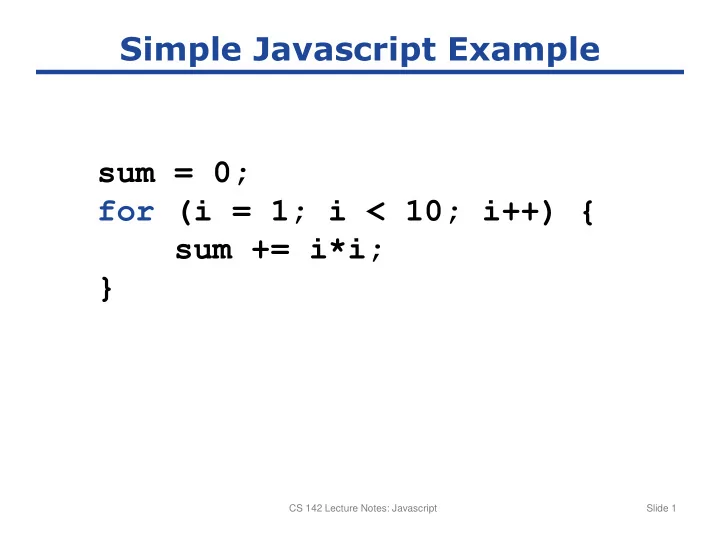
Simple Javascript Example sum = 0; for (i = 1; i < 10; i++) { - - PowerPoint PPT Presentation
Simple Javascript Example sum = 0; for (i = 1; i < 10; i++) { sum += i*i; } CS 142 Lecture Notes: Javascript Slide 1 Arrays x = new Array(); x[3] = 49; y = ["a, 123, 65]; CS 142 Lecture Notes: Javascript Slide 2 Objects x =
SLIDE 1
SLIDE 2
CS 142 Lecture Notes: Javascript Slide 2
Arrays x = new Array(); x[3] = 49; y = ["a“, 123, 65];
SLIDE 3
CS 142 Lecture Notes: Javascript Slide 3
Objects x = new Object(); y = {name: "Alice", age: 23, state: "California"}; x.name = "Bob"; x["age"] = 21;
SLIDE 4
CS 142 Lecture Notes: Javascript Slide 4
Factorial in Javascript function fac(x) { if (x <= 1) { return 1; } return x*fac(x-1); }
SLIDE 5
CS 142 Lecture Notes: Javascript Slide 5
Method Example
- = new Object();
- .count = 0;
- .increment = function(inc) {
if (inc == undefined) { inc = 1; } this.count += inc; return this.count; }
SLIDE 6
CS 142 Lecture Notes: Javascript Slide 6
Functions Can Have Properties
function plus1(value) { if (plus1.invocations == undefined) { plus1.invocations = 0; } plus1.invocations++; return value+1; }
SLIDE 7
CS 142 Lecture Notes: Javascript Slide 7
Constructor
function Rectangle(width, height) { this.width = width; this.height = height; } r = new Rectangle(26, 14);
SLIDE 8
CS 142 Lecture Notes: Javascript Slide 8
Methods (wrong way)
function Rectangle(width, height) { this.width = width; this.height = height; this.area = function() { return this.width*this.height; } } r = new Rectangle(26, 14); a = r.area();
SLIDE 9
CS 142 Lecture Notes: Javascript Slide 9
Prototypes
function Rectangle(width, height) { this.width = width; this.height = height; } Rectangle.prototype.area = function() { return this.width*this.height; } r = new Rectangle(26, 14); a = r.area();
SLIDE 10
CS 142 Lecture Notes: Javascript Slide 10
Embedding Javascript
<body> ... <script type="text/javascript" src="myCode.js" /> <script type="text/javascript"> //<![CDATA[ alert("Page is loading"); //]]> </script> <p onclick="alert('Hello, world!');"> Click here.</p> ... </body>
External Javascript File Inline Code Event Handler
SLIDE 11
CS 142 Lecture Notes: Cookies Slide 11