SLIDE 1
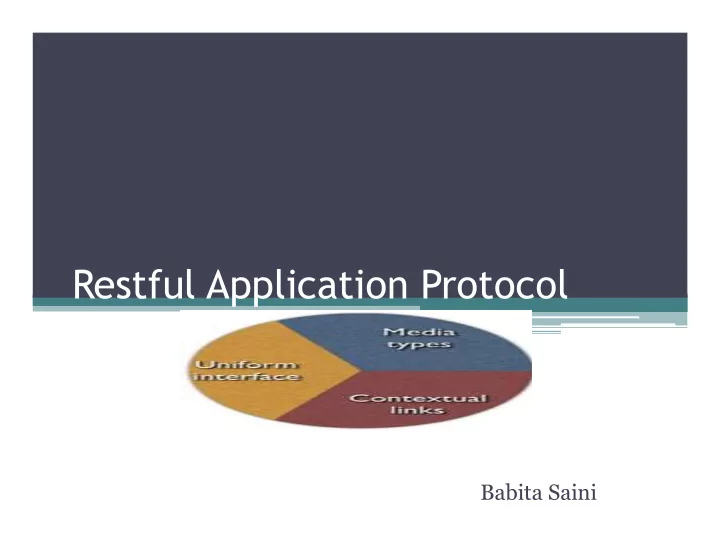
Restful Application Protocol
Babita Saini
SLIDE 2 Outline
- Introduction
- What Is a Domain Application Protocol?
- Design Steps
- A RESTful Procurement Application
- References
SLIDE 3 Domain Application Protocol
- A domain application protocol is the set of rules
and conventions that guides and constrains the interactions between participants in a distributed application.
- By adhering to a protocol, participants achieve a
useful domain or business outcome.
SLIDE 4 Procurement
- The process implies the effective existence of a domain application
protocol, a set of rules and conventions through which participants in a distributed system coordinate their interactions to achieve a useful, domain-specific application goal.
CUSTOMER SUPPLIER Request Quote Order Goods Confirm Order Cancel Pay
SLIDE 5 Application, application protocol, application state
- An application is defined as the computerized
behavior directed towards achieving a particular client or end user goal. A distributed application is one in which multiple participants employ computing behavior to realize an application goal.
- Application state is a snapshot of the state of a
distributed application at a particular point in time.
SLIDE 6
SLIDE 7 Application State in a RESTful Application
- RESTful web application delegates the responsibility
for remembering the overall state of an application to the client or clients participating in that application.
- Client is presented with additional resources which
Server encodes using links and forms(Hypermedia)
Client conversation is expensive, particularly at web scale.
SLIDE 8
Design Steps
SLIDE 9 Three steps to design and implement Restful Web Services
- 1. Model applications as application protocol
state machines.
- 2. Implement them based on resources, resource
life cycles and the server-governed rules that associate resources.
- 3. Document and execute them using media
types, link relations, and HTTP idioms.
SLIDE 10
Step 1: It is concerned with the design of an abstract domain application protocol.
SLIDE 11 Procurement ¡applica/on ¡state ¡transi/ons ¡
Quote Requested Goods Ordered Order Confirmed Cancelled Paid By explicitly modeling a protocol as a state machine, we gain a better understanding of the “value stream” of application state transitions through which value is released both to the customer and to the organisation(s) owning a process.
SLIDE 12
Step 2:
SLIDE 13 Resource, Resource state
- Resource : Defined as being a membership
function, which groups a set of equivalent resource representations and identifiers. Membership of this set can vary over time.
- For most resources, a resource’s state is simply a
function of its data. For some resources,a resource’s state is also partly a function of the state of other resources with which the resource is associated through some server-governed rules.
SLIDE 14 Operation oriented vs Resource Oriented
CreateQuote
SubmitQuote
SearchOrders RemoveItem ReserveItem CancelOrder AddItem
Quote
Order
Item
Operation Oriented Resource Oriented
SLIDE 15 SearchOrders CreateQuote SubmitQuote CancelOrder GET PUT POST DELETE GET PUT POST DELETE
Specialization and Innovation depends on an open set
SLIDE 16
Ø A hypermedia system comprises a client, one or more server-governed resources, and some systemic behavior. This systemic behavior is initiated when a client makes a request of a resource – in a web application this will be a resource identified by a URI. Ø The resource responds with a representation of its resource state. This representation includes one or more hypermedia controls – links and forms – which advertise legitimate interactions with other resources. Ø The client processes the response and updates its understanding of the current state of the application. Ø If it hasn’t yet achieved its application goal, the client chooses the hypermedia control best suited to making forward progress, and operates that control. Ø Operating the control triggers another request, and the cycle begins again.
Hypermedia Systems change application state
SLIDE 17
Hypermedia Systems Transform Application State
SLIDE 18
Step 3
SLIDE 19 Media types
- A RESTful API is documented using media
types, link relations and HTTP idioms.
- A media type value, such as application/atom+
xml, is a key into a data format. Hypermedia system implements: Ø The format to be used for representing content. Ø One or more schemas to which content must conform. Ø Hypermedia control formats. Ø Semantic annotations for hypermedia controls.
SLIDE 20 Two Common Hypermedia Formats: XHTML and ATOM
- Both are commonplace today
- Both are hypermedia formats
- – They contain links
- Both have a processing model that explicitly
supports links
- Which means both can describe protocols…
SLIDE 21 XHTML
- XHTML is just HTML that is also XML
- For example:
<html xmlns="http://www.w3.org/1999/xhtml" xml:lang="en" lang="en" xmlns:r="http://restbucks.org"> <head> <title> XHTML Example </title> </head> <body> <p> ...
Default XML namespace Other XML namespace
SLIDE 22 XHTML in Action
<html xmlns="http://www.w3.org/1999/xhtml"> <body> <div class="order"> <p class="location">takeAway</p> <ul class="items"> <li class="item"> <p class="name">latte</p> <p class="quantity">1</p> <p class="milk">whole</p> <p class="size">small</p> </li> </ul> <a href=http://restbucks.com/payment/1234 rel="payment">payment</ a> </div> </body> </html>
SLIDE 23 Atom Syndication Format
xml media type is hypermedia aware
when processing such representations.
format – Both feeds and entries contains hypermedia controls that can describe protocols
HTTP/1.1 200 OK Content-Length: 342 Content-Type: application/atom+xml Date: Sun, 22 Mar 2009 17:04:10 GMT <entry xmlns="http://www.w3.org/2005/ Atom"> <title>Order 1234</title> <link rel="payment" href="http:// restbucks.com/payment/1234"/> <link rel="special-offer" href="http://restbucks.com/offers/ freeCookie"/> <id>http://restbucks.com/order/ 1234</id> <updated>2009-03-22T16:57:02Z</ updated> <summary>1x Cafe Latte</summary> </entry>
SLIDE 24
- <atom:link> element describes as a hypermedia
control, and defines five link relation values (alternate, related, self, enclosure, and via) with which links can be annotated with semantic context.
SLIDE 25 Link Relations
- One of the most popular ways of adding semantic context
to hypermedia controls is to annotate links with link relations.
- Link relations describe the purpose of a link, the meaning
- f a target resource, or the relationship between a link’s
context and the target resource.
- A link relation helps a client use the link according to its
purpose.
- The link has been typed with the link relation value
rb:order. This value acts as a key into a semantic. In this instance, the associated semantic indicates that the linked
- r destination resource is an order.
SLIDE 26 Documenting a protocol
- A protocol can draw on pre-existing media types and
link relations, as well as invent its own.
- AtomPub is a good example of this compose-and-
invent approach.
- AtomPub reuses the Atom media type, which is
defined in the separate Atom Syndication Format specification; to this, it adds two new media types,
- application/atomsvc+xml and application/atomcat
+xml,for representing service and category documents.
- To Atom’s five link relations, AtomPub adds two
more: edit and edit-media.
SLIDE 27 ATOM PUBLISHING PROTOCOL
SLIDE 28 HTTP Idioms
- HTTP idioms defines which method, status
codes and headers consumer should use to interact with a linked resource.
- There are two approaches to communicating
which HTTP idioms a client should use over the course of an application: upfront, and inline.
- With the upfront approach, we create a
document describing the appropriate idioms.
- With the inline approach, we use HTTP headers
and status codes, plus entity body control data, to communicate at runtime which idioms a client can use to manipulate resource representations.
SLIDE 29 Ways to use HTTP idioms
- Cache-Control directives instruct intermediaries to cache content in
accordance with HTTP’s caching rules.
- Forms (HTML, XForms, etc.) program clients with control data
(such as a URI,HTTP verb, and required Content-Type value), which the client can then use to encode and submit the form.
- ETag headers indicate to the client that subsequent requests for the
same resource should use a conditional idiom: either a conditional GET, which uses an If-None-Match header with an entity tag value to instruct the server to return a full-blown response only if the resource addressed in the request has changed since the entity tag value was issued
- Location – Used to flag the location of a created/moved resource –
In combination with: 201 Created, 301 Moved Permanently, 302Found,307 Temporary Redirect, 300 Multiple Choices,303 See Other.
- 405 Method Not Allowed tells the client that the verb in the request
cannot be used; issuing an OPTIONS request for the same resource will return a 200 OK response with an Allow header specifying which verbs can be used.
SLIDE 30
SLIDE 31
A RESTful Procurement Application
SLIDE 32 Application Start
It influences the behavior of any caching intermediaries – local caches, proxies, and reverse proxies – along the request–response path Generalized, format for representing quotes and orders Entry point resources
SLIDE 33
LINK AND SEMANTIC CONTEXT
SLIDE 34
Start
STARTED….
SLIDE 35 Request GET /request-for-quote HTTP/1.1 Host: restbucks.com Response HTTP/1.1 200 OK Date: Mon, 26 Jul 2010 10:00:05 GMT Cache-Control: public, max-age=86400 Content-Type: application/restbucks+xml Content-Length: ... <model xmlns="http://www.w3.org/2002/xforms" schema="http://schemas.restbucks.com/shop.xsd"> <instance/> <submission resource="http://restbucks.com/quotes" method="post" mediatype="application/restbucks+xml"/> </model>
Get request--‐for--‐quote form
XForms <model> element is used to communicate control data to the client Specify the URI, HTTP method and Content-Type header value to be used when submitting the form
SLIDE 36 Control data (forms)
HTML <form name="input" action="/registration" method="post" enctype="application/x-www-form-urlencoded"> <input type="text" name="user" /> <input type="submit" value="Submit" /> </form> XForms <model xmlns="http://www.w3.org/2002/xforms" schema="http://schemas.restbucks.com/rfq.xsd"> <instance/> <submission resource="http://restbucks.com/quotes" method="post" mediatype="application/restbucks+xml"/> </model>
SLIDE 37 Submit request for quote
The client “fills out” the form – that is, it creates a request.POSTs it to the URI supplied in the control data
SLIDE 38 Return quote
Server returns a response with a 201 Created status code, a Location header indicating the URI of the newly created quote & entity body containing a representation (contains : a self link an rb:order-form link.
SLIDE 39
Started to Quote Requested
SLIDE 40
Design strategies
Typed link to Form: Link relation describes meaning of form in context of current representation Inline control data :Form provides inline control data—HTTP idioms Collection: POST form to collection resource
SLIDE 41 Client gets the order form
Content-Location header indicates the source for this form data.
SLIDE 42
Resources adapt the domain for hypermedia clients
SLIDE 43
Submit an order form
SLIDE 44 Indicate order submitted successfully
status code separates the action of accepting the request from the work necessary to fulfil it.
SLIDE 45
Quote Requested to Goods Ordered
SLIDE 46
Design Strategies
Prefilled form Alternate representation of quote data, adapted for submitting an order 202 Accepted Long--‐running operations Successfully accepted request but result is not immediately available.
SLIDE 47
Check state of order
Request GET /orders/9876 HTTP/1.1 Host: restbucks.com Response HTTP/1.1 404 Not Found
Check state of order again
Request GET /orders/9876 HTTP/1.1! Host: restbucks.com!
SLIDE 48 Return order
The order’s <status> element indicates, the
Payment
SLIDE 49
Etag Header
SLIDE 50
Goods Ordered to order confirmed
SLIDE 51
Navigate to payment form
Request GET https://example.org/payments/1010 HTTP/ 1.1
SLIDE 52 Return payment form
200 ok from awaiting state
SLIDE 53
Submit payment details
Request POST https://example.org/payments/1010 HTTP/1.1 Content-Type: application/x-www-form urlencoded Content-Length: ... cardtype=Visa+Debit&name=MR+JOHN+SMITH! ➥&card-number=4876512418675010&security- code=212!
SLIDE 54
Confirm Payment
SLIDE 55 Notify Restbucks
Request GET /orders/9876 HTTP/1.1! Host: restbucks.com! If-None-Match: "4d3e88c9"!
Get order
SLIDE 56
Return Order
SLIDE 57
Order confirmed to paid
SLIDE 58
SLIDE 59 References
Webber, Ian Robinson
articles/view/http-basic- introduction/
2partsmagic.com/restful-uri- design/