Reading Wonders Overview presented by Nicole Waldbauer Director of - - PowerPoint PPT Presentation

reading wonders overview
SMART_READER_LITE
LIVE PREVIEW

Reading Wonders Overview presented by Nicole Waldbauer Director of - - PowerPoint PPT Presentation

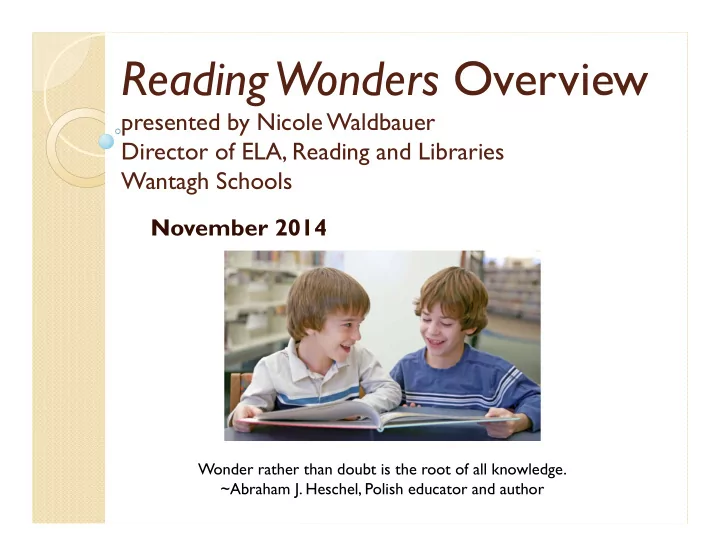
Reading Wonders Overview presented by Nicole Waldbauer Director of ELA, Reading and Libraries Wantagh Schools November 2014 Wonder rather than doubt is the root of all knowledge. ~Abraham J. Heschel, Polish educator and author About Reading


slide-1
SLIDE 1

Reading Wonders Overview

presented by Nicole Waldbauer Director of ELA, Reading and Libraries Wantagh Schools

November 2014

Wonder rather than doubt is the root of all knowledge. ~Abraham J. Heschel, Polish educator and author
slide-2
SLIDE 2
  • Published by McGraw Hill for

2014 implementation

  • Uses a rich range of diverse print and

digital media for both PC and mobile devices

  • The mobile app., “Connected

mobile,” is free and will work for any student that has a username and password

About Reading Wonders

slide-3
SLIDE 3

The Reading Wonders program provides the support students need to:

Build a strong reading

foundation

Access complex text Find and use text evidence Engage in collaborative

conversations

Write to sources

slide-4
SLIDE 4

Reading Wonders Program Components

 Teacher and student editions  Literature Anthology and Big Books  Your-Turn practice book (consumable)  Reading/Writing Workshop book  Classroom library of trade books  Leveled readers - Apprentice, Approaching, On Level,

Beyond, ELL (a database of 7,000 readers)

 Manipulatives (Word Cards, Spelling Cards, Picture

Cards, Workstation Activity Cards, Interactive Read- aloud Cards, Retelling Cards, Visual Vocabulary Cards, Sound Spelling Cards)

 Assessments – weekly, unit and benchmark by level

slide-5
SLIDE 5

Reading Wonders Program Features

 High quality, authentic literature and

informational text

 Flexible format that matches different

teaching and learning styles – print, digital or both

 Engaging ideas for instruction and learning  Scaffolding to meet the rigors of complex

text, and proven strategies that aid comprehension

 Tier 3 intervention through its Wonderworks

components

 Home-school connection

slide-6
SLIDE 6

Home-school connection

 The Connect Ed portion allows

students/parents to access all reading materials from the internet

 Students can practice skills, read selections,

and locate homework

 Letters were sent home with the site URL:

www.connected.mcgraw‐hill.com,the students’ unique usernames and passwords and a compatibility check to make sure everything will run smoothly from home

slide-7
SLIDE 7

Exploring the Student Workspace

T

  • p Navigation:

 Home screen  My Binder – area for students to save work  Collaborate – teacher moderated area for

discussion and inquiry projects

 Resources – a complete listing of student

resources

 School to Home – parent letters, activities

and suggestions for home practice

 ABC – Complete grade level, visual

vocabulary

slide-8
SLIDE 8

Fast Launch Icons

slide-9
SLIDE 9

Thank you!

 Thank you for being a partner in

supporting your child’s literacy development and love of reading and writing!

slide-10
SLIDE 10

Questions

If everyone is moving forward together, then success takes care of itself. ~Henry Ford

slide-11
SLIDE 11

www.connected.mcgraw-hill.com username: wonders password: mhe2015reading