Random Numbers Computational Randomness is Hard The best known - - PDF document

random numbers
SMART_READER_LITE
LIVE PREVIEW

Random Numbers Computational Randomness is Hard The best known - - PDF document

Eric Roberts Handout #23 CS 106A January 22, 2010 Random Numbers Computational Randomness is Hard The best known academic computer scientist at Random Numbers Stanfordand probably in the worldis Don Knuth, who has now been retired for


slide-1
SLIDE 1

Eric Roberts Handout #23 CS 106A January 22, 2010

Random Numbers Random Numbers

Eric Roberts CS 106A January 22, 2010

Computational Randomness is Hard

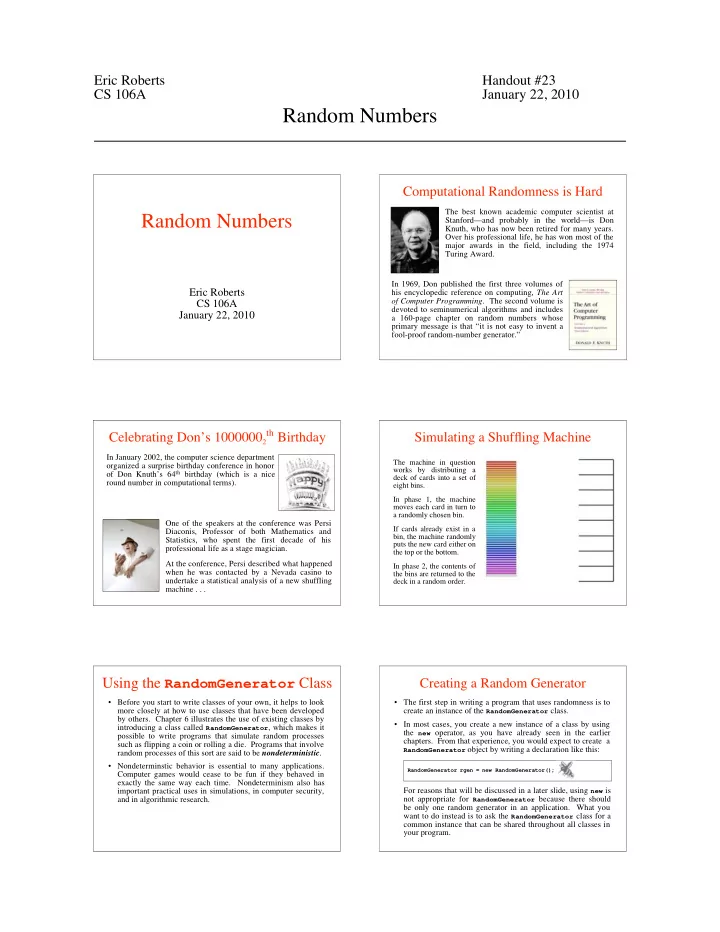
The best known academic computer scientist at Stanford—and probably in the world—is Don Knuth, who has now been retired for many years. Over his professional life, he has won most of the major awards in the field, including the 1974 Turing Award. In 1969, Don published the first three volumes of his encyclopedic reference on computing, The Art

  • f Computer Programming. The second volume is

devoted to seminumerical algorithms and includes a 160-page chapter on random numbers whose primary message is that “it is not easy to invent a fool-proof random-number generator.”

Celebrating Don’s 10000002

th Birthday

In January 2002, the computer science department

  • rganized a surprise birthday conference in honor
  • f Don Knuth’s 64th birthday (which is a nice

round number in computational terms). One of the speakers at the conference was Persi Diaconis, Professor of both Mathematics and Statistics, who spent the first decade of his professional life as a stage magician. At the conference, Persi described what happened when he was contacted by a Nevada casino to undertake a statistical analysis of a new shuffling machine . . .

Simulating a Shuffling Machine

The machine in question works by distributing a deck of cards into a set of eight bins. In phase 1, the machine moves each card in turn to a randomly chosen bin. If cards already exist in a bin, the machine randomly puts the new card either on the top or the bottom. In phase 2, the contents of the bins are returned to the deck in a random order.

Using the RandomGenerator Class

  • Before you start to write classes of your own, it helps to look

more closely at how to use classes that have been developed by others. Chapter 6 illustrates the use of existing classes by introducing a class called RandomGenerator, which makes it possible to write programs that simulate random processes such as flipping a coin or rolling a die. Programs that involve random processes of this sort are said to be nondeterministic.

  • Nondeterminstic behavior is essential to many applications.

Computer games would cease to be fun if they behaved in exactly the same way each time. Nondeterminism also has important practical uses in simulations, in computer security, and in algorithmic research.

Creating a Random Generator

  • The first step in writing a program that uses randomness is to

create an instance of the RandomGenerator class.

  • In most cases, you create a new instance of a class by using

the new operator, as you have already seen in the earlier

  • chapters. From that experience, you would expect to create a

RandomGenerator object by writing a declaration like this:

RandomGenerator rgen = new RandomGenerator();

For reasons that will be discussed in a later slide, using new is not appropriate for RandomGenerator because there should be only one random generator in an application. What you want to do instead is to ask the RandomGenerator class for a common instance that can be shared throughout all classes in your program.

slide-2
SLIDE 2

– 2 – Creating a Random Generator

private RandomGenerator rgen = RandomGenerator.getInstance();

  • The recommended approach for creating a RandomGenerator

instance is to call the getInstance method, which returns a single shared instance of a random generator. The standard form of that declaration looks like this:

  • This declaration usually appears outside of any method and is

therefore an example of an instance variable. The keyword

private indicates that this variable can be used from any

method within this class but is not accessible to other classes.

  • When you want to obtain a random value, you send a message

to the generator in rgen, which then responds with the result.

Methods to Generate Random Values

The RandomGenerator class defines the following methods:

int nextInt(int low, int high) Returns a random int between low and high, inclusive. int nextInt(int n) Returns a random int between 0 and n - 1. double nextDouble(double low, double high) Returns a random double d in the range low d < high. double nextDouble() Returns a random double d in the range 0 d < 1. boolean nextBoolean() Returns a random boolean value, which is true 50 percent of the time. boolean nextBoolean(double p) Returns a random boolean, which is true with probability p, where 0 p 1. Color nextColor() Returns a random color.

Using the Random Methods

  • To use the methods from the previous slide in a program, all

you need to do is call that method using rgen as the receiver.

  • As an example, you could simulate rolling a die by calling

int die = rgen.nextInt(1, 6);

  • Similarly, you could simulate flipping a coin like this:

String flip = rgen.nextBoolean() ? "Heads" : "Tails";

  • Note that the nextInt, nextDouble, and nextBoolean

methods all exist in more than one form. Java can tell which version of the method you want by checking the number and types of the arguments. Methods that have the same name but differ in their argument structure are said to be overloaded.

Exercises: Generating Random Values

How would you go about solving each of the following problems?

  • 1. Set the variable total to the sum of two six-sided dice.
  • 2. Flip a weighted coin that comes up heads 60% of the time.
  • 3. Change the fill color of rect to some randomly chosen color.

Simulating the Game of Craps

Craps

Rolling dice: 4 + 2 = 6 Your point is 6. Rolling dice: 2 + 1 = 3 Rolling dice: 3 + 6 = 9 Rolling dice: 3 + 3 = 6 You made your point. You win.

public void run() { int total = rollTwoDice(); if (total == 7 || total == 11) { println("That's a natural. You win."); } else if (total == 2 || total == 3 || total == 12) { println("That's craps. You lose."); } else { int point = total; println("Your point is " + point + "."); while (true) . . . } } point total 6 6

Simulating Randomness

  • Nondeterministic behavior turns out to be difficult to achieve
  • n a computer. A computer executes its instructions in a

precise, predictable way. If you give a computer program the same inputs, it will generate the same outputs every time, which is not what you want in a nondeterministic program.

  • Given that true nondeterminism is so difficult to achieve in a

computer, classes such as RandomGenerator must instead simulate randomness by carrying out a deterministic process that satisfies the following criteria:

  • 1. The values generated by that process should be difficult

for human observers to predict.

  • 2. Those values should appear to be random, in the sense

that they should pass statistical tests for randomness.

  • Because the process is not truly random, the values generated

by RandomGenerator are said to be pseudorandom.

slide-3
SLIDE 3

– 3 – Pseudorandom Numbers

  • The RandomGenerator class uses a mathematical process to

generate a series of integers that, for all intents and purposes, appear to be random. The code that implements this process is called a pseudorandom number generator.

  • To obtain a new pseudorandom number, you send a message

to the generator asking for the next number in its sequence.

  • The best way to visualize a pseudorandom number generator

is to think of it as a black box that generates a sequence of values, even though the details of how it does so are hidden:

pseudorandom number generator Give me the next pseudorandom number

  • The generator then responds by returning that value.
  • Repeating these steps generates a new value each time.

155629808

The Random Number Seed

  • The pseudorandom number generator used by the Random and

RandomGenerator classes produces seemingly random values

by applying a function to the previous result. The starting point for this sequence of values is called the seed.

  • As part of the process of starting a program, Java initializes

the seed for its pseudorandom number generator to a value based on the system clock, which changes very quickly on a human time scale. Programs run just a few milliseconds apart will therefore get a different sequence of random values.

  • Computers, however, run much faster than the internal clock

can register. If you create two RandomGenerator instances in a single program, it is likely that both will be initialized with the same seed and therefore generate the same sequence of

  • values. This fact explains why it is important to create only
  • ne RandomGenerator instance in an application.

Debugging and Random Behavior

  • Even though unpredictable behavior is essential for programs

like computer games, such unpredictability often makes debugging extremely difficult. Because the program runs in a different way each time, there is no way to ensure that a bug that turns up the first time you run a program will happen again the second time around.

  • To get around this problem, it is often useful to have your

programs run deterministically during the debugging phase. To do so, you can use the setSeed method like this:

rgen.setSeed(1);

This call sets the random number seed so that the internal random number sequence will always begin at the same point. The value 1 is arbitrary. Changing this value will change the sequence, but the sequence will still be the same on each run.

Exercise: Color Changing Square

Write a graphics program that creates a square 100 pixels on a side and then displays it in the center of the window. Then, animate the program so that the square changes to a new random color

  • nce a second.

ColorChangingSquare

The javadoc Documentation System

  • Unlike earlier languages that appeared before the invention of

the World-Wide Web, Java was designed to operate in the web-based environment. From Chapter 1, you know that Java programs run on the web as applets, but the extent of Java’s integration with the web does not end there.

  • One of the most important ways in which Java works together

with the web is in the design of its documentation system, which is called javadoc. The javadoc application reads Java source files and generates documentation for each class.

  • The next few slides show increasingly detailed views of the

javadoc documentation for the RandomGenerator class.

  • You can see the complete documentation for the ACM Java

Libraries by clicking on the following link:

http://jtf.acm.org/javadoc/student/

Sample javadoc Pages

Student Overview Package Complete Tree Index Help

PREV CLASS NEXT CLASS FRAMES NO FRAMES DETAIL: FIELD | CONSTR | METHOD SUMMARY: FIELD | CONSTR | METHOD acm.util

Class RandomGenerator

java.lang.Object | +--java.util.Random | +--acm.util.RandomGenerator

public class RandomGenerator extends Random This class implements a simple random number generator that allows clients to generate pseudorandom integers, doubles, booleans, and colors. To use it, the first step is to declare an instance variable to hold the random generator as follows: private RandomGenerator rgen = RandomGenerator.getInstance(); By default, the RandomGenerator object is initialized to begin at an unpredictable point in a pseudorandom sequence. During debugging, it is often useful to set the internal seed for the random generator explicitly so that it always returns the same sequence. To do so, you need to invoke the setSeed method. The RandomGenerator object returned by getInstance is shared across all classes in an application. Using this shared instance of the generator is preferable to allocating new instances of RandomGenerator. If you create several random generators in succession, they will typically generate the same sequence of values.

slide-4
SLIDE 4

– 4 – Sample javadoc Pages

Constructor Summary Method Summary

RandomGenerator getInstance()

Returns a RandomGenerator instance that can be shared among several classes.

boolean nextBoolean(double p)

Returns a random boolean value with the specified probability.

Color nextColor()

Returns a random opaque color whose components are chosen uniformly in the 0-255 range.

double nextDouble(double low, double high)

Returns the next random real number in the specified range.

int nextInt(int low, int high)

Returns the next random integer in the specified range.

Inherited Method Summary

boolean nextBoolean()

Returns a random boolean that is true 50 percent of the time.

double nextDouble()

Returns a random double d in the range 0 d < 1.

int nextInt(int n)

Returns a random int k in the range 0 k < n.

void setSeed(long seed)

Sets a new starting point for the random number generator.

RandomGenerator()

Creates a new random generator.

Sample javadoc Pages

Constructor Detail Method Detail

public RandomGenerator() Creates a new random generator. Most clients will not use the constructor directly but will instead call getInstance to

  • btain a RandomGenerator object that is shared by all classes in the application.

Usage:

RandomGenerator rgen = new RandomGenerator();

public RandomGenerator() Returns a RandomGenerator instance that can be shared among several classes. Usage:

RandomGenerator rgen = RandomGenerator.getInstance();

public boolean nextBoolean(double p) Returns a random boolean value with the specified probability. You can use this method to simulate an event that occurs with a particular probability. For example, you could simulate the result of tossing a coin like this: String coinFlip = rgen.nextBoolean(0.5) ? "HEADS" : "TAILS"; Usage:

if (rgen.nextBoolean(p)) ...

Returns: A shared RandomGenerator object Returns: The value true with probability p Parameter: p A value between 0 (impossible) and 1 (certain) indicating the probability

Writing javadoc Comments

  • The javadoc system is designed to create the documentary

web pages automatically from the Java source code. To make this work with your own programs, you need to add specially formatted comments to your code.

  • A javadoc comment begins with the characters /** and

extends up to the closing */, just as a regular comment does. Although the compiler ignores these comments, the javadoc application reads through them to find the information it needs to create the documentation.

  • Although javadoc comments may consist of simple text, they

may also contain formatting information written in HTML, the hypertext markup language used to create web pages. The

javadoc comments also often contain @param and @result

tags to describe parameters and results, as illustrated on the next slide.

An Example of javadoc Comments

/** * Returns the next random integer between 0 and * <code>n</code>-1, inclusive. * * @param n The number of integers in the range * @return A random integer between 0 and <code>n</code>-1 */ public int nextInt(int n) public int nextInt(int n)

Returns the next random integer between 0 and n-1, inclusive. Parameter: n The number of integers in the range Returns: A random integer between 0 and n-1

The javadoc comment produces the following entry in the “Method Detail” section of the web page.

Geometrical Approximation of Pi

(0, 1) (1, 0)

Suppose you have a circular dartboard mounted on a square background that is two feet on each side. If you randomly throw a series of darts at the dartboard, some will land inside the yellow circle and some in the gray area outside it. If you count both the number of darts that fall inside the circle and the number that fall anywhere inside the square, the ratio of those numbers should be proportional to the relative area of the two figures. Because the area of the circle is and that of the square is 4, the fraction that falls inside the circle should approach

  • 4

Exercise: Write PiApproximation

Write a console program that implements the simulation described in the preceding slides. Your program should use a named constant to specify the number of darts thrown in the course of the simulation.

PiApproximation

One possible sample run of your program might look like this:

Pi is approximately 3.164

Simulations that use random trials to derive approximate answers to geometrical problems are called Monte Carlo techniques after the capital city of Monaco.