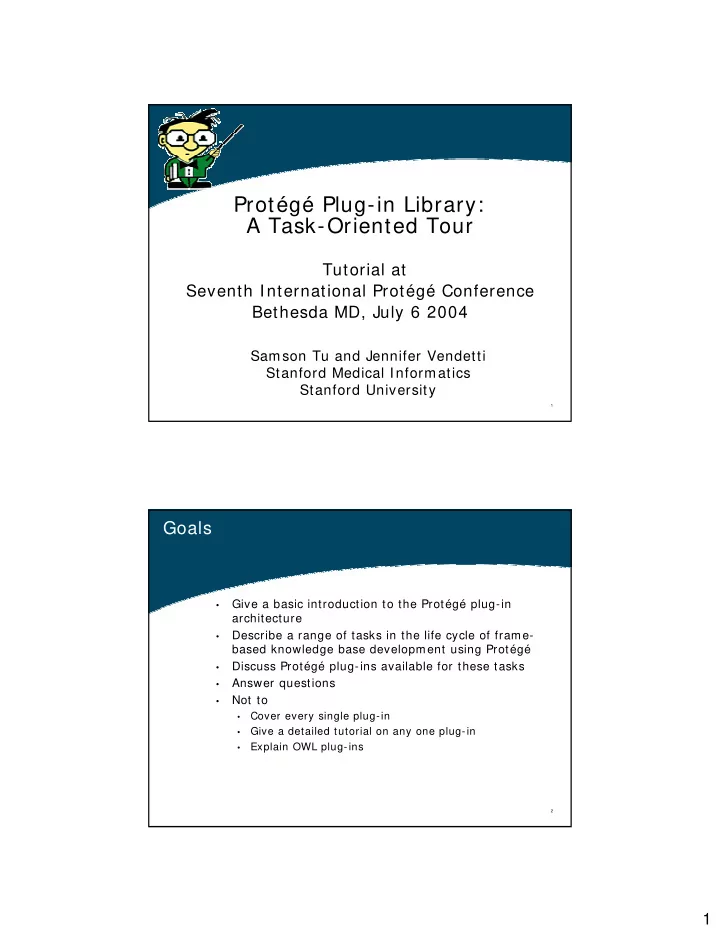
Protg Plug-in Library: A Task-Oriented Tour Tutorial at Seventh - - PDF document

prot g plug in library a task oriented tour
SMART_READER_LITE
LIVE PREVIEW

Protg Plug-in Library: A Task-Oriented Tour Tutorial at Seventh - - PDF document

Protg Plug-in Library: A Task-Oriented Tour Tutorial at Seventh International Protg Conference Bethesda MD, July 6 2004 Samson Tu and Jennifer Vendetti Stanford Medical Informatics Stanford University 1 Goals Give a basic


slide-1
SLIDE 1

1

1

Protégé Plug-in Library: A Task-Oriented Tour

Tutorial at Seventh International Protégé Conference Bethesda MD, July 6 2004

Samson Tu and Jennifer Vendetti Stanford Medical Informatics Stanford University

2

Goals

  • Give a basic introduction to the Protégé plug-in

architecture

  • Describe a range of tasks in the life cycle of frame-

based knowledge base development using Protégé

  • Discuss Protégé plug-ins available for these tasks
  • Answer questions
  • Not to
  • Cover every single plug-in
  • Give a detailed tutorial on any one plug-in
  • Explain OWL plug-ins
slide-2
SLIDE 2

2

3

Outline

  • Introduction
  • Review of plug-in types (Jennifer)
  • Review of plug-in architecture (Jennifer)
  • Describe example application and ontology (Samson)
  • Tasks
  • Conceptualization (Samson)
  • Reusing/ importing existing resources (Jennifer)
  • Visualizing ontologies (Jennifer)
  • Customizing displays (Jennifer)
  • Dealing with non-standard data types (Jennifer)
  • Navigating and browsing (Jennifer)
  • Validating integrity constraints (Samson)
  • Querying knowledge bases (Samson)
  • Publishing and exporting knowledge bases (Samson)
  • Developing applications (Samson)
  • Managing projects (Jennifer)
  • Conclusion (Samson and Jennifer)

4

Plug-in Types

  • Tab widget
  • Slot widget
  • Back-end
  • Import/ Export
  • Project
slide-3
SLIDE 3

3

5

Plug-in Architecture

Where’s my plug-in?

6

Plug-in Architecture

Built-in support for an “About Box”

slide-4
SLIDE 4

4

7

Plug-in Architecture

Built-in support for documentation

8

Example scenario

  • Develop a medical

decision-support application that generates recommendations based on clinical practice guideline

  • Guideline example:

management of common cold

slide-5
SLIDE 5

5

9

Conceptualization

  • Protégé gives little

support

  • FCATab: Tab to support

‘Formal Concept Analysis” (FCA)

  • Really an export plug-in

to support use of other tool

  • create ‘context’ table

from Protégé classes and slots

  • generate input file for
  • ther FCA tool (ConExp)

10

Conceptualization of example domain

  • A guideline is a set of recommendations consisting of
  • Contexts (e.g. presentation of symptoms)
  • Tasks
  • Actions (e.g. home care or referral)
  • Decisions: choice of action based on preference

criteria (e.g. symptoms of serious problem)

  • Patient state encodes information about a particular

patient

  • e.g. Observations, prescribed medications
  • Medical concepts represent abstractions of medical

terminology

  • e.g. cough, fever, laryngitis
slide-6
SLIDE 6

6

11

Example ontology in Protégé

12

Outline

  • Introduction
  • Review of plug-in types (Jennifer)
  • Review of plug-in architecture (Jennifer)
  • Describe example application and ontology (Samson)
  • Tasks
  • Conceptualization (Samson)

Reusing/ importing existing resources (Jennifer)

  • Visualizing ontologies (Jennifer)
  • Customizing displays (Jennifer)
  • Dealing with non-standard data types (Jennifer)
  • Navigating and browsing (Jennifer)
  • Validating integrity constraints (Samson)
  • Querying knowledge bases (Samson)
  • Publishing and exporting knowledge bases (Samson)
  • Developing applications (Samson)
  • Managing projects (Jennifer)
  • Conclusion (Samson and/ or Jennifer)
slide-7
SLIDE 7

7

13

Reuse/ import of existing resources

Protégé Ontologies Library

  • Gene Ontology
  • HL7-RIM
  • Guideline Interchange Format
  • OWL Ontology Library

Submissions welcomed and encouraged !!

http: / / protege.stanford.edu/ ontologies/ ontologies.html

14

Reuse/ import of existing resources

UMLS Tab Demo

slide-8
SLIDE 8

8

15 16

slide-9
SLIDE 9

9

17 18

slide-10
SLIDE 10

10

19

Reuse/ import of existing resources

  • DataGenie – import data from arbitrary databases
  • OKBC Tab – import/ export OKBC compliant ontologies
  • OntoBase – read, navigate, update arbitrary databases
  • XML Tab – import arbitrary XML documents
  • WordNet Tab – import lexical content from WordNet
  • TXRuleML Tab – RuleML to taxonomic class hierarchies
  • Jess Tab – Jess scripting for…

well… anything really

20

Visualizing ontologies

  • OntoViz Tab – visualize ontologies with GraphViz
  • Jambalaya – visualize ontologies with SHriMP (Simple

Hierarchical Multi-Perspective)

  • TGViz – visualize ontologies with TouchGraph
slide-11
SLIDE 11

11

21

OntoViz tab demo

22

Customizing displays

Graph Widget

  • Alternative to Forms for creating and populating

instances of classes

  • Visualize networks of instances and relationships

between instances

slide-12
SLIDE 12

12

23

Graph Widget Demo

24

Dealing with non-standard data types

  • Calendar Widget
  • Date Widget
  • URL Widget
  • Image Widget
  • Indirect Instances
slide-13
SLIDE 13

13

25

Calendar Widget

26

Date Widget

Date widget automatically enters today’s date

slide-14
SLIDE 14

14

27

URL Widget

28

URL Widget 2

slide-15
SLIDE 15

15

29

Image Widget

30

Navigating & Browsing

  • Instance Tree
  • view instances of classes as root nodes of trees
  • trees contain directly and indirectly referenced frames
  • Knowledge Tree
  • designate a top-level instance and navigate a tree of

“contained” instances

slide-16
SLIDE 16

16

31

Instance Tree & Knowledge Tree Tabs Demo

32

Outline

  • Introduction
  • Review of plug-in types (Jennifer)
  • Review of plug-in architecture (Jennifer)
  • Describe example application and ontology (Samson)
  • Tasks
  • Conceptualization (Samson)
  • Reusing/ importing existing resources (Jennifer)
  • Visualizing ontologies (Jennifer)
  • Customizing displays (Jennifer)
  • Dealing with non-standard data types (Jennifer)
  • Navigating and browsing (Jennifer)

Validating integrity constraints (Samson)

  • Querying knowledge bases (Samson)
  • Publishing and exporting knowledge bases (Samson)
  • Developing applications (Samson)
  • Managing projects (Jennifer)
  • Conclusion (Samson and/ or Jennifer)
slide-17
SLIDE 17

17

33

Validating integrity constraints

  • Facet Constraint Tab
  • Protégé facets are constraints on values of slots (e.g.

minimum cardinality)

  • FacetConstraint Tab brings all instances with facet

constraint violations together in one place

  • PAL Constraint Tab
  • Protégé Axiom Language (PAL) lets you write integrity

constraints across multiple slots and multiple instances

  • PAL constraint tab allows checking of PAL constraints
  • EZPAL Tab
  • Provides templates for easier authoring of PAL

constraints

34

Facet-constraint tab

Button to start facet- constraint checking Classes with instances that have facet-constraint violations Instances that have facet- constraint violations

slide-18
SLIDE 18

18

35

PAL-constraint tab

  • Allows specification and checking of complex

integrity constraints

Example of PAL constraint Instances with PAL constraint violations PAL constraint being checked

36

EZPAL tab

  • Templates for fill-in-the-blanks method of defining

PAL constraints

Templates for classes of PAL constraints

slide-19
SLIDE 19

19

37

Querying knowledge bases

  • QueryTab: search instances of a class
  • StringSearch: search for a string in entire

project

  • PALQueryTab: complex search condition
  • JessTab/ JOT/ Algernon: programming

tools with tab interface

  • SearchAPI : Java API for constructing

complex criteria for searching instances in entire project

38

Query tab: search for instances of a class whose slots satisfy some criteria

slide-20
SLIDE 20

20

39

String search: search for a string anywhere in the project

40

PAL Query

  • Allows search with complex search criteria
slide-21
SLIDE 21

21

41

JessTab as a query interface

(deffunction findApplicableGuideline(?pid) (return (find-all-instances ((?g Guideline)) (hasApplicableContext ?g ?pid)))) (deffunction hasApplicableContext (…)…

42

Exporting and publishing and knowledge bases

  • Alternative Protégé backends
  • XML Schem a – saves a Protégé project using a fixed

Protégé XML schema

  • XML ontology – saves a Protégé project by creating an XML

schema based on the ontology in the project

  • RDF, OW L – save in formats used in semantic web formats
  • Export functionalities
  • HTML export – Java-doc style html pages for classes and

instanes

  • XMLtab – XML documents for classes and/ or instances
  • JessTab/ JOT/ Algernon – general purpose programming
  • TMRuleML, -export to specialized formats
  • “Publishing”
  • ProtegeW ebBrow ser – browse Protégé projects on the web
  • Protégé CORBA server – access Protégé projects through

CORBA interfaces

slide-22
SLIDE 22

22

43

HTML export

  • Creates “Javadoc-style” HTML pages for

Protégé classes (& instances)

44

XML tab as exporter

  • Export classes and instances in separate

XML files

slide-23
SLIDE 23

23

45

Publishing: Protégé web browser

  • Requires installation

servlet-capable web server (e.g. Apache Tomcat)

  • Present read-only Protégé

KB on the web

  • Possible to add

annotations

  • Possible to get screen

shots of Protégé GUI associated with each instance

  • Possible to download

projects

46

Application development: different approaches (1)

  • Use Protégé’s Java application programming

interface (API) to access and manipulate knowledge base

  • JSave creates Java class stubs based on Protégé

classes

  • Export Protégé knowledge to other

environments

  • RDF XML files read as input to applications that use

XML as inputs

  • BeanGenerator, CLI PSTab: export to agent/ rule-

programming environments

slide-24
SLIDE 24

24

47

Application development: different approaches (2)

  • Plug-ins: Use programming paradigms that have

been made interoperable with Protégé

  • JessTab, Algernon: Rule-based programming
  • Prolog tab: Logic-based programming
  • JOT (Jython), JessTab, Algernon: Scripting

environment

  • In the future: Protégé come with pre-made problem-

solving methods that can be configured for different applications

  • PSMTab: allows mapping of domain knowledge bases

to “method ontology” of generic problem-solving methods

48

Application development: JessTab example

  • Jess: Java Expert System Shell developed at Sandia

National Laboratory, USA

  • Forward-chaining rule engine that match
  • Powerful scripting language
  • JessTab: integrate Jess with Protégé
  • Mapping between Jess and Protégé
  • Protégé classes mapped to a Jess fact template
  • Protégé instances mapped to Jess facts and Jess facts

mapped to instances

  • Changes to mapped facts in Jess reflected in Protégé;

changes in Protégé reflected in Jess

  • Allows Jess to be run within Protégé GUI
  • Possible to embed both Jess and Protégé in Java program
slide-25
SLIDE 25

25

49

JessTab: Rule-based programming in Protégé

  • If a patient has problem, then conclude that

he/ she has more generalize problem

(defrule ObservationDeductions (object (is-a Observation) (code ?code) (patient_id ?pid)) ?super<-(object(is-a CodedConcept)) (test (superclassp ?super ?code)) => (make-instance of Observation (code ?super) (patient_id ?pid) (source guideline) )) protégé cla protégé class protégé slot protégé slots creating pro creating protégé instan égé instance ce

50

Outline

  • Introduction
  • Review of plug-in types (Jennifer)
  • Review of plug-in architecture (Jennifer)
  • Describe example application and ontology (Samson)
  • Tasks
  • Conceptualization (Samson)
  • Reusing/ importing existing resources (Jennifer)
  • Visualizing ontologies (Jennifer)
  • Customizing displays (Jennifer)
  • Dealing with non-standard data types (Jennifer)
  • Navigating and browsing (Jennifer)
  • Validating integrity constraints (Samson)
  • Querying knowledge bases (Samson)
  • Publishing and exporting knowledge bases (Samson)
  • Developing applications (Samson)

Managing projects (Jennifer)

  • Conclusion (Samson and/ or Jennifer)
slide-26
SLIDE 26

26

51

Managing Projects

  • Project Browser – manage libraries of Protégé projects
  • Prompt
  • Move classes/ instances up and down inclusion lattices
  • Extract portions of ontologies
  • compare versions of the same ontology

52

Prompt Tab Demo

slide-27
SLIDE 27

27

53

Summary

KB Applications Slot Plug-ins Tab Plug-ins

User Interface

Protégé Default User Interface

Protégé Knowledge Model API Protégé Knowledge Model Core Protégé Persistent Storage Mappings for read/write functions

CLIPS

Flat file storage

Other files Generic Schema RDF Other schema

RDBMS storage Knowledge Model

Export/Import Plug-ins Project Plug-ins