Profometer PM-600 / PM-630 overview Profometer PM-600 / PM-630: - - - PowerPoint PPT Presentation

profometer pm 600 pm 630 overview
SMART_READER_LITE
LIVE PREVIEW

Profometer PM-600 / PM-630 overview Profometer PM-600 / PM-630: - - - PowerPoint PPT Presentation

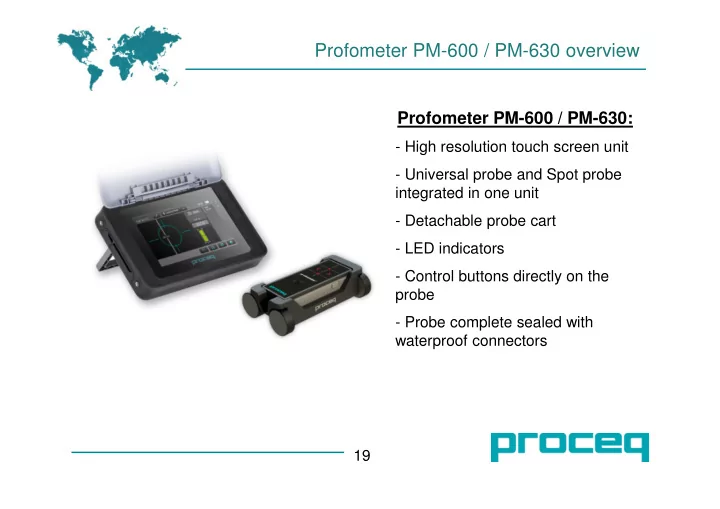
Profometer PM-600 / PM-630 overview Profometer PM-600 / PM-630: - High resolution touch screen unit - Universal probe and Spot probe integrated in one unit - Detachable probe cart - LED indicators - Control buttons directly on the probe -


slide-1
SLIDE 1

Profometer PM-600 / PM-630 overview

Profometer PM-600 / PM-630:

  • High resolution touch screen unit
  • Universal probe and Spot probe

integrated in one unit

  • Detachable probe cart
  • LED indicators
  • Control buttons directly on the

probe

  • Probe complete sealed with

waterproof connectors 19

slide-2
SLIDE 2

Neighboring rebars

20 If the S1 is in range 50 – 130 mm, there is possibility for correction factor (Neighboring rebar correction) The S2 is ideally about 150 mm and more

slide-3
SLIDE 3

Measuring range

21

slide-4
SLIDE 4

Features of the PM-600 / PM-630 / PM-650

22

slide-5
SLIDE 5

Locating mode

Approaching rebar a circle is showed

  • with actual cover in mm,
  • distance to next rebar,
  • nr. of rebar, diameter of rebar
  • measured signal strength
  • position (green, yellow, red)
  • speed (green, yellow, red)

If the position of the rebar is inclined to the central line (minimal 6° ) so the Profometer 6 show it

slide-6
SLIDE 6

Overview of the PM-600

24 Locate mode:

  • Rifle scope showing the rebar location
  • Visual assistance for speed and signal

strength control

  • Settings directly accessible on the

screen

Statistic and Snapshot view:

  • Diameter and cover of the rebars
  • Graphical display of measured values
  • Change settings before and after store
slide-7
SLIDE 7

Overview of the PM-630

25 Single line scan:

  • Measuring over long distances
  • Display with cover or signal strength

curve

  • Settings directly accessible on the

screen

Multi-Line view and Area view

slide-8
SLIDE 8

New functions in PM-630

With the Signal strength (Offset and Gain), you can change the signal strength range and resolution, in

  • rder to get better view of the rebars.
slide-9
SLIDE 9

Cross line at PM-650

Cross line scan:

The function of Multi line scan is now in axis x and y. Based on given raster (f.e. 40 cm) is measured the position of rebars in axis x and y. You can switch between the Cover, rebar Diameter and Signal Strength