Producing slides with L A T EX2 Frank Mittelbach 2014/09/29 1 - - PDF document

producing slides with l a t ex2
SMART_READER_LITE
LIVE PREVIEW

Producing slides with L A T EX2 Frank Mittelbach 2014/09/29 1 - - PDF document

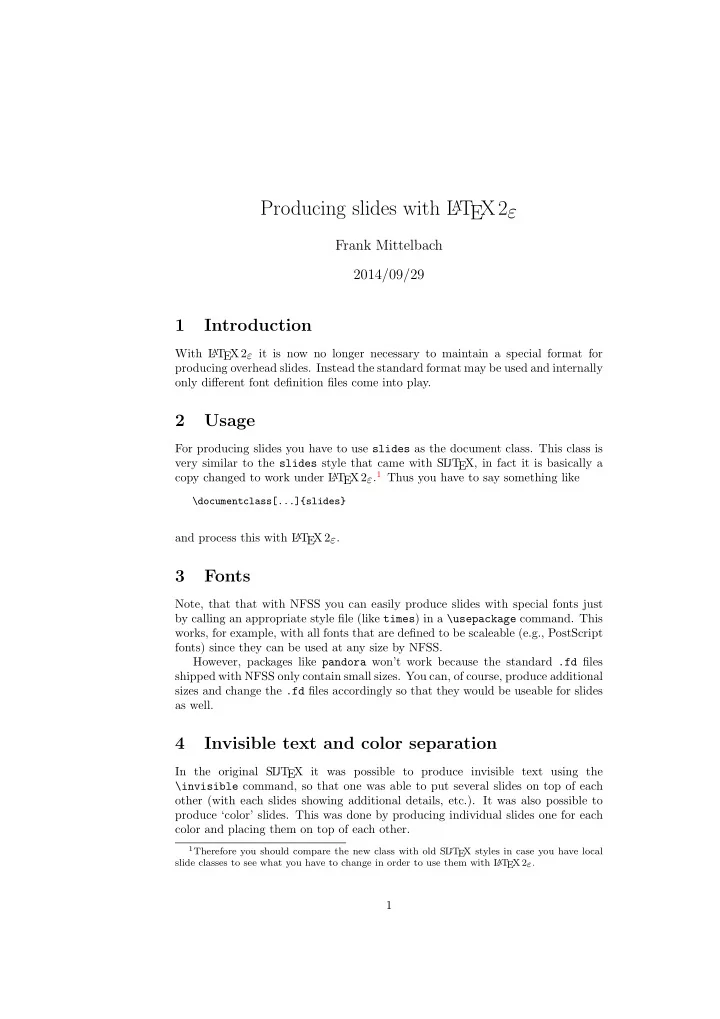
Producing slides with L A T EX2 Frank Mittelbach 2014/09/29 1 Introduction With L A T EX 2 it is now no longer necessary to maintain a special format for producing overhead slides. Instead the standard format may be used and internally


slide-1
SLIDE 1

Producing slides with L

AT

EX2ε

Frank Mittelbach 2014/09/29

1 Introduction

With L

AT

EX 2ε it is now no longer necessary to maintain a special format for producing overhead slides. Instead the standard format may be used and internally

  • nly different font definition files come into play.

2 Usage

For producing slides you have to use slides as the document class. This class is very similar to the slides style that came with SL iT EX, in fact it is basically a copy changed to work under L

AT

EX 2ε.1 Thus you have to say something like

\documentclass[...]{slides}

and process this with L

AT

EX 2ε.

3 Fonts

Note, that that with NFSS you can easily produce slides with special fonts just by calling an appropriate style file (like times) in a \usepackage command. This works, for example, with all fonts that are defined to be scaleable (e.g., PostScript fonts) since they can be used at any size by NFSS. However, packages like pandora won’t work because the standard .fd files shipped with NFSS only contain small sizes. You can, of course, produce additional sizes and change the .fd files accordingly so that they would be useable for slides as well.

4 Invisible text and color separation

In the original SL iT EX it was possible to produce invisible text using the \invisible command, so that one was able to put several slides on top of each

  • ther (with each slides showing additional details, etc.). It was also possible to

produce ‘color’ slides. This was done by producing individual slides one for each color and placing them on top of each other.

1Therefore you should compare the new class with old SL

iT EX styles in case you have local slide classes to see what you have to change in order to use them with L

A

T EX 2ε.

1

slide-2
SLIDE 2

The availability of color printers and the color package make color separation

  • bsolete, so it has been removed. Although the color has also made \invisible
  • bsolete, the command is retained in the L

AT

EX 2ε implementation, but there are a few restrictions. Invisible fonts are implemented as special shapes where the shape names are build by prefixing the normal shape name with an uppercase I. For example, the ‘normal invisible shape’ would be In. When L

AT

EX is requested to typeset invisible it will thus change the current shape attribute in this manner. To make this work it is necessary that the resulting font shape group is defined. If not, the normal font substitution mechanism of L

AT

EX 2ε will change the attribute until it finds a usable font shape group with the result that the text may become visible. As long as you use the standard fonts for slides this is not a problem because all the visible font shape groups have invisible counterparts. However, if you decide

  • n using special fonts, e.g., PostScript fonts, your \DeclareFontShape settings

may not contain invisible font shape groups and thus you may be unable to use these features without adding additional \DeclareFontShape commands to your .fd files or the preamble of your document.

5 The Implementation

Warning: The implementation is still very experimental and may change internally very much. It currently basically consists of a slightly modified copy of slides.sty (which then forms slides.cls) followed by a slightly changed copy of slitex.tex. Documentation is practi- cally non-existing. Everybody is invited to help changing this! The code is divided into two parts, we first implement the class related func- tions and declarations and then define lowlevel stuff that is necessary within every

  • class. By placing such commands into a separate file it will be possible to share

it with other slide classes.

5.1 The class code

At this point we input the redefinitions that are necessary for SliT EX.

1 *class 2 \input{slides.def}

Now we are ready for setting up the font tables. As usual, we first look for a local configuration file sfonts.cfg. If there isn’t one, we fall back to the default

  • ne (sfonts.def).

3 \InputIfFileExists{sfonts.cfg} 4

{\typeout{**************************************^^J%

5

*^^J%

6

* Local config file sfonts.cfg used^^J%

7

*^^J%

8

**************************************}}%

9

{\input{sfonts.def}}

6 Declaration of Options

We declare a few options as illegal. 2

slide-3
SLIDE 3

6.1 Setting Paper Sizes

The variables \paperwidth and \paperheight should reflect the physical paper size after trimming. For desk printer output this is usually the real paper size since there is no post-processing. Classes for real book production will probably add

  • ther paper sizes and additionally the production of crop marks for trimming.

10 \DeclareOption{a4paper} 11

{\setlength\paperheight {297mm}%

12

\setlength\paperwidth {210mm}}

13 \DeclareOption{a5paper} 14

{\setlength\paperheight {210mm}%

15

\setlength\paperwidth {148mm}}

16 \DeclareOption{b5paper} 17

{\setlength\paperheight {250mm}%

18

\setlength\paperwidth {176mm}}

19 \DeclareOption{letterpaper} 20

{\setlength\paperheight {11in}%

21

\setlength\paperwidth {8.5in}}

22 \DeclareOption{legalpaper} 23

{\setlength\paperheight {14in}%

24

\setlength\paperwidth {8.5in}}

25 \DeclareOption{executivepaper} 26

{\setlength\paperheight {10.5in}%

27

\setlength\paperwidth {7.25in}}

The option landscape switches the values of \paperheight and \paperwidth, assuming the dimensions wer given for portrait paper.

28 \DeclareOption{landscape} 29

{\setlength\@tempdima {\paperheight}%

30

\setlength\paperheight {\paperwidth}%

31

\setlength\paperwidth {\@tempdima}}

6.2 The clock option

The option clock prints the time at the bottom of each note. We also define here the commands and counters used to keep track of time.

32 \newif\if@clock \@clockfalse 33 \DeclareOption{clock}{\@clocktrue 34

\AtEndDocument{\typeout{\@arabic\c@minutes\space minutes}}

35 }% 36 \newcounter{minutes}% 37 \newcounter{seconds}% 38 \newcommand*{\settime}[1]{\setcounter{seconds}{0}\addtime{#1}}% 39 \newcommand*{\addtime}[1]{\addtocounter{seconds}{#1}% 40

\setcounter{minutes}{\value{seconds}}%

41

\global \divide \value{minutes} by 60\relax}

42

6.3 Two-side or one-side printing

Two-sided printing is not allowed, so don’t declare an option. But it is necessary to initialize the switch.

43 \@twosidefalse

3

slide-4
SLIDE 4

6.4 Draft option

If the user requests draft we show any overfull boxes. We could probably add some more interesting stuff to this option.

44 \DeclareOption{draft}{\setlength\overfullrule{5pt}} 45 \DeclareOption{final}{\setlength\overfullrule{0pt}}

6.5 Titlepage option

The default is for a \maketitle command to make a new page.

46 \newif\if@titlepage 47 \@titlepagetrue 48 \DeclareOption{titlepage}{\@titlepagetrue} 49 \DeclareOption{notitlepage}{\@titlepagefalse}

6.6 Twocolumn printing

Two-column printing is again forbidden.

50 \DeclareOption{onecolumn}{} 51 \DeclareOption{twocolumn}{% 52

\ClassWarning{slides}{No ’twocolumn’ layout for slides}}

6.7 Equation numbering on the left

The option leqno can be used to get the equation numbers on the left side of the equation.

53 \DeclareOption{leqno}{\input{leqno.clo}}

6.8 Flush left displays

The option fleqn redefines the displayed math environments in such a way that they come out flush left, with an indentation of \mathindent from the prevailing left margin.

54 \DeclareOption{fleqn}{\input{fleqn.clo}}

7 Executing Options

Here we execute the default options to initialize certain variables.

55 \ExecuteOptions{letterpaper,final}

The \ProcessOptions command causes the execution of the code for every

  • ption FOO which is declared and for which the user typed the FOO option in

his \documentclass command. For every option BAR he typed, which is not declared, the option is assumed to be a global option. All options will be passed as document options to any \usepackage command in the document preamble.

56 \ProcessOptions

8 Loading Packages

The standard class files do not load additional packages. 4

slide-5
SLIDE 5

9 Document Layout

In this section we are finally dealing with the nasty typographical details.

9.1 Fonts

57 % FMi: 58 \def\rmdefault{lcmss}

% no roman

59 \def\sfdefault{lcmss} 60 \def\ttdefault{lcmtt} 61 \def\itdefault{sl} 62 \def\sldefault{sl} 63 \def\bfdefault{bx}

Since the number of parameters to set are very large it seems reasonable to set up one command \@setfontsize@parms which will do the work for us. L

AT

EX offers the user commands to change the size of the font, relative to the ‘main’ size. Each relative size changing command \size executes the command \@setfontsize\sizefont-sizebaselineskip where: font-size The absolute size of the font to use from now on. baselineskip The normal value of \baselineskip for the size of the font se-

  • lected. (The actual value will be \baselinestretch * baselineskip.)

A number of commands, defined in the L

AT

EX kernel, shorten the following definitions and are used throughout. They are: \@vpt 5 \@vipt 6 \@viipt 7 \@viiipt 8 \@ixpt 9 \@xpt 10 \@xipt 10.95 \@xiipt 12 \@xivpt 14.4 ...

\ifourteenpt \iseventeenpt \itwentypt \itwentyfourpt \itwentyninept \ithirtyfourpt \ifortyonept

For SliT EX, however, these are not sufficient, and we therefore need to add a few extra, larger, sizes.

64 \def\ifourteenpt{13.82} 65 \def\iseventeenpt{16.59} 66 \def\itwentypt{19.907} 67 \def\itwentyfourpt{23.89} 68 \def\itwentyninept{28.66} 69 \def\ithirtyfourpt{34.4} 70 \def\ifortyonept{41.28}

\@setfontsize@parms

This routine is used in SL iT EX to interface font size setting it is modeled after the settings I found in slides.sty, so it probably needs an update. But any class is free to redefine it, as it is used only as an abbreviation. It’s syntax is: \@setfontsize@parms lineskip parskip abovedisplayskip belowdisplayskip abovedisplayshortskip belowdisplayshortskip strut ht strut dp (without pt) 5

slide-6
SLIDE 6

For NFSS1 a similar style existed which did run both with a SL iT EX with old font selection or with NFSS1. But when no separate format is made this doesn’t make much sense. So the following note is history and would only be true if all NFSS stuff would be removed from the file and placed into the format.

Note: To interface the old sfonts.tex the size must be hidden in com- mands denoting the size by its name prefixed with ‘i’, i.e. 20pt size is called \itwentypt at this point. The NFSS interface will define those sizes to ex- pand to the internal size, e.g. 20 but for the old sfonts the command name, e.g. \itwentypt, will be used to construct the name \twentypt etc. This is a crude interface to the old sfonts.tex. It will be a bit slower than the old one because it must define \@tiny etc. every time a size changes.

If classes are set up that are only for use with NFSS then the second argument may be an ordinary font size!

71 \def\@setfontsize@parms#1#2#3#4#5#6#7#8{% 72

\lineskip #1\relax%

73

\parskip #2\relax

74

\abovedisplayskip #3\relax

75

\belowdisplayskip #4\relax

76

\abovedisplayshortskip #5\relax

77

\belowdisplayshortskip #6\relax

78 %

I don’t see a reason why the \strutbox has a dim different from \baselineskip but we will leave it for the moment

79

\setbox\strutbox=\hbox{\vrule \@height#7\p@\@depth#8\p@\@width\z@}%

80

\baselineskip\baselinestretch\baselineskip

81

\normalbaselineskip\baselineskip}

Setting size relations for math scripts:

82 \DeclareMathSizes{13.82}{13.82}{10}{7} 83 \DeclareMathSizes{16.59}{16.59}{12}{7} 84 \DeclareMathSizes{19.907}{19.907}{16.59}{13.82} 85 \DeclareMathSizes{23.89}{23.89}{19.907}{16.59} 86 \DeclareMathSizes{28.66}{28.66}{23.89}{19.907} 87 \DeclareMathSizes{34.4}{34.4}{28.66}{23.89} 88 \DeclareMathSizes{41.28}{41.28}{34.4}{28.66}

\normalsize

89 \def\normalsize{% 90

\@setfontsize\normalsize\itwentypt{28\p@ plus3\p@ minus4\p@}%

91 %

{20}{30\p@ plus3\p@ minus3\p@}% made a bit shorter

92

\@setfontsize@parms

93

{2pt}%

94

{30\p@ plus18\p@ minus9\p@}%

95

{15\p@ plus3\p@ minus3\p@}%

96

{10\p@ plus3\p@ minus3\p@}%

97

{10\p@ plus3\p@}

98

\abovedisplayshortskip

99

{17}{7}}

We initially choose the normalsize font.

100 \normalsize

6

slide-7
SLIDE 7

\small

101 \def\small{\@setfontsize\small\iseventeenpt{19\p@ plus3\p@ minus\p@}% 102

\@setfontsize@parms

103

{2\p@}%

104

{15\p@ plus15\p@ minus7\p@}%

105

{12\p@ plus3\p@ minus3\p@}%

106

{9\p@ plus3\p@ minus3\p@}%

107

{6\p@ plus3\p@}%

108

\abovedisplayshortskip

109

{13.5}{5.6}} \footnotesize \scriptsize

110 \let\footnotesize=\small 111 \let\scriptsize=\small

\tiny

112 \def\tiny{\@setfontsize\tiny\ifourteenpt{16\p@ plus2\p@ minus\p@}% 113

\@setfontsize@parms

114

{2pt}%

115

{14\p@ plus3\p@ minus10\p@}%

116

{11\p@ plus3\p@ minus10\p@}%

117

\abovedisplayskip

118

{8\p@ plus3\p@ minus5\p@}%

119

{\z@ plus3\p@}%

120

{10}{4}}

Actually copying the code above would be better because this would cor- rect the error message. Maybe one should remove the first argument of \set@font@size@parms.

\large \Large \LARGE \huge \Huge

121 \def\large{\@setfontsize\large\itwentyfourpt{42\p@ plus8\p@ minus5\p@}% 122

\@setfontsize@parms

123

{2\p@}%

124

{40\p@ plus20\p@ minus4\p@}%

125

{20\p@ plus8\p@ minus3\p@}%

126

\abovedisplayskip

127

{10\p@ plus5\p@}%

128

\abovedisplayshortskip

129

{20}{8.5}}

130 131 \def\Large{\@setfontsize\Large\itwentyninept{48\p@ plus10\p@ minus6\p@}% 132

\@setfontsize@parms

133

{2\p@}%

134

{48\p@ plus30\p@ minus6\p@}%

135

{24\p@ plus10\p@ minus6\p@}%

136

\abovedisplayskip

137

{12\p@ plus8\p@}%

138

\abovedisplayshortskip

139

{27}{11}}

140 141 \def\LARGE{\@setfontsize\LARGE\ithirtyfourpt{52\p@ plus10\p@ minus6\p@}% 142

\@setfontsize@parms

7

slide-8
SLIDE 8

143

{2\p@}%

144

{52\p@ plus30\p@ minus6\p@}%

145

{24\p@ plus10\p@ minus6\p@}%

146

\abovedisplayskip

147

{12\p@ plus8\p@}%

148

\abovedisplayshortskip

149

{27}{11}}

150 151 \def\huge{\@setfontsize\huge\ifortyonept{60\p@ plus10\p@ minus6\p@}% 152

\@setfontsize@parms

153

{2\p@}%

154

{60\p@ plus30\p@ minus6\p@}%

155

{24\p@ plus10\p@ minus6\p@}%

156

\abovedisplayskip

157

{12\p@ plus8\p@}%

158

\abovedisplayshortskip

159

{27}{11}}

160 161 \let\Huge\huge

9.2 Paragraphing

\baselinestretch

This is used as a multiplier for \baselineskip. The default is to not stretch the baselines.

162 \renewcommand\baselinestretch{}

\parindent

\parindent is the width of the paragraph indentation.

163 \setlength\parindent{\z@}

\@lowpenalty \@medpenalty \@highpenalty

The commands \nopagebreak and \nolinebreak put in penalties to discourage these breaks at the point they are put in. They use \@lowpenalty, \@medpenalty

  • r \@highpenalty, dependent on their argument.

164 \@lowpenalty

51

165 \@medpenalty

151

166 \@highpenalty 301

\clubpenalty \widowpenalty

These penalties are use to discourrage club and widow lines. Because we use their default values we only show them here, commented out.

167 % \clubpenalty

150

168 % \widowpenalty 150

\displaywidowpenalty \predisplaypenalty \postdisplaypenalty

Discourrage (but not so much) widows in front of a math display and forbid breaking directly in front of a display. Allow break after a display without a

  • penalty. Again the default values are used, therefore we only show them here.

169 % \displaywidowpenalty 50 170 % \predisplaypenalty

10000

171 % \postdisplaypenalty

\interlinepenalty

Allow the breaking of a page in the middle of a paragraph.

172 % \interlinepenalty 0

\brokenpenalty

We allow the breaking of a page after a hyphenated line.

173 % \brokenpenalty 0

8

slide-9
SLIDE 9

9.3 Page Layout

All margin dimensions are measured from a point one inch from the top and lefthand side of the page. 9.3.1 Vertical spacing

\headheight \headsep \topskip

The \headheight is the height of the box that will contain the running head. The \headsep is the distance between the bottom of the running head and the top of the text. \topskip is the \baselineskip for the first line on a page.

174 \setlength\headheight{14\p@} 175 \setlength\headsep

{15\p@}

176 \setlength\topskip

{30\p@} \footskip

The distance from the baseline of the box which contains the running footer to the baseline of last line of text is controlled by the \footskip. Bottom of page:

177 \setlength\footskip{25\p@}

% \maxdepth \@maxdepth

The T EX primitive register \maxdepth has a function that is similar to that of \topskip. The register \@maxdepth should always contain a copy of \maxdepth. In both plain T EX and L

AT

EX 2.09 \maxdepth had a fixed value of 4pt; in native L

AT

EX2e mode we let the value depend on the typesize. We set it so that \maxdepth + \topskip = typesize ×1.5. As it happens, in these classes \topskip is equal to the typesize, therefor we set \maxdepth to half the value of \topskip.

178 \if@compatibility 179

\setlength\maxdepth{4\p@}

180 \else 181

\setlength\maxdepth{.5\topskip}

182 \fi 183 \setlength\@maxdepth\maxdepth

9.3.2 The dimension of text

\textwidth

When we are in compatibility mode we have to make sure that the dimensions of the printed area are not different from what the user was used to see.

184 \if@compatibility 185

\setlength\textwidth{460\p@}

When we are not in compatibility mode we can set some of the dimensions differ- ently, taking into account the paper size for instance.

186 \else

First, we calculate the maximum textwidth, which depends on the papersize. Then we calculate the approximate length of 65 characters, which should be the maxi- mum length of a line of text. The calculated values are stored in \@tempdima and \@tempdimb.

187

\setlength\@tempdima{\paperwidth}

188

\addtolength\@tempdima{-2in}

189

\setbox\@tempboxa\hbox{\rmfamily im}

190

\setlength\@tempdimb{.5\wd\@tempboxa}

191

\setlength\@tempdimb{65\@tempdimb}

9

slide-10
SLIDE 10

Now we can set the \textwidth, depending on whether we will be setting one

  • r two columns.

The text should not be wider than the minimum of the paperwidth (minus 2 inches for the margins) and the maximum length of a line as defined by the number of characters.

192

\ifdim\@tempdima>\@tempdimb\relax

193

\setlength\textwidth{\@tempdimb}

194

\else

195

\setlength\textwidth{\@tempdima}

196

\fi

197 \fi

Here we modify the width of the text a little to be a whole number of points.

198 \@settopoint\textwidth

\columnwidth \columnsep \columnseprule

199 \columnwidth \textwidth 200 \columnsep 10pt 201 \columnseprule \z@

\textheight

Now that we have computed the width of the text, we have to take care of the

  • height. The \textheight is the height of text (including footnotes and figures,

excluding running head and foot). First make sure that the compatibility mode gets the same dimensions as we had with L

AT

EX2.09. The number of lines was calculated as the floor of the old \textheight minus \topskip, divided by \baselineskip for \normalsize. The

  • ld value of \textheight was 528pt.

202 \if@compatibility 203

\setlength\textheight{600\p@}

Again we compute this, depending on the papersize and depending on the baselineskip that is used, in order to have a whole number of lines on the page.

204 \else 205

\setlength\@tempdima{\paperheight}

We leave at least a 1 inch margin on the top and the bottom of the page.

206

\addtolength\@tempdima{-2in}

We also have to leave room for the running headers and footers.

207

\addtolength\@tempdima{-1in}

Then we divide the result by the current \baselineskip and store this in the count register \@tempcnta, which then contains the number of lines that fit on this page.

208

\divide\@tempdima\baselineskip

209

\@tempcnta=\@tempdima

From this we can calculate the height of the text.

210

\setlength\textheight{\@tempcnta\baselineskip}

211 \fi

The first line on the page has a height of \topskip.

212 \advance\textheight by \topskip

10

slide-11
SLIDE 11

9.3.3 Margins

\oddsidemargin \evensidemargin \marginparwidth

First we give the values for the compatibility mode. Values for two-sided printing:

213 \if@compatibility 214

\setlength\oddsidemargin {17\p@}

215

\setlength\evensidemargin {17\p@}

216

\setlength\marginparwidth {20\p@}

217 \else

When we are not in compatibility mode we can take the dimensions of the selected paper into account. We center the text on the page, by calculating the difference between textwidth and \paperwidth−2in. Half of that difference is then used for the margin. The amount of space that can be used for marginal notes is at least 0.8 inch, to which we add any ‘leftover’ space.

218

\setlength\@tempdima {\paperwidth}

219

\addtolength\@tempdima {-2in}

220

\addtolength\@tempdima {-\textwidth}

221

\setlength\oddsidemargin {.5\@tempdima}

222

\setlength\marginparwidth {.8in}

223

\addtolength\marginparwidth {.5\@tempdima}

The \evensidemargin can now be computed from the values set above.

224 \setlength\evensidemargin

{\paperwidth}

225 \addtolength\evensidemargin{-2in} 226 \addtolength\evensidemargin{-\textwidth} 227 \addtolength\evensidemargin{-\oddsidemargin} 228 \fi

\marginparsep \marginparpush

The horizontal space between the main text and marginal notes is determined by \marginparsep, the minimum vertical separation between two marginal notes is controlled by \marginparpush.

229 \setlength\marginparsep {5\p@} 230 \setlength\marginparpush{5\p@}

\topmargin

The \topmargin is the distance between the top of ‘the printable area’ –which is 1 inch below the top of the paper– and the top of the box which contains the running head. It can now be computed from the values set above.

231 \if@compatibility 232

\setlength\topmargin{-10pt}

233 \else 234

\setlength\topmargin{\paperheight}

235

\addtolength\topmargin{-2in}

236

\addtolength\topmargin{-\headheight}

237

\addtolength\topmargin{-\headsep}

238

\addtolength\topmargin{-\textheight}

239

\addtolength\topmargin{-\footskip} % this might be wrong!

By changing the factor in the next line the complete page can be shifted vertically.

240

\addtolength\topmargin{-.5\topmargin}

241 \fi 242 \@settopoint\topmargin

11

slide-12
SLIDE 12

9.3.4 Footnotes

\footnotesep

\footnotesep is the height of the strut placed at the beginning of every footnote. It equals the height of a normal \footnotesize strut in this class, thus no extra space occurs between footnotes.

243 \setlength\footnotesep{20\p@}

\footins

\skip\footins is the space between the last line of the main text and the top of the first footnote.

244 \setlength{\skip\footins}{10\p@ \@plus 2\p@ \@minus 4\p@}

9.4 Page Styles

The page style foo is defined by defining the command \ps@foo. This command should make only local definitions. There should be no stray spaces in the defini- tion, since they could lead to mysterious extra spaces in the output (well, that’s something that should be always avoided).

\@evenhead \@oddhead \@evenfoot \@oddfoot

The \ps@... command defines the macros \@oddhead, \@oddfoot, \@evenhead, and \@evenfoot to define the running heads and feet—e.g., \@oddhead is the macro to produce the contents of the heading box for odd-numbered pages. It is called inside an \hbox of width \textwidth. The page styles of slides is determined by the ’slide’ page style, the slide en- vironment executing a \thispagestyle{slide} command. The page styles of

  • verlays and notes are similarly determined by ’overlay’ and ’note’ page styles.

The command standard ’headings’, ’plain’ and ’empty’ page styles work by re- defining the ’slide’, ’overlay’, and ’note’ styles.

\ps@headings

245 \if@compatibility 246 \def\ps@headings{% 247 \def\ps@slide{\def\@oddfoot{\@mainsize +\hfil\hb@xt@3em{\theslide 248

\hss}}%

249

\def\@oddhead{\@mainsize +\hfil +}%

250

\def\@evenfoot{\@mainsize +\hfil\hb@xt@3em{\theslide\hss}}%

251

\def\@evenhead{\@mainsize +\hfil +}}

252 253 \def\ps@overlay{\def\@oddfoot{\@mainsize +\hfil\hb@xt@3em{\theoverlay 254

\hss}}%

255

\def\@oddhead{\@mainsize +\hfil +}%

256

\def\@evenfoot{\@mainsize +\hfil\hb@xt@3em{\theoverlay\hss}}%

257

\def\@evenhead{\@mainsize +\hfil +}}

258 \def\ps@note{\def\@oddfoot{\@mainsize \hbox{}\hfil\thenote}% 259

\def\@oddhead{}%

260

\def\@evenfoot{\@mainsize \hbox{}\hfil\thenote}%

261

\def\@evenhead{}}}

262 % 263 \else %%if@compatibility 264 % 265 \def\ps@headings{% 266

\def\ps@slide{%

267

\def\@oddfoot{\@mainsize \mbox{}\hfil\hb@xt@3em{\theslide\hss}}%

12

slide-13
SLIDE 13

268

\def\@oddhead{}%

269

\def\@evenfoot{\@mainsize \mbox{}\hfil\hb@xt@3em{\theslide\hss}}%

270

\def\@evenhead{}}

271 272

\def\ps@overlay{%

273

\def\@oddfoot{\@mainsize \mbox{}\hfil\hb@xt@3em{\theoverlay\hss}}%

274

\def\@oddhead{}%

275

\def\@evenfoot{\@mainsize \mbox{}\hfil\hb@xt@3em{\theoverlay\hss}}%

276

\def\@evenhead{}}

277 278

\def\ps@note{%

279

\def\@oddfoot{%

280

\@mainsize

281

\if@clock

282

\fbox{\large \@arabic\c@minutes\space min}%

283

\else

284

\null

285

\fi

286

\hfil\thenote}%

287

\def\@oddhead{}%

288

\def\@evenfoot{%

289

\@mainsize

290

\if@clock

291

\fbox{\large \@arabic\c@minutes\space min}%

292

\else

293

\null

294

\fi

295

\hfil\thenote}%

296

\def\@evenhead{}}}

297 \fi

%% if@compatibility \ps@plain

298 \def\ps@plain{\def\ps@slide{% 299

\def\@oddfoot{\@mainsize \mbox{}\hfil\hb@xt@3em{\theslide\hss}}%

300

\def\@oddhead{}%

301

\def\@evenfoot{\@mainsize \mbox{}\hfil\hb@xt@3em{\theslide\hss}}%

302

\def\@evenhead{}}

303 \def\ps@overlay{\def\@oddfoot{\@mainsize 304

\mbox{}\hfil\hb@xt@3em{\theoverlay\hss}}%

305

\def\@oddhead{}%

306

\def\@evenfoot{\@mainsize \mbox{}\hfil\hb@xt@3em{\theoverlay\hss}}%

307

\def\@evenhead{}}

308 \def\ps@note{\def\@oddfoot{\@mainsize \hbox{}\hfil\thenote}% 309

\def\@oddhead{}%

310

\def\@evenfoot{\@mainsize \hbox{}\hfil\thenote}%

311

\def\@evenhead{}}} \ps@empty

312 \def\ps@empty{% 313 \def\ps@slide{\def\@oddhead{}\def\@oddfoot{}% 314 \def\@evenhead{}\def\@evenfoot{}}% 315 \def\ps@overlay{\def\@oddhead{}\def\@oddfoot{}% 316 \def\@evenhead{}\def\@evenfoot{}}% 317 \def\ps@note{\def\@oddhead{}\def\@oddfoot{}%

13

slide-14
SLIDE 14

318 \def\@evenhead{}\def\@evenfoot{}}}

Default definition the ’slide’, ’overlay’, and ’note’ page styles.

319 \ps@headings

Set ordinary page style to ’empty’

320 \let\@oddhead\@empty\let\@oddfoot\@empty 321 \let\@evenhead\@empty\let\@evenfoot\@empty

9.5 Providing math versions

L

AT

EX provides two versions. We call them normal and bold, respectively. SL iT EX does not have a bold version. But we treat the invisible characters as a version. The only thing we have to take care of is to ensure that we have exactly the same fonts in both versions available.

322 \DeclareMathVersion{invisible}

Now we define the basic math groups used by L

AT

  • EX. Later on, in packages

some other math groups, e.g., the AMS symbol fonts, will be defined. As a default I used serif fonts for mathgroup 0 to get things like \log look right.

323 \SetSymbolFont{operators}{normal} 324

{OT1}{lcmss}{m}{n}

325 326 \SetSymbolFont{letters}{normal} 327

{OML}{lcmm}{m}{it}

328 \SetSymbolFont{symbols}{normal} 329

{OMS}{lcmsy}{m}{n}

330 \SetSymbolFont{largesymbols}{normal} 331

{OMX}{lcmex}{m}{n}

332 333 \SetSymbolFont{operators}{invisible} 334

{OT1}{lcmss}{m}{In}

335 \SetSymbolFont{letters}{invisible} 336

{OML}{lcmm}{m}{Iit}

337 \SetSymbolFont{symbols}{invisible} 338

{OMS}{lcmsy}{m}{In}

339 \SetSymbolFont{largesymbols}{invisible} 340

{OMX}{lcmex}{m}{In}

341 342 343 \def\@mainsize{\visible\tiny}

9.6 Environments

titlepage

This environment starts a new page, with pagestyle empty and sets the page counter to 0.

344 \newenvironment{titlepage} 345

{\newpage

346

\thispagestyle{empty}%

347

\setcounter{page}{\z@}}

348

{\newpage}

14

slide-15
SLIDE 15

9.6.1 General List Parameters The following commands are used to set the default values for the list environ- ment’s parameters. See the L

AT

EX manual for an explanation of the meaning of the parameters.

\leftmargini \leftmarginii \leftmarginiii \leftmarginiv \leftmarginv \leftmarginvi

349 \setlength\leftmargini

{38\p@}

350 \setlength\leftmarginii

{30\p@}

351 \setlength\leftmarginiii {20\p@} 352 \setlength\leftmarginiv

{15\p@}

353 \setlength\leftmarginv

{15\p@}

354 \setlength\leftmarginvi

{10\p@} \@listi \@listii \@listiii \@listiv \@listv \@listvi

These commands set the values of \leftmargin, \parsep, \topsep, and \itemsep for the various levels of lists. It is even necessary to initialize \leftmargin in \@listi, i.e. for a level one list, as a list environment may appear inside a trivlist, for example inside a theorem environment.

355 \def\@listi{\leftmargin\leftmargini 356

\parsep .5\parskip

357

\topsep \parsep

358

\itemsep\parskip

359

\partopsep \z@}

360 361 \def\@listii{\leftmargin\leftmarginii 362

\labelwidth\leftmarginii

363

\advance\labelwidth-\labelsep

364

\parsep .5\parskip

365

\topsep \parsep

366

\itemsep\parskip}

367 \def\@listiii{\leftmargin\leftmarginiii 368

\labelwidth\leftmarginiii

369

\advance\labelwidth-\labelsep}

370 \def\@listiv{\leftmargin\leftmarginiv 371

\labelwidth\leftmarginiv

372

\advance\labelwidth-\labelsep}

373 \def\@listv{\leftmargin\leftmarginv 374

\labelwidth\leftmarginv

375

\advance\labelwidth-\labelsep}

376 \def\@listvi{\leftmargin\leftmarginvi 377

\labelwidth\leftmarginvi

378

\advance\labelwidth-\labelsep}

Here we initialize \leftmargin and \labelwidth.

379 \leftmargin\leftmargini 380 \labelwidth\leftmargini\advance\labelwidth-\labelsep

9.6.2 Paragraph-formatting environments

verse

Inside a verse environment, \\ ends a line, and line continuations are indented

  • further. A blank line makes new paragraph with \parskip space.

381 \newenvironment{verse}{\let\\=\@centercr 382

\list{}{\itemsep \z@

15

slide-16
SLIDE 16

383

\itemindent

  • 15\p@

384

\listparindent \itemindent

385

\rightmargin \leftmargin

386

\advance\leftmargin 15\p@}%

387

\item[]}

388

{\endlist} quotation

The quotation environment fills lines, indents paragraphs.

389 \newenvironment{quotation}{\list{}{\listparindent 20\p@ 390

\itemindent\listparindent

391

\rightmargin\leftmargin}%

392

\item[]}

393

{\endlist} quote

The quote environment is the same as the quotation environment, except that there is no paragraph indentation.

394 \newenvironment{quote}{\list{}{\rightmargin\leftmargin}\item[]} 395

{\endlist}

9.6.3 List-making environments

description

The description environment is defined here – while the itemize and enumerate environments are defined in latex.dtx.

396 \newenvironment{description}{\list{}{\labelwidth\z@ 397

\itemindent-\leftmargin

398

\let\makelabel\descriptionlabel}}

399

{\endlist} \descriptionlabel

To change the formatting of the label, you must redefine \descriptionlabel.

400 \newcommand*{\descriptionlabel}[1]{\hspace\labelsep 401

\normalfont\bfseries #1}

402

9.6.4 Enumerate The enumerate environment uses four counters: enumi, enumii, enumiii and enumiv, where enumN controls the numbering of the Nth level enumeration.

\theenumi \theenumii \theenumiii \theenumiv

The counters are already defined in latex.dtx, but their representation is changed here.

403 \renewcommand\theenumi{\@arabic\c@enumi} 404 \renewcommand\theenumii{\@alph\c@enumii} 405 \renewcommand\theenumiii{\@roman\c@enumiii} 406 \renewcommand\theenumiv{\@Alph\c@enumiv}

\labelenumi \labelenumii \labelenumiii \labelenumiv

The label for each item is generated by the four commands \labelenumi . . . \labelenumiv.

407 \newcommand\labelenumi{\theenumi.} 408 \newcommand\labelenumii{(\theenumii)} 409 \newcommand\labelenumiii{\theenumiii.} 410 \newcommand\labelenumiv{\theenumiv.}

16

slide-17
SLIDE 17

\p@enumii \p@enumiii \p@enumiv

The expansion of \p@enumN\theenumN defines the output of a \ref command when referencing an item of the Nth level of an enumerated list.

411 \renewcommand\p@enumii{\theenumi} 412 \renewcommand\p@enumiii{\theenumi(\theenumii)} 413 \renewcommand\p@enumiv{\p@enumiii\theenumiii}

9.6.5 Itemize

\labelitemi \labelitemii \labelitemiii \labelitemiv

Itemization is controlled by four commands: \labelitemi, \labelitemii, \labelitemiii, and \labelitemiv, which define the labels of the various item- ization levels.

414 \newcommand\labelitemi{$\m@th\bullet$} 415 \newcommand\labelitemii{\normalfont\bfseries \textendash} 416 \newcommand\labelitemiii{$\m@th\ast$} 417 \newcommand\labelitemiv{$\m@th\cdot$}

9.7 Setting parameters for existing environments

9.7.1 Array and tabular

\arraycolsep

The columns in an array environment are separated by 2\arraycolsep. Array and tabular environment parameters

418 \setlength\arraycolsep{8\p@}

\tabcolsep

The columns in an tabular environment are separated by 2\tabcolsep.

419 \setlength\tabcolsep{10\p@}

\arrayrulewidth

The width of rules in the array and tabular environments is given by the length parameter\arrayrulewidth.

420 \setlength\arrayrulewidth{.6\p@}

\doublerulesep

The space between adjacent rules in the array and tabular environments is given by \doublerulesep.

421 \setlength\doublerulesep{3\p@}

9.7.2 Tabbing

\tabbingsep

This controls the space that the \’ command puts in. (See L

AT

EX manual for an explanation.)

422 \labelsep 10pt 423 \setlength\tabbingsep{\labelsep}

9.7.3 Minipage

\@minipagerestore

The macro \@minipagerestore is called upon entry to a minipage environment to set up things that are to be handled differently inside a minipage environment. In the current styles, it does nothing.

\@mpfootins

Minipages have their own footnotes; \skip\@mpfootins plays same rˆ

  • le for foot-

notes in a minipage as \skip\footins does for ordinary footnotes.

424 \skip\@mpfootins = \skip\footins

17

slide-18
SLIDE 18

9.7.4 Framed boxes

\fboxsep

The space left by \fbox and \framebox between the box and the text in it.

\fboxrule

The width of the rules in the box made by \fbox and \framebox.

425 \setlength\fboxsep{5\p@} 426 \setlength\fboxrule{.6\p@}

\theequation

The equation number will be typeset as arabic numerals.

427 \def\theequation{\@arabic\c@equation}

\jot

\jot is the extra space added between lines of an eqnarray environment. The default value is used.

428 % \setlength\jot{3pt}

\@eqnnum

The macro \@eqnnum defines how equation numbers are to appear in equations. Again the default is used.

429 % \def\@eqnnum{(\theequation)}

9.8 Font changing

Here we supply the declarative font changing commands that were common in L

AT

EX version 2.09 and earlier. These commands work in text mode and in math mode. They are provided for compatibility, but one should start using the \text... and \math... commands instead. These commands are redefined using \DeclareOldFontCommand, a command with three arguments: the user command to be defined, L

AT

EX commands to execute in text mode and L

AT

EX commands to execute in math mode.

\rm \tt \sf

The commands to change the family. When in compatibility mode we select the ‘default’ font first, to get L

AT

EX2.09 behaviour.

430 \DeclareOldFontCommand{\rm}{\normalfont\rmfamily}{\mathrm} 431 \DeclareOldFontCommand{\sf}{\normalfont\sffamily}{\mathsf} 432 \DeclareOldFontCommand{\tt}{\normalfont\ttfamily}{\mathtt}

\bf

The command to change to the bold series. One should use \mdseries to explicitly switch back to medium series.

433 \DeclareOldFontCommand{\bf}{\normalfont\bfseries}{\mathbf}

\sl \it \sc

And the commands to change the shape of the font. The slanted and small caps shapes are not available by default as math alphabets, so those changes do nothing in math mode. One should use \upshape to explicitly change back to the upright shape.

434 \DeclareOldFontCommand{\it}{\normalfont\itshape}{\mathit} 435 \DeclareOldFontCommand{\sl}{\normalfont\slshape}{\relax} 436 \DeclareOldFontCommand{\sc}{\normalfont\scshape}{\relax}

\cal \mit

The commands \cal and \mit should only be used in math mode, outside math mode they have no effect. Currently the New Font Selection Scheme defines these commands to generate warning messages. Therefore we have to define them ‘by hand’.

437 \DeclareRobustCommand*{\cal}{\@fontswitch{\relax}{\mathcal}} 438 \DeclareRobustCommand*{\mit}{\@fontswitch{\relax}{\mathnormal}}

18

slide-19
SLIDE 19

9.9 Footnotes

\footnoterule

Usually, footnotes are separated from the main body of the text by a small rule. This rule is drawn by the macro \footnoterule. We have to make sure that the rule takes no vertical space (see plain.tex). The resulting rule will appear on all color layers, so it’s best not to draw a rule.

439 \renewcommand\footnoterule{} 440 % \let \footnoterule = \relax

\c@footnote \thefootnote

Footnotes are numbered within slides, overlays, and notes and numbered with ∗, †, etc.

441 % \newcounter{footnote} 442 \def\thefootnote{\fnsymbol{footnote}} 443 \@addtoreset{footnote}{slide} 444 \@addtoreset{footnote}{overlay} 445 \@addtoreset{footnote}{note}

\@makefntext

The footnote mechanism of L

AT

EX calls the macro \@makefntext to produce the actual footnote. The macro gets the text of the footnote as its argument and should use \@makefnmark to produce the mark of the footnote. The macro \@makefntext is called when effectively inside a \parbox of width \columnwidth (i.e., with \hsize = \columnwidth). An example of what can be achieved is given by the following piece of T EX code.

\long\def\@makefntext#1{% \@setpar{\@@par \@tempdima = \hsize \advance\@tempdima-10pt \parshape \@ne 10pt \@tempdima}% \par \parindent 1em\noindent \hbox to \z@{\hss\@makefnmark}#1}

The effect of this definition is that all lines of the footnote are indented by 10pt, while the first line of a new paragraph is indented by 1em. To change these dimensions, just substitute the desired value for ‘10pt’ (in both places) or ‘1em’. The mark is flushright against the footnote. In these document classes we use a simpler macro, in which the footnote text is set like an ordinary text paragraph, with no indentation except on the first line

  • f a paragraph, and the first line of the footnote. Thus, all the macro must do is

set \parindent to the appropriate value for succeeding paragraphs and put the proper indentation before the mark.

446 \long\def\@makefntext#1{ 447

\noindent

448

\hangindent 10\p@

449

\hb@xt@10\p@{\hss\@makefnmark}#1} \@makefnmark

The footnote markers that are printed in the text to point to the footnotes should be produced by the macro \@makefnmark. We use the default definition for it.

450 %\def\@makefnmark{\hbox{$^{\@thefnmark}\m@th$}}

19

slide-20
SLIDE 20

9.10 The title

The commands \title, \author, and \date are already defined, so here we just define \maketitle.

451 \newcommand\maketitle{{\centering {\Large \@title \par}% 452

\@author \par \@date\par}%

453

\if@titlepage \break \fi}

10 Initialisation

10.1 Date

\today

This macro uses the T EX primitives \month, \day and \year to provide the date

  • f the L

AT

EX-run.

454 \newcommand\today{\ifcase\month\or 455

January\or February\or March\or April\or May\or June\or

456

July\or August\or September\or October\or November\or December\fi

457

\space\number\day, \number\year}

Default initializations

458 \pagenumbering{arabic} 459 \onecolumn 460 /class

10.2 Basic code

The code below is basically a copy of slitex.tex with some changes. Global changes so far: 10.2.1 Hacks for slide macros

461 *cmd 462 \message{hacks,} 463 464 \outer\def\newifG#1{\count@\escapechar \escapechar\m@ne 465

\expandafter\expandafter\expandafter

466

\edef\@ifG#1{true}{\global\let\noexpand#1\noexpand\iftrue}%

467

\expandafter\expandafter\expandafter

468

\edef\@ifG#1{false}{\global\let\noexpand#1\noexpand\iffalse}%

469

\@ifG#1{false}\escapechar\count@} % the condition starts out false

470 \def\@ifG#1#2{\csname\expandafter\ifG@\string#1#2\endcsname} 471 {\uccode‘1=‘i \uccode‘2=‘f \uccode‘3=‘G \uppercase{\gdef\ifG@123{G}}} 472

% ‘ifG’ is required

473 474 \def\@gobbletoend#1{\def\@argend{#1}\@ggobtoend} 475 476 \long\def\@ggobtoend#1\end#2{\fi\def\reserved@a{#2}% 477 \ifx\reserved@a\@argend\else\@ggobtoend\fi}

FMi: I don’t see any reason for this command since \fi is hidden anyway in the replacement text \def\@xfi{\fi}

478

\message{slides,}

20

slide-21
SLIDE 21

10.2.2 Slide macros Switches: @bw true if making black and white slides @visible true if visible output to be produced. @makingslides true if making a slide/overlay/note

479 \newif\if@bw 480 \newif\if@visible 481 \newif\if@onlyslidesw \@onlyslideswfalse 482 \newif\if@onlynotesw

\@onlynoteswfalse

483 \newif\if@makingslides

FMi: \newifG replaces \gdef\@slidesw{T} stuff

484 \newifG\ifG@slidesw

Counters slide slide number

  • verlay
  • verlay number for a slide

note note number for a slide

485 \countdef\c@slide=0 \c@slide=0 486 \def\cl@slide{} 487 \countdef\c@overlay=1 \c@overlay=0 488 \def\cl@overlay{} 489 \countdef\c@note=2 \c@note=0 490 \def\cl@note{}

Add these counters explicitly to the ‘ckpt list’ so that the \include mechanism works.

491 \g@addto@macro\cl@@ckpt{\@elt{slide}\@elt{overlay}\@elt{note}} 492 \@addtoreset{overlay}{slide} 493 \@addtoreset{note}{slide}

Redefine page counter to some other number. The page counter will always be zero except when putting out an extra page for a slide, note or overlay.

494 \@definecounter{page} 495 \@addtoreset{page}{slide} 496 \@addtoreset{page}{note} 497 \@addtoreset{page}{overlay} 498 499 \def\theslide{\@arabic\c@slide} 500 \def\theoverlay{\theslide-\@alph\c@overlay} 501 \def\thenote{\theslide-\@arabic\c@note}

\@setlimits \LIST \LOW \HIGH Assumes that \LIST = RANGE1,RANGE2,...,RANGEn (n>0) Where RANGEi = j or j-k. Then \@setlimits globally sets (i) \LIST := RANGE2, ... , RANGEn (ii) \LOW := p (iii) \HIGH := q where either RANGE1 = p-q

  • r

RANGE1 = p and q=p.

21

slide-22
SLIDE 22

502 \def\@sl@getargs#1-#2-#3\relax#4#5{\xdef#4{#1}\xdef#5{#2}} 503 \def\@sl@ccdr#1,#2\relax#3#4{\xdef#3{#1-#1-}\xdef#4{#2}} 504 505 \def\@setlimits #1#2#3{\expandafter\@sl@ccdr#1\relax\@sl@gtmp #1% 506 \expandafter\@sl@getargs\@sl@gtmp\relax#2#3}

\onlyslides{LIST} ::= BEGIN @onlyslidesw := true \@doglslidelist :=G LIST,999999,999999 if @onlynotesw = true else @onlynotesw := true \@doglnotelist :=G LIST,999999,999999 fi message: Only Slides LIST END

507 \def\onlyslides#1{\@onlyslideswtrue 508

\gdef\@doglslidelist{#1,999999,999999}%

509

\if@onlynotesw \else

510

\@onlynoteswtrue\gdef\@doglnotelist{999999,999999}\fi

511

\typeout{Only Slides #1}} \onlynotes{LIST} ::= BEGIN @onlynotesw := true \@doglnotelist :=G LIST,999999,999999 if @onlyslidesw = true else \@onlyslidesw := true \@doglslidelist{999999,999999} fi message: Only Notes LIST END

512 \def\onlynotes#1{\@onlynoteswtrue 513

\gdef\@doglnotelist{#1,999999,999999}%

514

\if@onlyslidesw \else

515

\@onlyslideswtrue\gdef\@doglslidelist{999999,999999}\fi

516

\typeout{Only Notes #1}} \setupcounters ::= (similar to old \blackandwhite #1 ::= ) \newpage page counter := 0 @bw := T @visible := T if @onlyslidesw = true then \@doslidelist := \@doglslidelist \@setlimits\@doslidelist\@doslidelow\@doslidehigh fi if @onlynotesw = true then \@donotelist := \@doglnotelist \@setlimits\@donotelist\@donotelow\@donotehigh fi \normalsize % Note, this sets font to \rmfamily , which sets % \@currfont to \rmfamily

22

slide-23
SLIDE 23

counter slidenumber := 0 counter note := 0 counter overlay := 0 @makingslides := F %% \blackandwhite: @makingslides := T %% input #1 %% @makingslides := F

517 \if@compatibility 518 % In compatibility mode, need to define \verb+\blackandwhite+, 519 % \verb+\colors+, \verb+\colorslides+, etc. 520 \def\blackandwhite#1{\newpage\setcounter{page}{0}\@bwtrue\@visibletrue 521 \if@onlyslidesw \xdef\@doslidelist{\@doglslidelist}% 522 \@setlimits\@doslidelist\@doslidelow\@doslidehigh\fi 523 \if@onlynotesw \xdef\@donotelist{\@doglnotelist}% 524 \@setlimits\@donotelist\@donotelow\@donotehigh\fi 525 \normalsize\setcounter{slide}{0}\setcounter{overlay}{0}% 526 \setcounter{note}{0}\@makingslidestrue\input #1\@makingslidesfalse}

\colors{COLORS} ::= for \@colortemp := COLORS do \csname \@colortemp \endcsname == \@color{\@colortemp} od if \@colorlist = empty then \@colorlist := COLORS else \@colorlist := \@colorlist , COLORS fi

527 \def\colors#1{\@for\@colortemp:=#1\do{\expandafter 528

\xdef\csname\@colortemp\endcsname{\noexpand\@color{\@colortemp}}}\ifx

529

\@colorlist\@empty \gdef\@colorlist{#1}%

530

\else \xdef\@colorlist{\@colorlist,#1}\fi}

531 532 \def\@colorlist{}

\colorslides{FILE} ::= \newpage page counter := 0 @bw := F for \@currcolor := \@colorlist do @visible := T if @onlyslidesw = true then \@doslidelist := \@doglslidelist \@setlimits\@doslidelist\@doslidelow\@doslidehigh fi if @onlynotesw = true then \@donotelist := \@doglnotelist \@setlimits\@donotelist\@donotelow\@donotehigh fi \normalsize counter slide := 0 counter overlay := 0 counter note := 0 type message generate color layer output page @makingslides := T input #1

23

slide-24
SLIDE 24

@makingslides := F

  • d

533 \def\colorslides#1{\newpage\setcounter{page}{0}\@bwfalse 534 \@for\@currcolor:=\@colorlist\do 535 {\@visibletrue 536 \if@onlyslidesw \xdef\@doslidelist{\@doglslidelist}% 537 \@setlimits\@doslidelist\@doslidelow\@doslidehigh\fi 538 \if@onlynotesw \xdef\@donotelist{\@doglnotelist}% 539 \@setlimits\@donotelist\@donotelow\@donotehigh\fi 540 \normalsize\setcounter{slide}{0}\setcounter{overlay}{0}% 541 \setcounter{note}{0}\typeout{color \@currcolor}% 542 \newpage 543 \begin{huge}% 544 \begin{center}% 545 COLOR LAYER\\[.75in]% 546 \@currcolor 547 \end{center}% 548 \end{huge}% 549 \newpage 550 \@makingslidestrue 551 \input #1 552 \@makingslidesfalse}} 553 % 554 \else

%% if@compatibility

555 % 556 \def\setupcounters{\newpage\setcounter{page}{0}\@bwtrue\@visibletrue 557 \if@onlyslidesw \xdef\@doslidelist{\@doglslidelist}% 558 \@setlimits\@doslidelist\@doslidelow\@doslidehigh\fi 559 \if@onlynotesw \xdef\@donotelist{\@doglnotelist}% 560 \@setlimits\@donotelist\@donotelow\@donotehigh\fi 561 \normalsize\setcounter{slide}{0}\setcounter{overlay}{0}% 562 \setcounter{note}{0}\@makingslidesfalse} 563 564 \AtBeginDocument{\setupcounters} 565 \fi %% if@compatibility

\slide COLORS ::= BEGIN \changes{v2.3}{1994/03/16}{Moved \cs{newpage} up front, here and in \cs{note} and \cs{overlay}} \par\break \stepcounter{slide} \setcounter{page}{0} % in case of non-slide pages \@slidesw :=G T if @onlyslidesw = true % set \@slidesw = T iff then % page to be output while \c@slide > \@doslidehigh do \@setlimits\@doslidelist\@doslidelow\@doslidehigh

  • d

if \c@slide < \@doslidelow then \@slidesw := F fi fi if \@slidesw = T then \@slidesw :=G F

24

slide-25
SLIDE 25

\begingroup if @bw = true then \@slidesw :=G T else \@color{COLORS} \if@visible then \@slidesw :=G T \fi fi \endgroup fi if \@slidesw = T then @makingslides := T \thispagestyle{slide} else \end{slide} \@gobbletoend{slide} fi END \endslide ::= BEGIN \par\break END

566 \if@compatibility 567 \def\slide#1{\stepcounter{slide}\G@slideswtrue\if@onlyslidesw 568 \@whilenum \c@slide >\@doslidehigh\relax 569 \do{\@setlimits\@doslidelist\@doslidelow\@doslidehigh}\ifnum 570 \c@slide <\@doslidelow\relax\G@slideswfalse\fi\fi 571 \ifG@slidesw 572

\G@slideswfalse

573 % FMi this is only a hack at the moment to get things running. 574 %

\begingroup

575

\if@bw\G@slideswtrue\else

576

\@color{#1}\if@visible \G@slideswtrue \fi

577

\fi

578 %

\endgroup

579 \fi 580 \ifG@slidesw \newpage\thispagestyle{slide}%

This will set up the last color specified in the argument to \slide as the current

  • color. If only back and white slides are prepared \last@color will be empty and

effectively \relax will be generated (hopefully). We need to reset to a default font at the beginning of a slide. (not done yet).

581 \csname \last@color \endcsname 582 \else\end{slide}\@gobbletoend{slide}\fi} 583 % 584 \else

%% if@compatibility

585 % 586 \def\slide{\par\break 587 \stepcounter{slide}\setcounter{page}{0}\G@slideswtrue\if@onlyslidesw 588 \@whilenum \c@slide >\@doslidehigh\relax 589 \do{\@setlimits\@doslidelist\@doslidelow\@doslidehigh}\ifnum 590 \c@slide <\@doslidelow\relax\G@slideswfalse\fi\fi 591 \ifG@slidesw 592

\G@slideswfalse

593 % FMi this is only a hack at the moment to get things running.

25

slide-26
SLIDE 26

594 %

\begingroup

595

\if@bw\G@slideswtrue\else

596

\if@visible \G@slideswtrue \fi

597

\fi

598 %

\endgroup

599 \fi 600 \ifG@slidesw \@makingslidestrue\thispagestyle{slide}%

This will set up the last color specified in the argument to \slide as the current

  • color. If only back and white slides are prepared \last@color will be empty and

effectively \relax will be generated (hopefully). We need to reset to a default font at the beginning of a slide. (not done yet).

601 \csname \last@color \endcsname 602 \else\end{slide}\@gobbletoend{slide}\fi} 603 \fi %% if@compatibility 604 605 \let\last@color\@empty 606 607 \def\endslide{\par\break}

\overlay COLORS ::= BEGIN \par\break \stepcounter{overlay} \setcounter{page}{0} % in case of non-slide pages \@slidesw :=G T if @onlyslidesw = T % set \@slidesw = T iff then % page to be output if \c@slide < \@doslidelow then \@slidesw :=G F fi fi if \@slidesw = T \@slidesw :=G F \begingroup if @bw = true then \@slidesw :=G T else \@color{COLORS} \if@visible then \@slidesw :=G T \fi fi \endgroup fi if \@slidesw = T then @makingslides := T \thispagestyle{overlay} else \end{overlay} \@gobbletoend{overlay} fi END \endoverlay ::= BEGIN \par\break END

26

slide-27
SLIDE 27

608 \if@compatibility 609 \def\overlay#1{\stepcounter{overlay}\G@slideswtrue% 610 \if@onlyslidesw\ifnum \c@slide <\@doslidelow\relax 611 \G@slideswfalse\fi\fi 612 \ifG@slidesw \G@slideswfalse\begingroup\if@bw\G@slideswtrue% 613 \else\@color{#1}\if@visible \G@slideswtrue\fi\fi\endgroup\fi 614 \ifG@slidesw \newpage\thispagestyle{overlay}% 615 \else\end{overlay}\@gobbletoend{overlay}\fi} 616 % 617 \else %%if@compatibility 618 % 619 \def\overlay{\par\break 620

\stepcounter{overlay}%

621

\setcounter{page}{0}%

622

\G@slideswtrue%

623

\if@onlyslidesw\ifnum \c@slide <\@doslidelow\relax

624

\G@slideswfalse\fi\fi

625

\ifG@slidesw \G@slideswfalse

626

\begingroup\if@bw\G@slideswtrue%

627

\else\if@visible \G@slideswtrue\fi\fi

628

\endgroup\fi

629

\ifG@slidesw \@makingslidestrue\thispagestyle{overlay}%

630

\else\end{overlay}\@gobbletoend{overlay}\fi}

631 \fi %%if@compatibility 632 633 \def\endoverlay{\par\break}

\note ::= BEGIN \par\break \stepcounter{note} \setcounter{page}{0} % in case of non-slide pages if @bw = T then \@slidesw :=G T if @onlynotesw = true % set \@notesw = T iff then % page to be output while \c@slide > \@donotehigh do \@setlimits\@donotelist\@donotelow\@donotehigh

  • d

if \c@slide < \@donotelow then \@slidesw :=G F fi fi else \@slidesw :=G F fi if \@slidesw = T then @makingslides := T \thispagestyle{note} else \end{note} \@gobbletoend{note} fi END \endnote ::= BEGIN

27

slide-28
SLIDE 28

\par\break END

634 \if@compatibility 635 \def\note{\stepcounter{note}% 636

\if@bw

637

\G@slideswtrue

638

\if@onlynotesw\@whilenum \c@slide >\@donotehigh\relax

639

\do{\@setlimits\@donotelist\@donotelow\@donotehigh}\ifnum

640

\c@slide <\@donotelow\relax \G@slideswfalse\fi\fi

641

\else\G@slideswfalse\fi

642

\ifG@slidesw \newpage\thispagestyle{note}\else

643

\end{note}\@gobbletoend{note}\fi}

644 % 645 \else %%if@compatibility 646 % 647 \def\note{\par\break\stepcounter{note}\setcounter{page}{0}% 648

\if@bw

649

\G@slideswtrue

650

\if@onlynotesw\@whilenum \c@slide >\@donotehigh\relax

651

\do{\@setlimits\@donotelist\@donotelow\@donotehigh}\ifnum

652

\c@slide <\@donotelow\relax \G@slideswfalse\fi\fi

653

\else\G@slideswfalse\fi

654

\ifG@slidesw \@makingslidestrue\thispagestyle{note}\else

655

\end{note}\@gobbletoend{note}\fi}

656 \fi %%if@compatibility 657 658 \def\endnote{\par\break}

\@color{COLORS} ::= BEGIN if math mode then type warning fi if @bw then \visible else \invisible for \last@color := COLORS do if \last@color = \@currcolor then \visible fi

  • d

fi \ignorespaces END

FMi: \last@color will be used in \slide to set up first color if no color is given. I suppose that this is much too complicated. \else\@tempswafalse would produce the same effect I imagine.

659 \def\@color#1{\@mmodetest 660

{\if@bw \@tempswatrue \else \@tempswafalse

661

\@for \reserved@a :=#1\do{\ifx\reserved@a\@currcolor\@tempswatrue\fi

662

\let\last@color\reserved@a}\fi

663

\if@tempswa \visible \else \invisible \fi

28

slide-29
SLIDE 29

664

\ignorespaces}}

665 666 \def\@mmodetest#1{\ifmmode\ClassWarning{slides}{Color-changing command 667

in math mode has been ignored}\else #1\fi}

668 669 \def\invisible{\@mmodetest 670

{\if@visible

671

\@visiblefalse

672

\fontshape\f@shape\selectfont

673

\mathversion{invisible}%

674

\fi

675

\ignorespaces}}

676 677 \def\visible{\@mmodetest 678

{\if@visible

679

\else

680

\@visibletrue

Here is the L

AT

EX 2ε interface hidden. We use a trick to provide ourselves with a sort of additional attribute without making the current mechanism even larger. The trick is that we denote invisible by putting an uppercase I in front of the shape name for invisible shapes and remove it again if we want to become visible.

681

\fontshape{\expandafter\@gobble\f@shape}\selectfont

682

\mathversion{normal}%

683

\fi

684

\ignorespaces}}

685 686 \def\fontshape#1{\edef\f@shape{\if@visible \else I\fi #1}}

10.3 Macros for font handling

We let \familydefault point at \sfdefault, to make it easier to use the docu- ment class slides with packages that set up other fonts.

687 \renewcommand{\familydefault}{\sfdefault}

The latexsym package, which is needed to be able to access the L

AT

EX symbol fonts (lasy), sets things up so that for sizes larger then 10 point magnifications of lasy10 are used. For slides we want to use magnifications of lasy8, so we set up the lasy family here to prevent L

AT

EX from loading Ulasy.fd.

688 \DeclareFontFamily{U}{lasy}{}{} 689 \DeclareFontShape{U}{lasy}{m}{n}{% 690

<12><13.82><16.59><19.907><23.89><28.66><34.4><41.28>lasy8

691 }{} 692 \DeclareFontShape{U}{lasy}{m}{In}{% 693

<13.82><16.59><19.907><23.89><28.66><34.4><41.28>ilasy8

694 }{} 695 \message{picture,}

10.3.1 Modifications to the picture environment Below are the new definitions of the picture-drawing macros required for SLiTeX. Only those commands that actually draw something must be changed so that they do not produce any output when the @visible switch is false. 29

slide-30
SLIDE 30

696 \def\line(#1,#2)#3{\if@visible\@xarg #1\relax \@yarg #2\relax 697 \@linelen #3\unitlength 698 \ifnum\@xarg =\z@ \@vline 699

\else \ifnum\@yarg =\z@ \@hline \else \@sline\fi

700 \fi\fi} 701 702 \def\vector(#1,#2)#3{\if@visible\@xarg #1\relax \@yarg #2\relax 703 \@linelen #3\unitlength 704 \ifnum\@xarg =\z@ \@vvector 705

\else \ifnum\@yarg =\z@ \@hvector \else \@svector\fi

706 \fi\fi} 707 708 \def\dashbox#1(#2,#3){% 709 \leavevmode\if@visible\hb@xt@\z@{\baselineskip \z@ 710 \lineskip \z@ 711 \@dashdim #2\unitlength 712 \@dashcnt \@dashdim \advance\@dashcnt 200 713 \@dashdim #1\unitlength\divide\@dashcnt \@dashdim 714 \ifodd\@dashcnt\@dashdim\z@ 715 \advance\@dashcnt \@ne \divide\@dashcnt \tw@ 716 \else \divide\@dashdim \tw@ \divide\@dashcnt \tw@ 717 \advance\@dashcnt \m@ne 718 \setbox\@dashbox \hbox{\vrule \@height \@halfwidth \@depth \@halfwidth 719 \@width \@dashdim}\put(0,0){\copy\@dashbox}% 720 \put(0,#3){\copy\@dashbox}% 721 \put(#2,0){\hskip-\@dashdim\copy\@dashbox}% 722 \put(#2,#3){\hskip-\@dashdim\box\@dashbox}% 723 \multiply\@dashdim \thr@@ 724 \fi 725 \setbox\@dashbox \hbox{\vrule \@height \@halfwidth \@depth \@halfwidth 726 \@width #1\unitlength\hskip #1\unitlength}\@tempcnta\z@ 727 \put(0,0){\hskip\@dashdim \@whilenum \@tempcnta <\@dashcnt 728 \do{\copy\@dashbox\advance\@tempcnta \@ne }}\@tempcnta\z@ 729 \put(0,#3){\hskip\@dashdim \@whilenum \@tempcnta <\@dashcnt 730 \do{\copy\@dashbox\advance\@tempcnta \@ne }}% 731 \@dashdim #3\unitlength 732 \@dashcnt=\@dashdim \advance\@dashcnt 200 733 \@dashdim #1\unitlength\divide\@dashcnt \@dashdim 734 \ifodd\@dashcnt \@dashdim=\z@ 735 \advance\@dashcnt \@ne \divide\@dashcnt \tw@ 736 \else 737 \divide\@dashdim \tw@ \divide\@dashcnt \tw@ 738 \advance\@dashcnt \m@ne 739 \setbox\@dashbox\hbox{\hskip -\@halfwidth 740 \vrule \@width \@wholewidth 741 \@height \@dashdim}\put(0,0){\copy\@dashbox}% 742 \put(#2,0){\copy\@dashbox}% 743 \put(0,#3){\lower\@dashdim\copy\@dashbox}% 744 \put(#2,#3){\lower\@dashdim\copy\@dashbox}% 745 \multiply\@dashdim \thr@@ 746 \fi 747 \setbox\@dashbox\hbox{\vrule \@width \@wholewidth 748 \@height #1\unitlength}\@tempcnta\z@ 749 \put(0,0){\hskip -\@halfwidth \vbox{\@whilenum \@tempcnta <\@dashcnt

30

slide-31
SLIDE 31

750 \do{\vskip #1\unitlength\copy\@dashbox\advance\@tempcnta \@ne }% 751 \vskip\@dashdim}}\@tempcnta\z@ 752 \put(#2,0){\hskip -\@halfwidth \vbox{\@whilenum \@tempcnta <\@dashcnt 753 \relax\do{\vskip #1\unitlength\copy\@dashbox\advance\@tempcnta \@ne }% 754 \vskip\@dashdim}}}\fi\@makepicbox(#2,#3)} 755 756 \def\@oval(#1,#2)[#3]{\if@visible\begingroup \boxmaxdepth \maxdimen 757

\@ovttrue \@ovbtrue \@ovltrue \@ovrtrue

758

\@tfor\reserved@a :=#3\do

759

{\csname @ov\reserved@a false\endcsname}\@ovxx

760

#1\unitlength \@ovyy #2\unitlength

761

\@tempdimb \ifdim \@ovyy >\@ovxx \@ovxx\else \@ovyy \fi

762

\advance \@tempdimb -2\p@

763

\@getcirc \@tempdimb

764

\@ovro \ht\@tempboxa \@ovri \dp\@tempboxa

765

\@ovdx\@ovxx \advance\@ovdx -\@tempdima \divide\@ovdx \tw@

766

\@ovdy\@ovyy \advance\@ovdy -\@tempdima \divide\@ovdy \tw@

767

\@circlefnt \setbox\@tempboxa

768

\hbox{\if@ovr \@ovvert32\kern -\@tempdima \fi

769

\if@ovl \kern \@ovxx \@ovvert01\kern -\@tempdima \kern -\@ovxx \fi

770

\if@ovt \@ovhorz \kern -\@ovxx \fi

771

\if@ovb \raise \@ovyy \@ovhorz \fi}\advance\@ovdx\@ovro

772

\advance\@ovdy\@ovro \ht\@tempboxa\z@ \dp\@tempboxa\z@

773

\@put{-\@ovdx}{-\@ovdy}{\box\@tempboxa}%

774

\endgroup\fi}

775 776 \def\@circle#1{\if@visible \begingroup \boxmaxdepth \maxdimen 777

\@tempdimb #1\unitlength

778

\ifdim \@tempdimb >15.5\p@\relax \@getcirc\@tempdimb

779

\@ovro\ht\@tempboxa

780

\setbox\@tempboxa\hbox{\@circlefnt

781

\advance\@tempcnta\tw@ \char \@tempcnta

782

\advance\@tempcnta\m@ne \char \@tempcnta \kern -2\@tempdima

783

\advance\@tempcnta\tw@

784

\raise \@tempdima \hbox{\char\@tempcnta}\raise \@tempdima

785

\box\@tempboxa}\ht\@tempboxa\z@ \dp\@tempboxa\z@

786

\@put{-\@ovro}{-\@ovro}{\box\@tempboxa}%

787

\else \@circ\@tempdimb{96}\fi\endgroup\fi}

788 789 \def\@dot#1{% 790

\if@visible\@tempdimb #1\unitlength \@circ\@tempdimb{112}\fi}

791 \def\@frameb@x#1{% 792

\@tempdima\fboxrule

793

\advance\@tempdima\fboxsep

794

\advance\@tempdima\dp\@tempboxa

795

\leavevmode

796

\hbox{%

797

\lower\@tempdima\hbox{%

798

\vbox{%

799

\if@visible\hrule\@height\else\vskip\fi\fboxrule

800

\hbox{%

801

\if@visible\vrule\@width\else\hskip\fi\fboxrule

802

#1%

31

slide-32
SLIDE 32

803

\vbox{%

804

\vskip\fboxsep

805

\box\@tempboxa

806

\vskip\fboxsep}%

807

#1%

808

\if@visible\vrule\@width\else\hskip\fi\fboxrule}%

809

\if@visible\hrule\@height\else\vskip\fi\fboxrule}}}}

810 811 \long\def\frame#1{\if@visible\leavevmode 812 \vbox{\vskip-\@halfwidth\hrule \@height\@halfwidth \@depth \@halfwidth 813

\vskip-\@halfwidth\hbox{\hskip-\@halfwidth \vrule \@width\@wholewidth

814

\hskip-\@halfwidth #1\hskip-\@halfwidth \vrule \@width \@wholewidth

815

\hskip -\@halfwidth}\vskip -\@halfwidth\hrule \@height \@halfwidth

816

\@depth \@halfwidth\vskip -\@halfwidth}\else #1\fi}

817 \message{mods,}

10.3.2 Other modifications to T EX and L

A

T EX commands \rule

818 \def\@rule[#1]#2#3{\@tempdima#3\advance\@tempdima #1\leavevmode 819

\hbox{\if@visible\vrule

820

\@width#2 \@height\@tempdima \@depth-#1\else

821 \vrule \@width \z@ \@height\@tempdima \@depth-#1\vrule 822

\@width#2 \@height\z@\fi}}

823 824 % \_

(Added 10 Nov 86)

825 826 \def\_{\leavevmode \kern.06em \if@visible\vbox{\hrule \@width.3em}\else 827

\vbox{\hrule \@height \z@ \@width.3em}\vbox{\hrule \@width \z@}\fi} \overline, \underline, \frac and \sqrt \@mathbox{STYLE}{BOX}{MTEXT} : Called in math mode, typesets MTEXT and stores result in BOX, using style STYLE. \@bphant{BOX} : Creates a phantom with dimensions BOX. \@vbphant{BOX} : Creates a phantom with ht of BOX and zero width. \@hbphant{BOX} : Creates a phantom with width of BOX and zero ht & dp. \@hvsmash{STYLE}{MTEXT} : Creates a copy of MTEXT with zero height and width in style STYLE.

828 \def\@mathbox#1#2#3{\setbox#2\hbox{$\m@th#1{#3}$}} 829 830 \def\@vbphantom#1{\setbox\tw@\null \ht\tw@\ht #1\dp\tw@\dp #1% 831

\box\tw@}

832 833 \def\@bphantom#1{\setbox\tw@\null 834

\wd\tw@\wd #1\ht\tw@\ht #1\dp\tw@\dp #1%

835

\box\tw@}

836 837 \def\@hbphantom#1{\setbox\tw@\null \wd\tw@\wd #1\ht\tw@\z@ \dp\tw@\z@ 838

\box\tw@}

32

slide-33
SLIDE 33

839 840 \def\@hvsmash#1#2{\@mathbox#1\z@{#2}\ht\z@\z@ \dp\z@\z@ \wd\z@\z@ 841

\box\z@}

842 843 \def\underline#1{\relax\ifmmode 844

\@xunderline{#1}\else $\m@th\@xunderline{\hbox{#1}}$\relax\fi}

845 846 \def\@xunderline#1{\mathchoice{\@xyunderline\displaystyle{#1}}% 847

{\@xyunderline

848

\textstyle{#1}}{\@xyunderline\scriptstyle{#1}}{\@xyunderline

849

\scriptscriptstyle{#1}}}

850 851 \def\@xyunderline#1#2{% 852

\@mathbox#1\@smashboxa{#2}\@hvsmash#1{\copy\@smashboxa}%

853

\if@visible \@hvsmash#1{\@@underline{\@bphantom\@smashboxa}}\fi

854

\@mathbox#1\@smashboxb{\@@underline{\box\@smashboxa}}%

855

\@bphantom\@smashboxb}

856 857 \let\@@overline=\overline 858 859 \def\overline#1{\mathchoice{\@xoverline\displaystyle{#1}}{\@xoverline 860

\textstyle{#1}}{\@xoverline\scriptstyle{#1}}{\@xoverline

861

\scriptscriptstyle{#1}}}

862 863 \def\@xoverline#1#2{% 864

\@mathbox#1\@smashboxa{#2}\@hvsmash#1{\copy\@smashboxa}%

865

\if@visible \@hvsmash#1{\@@overline{\@bphantom\@smashboxa}}\fi

866

\@mathbox#1\@smashboxb{\@@overline{\box\@smashboxa}}%

867

\@bphantom\@smashboxb} \@frac {STYLE}{DENOMSTYLE}{NUM}{DEN}{FONTSIZE} : Creates \frac{NUM}{DENOM} in style STYLE with NUM and DENOM in style DENOMSTYLE FONTSIZE should be \textfont \scriptfont or \scriptscriptfont

Added a group around the first argument of \frac to prevent changes (for example font changes) to modify the contents of the second argument.

868 \def\frac#1#2{\mathchoice 869

{\@frac\displaystyle\textstyle{#1}{#2}\textfont}{\@frac

870

\textstyle\scriptstyle{#1}{#2}\textfont}{\@frac

871

\scriptstyle\scriptscriptstyle{#1}{#2}\scriptfont}{\@frac

872

\scriptscriptstyle\scriptscriptstyle{#1}{#2}\scriptscriptfont}}

873 874 \def\@frac#1#2#3#4#5{% 875

\@mathbox#1\@smashboxc{{\begingroup#3\endgroup\over#4}}%

876

\setbox\tw@\null

877

\ht\tw@ \ht\@smashboxc

878

\dp\tw@ \dp\@smashboxc

879

\wd\tw@ \wd\@smashboxc

880

\box\if@visible\@smashboxc\else\tw@\fi}

881 882 \def\r@@t#1#2{\setbox\z@\hbox{$\m@th#1\@xysqrt#1{#2}$}% 883

\dimen@\ht\z@ \advance\dimen@-\dp\z@

884

\mskip5mu\raise.6\dimen@\copy\rootbox \mskip-10mu\box\z@}

33

slide-34
SLIDE 34

885 \def\sqrt{\@ifnextchar[{\@sqrt}{\@xsqrt}} 886 \def\@sqrt[#1]{\root #1\of} 887 \def\@xsqrt#1{\mathchoice{\@xysqrt\displaystyle{#1}}{\@xysqrt 888

\textstyle{#1}}{\@xysqrt\scriptstyle{#1}}{\@xysqrt

889

\scriptscriptstyle{#1}}}

890 \def\@xysqrt#1#2{\@mathbox#1\@smashboxa{#2}\if@visible 891

\@hvsmash#1{\sqrtsign{\@bphantom\@smashboxa}}\fi

892

\phantom{\sqrtsign{\@vbphantom\@smashboxa}}\box\@smashboxa}

893 894 \newbox\@smashboxa 895 \newbox\@smashboxb 896 \newbox\@smashboxc

array and tabular environments: changes to ‘|’, \hline, \cline, and \vline, added 8 Jun 88

897 \def\@arrayrule{\if@visible\@addtopreamble{\hskip -.5\arrayrulewidth 898

\vrule \@width \arrayrulewidth\hskip -.5\arrayrulewidth}\fi}

899 \def\cline#1{\if@visible\@cline#1\@nil\fi} 900 901 \def\hline{\noalign{\ifnum0=‘}\fi 902

\if@visible \hrule \@height \arrayrulewidth

903

\else \hrule \@width \z@

904

\fi

905

\futurelet \reserved@a\@xhline}

906 907 \def\vline{\if@visible \vrule \@width \arrayrulewidth 908

\else \vrule \@width \arrayrulewidth \@height \z@

909

\@depth \z@ \fi}

910 \message{output,}

10.3.3 Changes to L

A

T EX output routine

\@makecol == BEGIN % Following test added for slides to check if extra page if @makingslides = T then if \c@page > 0 then if \c@note > 0 then type ’Note \thenote too long.’ else if \c@overlay > 0 then type ’Overlay \theoverlay too long.’ else type ’Slide \theslide too long’ fi fi fi fi ifvoid \insert\footins then \@outputbox := \box255 else \@outputbox := \vbox {\unvbox255 \vskip \skip\footins \footnoterule \unvbox\@footinsert } fi \@freelist :=G \@freelist * \@midlist \@midlist :=G empty

34

slide-35
SLIDE 35

\@combinefloats \@outputbox := \vbox to \@colht{\boxmaxdepth := \maxdepth \vfil %%\vfil added for slides \unvbox\@outputbox \vfil } %%\vfil added for slides \maxdepth :=G \@maxdepth END

FMi simple hack to allow none centered slides Should be revised of course.

911 \let\@topfil\vfil 912 913 \def\@makecol{\if@makingslides\ifnum\c@page>\z@ \@extraslide\fi\fi 914 \ifvoid\footins \setbox\@outputbox\box\@cclv \let\@botfil\vfil 915

\else\let\@botfil\relax\setbox\@outputbox

916

\vbox{\unvbox\@cclv\vfil

917

\vskip\skip\footins\footnoterule\unvbox\footins\vskip

918

\z@ plus.1fil\relax}\fi

919

\xdef\@freelist{\@freelist\@midlist}\gdef\@midlist{}\@combinefloats

920

\setbox\@outputbox\vbox to\@colht{\boxmaxdepth\maxdepth

921

\@topfil\unvbox\@outputbox\@botfil}\global\maxdepth\@maxdepth}

922 923 \def\@extraslide{\ifnum\c@note>\z@ 924

\ClassWarning{slides}{Note \thenote\space too long}\else

925

\ifnum\c@overlay>\z@

926

\ClassWarning{slides}{Overlay \theoverlay\space too long}\else

927

\ClassWarning{slides}{Slide \theslide\space too long}\fi\fi}

928 \message{init}

10.3.4 Special SliT EX initializations FMi why not allow for ref’s ?

929 %

\nofiles

930 931 \@visibletrue 932 /cmd

35