Pell Reconciliation and Open Q&A PACE Spring Conference April - - PDF document

pell reconciliation and open q a
SMART_READER_LITE
LIVE PREVIEW

Pell Reconciliation and Open Q&A PACE Spring Conference April - - PDF document

For training/discussion purposes only April 2014 Pell Reconciliation and Open Q&A PACE Spring Conference April 2014 Reconciliation Definition and Purpose The process by which records from one system are compared to records from


slide-1
SLIDE 1

For training/discussion purposes only April 2014 Byron Scott U.S. Department of Education 1

PACE Spring Conference April 2014

Pell Reconciliation and Open Q&A

Reconciliation Definition and Purpose

  • The process by which records from one system are

compared to records from another system, and any discrepancies are identified and resolved

− Example – balancing a checkbook

  • Reconciliation -
  • Fulfills a responsibility to safeguard federal funds
  • Ensures funds are used as intended
  • Contributes to the integrity of Title IV programs

2

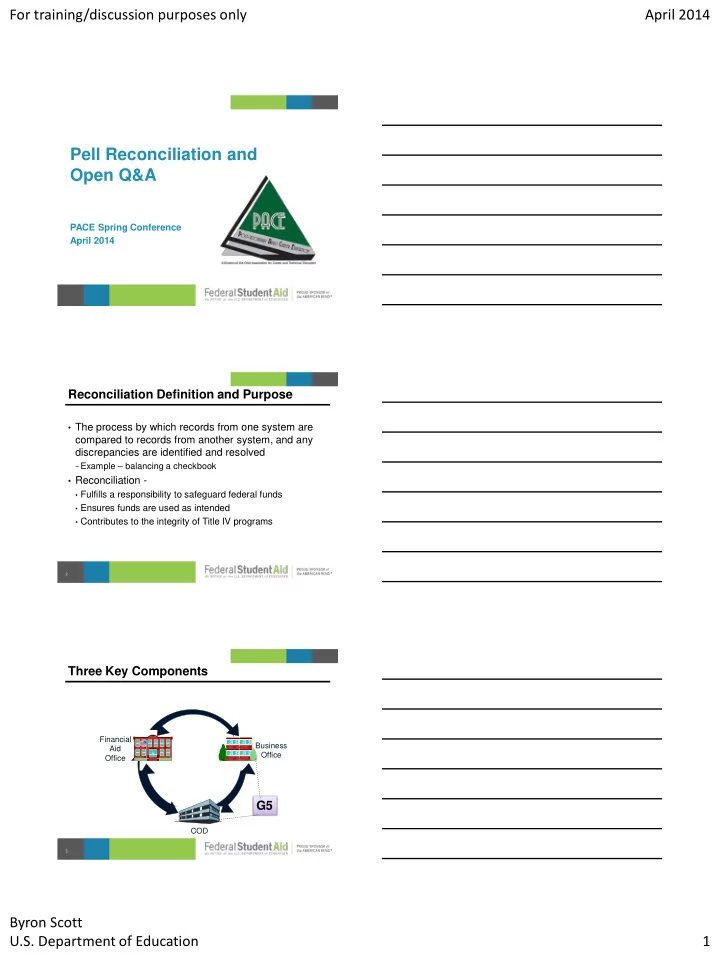
Three Key Components

3

Business Office Financial Aid Office COD

G5

slide-2
SLIDE 2

For training/discussion purposes only April 2014 Byron Scott U.S. Department of Education 2

Accounting and Recordkeeping

  • Schools must maintain, on a current basis

− Financial records that reflect all program transactions − General ledger control accounts and related subsidiary

accounts identify all program transactions and separate those transactions from all other transactions

  • Program subsidiary ledgers
  • Credit balance ledgers

4

Sample Pell Grant Ledger

5

Sample Pell Grant Ledger

6

slide-3
SLIDE 3

For training/discussion purposes only April 2014 Byron Scott U.S. Department of Education 3

Pell Reconciliation Steps

  • Begin with internal reconciliation

− Compare Business Office records

  • Cash drawdowns and returns
  • Credits and debits to student accounts

− To Financial Aid Office records

  • Actual disbursement and adjustment records

− Determine if Business Office records for net disbursements

posted to student accounts match the actual net disbursements in the Financial Aid Office records

7

Pell Reconciliation Steps

  • Compare reconciled internal records to ED records

− Do the net accepted and posted disbursements posted to

student accounts match net accepted disbursements in COD?

− Do net cash drawdowns match net total drawdowns in G5?

  • Use COD funding screens and Electronic Statement
  • f Account (ESOA) from COD

− Reconciliation and Year-to-Date reports may also be used

  • Records must be reconciled at the student level

8

Electronic Statement of Account

  • ESOA summarizes the school’s Current Funding

Level (CFL) versus the net drawdown for the year

  • Report includes -

− Year-to-date unduplicated recipient count − Year-to-date total accepted and posted disbursements − Net payments drawn in G5 up to an including the current

processing day

9

slide-4
SLIDE 4

For training/discussion purposes only April 2014 Byron Scott U.S. Department of Education 4

Pell Reconciliation Report

  • This report provides total year-to-date disbursement

amount per student with COD

  • Report can be downloaded, printed or imported into a

spreadsheet for comparison with school data

  • Provided upon school request
  • Report includes

− Origination award amount − Year-to-date accepted disbursements

10

Pell Year-to-Date Report

  • The Year-to-Date (YTD) report may be requested for
  • ne student, or for all Pell Grant recipients at the

school

  • Contains detailed award and disbursement data at a

transaction level

  • Can be used for reconciliation or to replace a corrupt

school database

11

COD Report Tools

  • The Department recently released report readers for

the Reconciliation and YTD reports that provide a simplified way of importing the reports into Excel for use in reconciliation

− See Electronic Announcement January 28, 2014 − http://ifap.ed.gov/eannouncements/012814AvailabilityofCOD

ReportReaders.html

− Access readers via “Today’s Update” on COD homepage

  • COD also provides computer-based training on how

to use the system and its reports

12

slide-5
SLIDE 5

For training/discussion purposes only April 2014 Byron Scott U.S. Department of Education 5 Monthly Reconciliation is Complete When…

…all discrepancies have been identified and resolved …timing issues are tracked for reconciliation in next month’s ESOA …reasons for any Ending Cash Balance have been identified …all monthly reconciliation efforts have been documented

13 14

Time for Questions

  • n Any Topic!

Training Evaluation

To ensure quality training, we ask all participants to complete an online evaluation for each session

  • Go to https://s.zoomerang.com/s/ByronScott

− Evaluation form is specific to Byron Scott

  • Feedback is a tool to help us improve our training and to listen to our

customers

Please provide any comments regarding this training or the trainer to:

Jo Ann Borel, Title IV Training Supervisor joann.borel@ed.gov 409-579-3776

15

slide-6
SLIDE 6

For training/discussion purposes only April 2014 Byron Scott U.S. Department of Education 6

Contact Information

If you have follow-up questions about this session, contact me at:

Byron Scott, Training Officer byron.scott@ed.gov 312-730-1534

16