Palette-based Recoloring* A fast, real-time and intuitive way to - - PowerPoint PPT Presentation

palette based recoloring
SMART_READER_LITE
LIVE PREVIEW

Palette-based Recoloring* A fast, real-time and intuitive way to - - PowerPoint PPT Presentation

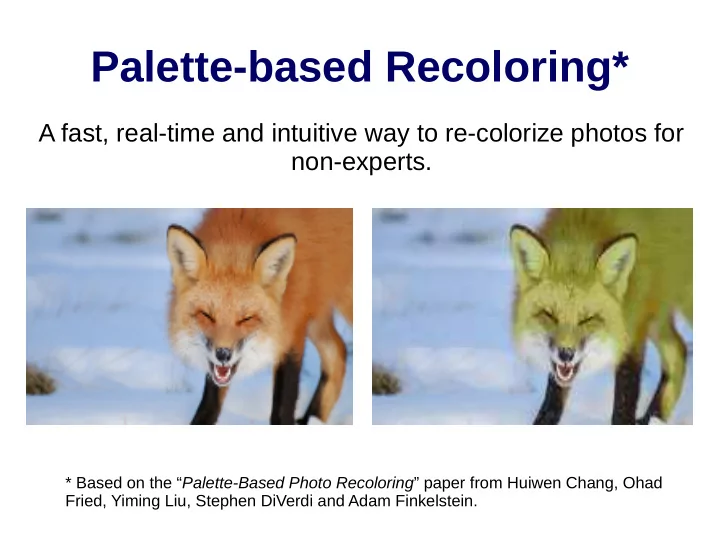
Palette-based Recoloring* A fast, real-time and intuitive way to re-colorize photos for non-experts. * Based on the Palette-Based Photo Recoloring paper from Huiwen Chang, Ohad Fried, Yiming Liu, Stephen DiVerdi and Adam Finkelstein.


slide-1
SLIDE 1

Palette-based Recoloring*

A fast, real-time and intuitive way to re-colorize photos for non-experts.

* Based on the “Palette-Based Photo Recoloring” paper from Huiwen Chang, Ohad Fried, Yiming Liu, Stephen DiVerdi and Adam Finkelstein.

slide-2
SLIDE 2

Objectives

  • I'd just like to change the fox's fur. How to do it?
  • How to preserve the brown tones on the fur?
  • Do I need to be a Photoshop expert to do it?
slide-3
SLIDE 3

Palette selection

  • We want a good set of representing colors
  • We use a deterministic weighted K-means

algorithm to get them.

slide-4
SLIDE 4

How we do it

  • First we make a 15x15x15 bins in RGB space

and histogram using colors in the picture.

  • Use that as the input for the weighted

deterministic K-means algorithm.

  • The first means are set as the the bins with

highest frequency.

  • Distances are computed in Lab space.
slide-5
SLIDE 5

Changing the K value

K value can be used to localize color edition.

K = 6 K = 3

slide-6
SLIDE 6

Color edition

  • As seen, we find the initial palette by clustering.
  • Now, we use it as a control for color edition.
  • How to re-colorize each pixel in a natural way?

Original Palette New Palette

slide-7
SLIDE 7

Two-step Color Transfer Function

  • First we define a L-based transfer function
  • Then an ab-based one using that L-slide.
slide-8
SLIDE 8

Single ab-transfer function

  • In the case where

there is just ONE palette color, we change every pixel “almost” int the same direction.

  • Points

near the border have to remain in gamut.

slide-9
SLIDE 9

Single ab-transfer function construction. Points near the gamut frontier are set to stay in and towards C'

slide-10
SLIDE 10

General ab-based transfer function

  • In the general case,

we blend all directions with proper weights.

  • The closer the pixel

color is to a changed palette color, the more similar it changes in that direction.

slide-11
SLIDE 11

General ab-transfer function construction equations.

For any color x

slide-12
SLIDE 12

Implementation (too buggy for now)

slide-13
SLIDE 13

Now it is possible to do this without dying in the trying.

slide-14
SLIDE 14

Future work

  • Add some spacial awareness to the algorithm.
  • Fix the big obscure bugs the implementation
  • has. Yes, those awful red pixels are not part of

the algorithm.

  • Software optimizations to make the program

robust and even easier to use.