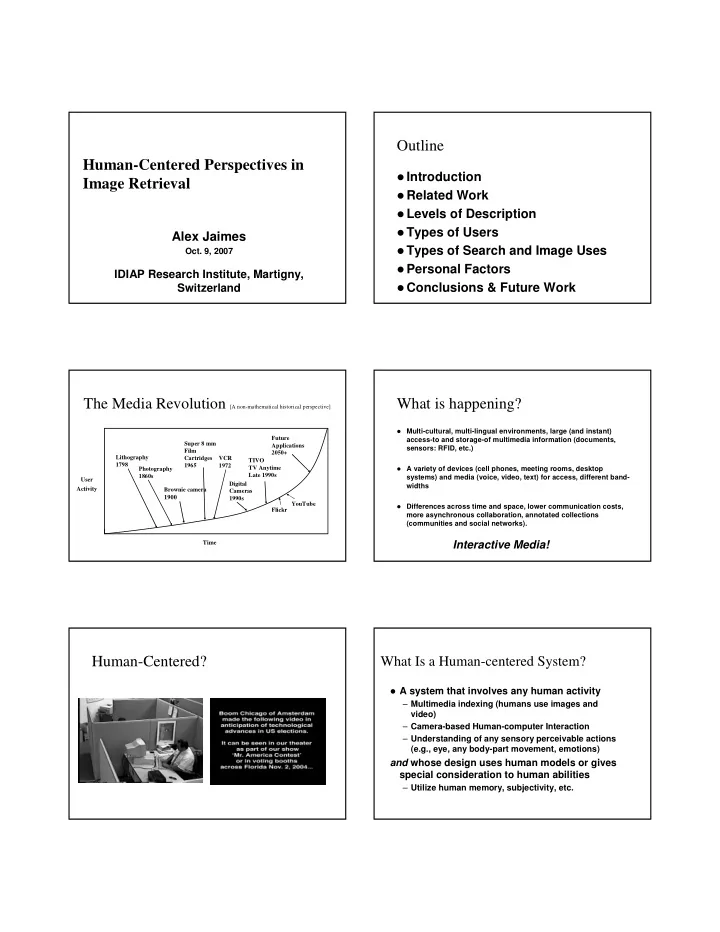
Outline Human-Centered Perspectives in Introduction Image - - PDF document

outline human centered perspectives in
SMART_READER_LITE
LIVE PREVIEW

Outline Human-Centered Perspectives in Introduction Image - - PDF document

Outline Human-Centered Perspectives in Introduction Image Retrieval Related Work Levels of Description Types of Users Alex Jaimes Types of Search and Image Uses Oct. 9, 2007 Personal Factors IDIAP Research Institute,


slide-1
SLIDE 1

Human-Centered Perspectives in Image Retrieval

Alex Jaimes

  • Oct. 9, 2007

IDIAP Research Institute, Martigny, Switzerland

Outline

Introduction Related Work Levels of Description Types of Users Types of Search and Image Uses Personal Factors Conclusions & Future Work

The Media Revolution [A non-mathematical historical perspective]

Brownie camera 1900 User Activity Time Super 8 mm Film Cartridges 1965 VCR 1972 Digital Cameras 1990s TIVO TV Anytime Late 1990s Future Applications 2050+ Lithography 1798 Photography 1860s YouTube Flickr

What is happening?

Multi-cultural, multi-lingual environments, large (and instant)

access-to and storage-of multimedia information (documents, sensors: RFID, etc.)

A variety of devices (cell phones, meeting rooms, desktop

systems) and media (voice, video, text) for access, different band- widths

Differences across time and space, lower communication costs,

more asynchronous collaboration, annotated collections (communities and social networks).

Interactive Media!

Human-Centered?

What Is a Human-centered System?

A system that involves any human activity

– Multimedia indexing (humans use images and video) – Camera-based Human-computer Interaction – Understanding of any sensory perceivable actions (e.g., eye, any body-part movement, emotions)

and whose design uses human models or gives special consideration to human abilities

– Utilize human memory, subjectivity, etc.

slide-2
SLIDE 2

Image Retrieval

Why image retrieval?

– Personal use

  • Search vs. browse
  • Organize vs. create

Why human factors?

– Most images record human activities and are used for human activities

Related Work

Technical Advisory Service for Images

(http://www.tasi.ac.uk/)

Belkin et. Al. (Microsoft) [SIG CHI ’05] Brajnik et. al. (U. Udine) [SIGIR ’96] Pisciotta et. al. (Penn State) User Study [’01-

’05]

Christel et. al. (CMU) [CIVR ’05] Hollink et. al. (U. Amsterdam) [Intl. J. of Human

  • Comp. Studies ’04]

Levels of Description & Meaning

Images can be described at multiple levels

– Syntax {local, global} – Semantics {of, about}

Meaning of images is emergent (Santini et. al.)

– Collection specific – Task specific – Person specific – Time specific Context

Example: “blue”

Feeling? Or Color?

Example: “painting”

Action? Object? What kind?

Example: “George Bush”

Type? Of? About?

slide-3
SLIDE 3

Example: “white house”

A white house Or “the” White House?

Time & Context Time & Context Time & Context

Peaceful, Calm.. ?

Time & Context

Depressing!

Levels & Meaning

What is the problem?

– Data can be indexed at multiple levels – System’s indexing level and user’s level do not match – Indexing is static. But meaning is dynamic (context changes!)

slide-4
SLIDE 4

Examples Levels & Meaning

What are the solutions?

– Index at multiple levels

  • Understand data, understand users, use context

– Obtain context information from the user (which white house are you looking for? Picture of or about white house?)

–… but what about dynamic semantics? Open issue!

Multi-Level Indexing Pyramid

Conceptual structure for classifying visual

attributes into multiple levels

– Art (E. Panofsky), cognitive psychology (E. Rosch et al.) – Information sciences (C. Jörgensen), visual information retrieval

Why the pyramid?

– Represents full range of visual attributes – Strong impact on MPEG-7 – Can also be used for audio, and video

Multi-Level Indexing Pyramid

Key ideas

– Of vs. About – Syntax vs. Semantics – Percept vs. Concept – Semantic vs. Affective

Multi-Level Indexing Pyramid

Conceptual structure for classifying visual

attributes into multiple levels

– Art (E. Panofsky), cognitive psychology (E. Rosch et al.) – Information sciences (C. Jörgensen), visual information retrieval

Why the pyramid?

– Represents full range of visual attributes – Strong impact on MPEG-7 – Can also be used for audio, and video

Multi-Level Indexing Pyramid

Key ideas

– Of vs. About – Syntax vs. Semantics – Percept vs. Concept – Semantic vs. Affective

slide-5
SLIDE 5

Indexing Levels (Visual Attributes)

Type/ Technique Global Distribution Local Structure Global Composition Generic Object Generic Scene Specific Object Specific Scene Abstract Object Abstract Scene

Knowledge 1. 10. 2. 3. 4. 5. 6. 7. 8. 9. Syntax Semantics

Ana Alex Texture, etc.

Level 1: Type/technique

Type/technique used

during production

No knowledge of visual

content, just general visual characteristics

Examples:

– Color or b/w photograph – Water color, oil painting, mixed media

Type/ Technique Global Distribution Local Structure Global Composition 1. 2. 3. 4. Syntax B/W photograph Oil painting

Level 2: Global Distribution

Distribution of low-level

features only

Examples:

– Color distribution

  • Dominant, histogram

– Global texture

  • Coarseness, contrast

– Global shape

  • Aspect ratio

– Global motion/deformation

  • Speed, acceleration

Type/ Technique Global Distribution Local Structure Global Composition 1. 2. 3. 4. Syntax Similar texture, color histogram

Level 3: Local Structure

Characterization and

extraction of basic visual elements

Examples: – Dots, lines, tone, circles, squares – Local color – Binary shape mask – Local motion/deformation Type/ Technique Global Distribution Local Structure Global Composition 1. 2. 3. 4. Syntax Blood cells = circles Stars = dots

Level 4: Global Composition

Arrangement or layout of

basic elements

No knowledge of objects Examples:

– Balance, Symmetry – Center of interest – Leading line, viewing angle

Type/ Technique Global Distribution Local Structure Global Composition 1. 2. 3. 4. Syntax Horizontal leading line Centered object Centered object Persons, flag

Level 5: Generic Object

General (every day)

knowledge about

  • bjects

Examples: – Common nouns

  • Person
  • Chair
  • Desk

Semantics Generic Object Generic Scene Specific Object Specific Scene Abstract Object Abstract Scene 10. 5. 6. 7. 8. 9. Airplane

What the image is “of”

slide-6
SLIDE 6

Indoors, office

Level 6: Generic Scene

General knowledge

about scene

Examples:

– City, Landscape – Indoor, Outdoor – Daytime, Nighttime

Semantics Generic Object Generic Scene Specific Object Specific Scene Abstract Object Abstract Scene 10. 5. 6. 7. 8. 9. Outdoors, city, street

What the image is “of”

  • B. Clinton, Z. Li

Level 7: Specific Object

Identified and named

  • bjects

Specific knowledge

about objects, known facts

Examples: – B. Clinton – Chinese Ambassador Z. Li – American flag – Lincoln desk Semantics Generic Object Generic Scene Specific Object Specific Scene Abstract Object Abstract Scene 10. 5. 6. 7. 8. 9. F-18

What the image is “of”

Oval Office, White House

Level 8: Specific Scene

Identified and named

scene

Specific knowledge

about scene, known facts

Examples: – Name of a city, street, lake – Name of a building Semantics Generic Object Generic Scene Specific Object Specific Scene Abstract Object Abstract Scene 10. 5. 6. 7. 8. 9. Paris

What the image is “of”

Political Gesture

Level 9: Abstract Object

Interpretation of an

  • bject

Subjective or based on

specific personal knowledge

Examples: – Political power – Sympathy Semantics Generic Object Generic Scene Specific Object Specific Scene Abstract Object Abstract Scene 10. 5. 6. 7. 8. 9. About music? or trial?

What the image is “about”

US Government

Level 10: Abstract Scene

Subjective

interpretation of a scene

Examples:

– International politics – War – Apology

Semantics Generic Object Generic Scene Specific Object Specific Scene Abstract Object Abstract Scene 10. 5. 6. 7. 8. 9. Peacefulness

What the image is “about”

Type/ Technique Global Distribution Local Structure Global Composition Generic Object Generic Scene Specific Object Specific Scene Abstract Object Abstract Scene 1. 10. 2. 3. 4. 5. 6. 7. 8. 9.

Pyramid Example

  • 1. TYPE:

Color still image

  • 2. GLOBAL DISTRIBUTION: Color histogram
  • 3. LOCAL STRUCTURE:

Circles, squares

  • 4. GLOBAL COMPOSITION: Centered
  • 5. GENERIC OBJECT (of):

Persons, building

  • 6. GENERIC SCENE (of):

Outdoors

  • 7. SPECIFIC OBJECT (of):

Ana, Alex

  • 8. SPECIFIC SCENE (of):

CEPSR

  • 9. ABSTRACT OBJECT (about): Happy, friendly
  • 10. ABSTRACT SCENE (about): Research agreement,

friendship Syntax Semantics

slide-7
SLIDE 7

Pyramid Summary

Structure to classify visual attributes into

multiple levels

– Represents full range of visual attributes (Burke CIVR ’02) – Can guide indexing process (more attributes generated with

pyramid than without it)

MPEG-7

– Syntactic/semantic objects/relationships – Specific and generic events/objects, concrete

  • bjects/events

– Text annotation type, labels for semantic entities, etc.

Types of Users

Novice Expert Familiar with the collection/system Search strategy might depend on particular user

preference (e.g., mood, experience, memory)

Types of Users

Problems

– Most techniques ignore the type of user!

Solution

– Generic approaches are too difficult (web is the biggest challenge) customize to users!

Other factors

Has the user seen the image? User looking for specific image (e.g., ) User looking for images within a category (e.g., car) Image of a concept or feeling (e.g., paradise)

Information Searching Behaviors

[TAC]

Exploratory: no defined direction. Purposive: directed and informed searching. Associative: active search for related

information.

Intuitive: unspecified feelings during search. Curious: just follow what generated interest. Tangential: beyond prior requirements. Accidental: searched for “x” got “y” and became

interested.

Image Uses

Illustration: represent what is referred to. Information processing: obtain information

from the image.

Information dissemination Learning Generation of ideas Aesthetic value Emotive/persuasive

slide-8
SLIDE 8

Personal Factors: Memory

  • Systems assume user knows exactly what he is looking for

– Often not the case! – Experiments

  • Draw raising flag image now (9/11 or WW II). Compare to original

later.

  • What keywords do you use to search them on the web?
  • How do you find an image in your personal collection? [you most

likely use landmarks (e.g., events), and refine your search after browsing]

Main Points

Developing automatic analysis algorithms is not enough Image retrieval is in its infancy if we consider all of the

relevant human factors

Design must consider – Interaction (not just interface and not just features or metadata) Evaluation must consider – Collection type (cultural, social context) – Intended use (it affects search strategy!) – Expertise level (different search strategies!)

Open Issues

Indexing – There is no “perfect” index because of subjectivity. Two people annotating the same image will give different labels.

  • Use of ontology and controlled vocabularies partly addresses the

indexing issue. Search

– Strategy depends on context, user, collection.

  • Build task-specific systems

Evaluation – Separate indexing from interaction? User types? Context?

Conclusions

Most research focuses on indexing alone We need entirely new design paradigms that consider all

factors

We need new models of evaluation Where do we start? – Take a human-centered approach! Who will search, and why will determine what and how!