Operators C emphasizes expressions rather than statements. - - PDF document

operators
SMART_READER_LITE
LIVE PREVIEW

Operators C emphasizes expressions rather than statements. - - PDF document

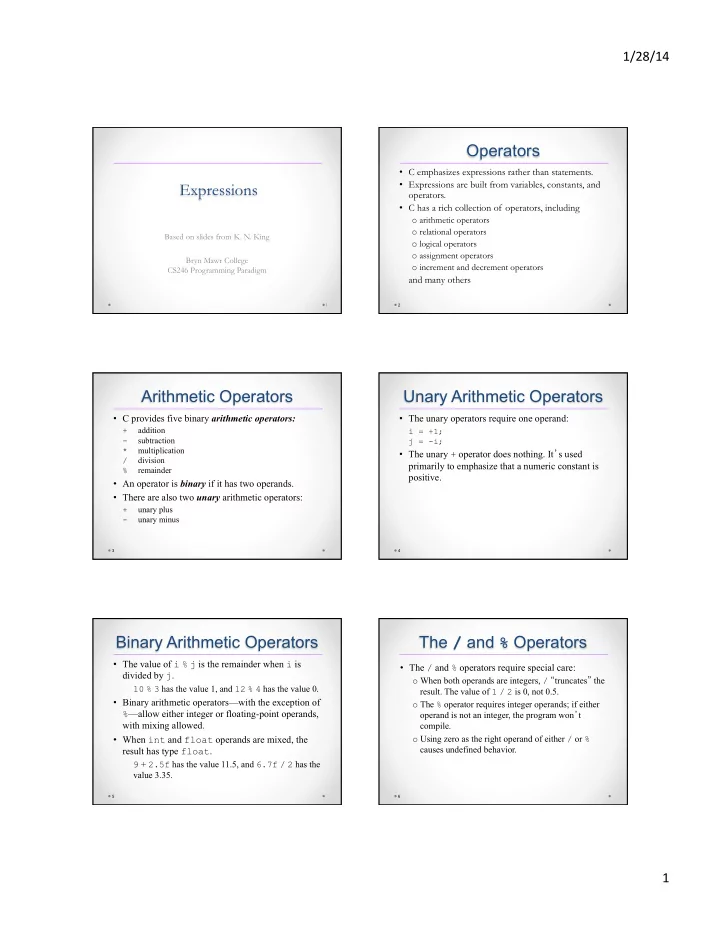
1/28/14 Operators C emphasizes expressions rather than statements. Expressions are built from variables, constants, and Expressions operators. C has a rich collection of operators, including o arithmetic operators o relational


slide-1
SLIDE 1

1/28/14 ¡ 1 ¡

Expressions

1

Based on slides from K. N. King Bryn Mawr College CS246 Programming Paradigm

Operators

  • C emphasizes expressions rather than statements.
  • Expressions are built from variables, constants, and
  • perators.
  • C has a rich collection of operators, including
  • arithmetic operators
  • relational operators
  • logical operators
  • assignment operators
  • increment and decrement operators

and many others

2

Arithmetic Operators

  • C provides five binary arithmetic operators:

+

addition

  • subtraction

* multiplication / division % remainder

  • An operator is binary if it has two operands.
  • There are also two unary arithmetic operators:

+

unary plus

  • unary minus

3

Unary Arithmetic Operators

  • The unary operators require one operand:

i = +1; j = -i;

  • The unary + operator does nothing. It’s used

primarily to emphasize that a numeric constant is positive.

4

Binary Arithmetic Operators

  • The value of i % j is the remainder when i is

divided by j.

10 % 3 has the value 1, and 12 % 4 has the value 0.

  • Binary arithmetic operators—with the exception of

%—allow either integer or floating-point operands, with mixing allowed.

  • When int and float operands are mixed, the

result has type float.

9 + 2.5f has the value 11.5, and 6.7f / 2 has the value 3.35.

5

The / and % Operators

  • The / and % operators require special care:
  • When both operands are integers, / “truncates” the
  • result. The value of 1 / 2 is 0, not 0.5.
  • The % operator requires integer operands; if either
  • perand is not an integer, the program won’t

compile.

  • Using zero as the right operand of either / or %

causes undefined behavior.

6

slide-2
SLIDE 2

1/28/14 ¡ 2 ¡

Operator Precedence

  • The arithmetic operators have the following

relative precedence: Highest:

+ - (unary) * / % Lowest: + - (binary)

  • Examples:

i + j * k is equivalent to i + (j * k)

  • i * -j is equivalent to (-i) * (-j)

+i + j / k is equivalent to (+i) + (j / k)

7

Operator Associativity

  • Associativity comes into play when an expression

contains two or more operators with equal precedence.

  • An operator is said to be left associative if it

groups from left to right.

  • The binary arithmetic operators (*, /, %, +, and -)

are all left associative, so

i - j – k is equivalent to (i - j) - k

i * j / k is equivalent to (i * j) / k

8

Operator Associativity

  • An operator is right associative if it groups from

right to left.

  • The unary arithmetic operators (+ and -) are both

right associative, so

  • + i is equivalent to -(+i)

9

Assignment Operators

  • Simple assignment: used for storing a value into a

variable

  • Compound assignment: used for updating a value

already stored in a variable

10

Simple Assignment

  • The effect of the assignment v = e is to evaluate the

expression e and copy its value into v.

  • e can be a constant, a variable, or a more

complicated expression:

i = 5; /* i is now 5 */ j = i; /* j is now 5 */ k = 10 * i + j; /* k is now 55 */

11

Simple Assignment

  • If v and e don’t have the same type, then the value of e

is converted to the type of v as the assignment takes place:

int i; float f; i = 72.99f; /* i is now 72 */ f = 136; /* f is now 136.0 */

  • In C, assignment is an operator, just like +.
  • The value of an assignment v = e is the value of v after

the assignment.

  • The value of i = 72.99f is 72 (not 72.99).

12

slide-3
SLIDE 3

1/28/14 ¡ 3 ¡

Side Effects

  • An operators that modifies one of its operands is

said to have a side effect.

  • The simple assignment operator has a side effect: it

modifies its left operand.

  • Evaluating the expression i = 0 produces the result

0 and—as a side effect—assigns 0 to i.

13

Side Effects

  • Since assignment is an operator, several

assignments can be chained together:

i = j = k = 0;

  • The = operator is right associative, so this

assignment is equivalent to

i = (j = (k = 0));

14

Side Effects

  • Watch out for unexpected results in chained

assignments as a result of type conversion:

int i; float f; f = i = 33.3f;

  • i is assigned the value 33, then f is assigned 33.0

(not 33.3).

15

Side Effects

  • An assignment of the form v = e is allowed

wherever a value of type v would be permitted:

i = 1; k = 1 + (j = i); printf("%d %d %d\n", i, j, k); /* prints "1 1 2" */

  • “Embedded assignments” can make programs hard

to read.

  • They can also be a source of subtle bugs.

16

Lvalues

  • The assignment operator requires an lvalue as its

left operand.

  • An lvalue represents an object stored in computer

memory, not a constant or the result of a computation.

  • Variables are lvalues; expressions such as 10 or

2 * i are not.

17

Lvalues

  • Since the assignment operator requires an lvalue as

its left operand, it’s illegal to put any other kind of expression on the left side of an assignment expression:

12 = i; /*** WRONG ***/ i + j = 0; /*** WRONG ***/

  • i = j; /*** WRONG ***/
  • The compiler will produce an error message such

as “invalid lvalue in assignment.”

18

slide-4
SLIDE 4

1/28/14 ¡ 4 ¡

Compound Assignment

  • Assignments that use the old value of a variable to

compute its new value are common.

  • Example:

i = i + 2;

  • Using the += compound assignment operator, we

simply write:

i += 2; /* same as i = i + 2; */

19

Compound Assignment

  • There are nine other compound assignment operators,

including the following:

  • = *= /= %=
  • All compound assignment operators work in much the

same way:

v += e adds v to e, storing the result in v

v -= e subtracts e from v, storing the result in v v *= e multiplies v by e, storing the result in v v /= e divides v by e, storing the result in v v %= e computes the remainder when v is divided by e, storing the result in v

20

Compound Assignment

  • v += e isn’t “equivalent” to v = v + e.
  • One problem is operator precedence: i *= j + k

isn’t the same as i = i * j + k.

  • There are also rare cases in which v += e differs

from v = v + e because v itself has a side effect.

  • Similar remarks apply to the other compound

assignment operators.

21

Compound Assignment

  • When using the compound assignment operators,

be careful not to switch the two characters that make up the operator.

  • Although i =+ j will compile, it is equivalent to i

= (+j), which merely copies the value of j into i.

22

Increment and Decrement

  • Two of the most common operations on a variable

are “incrementing” (adding 1) and “decrementing” (subtracting 1):

i = i + 1; j = j - 1;

  • Incrementing and decrementing can be done using

the compound assignment operators:

i += 1; j -= 1;

23

Increment and Decrement

  • C provides special ++ (increment) and --

(decrement) operators.

  • The ++ operator adds 1 to its operand. The --
  • perator subtracts 1.
  • The increment and decrement operators are tricky

to use:

  • They can be used as prefix operators (++i and –-

i) or postfix operators (i++ and i--).

  • They have side effects: they modify the values of

their operands.

24

slide-5
SLIDE 5

1/28/14 ¡ 5 ¡

Increment and Decrement

  • Evaluating the expression ++i (a “pre-increment”)

yields i + 1 and—as a side effect—increments i:

i = 1;

printf("i is %d\n", ++i); /* prints "i is 2" */ printf("i is %d\n", i); /* prints "i is 2" */

  • Evaluating the expression i++ (a “post-increment”)

produces the result i, but causes i to be incremented afterwards:

i = 1; printf("i is %d\n", i++); /* prints "i is 1" */ printf("i is %d\n", i); /* prints "i is 2" */

25

Increment and Decrement

  • The -- operator has similar properties:

i = 1; printf("i is %d\n", --i); /* prints "i is 0" */ printf("i is %d\n", i); /* prints "i is 0" */ i = 1; printf("i is %d\n", i--); /* prints "i is 1" */ printf("i is %d\n", i); /* prints "i is 0" */

26

Increment and Decrement

  • When ++ or -- is used more than once in the same

expression, the result can often be hard to understand.

  • Example:

i = 1;

j = 2; k = ++i + j++;

The last statement is equivalent to

i = i + 1; k = i + j; j = j + 1;

The final values of i, j, and k are 2, 3, and 4, respectively.

27

Increment and Decrement

  • In contrast, executing the statements

i = 1; j = 2; k = i++ + j++;

will give i, j, and k the values 2, 3, and 3, respectively.

28

Expression Evaluation

  • Table of operators discussed so far:

Precedence Name Symbol(s) Associativity 1 increment (postfix) ++ left decrement (postfix)

  • 2

increment (prefix) ++ right decrement (prefix)

  • unary plus

+ unary minus

  • 3

multiplicative * / % left 4 additive + - left 5 assignment = *= /= %= += -= right

29

Expression Evaluation

  • The table can be used to add parentheses to an expression

that lacks them.

  • Starting with the operator with highest precedence, put

parentheses around the operator and its operands.

  • Example:

a = b += c++ - d + --e / -f

Precedence

level

a = b += (c++) - d + --e / -f 1 a = b += (c++) - d + (--e) / (-f) 2 a = b += (c++) - d + ((--e) / (-f)) 3 a = b += (((c++) - d) + ((--e) / (-f))) 4 (a = (b += (((c++) - d) + ((--e) / (-f))))) 5

30

slide-6
SLIDE 6

1/28/14 ¡ 6 ¡ Order of Subexpression Evaluation

  • To prevent problems, it’s a good idea to avoid using the

assignment operators in subexpressions.

  • Instead, use a series of separate assignments:

a = 5; b = a + 2; a = 1; c = b - a;

The value of c will always be 6.

  • Besides the assignment operators, the only operators that

modify their operands are increment and decrement.

  • When using these operators, be careful that an expression

doesn’t depend on a particular order of evaluation.

31

Order of Subexpression Evaluation

  • Example:

i = 2; j = i * i++;

  • It’s natural to assume that j is assigned 4.

However, j could just as well be assigned 6 instead:

  • 1. The second operand (the original value of i) is

fetched, then i is incremented.

  • 2. The first operand (the new value of i) is fetched.
  • 3. The new and old values of i are multiplied, yielding

6.

32

Undefined Behavior

  • Statements such as c = (b = a + 2) - (a = 1);

and j = i * i++; cause undefined behavior.

  • Possible effects of undefined behavior:
  • The program may behave differently when compiled

with different compilers.

  • The program may not compile in the first place.
  • If it compiles it may not run.
  • If it does run, the program may crash, behave

erratically, or produce meaningless results.

  • Undefined behavior should be avoided.

33

Expression Statements

  • In C, any expression can be used as a statement.
  • Example:

++i;

i is first incremented, then the new value of i is fetched but then discarded.

  • Since its value is discarded, there’s little point in

using an expression as a statement unless the expression has a side effect:

i = 1; /* useful */ i--; /* useful */ i * j - 1; /* not useful */

34