Overloading operators Why overload operators? (==, =, <, - - PowerPoint PPT Presentation

overloading operators
SMART_READER_LITE
LIVE PREVIEW

Overloading operators Why overload operators? (==, =, <, - - PowerPoint PPT Presentation

Overloading operators Why overload operators? (==, =, <, >>, +=, ) notational convenience match user expectations because we can (except :: and . and .*) Remember, overloaded operators are just function calls


slide-1
SLIDE 1

Duke CPS 108

  • 4. 1

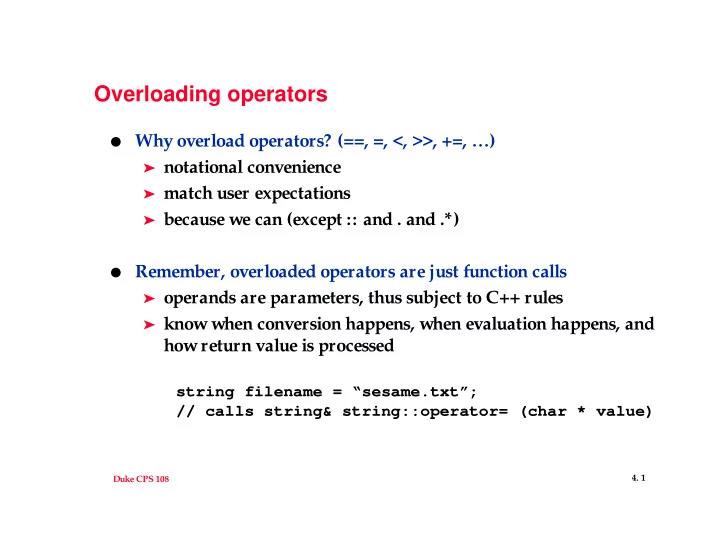
Overloading operators

  • Why overload operators? (==, =, <, >>, +=, …)

➤ notational convenience ➤ match user expectations ➤ because we can (except :: and . and .*)

  • Remember, overloaded operators are just function calls

➤ operands are parameters, thus subject to C++ rules ➤ know when conversion happens, when evaluation happens, and

how return value is processed

string filename = “sesame.txt”; // calls string& string::operator= (char * value)

slide-2
SLIDE 2

Duke CPS 108

  • 4. 2

Operator Overloading idioms

  • Should you write conversion operators?
  • C++ heuristic: avoid behind-the-scenes conversion

➤ CPstring v. standard string

string filename=“sesame.txt”; ifstream input; input.open(filename); // CPstring input.open(filename.c_str()); // standard string

➤ vectors

Vector<int> a(20); a[0] = 1; a = 2; // avoid with explicit keyword

  • What else acts as a conversion operator?
slide-3
SLIDE 3

Duke CPS 108

  • 4. 3

More Operator Overloading issues

  • Which operators should be member functions?

➤ some must be, some must not be ➤ only member functions can be const

  • What should the type of return value be?

➤ pointer, reference, or value?

  • Should you write boolean conditional operators?

➤ what about comparison operators?

slide-4
SLIDE 4

Duke CPS 108

  • 4. 4

Header files

  • Angle brackets <> specify header files found in standard locations,

double quotes “” specify current directory (or non standard location)

➤ <iostream.h>, <ctype.h> ➤ “ctimer.h”, “date.h”

  • In new versions of C++, the .h isn’t used for standard C++ classes,

e.g., <iostream>, <string>, STL <vector>

➤ on our system these files just use #include <iostream.h>, but

could pre-compile or otherwise optimize the headers

➤ on other system using the .h puts classes into the global

namespace, otherwise must qualify use: std::cout vs cout

  • Header files are literally copied into current file!
slide-5
SLIDE 5

Duke CPS 108

  • 4. 5

Classes, compilers, dependencies

#include <string> #include “day.h” typedef string TimeRange; class ostream; class Appointment { public: TimeRange duration(); void print(ostream & output); private: Day myDay;

  • Why use class ostream instead of #include <stream.h>
  • What is a typedef and how is it used?
  • Header file defines function interfaces and size of class

➤ changes to Day force recompile for Appointment

slide-6
SLIDE 6

Duke CPS 108

  • 4. 6

.h guidelines, the preprocessor in action

  • minimize #includes in every .h file

➤ avoid circular dependencies ➤ avoid re-compile by minimizing dependencies

  • class Foo in foo.h, class Bar in bar.h, client foobar.cc

#ifndef _FOO_H #ifndef _BAR_H #define _FOO_H #define _BAR_H #include “bar.h” #include “foo.h” class Foo class Bar { { Bar getBar(); Foo getFoo(); // from foo.cc #include “bar.h” #include “foo.h” void Foo::doStuff(const Bar & b)...

  • Avoid #includes, use forward references, sometimes you must do

this as shown above (even if you don’t want to)

slide-7
SLIDE 7

Duke CPS 108

  • 4. 7

#include “foo.h”

  • will be needed in .cc file, e.g., foo.cc and bar.cc
  • using pointers and references in .h files minimizes dependencies

➤ minimize recompiles when .h changes ➤ loose coupling: avoid implementation dependencies when

possible

  • avoid letting implementation leek into public view

➤ what about private section? ➤ opaque pointer: FooImpl * myImpl;

  • implementation of FooImpl is hidden, class can be

implemented in foo.cc (handle-body idiom)

➤ factory: inheritance hierarchy, ABC