NOTES ON TECHNICAL PRESENTATIONS Informal Presentations Purpose - - - PowerPoint PPT Presentation

notes on technical presentations informal presentations
SMART_READER_LITE
LIVE PREVIEW

NOTES ON TECHNICAL PRESENTATIONS Informal Presentations Purpose - - - PowerPoint PPT Presentation

NOTES ON TECHNICAL PRESENTATIONS Informal Presentations Purpose - idea interchange, brainstorming, status, report, training, education. Audience - friendly, peers, small to medium size, technical Visual Aids - blackboard,


slide-1
SLIDE 1

UTA CSE

1

NOTES ON TECHNICAL PRESENTATIONS

  • Informal Presentations

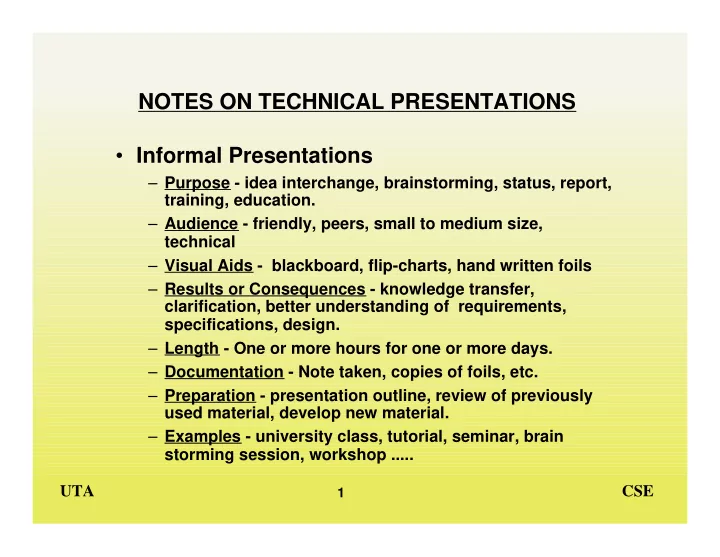
– Purpose - idea interchange, brainstorming, status, report, training, education. – Audience - friendly, peers, small to medium size, technical – Visual Aids - blackboard, flip-charts, hand written foils – Results or Consequences - knowledge transfer, clarification, better understanding of requirements, specifications, design. – Length - One or more hours for one or more days. – Documentation - Note taken, copies of foils, etc. – Preparation - presentation outline, review of previously used material, develop new material. – Examples - university class, tutorial, seminar, brain storming session, workshop .....

slide-2
SLIDE 2

UTA CSE

2

  • Formal Presentations

– Purpose - Proposal, status report, defense of work – Audience - Friendly and/or hostile, management and/or technical, supervisors, customers, small to large in size – Results or Consequences - Acceptance / rejection of work, continuation or cancellation of project, winning or losing a contract. – Length - Few minutes to a few hours – Visual Aids - Foils, slides, video tapes, demonstrations – Documentation - copy of foils / slides, reports – Preparation - Prepared material, practice run – Examples - Quarterly contractor's review, design review, budget hearing.

slide-3
SLIDE 3

UTA CSE

3

PRESENTATIONS - GENERAL GUIDELINES

  • Plan

– Main Theme – Supporting messages – Use of aids

» Planning Story-Board:

  • Practice - then practice some more
  • Presentation approach

– Tell them what you are going to say – Say it – Tell them what you said

slide-4
SLIDE 4

UTA CSE

4

ORAL PRESENTATIONS

  • Steps to Good Presentation

– Define your objectives – Define your theme – Characterize the audience – List the points to make (messages) – Identify the supporting aids - visuals, exhibits, demos. – Rehearse – Go to step 1.

  • Generally Objectives are:

– Explanatory – Persuasive – Most Are Both

  • Know The Audience

– Size – Knowledge level – Interest – Influence on the subject – Name of the key players

slide-5
SLIDE 5

UTA CSE

5

  • Move The Audience Through

– Awareness – Willingness to listen – Understanding – Acceptance – Action

  • Outline The Presentation

– Introduction

» Identify the presenter » Overview and summary of the presentation

  • ( what will be presented)

– Presentation Body

» Properly organized messages and support presentation

  • ( slanted to the audience)

– Conclusion

» Wrap-up (this is what's been presented) » Pitch (.... and based on this , we should .....)

slide-6
SLIDE 6

UTA CSE

6

  • Practice

– Gain familiarity with the presentation – Refine delivery – Improve image – Better integrate the support aids – Use a tape recorder (or video cam, if available)

  • Image

– Appropriately dressed and well groomed (better to be slightly over dressed than under dressed) – Avoid excessive body movements and hand gestures - try to appear relaxed and under self control.

slide-7
SLIDE 7

UTA CSE

7

ERROR MESSAGES - ORAL PRESENTATION

  • Analyze for better communications

– A critical analysis of every presentation will give you the important feedback required for improvement.

  • Error Messages

– Example - Error message, AK5a, means that the audience's knowledge of the subject was inadequate because the material was too technical. – Audience Related

» AP - Awareness of speaker's purpose » AL - Willingness to listen » AK - Knowledge of the subject » AI - Interest in the subject » AU - Understanding of message » AA - Acceptance of message

– Image Related - (refers to the speaker's )

» IA - Personal appearance » IF - Facial expressions » IB - Body movements

slide-8
SLIDE 8

UTA CSE

8

» IG - Gestures » IP - Posture » IC - Poise (confidence)

– Delivery Related - (refers to the speaker's )

» DG - Grammar » DT - Voice tone » DF - Voice flow » DV - Voice volume » DS - Timing (sense of timing) » DE - Enthusiasm » DP - Emphasis (proper emphasis)

– Message Related - (refers to the message's )

» MP - Preparation » MO - Organization » MI - Introduction length / content » MB - Body length / content » MC - Conclusion length / content

– Visual Aids - (refers to the aid's )

» VT - Type » VQ - Quality » VN - Quantity (number)

slide-9
SLIDE 9

UTA CSE

9

  • Adjective Code

– 0 Superfluous – 1 Marginal – 2 Distracting – 3 Awkward – 4 Uninteresting – 5 Inadequate – 6 Inappropriate – 7 Improper – 8 Excessive – 9 Offensive

  • Corrective Actions Codes

– Audience Related - A Prefix » a Material too technical » b Material too elementary » c Material not culturally suitable » d Speaker was not properly introduced » e Speaker's credentials are not adequate

slide-10
SLIDE 10

UTA CSE

10

  • Corrective Action Codes

– Image Related - I Prefix

» a Clothing too formal » b Clothing too informal » c Grooming improper » d Too stern » e Too flippant » f Too happy » g Excessive pacing » h Turned back to audience » i Unnatural stance » j Too much pointing » k Untimely gestures » l Leaning against lectern or wall » m Slumped shoulders » n Did not look at audience » o Too arrogant » p Too apologetic » q Hands in pockets

slide-11
SLIDE 11

UTA CSE

11

– Delivery Related - D Prefix

» a Language too formal » b Language too informal » c Too many "big" words » d Awkward sentence structures » e Too many grammatical or pronunciation errors » f Nervous voice pitch » g Too many "and-uh's" and "OK's" » h Spoke too rapidly » i Spoke too slowly » j Insufficient pauses » k Spoke too loudly » l Spoke too softly » m Appeared hyper » n Appeared bored » o Key points not stressed » p Too many points over-stressed » q Poor enunciation » r Overuse of notes

slide-12
SLIDE 12

UTA CSE

12

– Message Related = M Prefix

» a Speaker's subject knowledge questionable » b Audience questions not answered adequately » c Sequence illogical » d Too many sub topics » e Insufficient detail » f Excessive detail » g Too much irrelevant material » h Too much exaggeration » i Illogical arguments » j Points not obvious » k Audience left dangling » l Statement untrue

slide-13
SLIDE 13

UTA CSE

13

– Visual Aid Related - V Prefix

» a Unreadable - too small » b Too cluttered » c Not focused properly » d Not in view of whole audience » e Poor artwork » f Poor illumination » g Unrelated to verbal message » h Out of sequence with verbal message » i Dominated the presentation » j Too elaborate or sophisticated » k too crude