Note Card Survey (Anonymous) 1. Keep: What have I been doing well - - PowerPoint PPT Presentation

note card survey anonymous
SMART_READER_LITE
LIVE PREVIEW

Note Card Survey (Anonymous) 1. Keep: What have I been doing well - - PowerPoint PPT Presentation

Note Card Survey (Anonymous) 1. Keep: What have I been doing well that I should continue doing? 2. Change: What is something I already do, but should change so I do it better? 3. Stop: What is one bad thing I should stop doing? 4. Start: What is


slide-1
SLIDE 1

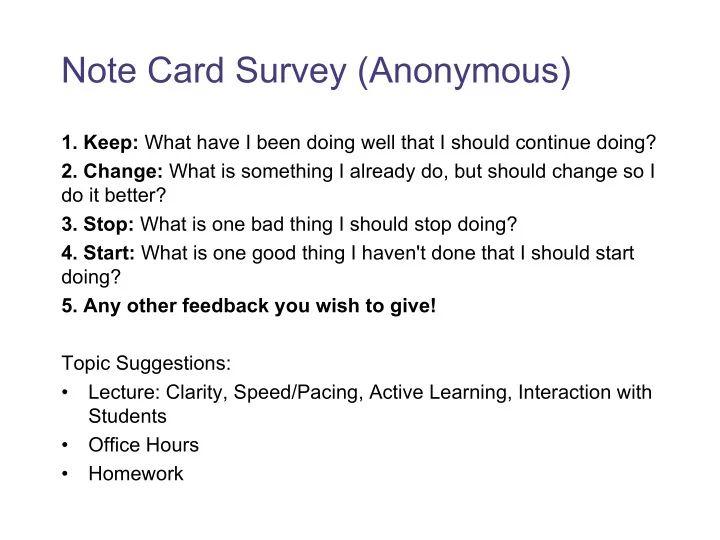
Note Card Survey (Anonymous)

  • 1. Keep: What have I been doing well that I should continue doing?
  • 2. Change: What is something I already do, but should change so I

do it better?

  • 3. Stop: What is one bad thing I should stop doing?
  • 4. Start: What is one good thing I haven't done that I should start

doing?

  • 5. Any other feedback you wish to give!

Topic Suggestions:

  • Lecture: Clarity, Speed/Pacing, Active Learning, Interaction with

Students

  • Office Hours
  • Homework
slide-2
SLIDE 2

Leah Perlmutter / Summer 2018

CSE 331

Software Design and Implementation

Lecture 8 Testing

slide-3
SLIDE 3

Announcements

slide-4
SLIDE 4

Announcements

  • Homework

– Congrats on making it past the HW3 due date!

  • technical issues persisting?

– HW4 is out! Due Thursday, July 12, 10 pm

  • Midterm: Monday, July 16

– in our normal lecture time and location

  • Midterm Review: Friday, July 13, 3:30 - 5 pm

– Location TBD

slide-5
SLIDE 5

Testing

slide-6
SLIDE 6

Outline

  • Why correct software matters

– Motivates testing and more than testing, but now seems like a fine time for the discussion

  • Testing principles and strategies

– Purpose of testing – Kinds of testing – Heuristics for good test suites – Black-box testing – Clear-box testing and coverage metrics – Regression testing

slide-7
SLIDE 7

There is no one right answer

The way you test depends on many things

  • Who your customers are
  • How safety-critical your code is
  • The conventions at your company

Testing is as much an art as a science

  • Need to be systematic
  • Also need to be creative

I will tell you some things I know about testing!

slide-8
SLIDE 8

Note about tools

  • Modern development ecosystems have much built-in support for

testing – Unit-testing frameworks like JUnit – Regression-testing frameworks connected to builds and version control – Continuous testing – …

  • No tool details covered here

– See homework, section, internships, …

slide-9
SLIDE 9

Motivation

slide-10
SLIDE 10

Building Quality Software

What Affects Software Quality? External Correctness Does it match what the customer wanted? Reliability Does it do it accurately all the time? Efficiency Does it do without excessive resources? Integrity Is it secure? Internal Correctness Does the software match the spec? Portability Can I use it under different conditions? Maintainability Can I fix it? Flexibility Can I change it or extend it or reuse it? Quality Assurance (QA) – Process of uncovering problems and improving software quality – Testing is a major part of QA

slide-11
SLIDE 11

Software Quality Assurance (QA)

Testing plus other activities including: – Static analysis (assessing code without executing it) – Correctness proofs (theorems about program properties) – Code reviews (people reading each others’ code) – Software process (methodology for code development) – …and many other ways to find problems and increase confidence No single activity or approach can guarantee software quality “Beware of bugs in the above code; I have only proved it correct, not tried it.”

  • Donald Knuth, 1977
slide-12
SLIDE 12

Kinds of Software Customers

How much assure software quality before we “ship it” ?

  • Depends on the cost of mistakes

– Depends on the customer! Some potential customers

  • The person at the next desk
  • Business contract customers
  • Web or app customers
  • Airplane passengers
  • Medical patients
  • The Space Program
slide-13
SLIDE 13

Clinical Neutron Therapy System

slide-14
SLIDE 14

Therac-25 radiation therapy machine

Excessive radiation killed patients (1985-87) – New design removed hardware that prevents the electron- beam from operating in its high-energy mode. Now safety checks done in software. – Equipment control software task did not properly synchronize with the operator interface task, so race conditions occurred if the operator changed the setup too quickly. – Missed during testing because it took practice before

  • perators worked quickly enough

for the problem to occur.

slide-15
SLIDE 15

Rocket self-destructed 37 seconds after launch – Cost: over $1 billion Reason: Undetected bug in control software – Conversion from 64-bit floating point to 16-bit signed integer caused an exception – The floating point number was larger than 32767 – Efficiency considerations led to the disabling of the exception handler, so program crashed, so rocket crashed

Ariane 5 rocket (1996)

slide-16
SLIDE 16

Legs deployed à Sensor signal falsely indicated that the craft had touched down (130 feet above the surface) Then the descent engines shut down prematurely

Mars Polar Lander

slide-17
SLIDE 17

More examples

  • Mariner I space probe (1962)
  • Microsoft Zune New Year’s Eve crash (2008)
  • iPhone alarm (2011)
  • Denver Airport baggage-handling system (1994)
  • Air-Traffic Control System in LA Airport (2004)
  • AT&T network outage (1990)
  • Northeast blackout (2003)
  • USS Yorktown Incapacitated (1997)
  • Intel Pentium floating point divide (1993)
  • Excel: 65,535 displays as 100,000 (2007)
  • Prius brakes and engine stalling (2005)
  • Soviet gas pipeline (1982)
  • Study linking national debt to slow growth (2010)
slide-18
SLIDE 18

Software bugs cost money

  • 2013 Cambridge University study: Software bugs cost global

economy $312 Billion per year – http://www.prweb.com/releases/2013/1/prweb10298185.htm

  • $440 million loss by Knight Capital Group in 30 minutes

– August 2012 high-frequency trading error

  • $6 billion loss from 2003 blackout in NE USA & Canada

– Software bug in alarm system in Ohio power control room

slide-19
SLIDE 19

What can you learn from testing?

“Program testing can be used to show the presence of bugs, but never to show their absence!” Edsgar Dijkstra Notes on Structured Programming, 1970

slide-20
SLIDE 20

What Is Testing For?

Validation = reasoning + testing – Make sure module does what it is specified to do – Uncover problems, increase confidence Two rules:

  • 1. Do it early and often

– Catch bugs quickly, before they have a chance to hide – Automate the process wherever feasible

  • 2. Be systematic

– If you thrash about randomly, the bugs will hide in the corner until you're gone – Understand what has been tested for and what has not – Have a strategy!

slide-21
SLIDE 21

Summary: Why test?

  • Low quality can have great costs

– human lives – billions of dollars – ruined business relationships – your company’s reputation – making your life harder as a programmer

  • Software quality is important

– Testing is one way to improve quality 331 homeworks will give you the opportunity to practice testing!

slide-22
SLIDE 22

How to Test

slide-23
SLIDE 23

Kinds of testing

  • Testing is so important the field has terminology for different

kinds of tests – Won’t discuss all the kinds and terms

  • Here are three orthogonal dimensions:

– Unit testing versus system/integration testing

  • One module’s functionality versus pieces fitting together

– Black-box testing versus clear-box testing

  • Does implementation influence test creation?
  • “Do you look at the code when choosing test data?”

– Specification testing versus implementation testing

  • Test only behavior guaranteed by specification or other

behavior expected for the implementation?

slide-24
SLIDE 24

Unit Testing

  • A unit test focuses on one method, class, interface, or module
  • Test a single unit in isolation from all others
  • Typically done earlier in software life-cycle

– Integrate (and test the integration) after successful unit testing

slide-25
SLIDE 25

How is testing done?

1) Choose a part to test 2) Choose input data/configuration 3) Define the expected outcome 4) Run with input and record the outcome 5) Compare observed outcome to expected outcome Lots of these! Input selection is hard!

slide-26
SLIDE 26

sqrt example: Input Selection

// throws: IllegalArgumentException if x<0 // returns: approximation to square root of x public double sqrt(double x){…} What are some values or ranges of x that might be worth probing? x < 0 (exception thrown) x ≥ 0 (returns normally) around x = 0 (boundary condition) perfect squares (sqrt(x) an integer), non-perfect squares x<sqrt(x) and x>sqrt(x) – that's x<1 and x>1 (and x=1) Specific tests: say x = -1, 0, 0.5, 1, 4

slide-27
SLIDE 27

Why is Input Selection Hard?

“Just try it and see if it works...” // requires: 1 ≤ x,y,z ≤ 10000 // returns: computes some f(x,y,z) int proc1(int x, int y, int z){…} Exhaustive testing would require 1 trillion runs! – Sounds totally impractical – and this is a trivially small problem Key problem: choosing test suite – Small enough to finish in a useful amount of time – Large enough to provide a useful amount of validation

slide-28
SLIDE 28

Approach: Partition the Input Space

Ideal test suite: Identify sets with same behavior Try one input from each set Two problems:

  • 1. Notion of same behavior is subtle
  • Naive approach: execution equivalence
  • Better approach: revealing subdomains
  • 2. Discovering the sets requires perfect knowledge
  • If we had it, we wouldn’t need to test
  • Use heuristics to approximate cheaply
slide-29
SLIDE 29

Naive Approach: Execution Equivalence

// returns: x < 0 ⇒ returns –x // otherwise ⇒ returns x int abs(int x) { if (x < 0) return -x; else return x; } All x < 0 are execution equivalent: – Program takes same sequence of steps for any x < 0 All x ≥ 0 are execution equivalent Suggests that {-3, 3}, for example, is a good test suite

slide-30
SLIDE 30

Execution Equivalence Can Be Wrong

// returns: x < 0 ⇒ returns –x // otherwise ⇒ returns x int abs(int x) { if (x < -2) return -x; else return x; } {-3, 3} does not reveal the error! Two possible executions: x < -2 and x >= -2 Three possible behaviors: – x < -2 OK – x = -2 or x= -1 (BAD) – x ≥ 0 OK

slide-31
SLIDE 31

Heuristic: Revealing Subdomains

  • A subdomain is a subset of possible inputs
  • A subdomain is revealing for error E if either:

– Every input in that subdomain triggers error E, or – No input in that subdomain triggers error E

  • Need test only one input from a given subdomain

– If subdomains cover the entire input space, we are guaranteed to detect the error if it is present

  • The trick is to guess these revealing subdomains
slide-32
SLIDE 32

Example

For buggy abs, what are revealing subdomains? – Value tested on is a good (clear-box) hint // returns: x < 0 ⇒ returns –x // otherwise ⇒ returns x int abs(int x) { if (x < -2) return -x; else return x; } Example sets of subdomains: … {-2} {-1} {0} {1} … {…,-6, -5, -4} {-3, -2, -1} {0, 1, 2, …} {…, -4, -3} {-2, -1} {0, 1, …} too many! not revealing! just right!

slide-33
SLIDE 33

Heuristics for Designing Test Suites

A good heuristic gives: – Few subdomains – for all errors in some class of errors E, High probability that some subdomain is revealing for E and triggers E Different heuristics target different classes of errors – In practice, combine multiple heuristics – Really a way to think about and communicate your test choices

slide-34
SLIDE 34

Heuristic: Cases in Specification

Heuristic: Explore alternate cases in the specification Procedure is a black box: interface visible, internals hidden Example // returns: a > b ⇒ returns a // a < b ⇒ returns b // a = b ⇒ returns a int max(int a, int b) {…} 3 cases lead to 3 tests (4, 3) ⇒ 4 (i.e. any input in the subdomain a > b) (3, 4) ⇒ 4 (i.e. any input in the subdomain a < b) (3, 3) ⇒ 3 (i.e. any input in the subdomain a = b)

slide-35
SLIDE 35

Black Box Testing: Advantages

Process is not influenced by component being tested – Assumptions embodied in code not propagated to test data – (Avoids “group-think” of making the same mistake) Robust with respect to changes in implementation – Test data need not be changed when code is changed Allows for independent testers – Testers need not be familiar with code – Tests can be developed before the code

slide-36
SLIDE 36

More Complex Example

Write tests based on cases in the specification // returns: the smallest i such // that a[i] == value // throws: Missing if value is not in a int find(int[] a, int value) throws Missing Two obvious tests: ( [4, 5, 6], 5 ) ⇒ 1 ( [4, 5, 6], 7 ) ⇒ throw Missing Have we captured all the cases? Must hunt for multiple cases – explicit cases in the spec are not enouch

( [4, 5, 5], 5 ) ⇒ 1

slide-37
SLIDE 37

Heuristic: Boundary Testing

Create tests at the edges of subdomains Why? – Off-by-one bugs – “Empty” cases (0 elements, null, …) – Overflow errors in arithmetic – Object aliasing Small subdomains at the edges of the “main” subdomains have a high probability of revealing many common errors – Also, you might have misdrawn the boundaries

slide-38
SLIDE 38

Boundary Testing

To define the boundary, need a notion of adjacent inputs One approach: – Identify basic operations on input points – Two points are adjacent if one basic operation apart Point is on a boundary if either: – There exists an adjacent point in a different subdomain – Some basic operation cannot be applied to the point Example: list of integers – Basic operations: create, append, remove – Adjacent points: <[2,3],[2,3,3]>, <[2,3],[2]> – Boundary point: [ ] (can’t apply remove)

slide-39
SLIDE 39

Other Boundary Cases

Arithmetic – Smallest/largest values – Zero Objects – null – Circular list – Same object passed as multiple arguments (aliasing) Boundary cases are also called “edge cases” and “corner cases”

slide-40
SLIDE 40

Boundary Cases: Arithmetic Overflow

// returns: |x| public int abs(int x) {…} What are some values or ranges of x that might be worth probing? – x < 0 (flips sign) or x ≥ 0 (returns unchanged) – Around x = 0 (boundary condition) – Specific tests: say x = -1, 0, 1 How about… int x = Integer.MIN_VALUE; // x=-2147483648 System.out.println(x<0); // true System.out.println(Math.abs(x)<0); // also true! From Javadoc for Math.abs: Note that if the argument is equal to the value of Integer.MIN_VALUE, the most negative representable int value, the result is that same value, which is negative

slide-41
SLIDE 41

Boundary Cases: Duplicates & Aliases

// modifies: src, dest // effects: removes all elements of src and // appends them in reverse order to // the end of dest <E> void appendList(List<E> src, List<E> dest) { while (src.size()>0) { E elt = src.remove(src.size()-1); dest.add(elt); } } What happens if src and dest refer to the same object? – This is aliasing – It’s easy to forget! – Watch out for shared references in inputs

slide-42
SLIDE 42

Buggy abs Revisited

For buggy abs, what are revealing subdomains? – Value tested on is a good (clear-box) hint // returns: x < 0 ⇒ returns –x // otherwise ⇒ returns x int abs(int x) { if (x < -2) return -x; else return x; } {… -2, -1, 0} {1, 2, …} Subdomains based on spec (black box) Boundary cases 0 1

slide-43
SLIDE 43

Heuristic: Clear (glass, white)-box testing

Focus: features not described by specification – Control-flow details – Performance optimizations – Alternate algorithms for different cases Common goal: – Ensure test suite covers (executes) all of the program – Measure quality of test suite with % coverage Assumption implicit in goal: – If high coverage, then most mistakes discovered

slide-44
SLIDE 44

Glass-box Motivation

There are some subdomains that black-box testing won't catch: boolean[] primeTable = new boolean[CACHE_SIZE]; boolean isPrime(int x) { if (x>CACHE_SIZE) { for (int i=2; i<x/2; i++) { if (x%i==0) return false; } return true; } else { return primeTable[x]; } }

slide-45
SLIDE 45

Glass-box Testing: [Dis]Advantages

  • Finds an important class of boundaries

– Yields useful test cases

  • Consider CACHE_SIZE in isPrime example

– Important tests CACHE_SIZE-1, CACHE_SIZE, CACHE_SIZE+1 – If CACHE_SIZE is mutable, may need to test with different CACHE_SIZE values Disadvantage: – Tests may have same bugs as implementation – Buggy code tricks you into complacency once you look at it

slide-46
SLIDE 46

Buggy abs Revisited

For buggy abs, what are revealing subdomains? – Value tested on is a good (clear-box) hint // returns: x < 0 ⇒ returns –x // otherwise ⇒ returns x int abs(int x) { if (x < -2) return -x; else return x; } {… -2, -1, 0} {1, 2, …} Subdomains based on spec (black box) Boundary cases 0 1 Subdomains based on internals (glass box) {… -3, -2} {-1, 0 , …} Boundary cases

  • 2 -1
slide-47
SLIDE 47

Code coverage: what is enough?

int min(int a, int b) { int r = a; if (a <= b) { r = a; } return r; }

  • Consider any test with a ≤ b (e.g., min(1,2))

– Executes every instruction – Misses the bug

  • Statement coverage is not enough
slide-48
SLIDE 48

Code coverage: what is enough?

int quadrant(int x, int y) { int ans; if (x >= 0) ans=1; else ans=2; if (y < 0) ans=4; return ans; }

  • Consider two-test suite: (2,-2) and (-2,2). Misses the bug.
  • Branch coverage (all tests “go both ways”) is not enough

– Here, path coverage is enough (there are 4 paths)

2 1 3 4

slide-49
SLIDE 49

Code coverage: what is enough?

int num_pos(int[] a) { int ans = 0; for (int x : a) { if (x > 0) ans = 1; // should be ans += 1; } return ans; }

  • Consider two-test suite: {0,0} and {1}. Misses the bug.
  • Or consider one-test suite: {0,1,0}. Misses the bug.
  • Branch coverage is not enough

– Here, path coverage is enough, but no bound on path-count

slide-50
SLIDE 50

Code coverage: what is enough?

int sum_three(int a, int b, int c) { return a+b; }

  • Path coverage is not enough

– Consider test suites where c is always 0

  • Typically a moot point since path coverage is unattainable for

realistic programs – But do not assume a tested path is correct – Even though it is more likely correct than an untested path

  • Another example: buggy abs method from earlier in lecture
slide-51
SLIDE 51

Varieties of coverage

Various coverage metrics (there are more): Statement coverage Branch coverage Loop coverage Condition/Decision coverage Path coverage Limitations of coverage: 1. 100% coverage is not always a reasonable target 100% may be unattainable (dead code) High cost to approach the limit 2. Coverage is just a heuristic We really want the revealing subdomains increasing number of test cases required (generally)

slide-52
SLIDE 52

Pragmatics: Regression Testing

  • Whenever you find a bug

– Store the input that elicited that bug, plus the correct output – Add these to the test suite – Verify that the test suite fails – Fix the bug – Verify the fix

  • Ensures that your fix solves the problem

– Don’t add a test that succeeded to begin with!

  • Helps to populate test suite with good tests
  • Protects against reversions that reintroduce bug

– It happened at least once, and it might happen again

slide-53
SLIDE 53

Concepts so far

Input Selection – Challenging to find the right set of inputs to reveal bugs Revealing Subdomains – The “true” subdomains that will reveal your bugs Black box – Choose inputs by looking at cases in spec – Misses subdomains based on implementation Clear box – Choose inputs by looking at cases in code Code Coverage – A measure of how much of the code is executed by a test – Can measure by lines, branches, paths – Misses bugs of omission

slide-54
SLIDE 54

Closing Thoughts

slide-55
SLIDE 55

Rules of Testing

First rule of testing: Do it early and do it often – Best to catch bugs soon, before they have a chance to hide – Automate the process if you can – Regression testing will save time Second rule of testing: Be systematic – If you randomly thrash, bugs will hide in the corner until later – Writing tests is a good way to understand the spec – Think about revealing domains and boundary cases

  • If the spec is confusing, write more tests

– Spec can be buggy too

  • Incorrect, incomplete, ambiguous, missing corner cases

– When you find a bug, write a test for it first and then fix it

slide-56
SLIDE 56

Closing thoughts on testing

Testing matters – You need to convince others that the module works Catch problems earlier – Bugs become obscure beyond the unit they occur in Don't confuse volume with quality of test data – Can lose relevant cases in mass of irrelevant ones – Look for revealing subdomains Choose test data to cover: – Specification (black box testing) – Code (glass box testing) Testing can't generally prove absence of bugs – But it can increase quality and confidence

slide-57
SLIDE 57

Announcements

slide-58
SLIDE 58

Announcements

  • HW4 is dueThursday, July 12, 10 pm
  • Midterm: Monday, July 16

– in our normal lecture time and location

  • Midterm Review: Friday, July 13, 3:30 - 5 pm

– Location TBD