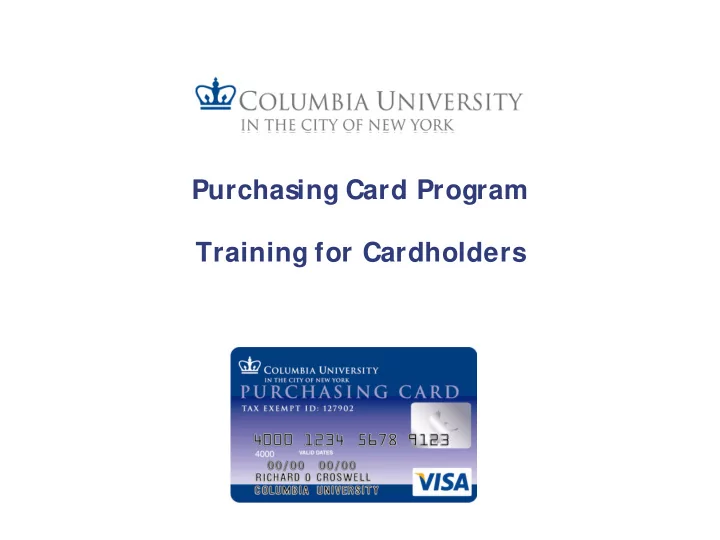
Purchasing Card Program Training for Cardholders Introduction to - - PowerPoint PPT Presentation
Purchasing Card Program Training for Cardholders Introduction to the P-Card Program What is a P-Card? VISA credit card issued by Bank of America Used to make purchase of goods and some services of $2,500 or less P-Card Controls
Introduction to the P-Card Program
What is a P-Card?
– VISA credit card issued by Bank of America – Used to make purchase of goods and some services of $2,500 or less – P-Card Controls
- Each P-Card is issued with controls including:
– Single Transaction Limit – Monthly Credit Limit – Commodity Blocking to prevent misuse (example airlines are blocked and the card will decline if used with an airline)
Helpful Hint: Complete description of the P-Card program can be found on the Finance
- Gateway. Please take a few minutes to review.
Benefits of Using a P-Card
Utilizing a P-Card Program enables the University’s Schools and Departments to:
- 1. Simplify the purchasing process;
- 2. Reduce paperwork and processing time;
- 3. Improve controls and reporting;
- 4. Improve vendor relations due to faster payment; and
- 5. Provide cost savings through consolidated payment.
Helpful Hint: By utilizing a P-Card, Departments do not need to process requisitions or invoices in ARC; instead all transactions are electronically posted to ARC and need only be reconciled (verified) by the Cardholder and approved by an Approver.
P-Card Program Roles – Cardholder/Reconciler
New Cardholders:
- To activate the new P-Card call the number that is on your card: 1-888-571-1000
- Every time you contact Bank of America you will be asked for a Verification Code,
which is 9 follow by your 8 digit employee ID number (which can be found on your paycheck.
- New and Current users:
- Card Expiration - Prior to the expiration date, the P-Card Team will contact you to
confirm your office address. Once you have confirmed your office address, you P- Card will be mailed via interoffice mail or you may request to pick-up your P-Card from the P-Card Office location (3rd Floor Studebaker).
P-Card Program Roles – Cardholder/Reconciler
Cardholder/Reconciler Responsibilities include:
- Using P-Card to make University authorized purchases (Cardholder Only)
- Obtaining and filing receipts for P-Card transactions
- Complying with all University policies and procedures associated with P-Card transactions,
including: – Transaction satisfies a valid University business purpose – Accounting is done in compliance with University’s Accounting policies – Spending on a gift or endowment must comply with Donor Terms & Restrictions – If allocating to a grant account, transaction must be in compliance with policies associated with grant
- Reviewing and reconciling (verifying) P-Card transactions in a timely manner and in compliance
with P-Card Hard Close deadlines
- When required (or requested) providing a business purpose for P-Card transactions in ARC
Note: A Reconciler is not authorized to make purchases with the P-Card assigned to the Cardholder, unless Reconciler is the Cardholder.
Helpful Hints: – Reconcile transactions on a weekly basis. – Cardholder is responsible for all actions taken by the Reconciler on his or her behalf. – Accepting donor funds legally obligates the University . To find applicable Terms & Restrictions, please visit the Finance Gateway.
P-Card Program Roles - Approver
Approver Responsibilities include:
- Approving P-Card transactions made by Cardholders in a timely manner and in
compliance with P-Card Hard Close deadlines
- Reviewing all P-Card transactions for compliance with policies and procedures
associated with P-Card transactions including: – A legitimate business purpose exists for each transaction, and where required (food and hotels) the business purpose is provided in ARC – Accounting is done in compliance with University’s Accounting policies – Spending on a gift or endowment must comply with Donor Terms & Restrictions – If allocated to a grant account the transaction must be in compliance with policies associated with grant – Receipts are maintained
Helpful Hints: – Approver may not approve transactions for Cardholders to whom he/she reports. – It is recommended that Approvers approve/sign-off on transactions on a weekly basis. – Accepting donor funds legally obligates the University . To find applicable Terms & Restrictions, please visit the Finance Gateway.
P-Card Program Roles – Reviewer & DPAD
P-Card Reviewer (ARC Only role)
- A Reviewer reviews P-Card transactions for a cardholder(s).
- This role is view only in ARC and does not have the ability to either reconcile
- r approve transactions.
Departmental P-Card Administrator (DPAD) Responsibilities include:
- Primary Liaison between the P-Card Team and the P-Card participants in
his/her school or department
- Responding to departmental inquiries regarding P-Card policies and
procedures
- Managing and approving P-Card applications for new participants and
modifications to existing participant profiles
- Conducting regular reviews of Departmental P-Card program to ensure
compliance with policies and procedures
- Administering disciplinary policies for departmental P-Card participants
Helpful Hint: It is recommended that DPADs review and audit departmental P-Card transactions on a monthly basis.
P-Card Policy – Authorized Transactions
Authorized P-Card Transactions – Goods and services for which the Cardholder has received Departmental authorization to purchase, including: – Books – Computer supplies (UwPA available) – Lab supplies (UwPA available) – Postage – Newspaper, Journal, On-line Advertising Fees – Conference and Seminar Registration Fees – Subscriptions and Memberships – Supplies and Materials – Off-site Repairs of equipment – Non-consultant services, including: » Couriers (excluding items that require HIPPA compliance) » Overnight and Ground Delivery (UwPA available) » Cell Phone and Pager Charges (UwPA available)
Please refer to the Purchasing Guide for additional authorized purchases and review the P-Card Policy for additional clarification.
P-Card Policy - Restrictions
P-Card Spending Limits
– Single Transaction Limit – Cannot exceed $2,500 per transaction. The total cost
- f a transaction includes the purchase price, sales tax (if applicable), and
freight/handling. – Monthly Credit Limit – An individual Cardholder’s Monthly Credit Limit is set by the Departmental P-Card Administrator (DPAD) based upon the Cardholder’s monthly spending habits.
Helpful Hints: – “Split Transactions” are not allowed. It is explicitly prohibited for a Cardholder to “split” the purchase of merchandise in order to circumvent the Single Transaction Limit. Doing so will result in the cancellation of the Cardholder’s P-Card. – The Monthly Credit Limit may be changed where appropriate and only when approved by the Departmental P- Card Administrator (DPAD).
P-Card Policy - Restrictions
Unallowed Purchases Certain goods and/or services which require prior approval or require additional oversight/control cannot be purchased with the P-Card. Such goods and/or services include (but are not limited to):
–
Personal items
–
Alcohol (beverage or otherwise)
–
Travel (airline, car rental, lodging, taxi, car services, shuttle buses, etc.)
–
Entertainment (movie tickets, sporting event tickets, etc.)
–
MetroCards, purchased for any reason
–
Food eaten off-campus for any reason (meals, receptions, etc.)
–
Food purchased for on-campus meetings where the P- Card was not approved for this type of use
–
Flowers, greeting cards, candy, fruit baskets; Purchases from Edible Arrangements
–
Gifts/prizes/awards of any kind; Gift cards and gift certificates of any kind for any reason
–
Any Promotional items (items branded with the Columbia University logo or trademark, along with non-branded items) not purchased thru an Approved Licensed Vendor
–
Fines of any kind
–
Purchases using personal PayPal accounts
–
Charitable Contributions
–
Fees for Foreign Nationals of any kind (Visa’s etc.)
–
Cloud Hosting, Cloud Storage and File Sharing services
–
Maintenance and Service agreements
–
Equipment repairs – On Campus
–
Cash advances, cash back on purchases, cash refunds on returns
–
Controlled substances
–
Live animals
–
Radioactive materials and specialty gases
–
Contracted services from an individual or 1099 vendors
–
Honorariums
–
Furniture, i.e. office furniture, lab or outdoor furniture
–
Fuel
–
Leases /Rentals
–
Insurance
–
Employee travel, relocation and relocation related expenses
–
Catering
–
Parking fees and fines
–
Online auctions (i.e. EBAY, Craiglist)
–
Moving Services not purchased thru a CU Preferred Vendor
Please refer to the Purchasing Guide for additional restrictions and review the P-Card Policy for additional clarification.
P-Card Policy – Food Transactions
Food Purchases for On-Campus Meetings – With appropriate DPAD approval, purchases of food from local food merchants are allowed for meetings held on campus. – The following information must be provided for each food transaction:
- Purpose of event or meeting
- Type of Meal (breakfast, lunch or dinner)
- Date and location of meeting or event
- Names of attendees (or number of attendees if greater than 10)
- Cost per person (average cost)
– Reconcilers are required to scan and attach a copy of the itemized receipt to each P-Card food transaction in ARC – Catering Services are not allowed (vendors serving food) – P-Card cannot be used to purchase food while traveling on business or for meals eaten at a restaurant – Cost of meals cannot exceed the thresholds outlined in the Accounts Payable Expense Policy.
P-Card Policy – Hotel Transactions
Hotels – With appropriate DPAD approval, the P-Card may be used to make business- related hotel reservations at preferred local hotel vendors for guests and visitors of the University. A listing of these vendors can be found in the Purchasing Guide under “Travel Services – Hotels”. The P-Card cannot be used with any other hotel or for employee lodging expenses. – The following information must be provided for each hotel transaction:
- Name of Guest
- Dates of stay (check in date and check out date)
- Business purpose of stay
- Cost per day
– Reconcilers are required to scan and attach a copy of the applicable receipt to each P-Card hotel transaction in ARC – Only the room rate should be charged to the P-Card. Any incidentals (Wi-Fi, dry
cleaning, meals, parking, etc.) are not allowed to be charged to the P-Card.
– Itemized Hotel Portfolio must be maintained with receipts
P-Card Policy – Receipt Review & Retention
Receipt Review – What is a Receipt? A receipt generally includes the following information
- Purchase Date
- Vendor Name
- Item description
- Quantity
- Unit Price
- Total Charge
If this information is not included, the Cardholder should write this information on the receipt.
Helpful Hint: Cardholders should reconcile receipts with packing slips.
Receipt Retention – It is the Cardholder’s responsibility to maintain receipts that document all P-Card transactions in accordance with the University Finance retention policies. – The Program Analyst may from time to time request copies of receipts for additional review. – Receipts may be attached to P-Card Transactions in ARC. Please refer to the Reconciling P-Card Transactions Course or the Reconciling P-Card Transactions Guide for instructions.
Helpful Hint: It is recommended that Cardholders and Approvers reconcile and/or approve transactions on a weekly basis, including transaction review and filing of supporting documentation.
Itemized Receipts and Hotel Folios
Hotel Folios vs Hotel Confirmations
Itemized Receipts and Hotel Folios
XXXXX
Hotel Folios vs Hotel Confirmations
XXXXXXXXXXXXXX
Hotel Folios vs Hotel Confirmations
XXXXXXXXXXXXXXXXX
P-Card Policy – Sales Tax
Sales Tax Exemption – The University is exempt from sales tax in the following states:
- Idaho, Illinois, Kansas, Maine, Massachusetts, Minnesota, New Jersey, New
York, Pennsylvania, Rhode Island, South Carolina, Tennessee, Vermont, Virginia, Wisconsin and Wyoming. Please contact the Finance Service Center at 212-854-2122 or submit an incident to request a listing of states in which the University is exempt from sales tax. – It is the responsibility of the Cardholder to inform the merchant at the time of purchase that the University is sales tax exempt. The Sales Tax Exempt Number is printed on the front of the P-Card and a copy of the Tax Exempt form can be obtained from the Finance Service Center by submitting an incident or calling 212-854-2122. – If charged sales tax in error, the Cardholder should contact the vendor directly to request a credit for the sales tax charged. The Cardholder/Reconciler is still responsible for reconciling the transaction and at that time can allocate the sales tax charged accordingly.
P-Card Policy – Disputed Transactions
Disputed Transactions – If a Cardholder wishes to dispute a charge they must first attempt to resolve the dispute directly with the vendor. – If a Cardholder cannot resolve an issue with the vendor, the Cardholder may request Bank of America’s assistance in disputing the transaction.
- If requesting Bank of America’s assistance in the dispute, the dispute must be filed within 60 days
- f the transaction’s posting date.
– To track disputed transactions in ARC, a Cardholder may utilize the “Dispute” feature in ARC. Cardholder should review ARC dispute procedures in the ARC Reconciling P-Card Transactions Training Guide. – Disputed items must be reconciled and approved in ARC. Cardholders/Reconcilers are required to add a comment that the transaction is in dispute with the bank. NOTE: Disputing a transaction in ARC does not prevent the merchant from receiving payment nor does it prevent the transaction from posting to the Financials. Since the transaction has loaded to the Reconcile Statement page in ARC, the transaction must post to the Financials by the hardclose deadline for the billing period. If the transaction is not reconciled or approved, the P-Card Team will change the status to approved and the transaction will post to the default chartstring associated with the Cardholder. To avoid processing a Journal Voucher to correct the transaction, disputed transactions should be reconciled, approved and allocated to the appropriate chartstrings. Credits received for disputes may be allocated to the correlating chartstrings.
Helpful Hints: – Please see the P-Card Procedures for how to dispute a transaction with Bank of America. Sales Tax cannot be disputed.
Reconciliation Workflow – Reconciler to Approver
The Cardholder is responsible for completion of all steps in the reconciliation process, including: 1. Receipt Upload(attachment) to ARC 2. Business Purpose/Comments entered into ARC 3. Chartstring and Budget Validation is performed to success (status is “valid”) 4. Confirmation that transaction has been set to “verified” in ARC 5. Confirmation that transaction has been set to “approved” in ARC by the Approver and Chartstring and Budget remain valid The Cardholder will have an infraction cited if the reconciliation process is not complete and will be responsible for completing the steps necessary to resolve the infraction.
Cardholder/ Reconciler reviews ARC Reconcile Statement Page for “Staged” Transactions Cardholder/ Reconciler reviews transactions, provides business purpose and uploads receipt to ARC Cardholder/ Reconciler confirms Chartstring and Budget validation is “valid” and sets transaction to “verified” status in ARC Approver reviews ARC Reconcile Statement Page for “Verified” Transactions, validates budget and sets transactions to “approved” status
P-Card Workflow – Purchase to ARC
Makes Purchase Reconciles Purchase Files Receipts Approves Purchase Post to GL
Remind Vendor
- f Sales Tax
exemption status. Obtain receipt. 3-5 days after purchase, transaction Is fed from BOA to ARC (nightly). Reconciler searches for “staged” P-Card Transactions in ARC. Match receipt with information posted in
- ARC. Sets transaction
to “verified”. File receipts within department according to departmental policy. Approver searches for “verified” P-Card transactions In ARC. Approver reviews comments, receipt, and Chart String allocation. Nightly
Cardholder Cardholder/ Reconciler Approver Cardholder/ Reconciler P-Card staff
IMPORTANT DATES
TR TRANS NSACTI TION N DATE TE Fri, Feb19th Cardholder makes purchase POST POST D DATE Mon, Feb 22nd (date can be delayed by the vendor) Vendor feeds the information to Bank of America POST POSTED IN ARC Wed, Feb 24th Transaction is listed in Reconcile Statement HARD CLOSE OSE Thur, Feb 25th 2 business days prior to the end
- f the month
Note: Dates can be found at
http://finance. columbia.edu/c
- ntent/p-card-
hardclose- dates
23rd of each month Monthly Credit Limit Refreshes
Example le: BILLI LLING C NG CYCLE LE 23 23rd
rd to
to th the 22 e 22nd
nd of
- f ev
ever ery m mon
- nth
Not
- te:
If y you
- u goi
- ing on
- n vaca
cation
- n, p
plea ease a add a anot
- ther R
Reco econciler!
P-Card Audit Process
Monthly review and audit of all P-Card transactions will be conducted by the P-Card
- Team. The audit review will include the following:
– No Reconciler and No Approver Sign Off prior to the Hard Close deadline – Complete business purpose provided for food and hotel purchases. – Use of the P-Card for a restricted purchase – Use of the P-Card for a split transaction Repeat offenders will have their P-Card suspended and/or revoked Additional audits will be conducted as necessary
Please review the P-Card Monthly Hardclose and Monthly Audit Process for additional information.
Infractions
P-Card Reconciliation and Approval Process
All P-Card Transactions are required to be reconciled (verified) and approved in ARC
– Follow the steps below to navigate to the Reconcile Statement page of ARC
P-Card Reconciliation and Approval Process
–
Transactions can be reconciled by the Cardholder or by a Reconciler assigned to the P-Card
–
To reconcile a transaction in ARC, the Cardholder or assigned Reconciler should follow these steps: 1. From the Reconcile Statement Search Page of ARC complete the following fields:
P-Card Reconciliation and Approval Process
2. Review transactions, correct allocation, provide comments and attach receipts. 3. Perform Budget Validation to ensure both Budget Status and Chartfield Status remain“valid”. 4. Change Transaction Status to “Verified”. 5. Save.
P-Card Reconciliation and Approval Process
–
To approve a transaction in ARC, an Approver should follow these steps: 1. From the Reconcile Statement Search Page, select the following fields:
P-Card Reconciliation and Approval Process
2. Review transactions, review (or correct) allocation, review comments and attached receipts. 3. Perform Budget Validation to ensure both Budget Status and Chartfield Status remain “valid”. 4. Change Transaction Status to “Approved”. 5. Save. For additional information on reconciling and approving transactions in ARC, please review the job aids at or the P-Card Quick Reference Guides.
P-Card Transaction Search (In ARC)
To search for a P-Card transaction in ARC and you know the ARC P-Card transaction number, follow these steps: 1. Card Issuer – Select “Procurement Card - Regular” (required field) 2. Transaction Number – Enter the ARC Transaction (if known) 3. Billing Date – Select the “statement” billing date for the transaction (required field) 4. Statement Status – If the transaction has already posted to the Financials, you must select “Closed”. If the transaction is from the current period and is not closed out yet, enter either “Staged”, “Verified” or “Approved”. If you do not select a Statement Status type, no transactional information will be returned. (required field) 5. Select Search
P-Card – References
For additional information on the P-Card Program, Procurement Services, and ARC please visit:
– P-Card Web Site: http://finance.columbia.edu/procurement/p-card
–
Accounts Payable Web Site: http://finance.columbia.edu/procurement/accounts-payable
– Purchasing Office Web Site: http://finance.columbia.edu/procurement/purchasing – For questions related to reconciling and approving transactions in ARC, please view
- ur job aid by visiting the Finance Training Portal: