News CPSC 314 Computer Graphics labs start this week Jan-Apr 2005 - - PDF document

news
SMART_READER_LITE
LIVE PREVIEW

News CPSC 314 Computer Graphics labs start this week Jan-Apr 2005 - - PDF document

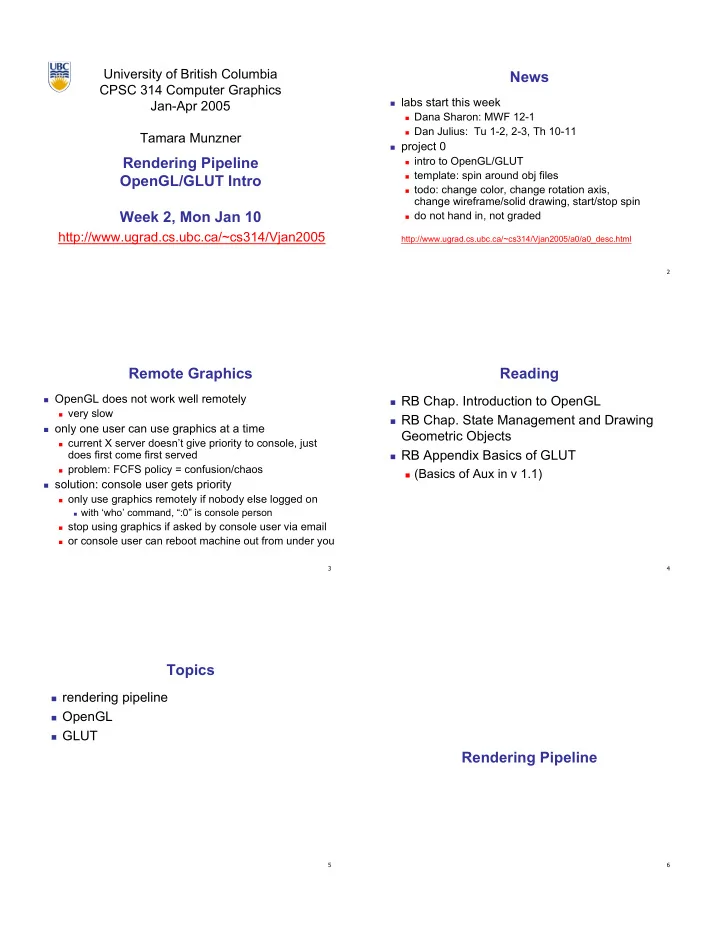
University of British Columbia News CPSC 314 Computer Graphics labs start this week Jan-Apr 2005 Dana Sharon: MWF 12-1 Dan Julius: Tu 1-2, 2-3, Th 10-11 Tamara Munzner project 0 Rendering Pipeline intro to OpenGL/GLUT


slide-1
SLIDE 1

University of British Columbia CPSC 314 Computer Graphics Jan-Apr 2005 Tamara Munzner http://www.ugrad.cs.ubc.ca/~cs314/Vjan2005

Rendering Pipeline OpenGL/GLUT Intro Week 2, Mon Jan 10

2

News

labs start this week

Dana Sharon: MWF 12-1 Dan Julius: Tu 1-2, 2-3, Th 10-11

project 0

intro to OpenGL/GLUT template: spin around obj files todo: change color, change rotation axis,

change wireframe/solid drawing, start/stop spin

do not hand in, not graded

http://www.ugrad.cs.ubc.ca/~cs314/Vjan2005/a0/a0_desc.html

3

Remote Graphics

OpenGL does not work well remotely

very slow

  • nly one user can use graphics at a time

current X server doesn’t give priority to console, just

does first come first served

problem: FCFS policy = confusion/chaos

solution: console user gets priority

  • nly use graphics remotely if nobody else logged on

with ‘who’ command, “:0” is console person

stop using graphics if asked by console user via email

  • r console user can reboot machine out from under you

4

Reading

RB Chap. Introduction to OpenGL RB Chap. State Management and Drawing

Geometric Objects

RB Appendix Basics of GLUT

(Basics of Aux in v 1.1)

5

Topics

rendering pipeline OpenGL GLUT

6

Rendering Pipeline

slide-2
SLIDE 2

7

Review: 3D Graphics

modeling

representing object properties

geometry: polygons, smooth surfaces etc. materials: reflection models etc.

rendering

generation of images from models

interactive rendering ray-tracing

animation

making geometric models move and deform

8

Rendering

goal

transform computer models into images may or may not be photo-realistic

interactive rendering

fast, but limited quality roughly follows a fixed patterns of operations

rendering pipeline

  • ffline rendering

ray-tracing global illumination 9

Rendering

tasks that need to be performed

(in no particular order):

project all 3D geometry onto the image plane

geometric transformations

determine which primitives or parts of primitives are

visible

hidden surface removal

determine which pixels a geometric primitive covers

scan conversion

compute the color of every visible surface point

lighting, shading, texture mapping

10

Rendering Pipeline

what is the pipeline?

abstract model for sequence of operations to

transform geometric model into digital image

abstraction of the way graphics hardware works underlying model for application programming

interfaces (APIs) that allow programming of graphics hardware

OpenGL Direct 3D

actual implementation details of rendering pipeline

will vary

11

Rendering Pipeline

Geometry Database Geometry Geometry Database Database Model/View Transform. Model/View Model/View Transform. Transform. Lighting Lighting Lighting Perspective Transform. Perspective Perspective Transform. Transform. Clipping Clipping Clipping Scan Conversion Scan Scan Conversion Conversion Depth Test Depth Depth Test Test Texturing Texturing Texturing Blending Blending Blending Frame- buffer Frame- Frame- buffer buffer

12

Geometry Database

geometry database

application-specific data structure for

holding geometric information

depends on specific needs of application

triangle soup, points, mesh with connectivity

information, curved surface

Geometry Database Geometry Geometry Database Database

slide-3
SLIDE 3

13

Model/View Transformation

modeling transformation

map all geometric objects from local coordinate

system into world coordinates

viewing transformation

map all geometry from world coordinates into

camera coordinates

Geometry Database Geometry Geometry Database Database Model/View Transform. Model/View Model/View Transform. Transform.

14

Lighting

lighting

compute brightness based on property of

material and light position(s)

computation is performed per-vertex Geometry Database Geometry Geometry Database Database Model/View Transform. Model/View Model/View Transform. Transform. Lighting Lighting Lighting

15

Perspective Transformation

perspective transformation

projecting the geometry onto the image plane projective transformations and model/view

transformations can all be expressed with 4x4 matrix operations

Geometry Database Geometry Geometry Database Database Model/View Transform. Model/View Model/View Transform. Transform. Lighting Lighting Lighting Perspective Transform. Perspective Perspective Transform. Transform.

16

Clipping

clipping

removal of parts of the geometry that fall

  • utside the visible screen or window region

may require re-tessellation of geometry Geometry Database Geometry Geometry Database Database Model/View Transform. Model/View Model/View Transform. Transform. Lighting Lighting Lighting Perspective Transform. Perspective Perspective Transform. Transform. Clipping Clipping Clipping

17

Scan Conversion

scan conversion

turn 2D drawing primitives (lines,

polygons etc.) into individual pixels (discretizing/sampling)

interpolate color across primitive generate discrete fragments Geometry Database Geometry Geometry Database Database Model/View Transform. Model/View Model/View Transform. Transform. Lighting Lighting Lighting Perspective Transform. Perspective Perspective Transform. Transform. Clipping Clipping Clipping Scan Conversion Scan Scan Conversion Conversion

18

Texture Mapping

texture mapping

“gluing images onto geometry” color of every fragment is altered by

looking up a new color value from an image

Geometry Database Geometry Geometry Database Database Model/View Transform. Model/View Model/View Transform. Transform. Lighting Lighting Lighting Perspective Transform. Perspective Perspective Transform. Transform. Clipping Clipping Clipping Scan Conversion Scan Scan Conversion Conversion Texturing Texturing Texturing

slide-4
SLIDE 4

19

Depth Test

Geometry Database Geometry Geometry Database Database Model/View Transform. Model/View Model/View Transform. Transform. Lighting Lighting Lighting Perspective Transform. Perspective Perspective Transform. Transform. Clipping Clipping Clipping Scan Conversion Scan Scan Conversion Conversion Depth Test Depth Depth Test Test Texturing Texturing Texturing depth test remove parts of geometry hidden behind

  • ther geometric objects

perform on every individual fragment

  • ther approaches (later)

20

Blending

Geometry Database Geometry Geometry Database Database Model/View Transform. Model/View Model/View Transform. Transform. Lighting Lighting Lighting Perspective Transform. Perspective Perspective Transform. Transform. Clipping Clipping Clipping Scan Conversion Scan Scan Conversion Conversion Depth Test Depth Depth Test Test Texturing Texturing Texturing Blending Blending Blending blending

final image: write fragments to pixels draw from farthest to nearest no blending – replace previous color blending: combine new & old values with arithmetic

  • perations

21

Framebuffer

Geometry Database Geometry Geometry Database Database Model/View Transform. Model/View Model/View Transform. Transform. Lighting Lighting Lighting Perspective Transform. Perspective Perspective Transform. Transform. Clipping Clipping Clipping Scan Conversion Scan Scan Conversion Conversion Depth Test Depth Depth Test Test Texturing Texturing Texturing Blending Blending Blending Frame- buffer Frame- Frame- buffer buffer framebuffer

video memory on graphics board that holds image double-buffering: two separate buffers

draw into one while displaying other, then swap allows smooth animation, instead of flickering

22

Pipeline Advantages

modularity: logical separation of different components easy to parallelize

earlier stages can already work on new data while later

stages still work with previous data

similar to pipelining in modern CPUs but much more aggressive parallelization possible

(special purpose hardware!)

important for hardware implementations

  • nly local knowledge of the scene is necessary

23

Pipeline Disadvantages

limited flexibility some algorithms would require different

  • rdering of pipeline stages

hard to achieve while still preserving

compatibility

  • nly local knowledge of scene is available

shadows global illumination

24

OpenGL (briefly)

slide-5
SLIDE 5

25

OpenGL

started in 1989 by Kurt Akeley

based on IRIS_GL by SGI

API to graphics hardware designed to exploit hardware optimized for

display and manipulation of 3D graphics

implemented on many different platforms low level, powerful flexible pipeline processing

set state as needed

26

Graphics State

set the state once, remains until overwritten

glColor3f(1.0, 1.0, 0.0) set color to yellow glSetClearColor(0.0, 0.0, 0.2) dark blue bg glEnable(LIGHT0) turn on light glEnable(GL_DEPTH_TEST) hidden surf.

27

Geometry Pipeline

  • tell it how to interpret geometry
  • glBegin(<mode of geometric primitives>)
  • mode = GL_TRIANGLE, GL_POLYGON, etc.
  • feed it vertices
  • glVertex3f(-1.0, 0.0, -1.0)
  • glVertex3f(1.0, 0.0, -1.0)
  • glVertex3f(0.0, 1.0, -1.0)
  • tell it you’re done
  • glEnd()

28

Open GL: Geometric Primitives

glPointSize glPointSize( float size); ( float size); glLineWidth glLineWidth( float width); ( float width); glColor3f( float r, float g, float b); glColor3f( float r, float g, float b); .... ....

29

Code Sample

void display() { glClearColor(0.0, 0.0, 0.0, 0.0); glClear(GL_COLOR_BUFFER_BIT); glColor3f(0.0, 1.0, 0.0); glBegin(GL_POLYGON); glVertex3f(0.25, 0.25, -0.5); glVertex3f(0.75, 0.25, -0.5); glVertex3f(0.75, 0.75, -0.5); glVertex3f(0.25, 0.75, -0.5); glEnd(); glFlush(); }

more OpenGL as course continues

30

GLUT

slide-6
SLIDE 6

31

GLUT: OpenGL Utility Toolkit

developed by Mark Kilgard (also from SGI) simple, portable window manager

  • pening windows

handling graphics contexts

handling input with callbacks

keyboard, mouse, window reshape events

timing

idle processing, idle events

designed for small-medium size applications distributed as binaries

free, but not open source

32

GLUT Draw World

int int main( main(int argc int argc, char ** , char **argv argv) ) { { glutInit glutInit( & ( &argc argc, , argv argv ); ); glutInitDisplayMode glutInitDisplayMode( GLUT_RGB | ( GLUT_RGB | GLUT_DOUBLE | GLUT_DEPTH); GLUT_DOUBLE | GLUT_DEPTH); glutInitWindowSize glutInitWindowSize( 640, 480 ); ( 640, 480 ); glutCreateWindow glutCreateWindow( " ( "openGLDemo

  • penGLDemo" );

" ); glutDisplayFunc glutDisplayFunc( ( DrawWorld DrawWorld ); ); glutIdleFunc glutIdleFunc(Idle); (Idle); glClearColor glClearColor( 1,1,1 ); ( 1,1,1 ); glutMainLoop glutMainLoop(); (); return 0; // never reached return 0; // never reached } }

33

Event-Driven Programming

main loop not under your control

  • vs. procedural

control flow through event callbacks

redraw the window now key was pressed mouse moved

callback functions called from main loop

when events occur

mouse/keyboard state setting vs. redrawing

34

GLUT Callback Functions

// you supply these kind of functions // you supply these kind of functions void reshape( void reshape(int int w, w, int int h); h); void keyboard(unsigned char key, void keyboard(unsigned char key, int int x, x, int int y); y); void mouse( void mouse(int int but, but, int int state, state, int int x, x, int int y); y); void idle(); void idle(); void display(); void display(); // register them with glut // register them with glut glutReshapeFunc glutReshapeFunc(reshape); (reshape); glutKeyboardFunc glutKeyboardFunc(keyboard); (keyboard); glutMouseFunc glutMouseFunc(mouse); (mouse); glutIdleFunc glutIdleFunc(idle); (idle); glutDisplayFunc glutDisplayFunc(display); (display);

void void glutDisplayFunc glutDisplayFunc (void (void (* (*func func)(void)); )(void)); void void glutKeyboardFunc glutKeyboardFunc (void (void (* (*func func)(unsigned )(unsigned char char key, key, int int x, x, int int y)); y)); void void glutIdleFunc glutIdleFunc (void (void (* (*func func)()); )()); void void glutReshapeFunc glutReshapeFunc (void (void (* (*func func)( )(int int width, width, int int height)); height));

35

Display Function

void DrawWorld() { glMatrixMode( GL_PROJECTION ); glLoadIdentity(); glMatrixMode( GL_MODELVIEW ); glLoadIdentity(); glClear( GL_COLOR_BUFFER_BIT ); angle += 0.05; //animation glRotatef(angle,0,0,1); //animation ... // redraw triangle in new position glutSwapBuffers(); } directly update value of angle variable

so, why doesn't it spin?

  • nly called in response to window/input event!

36

Idle Function

void Idle() { angle += 0.05; glutPostRedisplay(); } called from main loop when no user input should return control to main loop quickly

update value of angle variable here then request redraw event from GLUT

draw function will be called next time through

continues to rotate even when no user action

slide-7
SLIDE 7

37

Keyboard/Mouse Callbacks

do minimal work request redraw for display example: keypress triggering animation

do not create loop in input callback!

what if user hits another key during animation?

shared/global variables to keep track of state display function acts on current variable value