New Organizational Structure Kendra Yates RIM Section - - PowerPoint PPT Presentation

new organizational structure
SMART_READER_LITE
LIVE PREVIEW

New Organizational Structure Kendra Yates RIM Section - - PowerPoint PPT Presentation

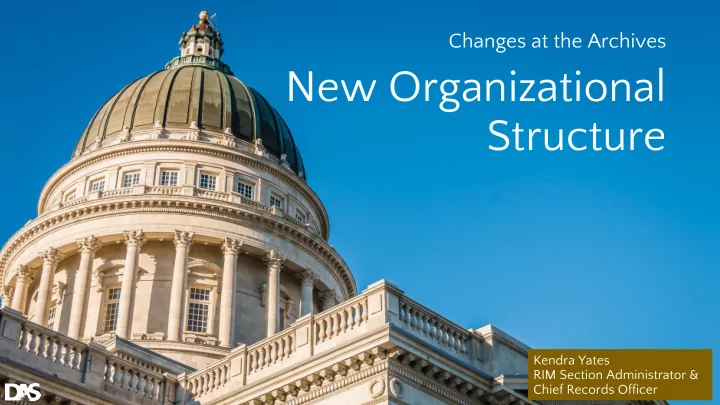
Changes at the Archives New Organizational Structure Kendra Yates RIM Section Administrator & Chief Records Officer DARS Organizational Chart DARS Divided into 3 Sections RIM Section Changes for Records Analysts New Titles & Staff

slide-1
SLIDE 1

Changes at the Archives

New Organizational Structure

Kendra Yates RIM Section Administrator & Chief Records Officer

slide-2
SLIDE 2

DARS Organizational Chart

slide-3
SLIDE 3

DARS Divided into 3 Sections

slide-4
SLIDE 4

RIM Section

slide-5
SLIDE 5

Changes for Records Analysts

New Titles & Staff

slide-6
SLIDE 6

RIM Section

slide-7
SLIDE 7

RIM Consultation Program

slide-8
SLIDE 8

RIM Specialists

RIM Consultation Program Staff: Heidi Steed, Sonny Dulfo (Manager), Rebekkah Shaw, Renée Wilson

slide-9
SLIDE 9

RIM Section

slide-10
SLIDE 10

Inactive Records Storage Program

  • -State Records Center
slide-11
SLIDE 11

Records Storage Specialists

State Records Center Staff: Lisa Catano (Manager), Jim Duke, Chaz Leech

slide-12
SLIDE 12

RIM Section

slide-13
SLIDE 13

Internal RIM Program

slide-14
SLIDE 14

It’s 10 P.M. Do you know where your records are?

Kendra Yates RIM Section Administrator & Chief Records Officer

slide-15
SLIDE 15
slide-16
SLIDE 16
slide-17
SLIDE 17

Inventory: Collecting Data about Your Records

slide-18
SLIDE 18

Steps for Success

❖ Define goals of initiative ❖ Get commitment from top management & staff ❖ Plan & strategize ❖ Create form/template ❖ Establish a work schedule ❖ Communicate constantly

slide-19
SLIDE 19

The Value of Knowledge

Inventory Objectives

slide-20
SLIDE 20

Inventory Objectives

❖ What records do we create? ❖ How do we use them and how often? ❖ What value do they have to us? ❖ Where are paper records? Where are electronic records? Which are duplicates? ❖ How do we dispose of them? ❖ What is necessary to maintain them?

slide-21
SLIDE 21

The Power of Knowledge

Identify & Prioritize Needs

slide-22
SLIDE 22

https://www.utilityclick.com/filing-cabinet/

Identify & Prioritize Needs

The Power of Knowledge

https://www.inc.com/russ-fujioka/surefire-signals-your-business-is-behind-the-times.html

slide-23
SLIDE 23

Establish file naming conventions

Identify & Prioritize Needs

The Power of Knowledge

slide-24
SLIDE 24

Identify & Prioritize Needs

The Power of Knowledge

Which records are essential in an emergency?

How can I find records for this project I’m working on?

Should we go paperless?

These are protected by HIPAA. Keep them safe.

slide-25
SLIDE 25

Why Inventory your Records?

❖ Identify urgent issues or program priorities ❖ Decide based on fact ❖ Data to back up expensive requests for resources ❖ Reduce risk & Increase efficiency

➢ ➢ ➢ ➢ ➢

❖ How can you manage what you can’t identify?

slide-26
SLIDE 26

Plan the Project

slide-27
SLIDE 27

What Records Need to Be Surveyed?

Where do I Need to Look?

slide-28
SLIDE 28

Physical Types

  • Paper files
  • Maps, drawings, plans
  • Photographs
  • Microfilm & microfiche
  • Audio cassettes & video cassettes
  • Registers
  • Letters
  • Etc.
slide-29
SLIDE 29

Storage Spaces

❖ Filing cabinets ❖ Boxes → On-site or Off-site ❖ Closets or Cupboards ❖ Counter Tops & Desk Drawers ❖ Sheds ❖ Homes of Former Employees ❖ Displayed on Walls, In Exhibits

slide-30
SLIDE 30

Electronic Types

  • Unstructured electronic documents (e.g., PDF,

DOCX, spreadsheet, PNG, JPG, etc.)

  • Structured electronic data (database system

content)

  • Website content
  • Email
  • Text messages, Tweets, Wikis, & Blogs
  • Voice mail & audio and video digital recordings
  • Scanned images of documents
  • Etc.
slide-31
SLIDE 31

Storage Media

❖ Web servers ❖ Network & shared drives ❖ Hard drives ❖ Backup tapes ❖ Optical discs, M-discs ❖ USB flash drives ❖ Flash card in cameras ❖ Cell phone memory & other mobile devices

slide-32
SLIDE 32

Define Your Needs

Data to Collect About Your Records

slide-33
SLIDE 33

❖ Amount, Volume ❖ Date Range ❖ Quality, esp. if digitized ❖ Location & Environment--physical or technological ❖ Workflow-->purpose/function ❖ Security & Accessibility ❖ Record Copy or Duplicate Copy? ❖ Paper or Electronic or both? ❖ Office of Accountability ❖ Legislative concerns ❖ Value & Operational Need/Retention

slide-34
SLIDE 34

Create a Template

slide-35
SLIDE 35
slide-36
SLIDE 36

Specific to Media Format

slide-37
SLIDE 37

Design a Strategy

slide-38
SLIDE 38

Record Surveying Strategy

Physical or Electronic Limit your focus

slide-39
SLIDE 39

Record Surveying Strategy

Limit your focus• One department or business unit at a time

slide-40
SLIDE 40

What strategy will work best for my agency?

Paper First, then Electronic

  • Easier to inventory
  • More staff buy-in because they want records out of the way
  • Usually paper files are better organized and named

Electronic First, then Paper IF Electronic records are the main source of documentation for an operation and are considered the record copy, DO THEM FIRST

  • Biggest risks and system needs identified early
  • More difficult & time-consuming
  • More people involved
slide-41
SLIDE 41

Additional Considerations

  • Delegate, make it a team effort
  • Train staff

○ ○

  • Identify Subject Matter Experts (SME’s)
  • Internal and External?
  • Target completion date agreed on by ALL, including

upper management

  • Project manager needs to be available to answer ?’s
slide-42
SLIDE 42

Three methods to choose from

1) Physical Inventory 2) Consultative Interviews 3) Questionnaire

slide-43
SLIDE 43

Physical Inventory

  • Record series level identification
  • Open cabinets & closets
  • Open computer folders
  • Find out how often records are accessed
  • Duplicates?
  • How effective is your folder structure and file

names?

slide-44
SLIDE 44

Consultative Interviews

  • Interview people directly--essential for electronic

records

  • Identify employees who are responsible for

creating, using, or maintaining the records

  • Use your template to direct conversation
  • Can develop rapport with users
  • Can discover unasked for information
  • Takes a lot of time
slide-45
SLIDE 45

Questionnaire

  • Have clear pupose in mind for each question
  • Use your template to design questions
  • Disadvantages

○ ○ ○ ○ ○

slide-46
SLIDE 46

Analyze Collected Records Data

  • Collate data
  • Create reports
  • Review & Use Data
slide-47
SLIDE 47
  • -Lao Tzu

“The journey of a thousand miles begins with one step.”

slide-48
SLIDE 48

It’s 10 P.M. Do you know where your records are?

slide-49
SLIDE 49

Y E S !

I know exactly where my records are.

https://thevinylfactory.com/features/ikea-hacks-for-vinyl-lovers/