Monte Carlo simulation of the 2D Ising model - tutorial - Zoltn Nda - - PowerPoint PPT Presentation

monte carlo simulation of the 2d ising model tutorial
SMART_READER_LITE
LIVE PREVIEW

Monte Carlo simulation of the 2D Ising model - tutorial - Zoltn Nda - - PowerPoint PPT Presentation

Monte Carlo simulation of the 2D Ising model - tutorial - Zoltn Nda Babe-Bolyai University Department of Theoretical and Computational Physics . A basic Metropolis Algorithm for simulating the 2D and 3D Ising model on square lattice


slide-1
SLIDE 1

Monte Carlo simulation of the 2D Ising model

  • tutorial -

Zoltán Néda

Babeş-Bolyai University Department of Theoretical and Computational Physics
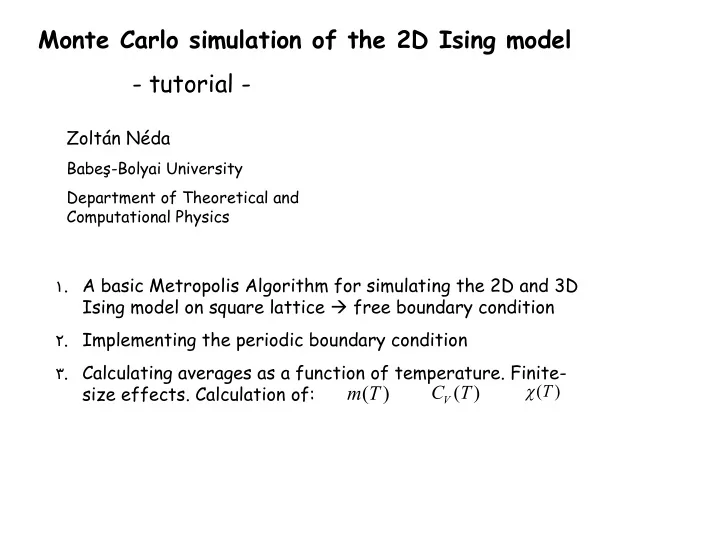
. ١ A basic Metropolis Algorithm for simulating the 2D and 3D Ising model on square lattice  free boundary condition . ٢ Implementing the periodic boundary condition . ٣ Calculating averages as a function of temperature. Finite- size effects. Calculation of:

) (T m

) (T CV

) (T 

slide-2
SLIDE 2

The Ising model

١

} { ,

    

 

  i i i j j i i

S S h S S J H 

  • spontaneous magnetization is

possible (M0 for h=0)

  • first model for understanding

ferro- and anti-ferromagnetism for localized spins

  • for J>0 --> ferromagnetic order
  • for J<0 --> anti-ferromagnetic
  • rder
  • no phase transition in 1D
  • ferro-paramagnetic phase

transition for D>1

  • second order phase transition

(order-disorder)

encoded in a Matrix M[X][Y] (DimX x DimY)

١ ] ][ [   

i

S Y X M

     ١ ١

i i

S S

we fix J=1 k=1  fixing the units for T h=0  no external magnetic field

slide-3
SLIDE 3

The Metropolis algorithm:

]} ١ ][ [ ] ١ ][ [ ] ][ ١ [ ] ][ ١ [ { * ] ][ [ * ٢ ]} ١ ][ [ ] ١ ][ [ ] ][ ١ [ ] ][ ١ [ { ] ][ [ ]} ١ ][ [ ] ١ ][ [ ] ][ ١ [ ] ][ ١ [ { ] ][ [ ] ][ [ ] ][ [ ٠ ) ' , ( ١ ٠ ) ' , ( )] ' , ( exp[ ) ' (

, , , ,

                                             j i M j i M j i M j i M j i M E E E j i M j i M j i M j i M j i M E j i M j i M j i M j i M j i M E j i M S j i M S x x E for x x E for x x E x x P P

j i initial j i final j i final j i initial final initial

    

Single spin-flip algorithm one spin with coordinates (X=I, Y=j) is attempted to flip Spins are randomly selected and flipped with a P probability

after the transient (“heat-up”) steps the magnetization (Mag) and total energy (E) is followed in time (MC steps)

) /( ] ][ [

, ١ , ١

DimY DimX Mag m y x M Mag

DimY y DimX x

   

 

 

         

DimY y DimX x

y x M y x M y x M y x M y x M E

, ١ , ١

]} ١ ][ [ ] ١ ][ [ ] ][ ١ [ ] ][ ١ [ { ] ][ [ ٢ ١

slide-4
SLIDE 4

The Metropolis MC algorithm for the problem:

  • 1. Fix a temperature (T)
  • 2. Consider an initial spin configuration ( ). For example for all
  • 3. Calculate the initial value of E and M
  • 4. Consider a new spin configuration by virtually “flipping” one randomly selected spin
  • 5. Calculate the energy E’ of the new configuration, and the energy change due to this spin-flip
  • 6. Calculate the Metropolis P=P(x-->x’) probabilities for this change
  • 7. Generate a random number “r” between 0 and 1
  • 8. If accept the flip and update the value of the energy to E’ and magnetization to M’

If reject the spin flip and take again the initial E and M values in the needed averages

  • 9. Repeat the steps 4 - 8 many times (drive the system to the desired canonical distribution of the

states)

  • 10. Repeat the steps 4 -8 by collecting the values of E, E2, M, M2, for the needed averages
  • 11. Compute this average for a large number of microstates
  • 12. Calculate the value of m(T), <E(T)>, Cv(T) and (T) using the given formulas
  • 13. Change the temperature and repeat the algorithm for the new temperatures as well.
  • 14. Construct the desired m(T), <E(T)>, Cv(T), (T) curves

} {

i

 ١ , ١    

i

N i 

E  P r  P r 

slide-5
SLIDE 5
  • 1. Basic program for free boundary condition

Free boundary condition realized by adding a extra rows and columns to the boundaries and considering there spins with S=0 spins!  this gives no contribution to the energies

flowchart of a basic C program

init( )

  • initializes M[X][Y]

randomly

  • initializes boundaries

fixing the parameters

boundary()

fixing the free boundary condition by M[0][i]=M[DimX+1][i]=0 M[i][0]=M[i][DimY+1]=0 randomly select one spin

flip( )

flip the selected spin with Metropolis probability

randf( )

generate a random integer

int ram(i)

generate a random float between [0,1)

pconf()

print on the screen the spin configuration (S=1 1; S=-1 0) i++; count MC steps If MC steps=MCw MC steps =0 ii<Configurations

use program isinga.c

Understand the program, run-it and modify for 3D

yes yes no no

slide-6
SLIDE 6
  • to go in the working directory

cd zneda

  • to see what is there

ls -l

  • editing the code:

gedit isinga.c or kedit isinga.c

  • compiling the code

cc isinga.c –lm –o isinga

  • running the code

./isinga

  • plotting the results

xmgrace magn.dat or gnuplot >p ‘magn.dat’ u 1:3 w lp (this gnuplot instruction plots from file “magn.dat” the third column as a function of the first, with line-connected points)

some Linux commands

slide-7
SLIDE 7
  • 2. Basic program for periodic boundary condition

The periodic boundary conditions are realized by adding a extra rows and columns to the boundaries, copying the last (first) row (column). See the picture: extra rows and columns of spins

  • riginal spin

matrix

Important!  when a spin at the boundaries is flipped, it’s image in the added rows (columns) have to be also flipped!

use program isingb.c

Understand the code, run-it and modify it for 3D

slide-8
SLIDE 8
  • 3. Calculating averages as a function of temperature.

Finite-size effects. Calculation of:

) (T m

) (T CV

) (T 

N N N M T m

i i i i

 

     ) (

 

٢ ٢

) ( ) ( ١ ) (       T M T M NT T 

 

٢ ٢ ٢

) ( ) ( ١ ) (       T E T E NT T Cv

  • The system is “heated-up”

and no averages are calculated for Step_trans MC steps.

  • The <m>,<M>, <M2>, <E> and

<E2> averages are computed for Step_max MC steps

  • Results are written out in

the “magn.dat” file!

use program isingc.c

  • Understand it, run it, modify it for 3D.
  • Change the system size, and study finite-size effects!
  • Plot the desired curves
  • Study finite-size effects

) (T m

) (T CV

) (T 