Modules, Makeles, Editors, Git Modules, Makeles, Editors, Git - - PowerPoint PPT Presentation

modules make les editors git modules make les editors git
SMART_READER_LITE
LIVE PREVIEW

Modules, Makeles, Editors, Git Modules, Makeles, Editors, Git - - PowerPoint PPT Presentation

Modules, Makeles, Editors, Git Modules, Makeles, Editors, Git Creating large programs Creating large programs K08 A large program might contain


slide-1
SLIDE 1

/

Modules, Makeles, Editors, Git Modules, Makeles, Editors, Git

K08 Δομές Δεδομένων και Τεχνικές Προγραμματισμού Κώστας Χατζηκοκολάκης

1

/

Creating large programs Creating large programs

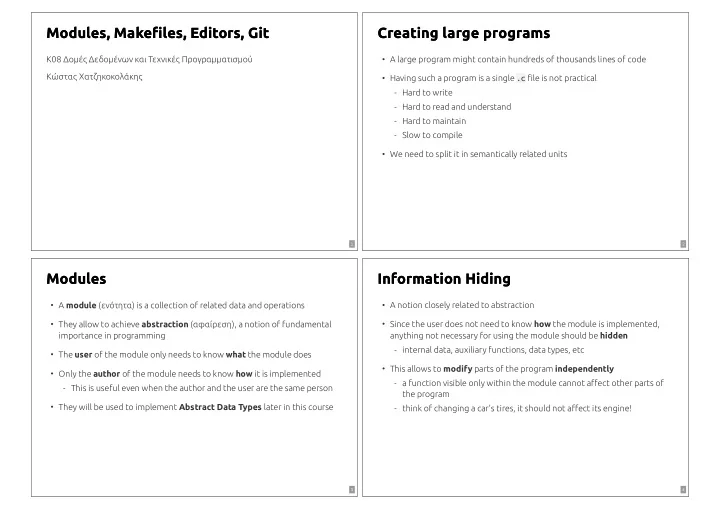
A large program might contain hundreds of thousands lines of code

  • Having such a program is a single .c le is not practical
  • Hard to write
  • Hard to read and understand
  • Hard to maintain
  • Slow to compile
  • We need to split it in semantically related units
  • 2

/

Modules Modules

A module (ενότητα) is a collection of related data and operations

  • They allow to achieve abstraction (αφαίρεση), a notion of fundamental

importance in programming

  • The user of the module only needs to know what the module does
  • Only the author of the module needs to know how it is implemented
  • This is useful even when the author and the user are the same person
  • They will be used to implement Abstract Data Types later in this course
  • 3

/

Information Hiding Information Hiding

A notion closely related to abstraction

  • Since the user does not need to know how the module is implemented,

anything not necessary for using the module should be hidden

  • internal data, auxiliary functions, data types, etc
  • This allows to modify parts of the program independently
  • a function visible only within the module cannot aect other parts of

the program

  • think of changing a car's tires, it should not aect its engine!
  • 4
slide-2
SLIDE 2

/

Modules in C Modules in C

A module in C is represented by a header le module.h

  • we already know several modules: stdio.h, string.h, …
  • It simply declares a list of functions
  • also constants and typedefs
  • Describes what the module does
  • ften with documentation for these functions
  • 5

/

Modules in C Modules in C

  • Eg. A stats.h module with two functions
  • // stats.h - Απλά στατιστικά στοιχεία για πίνακες

#include <limits.h> // INT_MIN, INT_MAX // Επιστρέφει το μικρότερο στοιχείο του array (ΙΝΤ_ΜΑΧ αν size == 0) int stats_find_min(int array[], int size); // Επιστρέφει το μεγαλύτερο στοιχείο του array (ΙΝΤ_MIN αν size == 0) int stats_find_max(int array[], int size);

Prexing all functions with stats_ is a good practice (why?)

  • 6

/

Using a C module Using a C module

#include "module.h"

  • Use the provided functions
  • As users, we don't need to know how the module is implemented!
  • // minmax.c - Το βασικό αρχείο του προγράμματος

#include <stdio.h> #include "stats.h" int main() { int array[] = { 4, 35, -2, 1 }; printf("min: %d\n", stats_find_min(array, 4)); printf("max: %d\n", stats_find_max(array, 4)); }

7

/

Implementing a C module Implementing a C module

The module's implementation is provided in a le module.c

  • module.c contains the denitions of all functions declared in module.h
  • // stats.c - Υλοποίηση του stats module

#include "stats.h" int stats_find_min(int array[], int size) { int min = INT_MAX; // "default" τιμή, μεγαλύτερη από όλε for(int i = 0; i < size; i++) if(array[i] < min) min = array[i]; // βρέθηκε νέο ελάχιστο return min; }

8

slide-3
SLIDE 3

/

Compiling a program with modules Compiling a program with modules

Simply compiling minmax.c together with module.c works

  • gcc minmax.c stats.c -o minmax

But this compiles both les every time

  • What if we change a single le in a program with 1000 .c les?
  • 9

/

Separate compilation Separate compilation

We can compile each .c le separately to create an .o le

  • Then link all .o les together to create the executable
  • gcc -c minmax.c -o minmax.o

gcc -c stats.c -o stats.o gcc minmax.o stats.o -o minmax

If we change minmax.c, we only need to recompile that le and relink

  • Makefiles make this very easy
  • 10

/

Multiple implementations of a module Multiple implementations of a module

The same module.h can be implemented in dierent ways

  • // stats_alt.c - Εναλλακτική υλοποίηση του stats module

#include "stats.h" // Επιστρέφει true αν value <= array[i] για κάθε i int smaller_than_all(int value, int array[], int size) { for(int i = 0; i < size; i++) if(value > array[i]) return 0; int stats_find_min(int array[], int size) { for(int i = 0; i < size; i++) if(smaller_than_all(array[i], array, size)) return array[i]; return INT_MAX; // εδώ φτάνουμε μόνο σε περίπτωση κενού array }

11

/

Compiling with multiple implementations Compiling with multiple implementations

minmax.c is compiled without knowing how stats.h is implemented

  • this is abstraction!
  • We can then link with any implementation we want
  • gcc -c minmax.c -o minmax.o

# use the first implementation gcc -c stats.c -o stats.o gcc minmax.o stats.o -o minmax # OR the second gcc -c stats_alt.c -o stats_alt.o gcc minmax.o stats_alt.o -o minmax

12

slide-4
SLIDE 4

/

Multiple implementations of a module Multiple implementations of a module

All implementations should provide the same high-level behavior

  • So the program will work with any of them
  • But one implementation might be more ecient than some other
  • This often depends on the specic application
  • Which implementation of stats.h would you choose?
  • 13

/

Makeles Makeles

Good programmers are lazy

  • they want to spend their time programming, not compiling
  • Nobody likes typing the same gcc ... commands 100 times
  • We can automate compilation with a Makefile
  • 14

/

A simple Makele A simple Makele

# Ενα απλό Makefile (με αρκετά προβλήματα) # Προσοχή στα tabs! minmax: gcc -c minmax.c -o minmax.o gcc -c stats.c -o stats.o gcc minmax.o stats.o -o minmax

This means: to create the le minmax run these commands

  • To compile we run make minmax
  • r simply make to compile the rst target in the Makefile
  • 15

/

A simple Makele - rst problem A simple Makele - rst problem

We modify minmax.c, but make refuses to rebuild minmax

  • $ make minmax

make: 'minmax' is up to date.

solution: dependencies

  • minmax: minmax.c stats.c

gcc -c minmax.c -o minmax.o gcc -c stats.c -o stats.o gcc minmax.o stats.o -o minmax

this means: minmax depends on minmax.c, stats.c

  • if any of these les is newer (last modication time) than minmax itself,

the commands are run again!

  • 16
slide-5
SLIDE 5

/

A simple Makele - second problem A simple Makele - second problem

We modify minmax.c, but make recompiles everything

  • Solution: separate rules for each le we create
  • minmax.o: minmax.c

gcc -c minmax.c -o minmax.o stats.o: stats.c gcc -c stats.c -o stats.o minmax: minmax.o stats.o gcc minmax.o stats.o -o minmax

To build minmax we need to build minmax.o, stats.o

  • minmax.o depends on minmax.c which is newer, so make recompiles
  • stats.o depends on stats.c which is older, so no need to recompile
  • 17

/

Implicit rules Implicit rules

make knows how to make foo.o if a le foo.c exists, by running

  • gcc -c foo.c -o foo.o

This is called an implicit rule

  • So we don't need rules for .o les!
  • minmax: minmax.o stats.o

gcc minmax.o stats.o -o minmax

18

/

Variables Variables

We can use variables to further simplify the Makefile

  • To create a variable: VAR = ...
  • To use a variable we write $(VAR) anywhere in the Makefile
  • This allows to easily reuse the Makefile
  • # Αρχεία .o (αλλάζουμε απλά σε stats_alt.o για τη δεύτερη υλοποίηση!)

OBJS = minmax.o stats.o # Το εκτελέσιμο πρόγραμμα EXEC = minmax $(EXEC): $(OBJS) gcc $(OBJS) -o $(EXEC)

19

/

CFLAGS variable CFLAGS variable

A special variable

  • Passed as arguments to the compiler when compiling a .o le using an

implicit rule

  • Eg. enable all warnings, treat them as errors, and allow debugging
  • CFLAGS = -Wall -Werror -g

20

slide-6
SLIDE 6

/

Auxiliary rules Auxiliary rules

Then don't really create les but run useful commands

  • Eg. we can use make clean to delete all les built the compiler
  • clean:

rm -f $(OBJS) $(EXEC)

And make run to compile and execute the program with predened arguments

  • ARGS = arg1 arg2 arg3

run: $(EXEC) ./$(EXEC) $(ARGS)

21

/

Structuring a large project Structuring a large project

Directory Content include shared modules, used by multiple programs modules module implementations programs executable programs tests unit tests (we'll talk about these later) lib libraries (we'll talk about these later) As projects grow, having all les in a single directory is not practical

  • Eg. we want the same module to be used by many programs
  • A simple structure:
  • 22

/

Putting the pieces together Putting the pieces together

# paths MODULES = ../../modules INCLUDE = ../../include # Compile options. Το -I<dir> χρειάζεται για να βρει ο gcc τα αρχεία CFLAGS = -Wall -Werror -g -I$(INCLUDE) # Αρχεία .o, εκτελέσιμο πρόγραμμα και παράμετροι OBJS = minmax.o $(MODULES)/stats.o EXEC = minmax ARGS = $(EXEC): $(OBJS) gcc $(OBJS) -o $(EXEC) clean: rm -f $(OBJS) $(EXEC) run: $(EXEC) ./$(EXEC) $(ARGS)

23

/

Editor use in programming Editor use in programming

Programs are plain text les

  • Any editor can be used
  • But using an editor eciently is important
  • It can make the dierence between boring and creative programming
  • 24
slide-7
SLIDE 7

/

Editor types Editor types

Old-school editors: vim, emacs, …

  • Fast, reliable, very congurable, available everywhere
  • Compiling/debugging is hard, needs tweaking
  • IDEs: Visual Studio, Eclipse, NetBeans, CLion, …
  • Integrated compiler, debugger any many other tools
  • Too much “magic”, not ideal for learning
  • Modern code-editors: VS Code, Sublime Text, Atom, …
  • Good balance between the two
  • Many options, a bit of tweaking is needed
  • 25

/

VS Code VS Code

Modern, open-source code editor, available for all major systems

  • Made by Microsoft, but is completely dierent than Visual Studio (an IDE)
  • Will be used in lectures
  • lecture code is congured for use in VS Code
  • but you are free to use any other editor you want
  • Installation

for all tools used in the class

  • instructions

26

/

Conguring VS Code Conguring VS Code

.vscode dir provided in the lecture code

  • you can copy this directory in any of your projects
  • You only need to modify .vscode/settings.json
  • {

"c_project": { // Directory στο οποίο βρίσκεται το πρόγραμμα "dir": "programs/minmax", // Όνομα του εκτελέσιμου προγράμματος "program": "minmax", // Ορίσματα του προγράμματος. "arg1": "-4", "arg2": "35", ... }, }

27

/

Compiling/Executing in VS Code Compiling/Executing in VS Code

Menu Terminal / Run Task

  • Build <program> with make runs

Errors are nicely displayed

  • make <program>

Execute <program> runs

  • make <program>

./<program> <arg1> <arg2> ...

Ctrl-Shift-B executes the default task

  • 28
slide-8
SLIDE 8

/

Debugging in VS Code Debugging in VS Code

Set breakpoints (F9)

  • F5 to start
  • We can examine/modify variables while execution is paused
  • We can execute code step by step
  • We can see where segmentation faults happen
  • 29

/

A few useful VS Code features A few useful VS Code features

Ctrl-P: quickly open le

  • Ctrl-Shift-O: nd function
  • Ctrl-/: toggle comment
  • Ctrl-Shift-F: search/replace in all les
  • Ctrl-` : move between code and terminal
  • F8: goto next compilation error
  • Alt-up, Alt-down: move line(s)
  • 30

/

Git Git

A system for tracking changes in source code

  • used by most major projects today
  • Very useful when multiple developers collaborate in the same code
  • but also for single-developer projects
  • We will use it for
  • lecture code
  • labs
  • projects
  • We will store repositories in github.com, a popular Git hosting site
  • 31

/

Git, main workow Git, main workow

For multiple developers / machines:

  • 1. clone a repository, creating a local copy
  • 2. Modify some les
  • 3. commit changes to the local repository
  • 4. push the changes to the remote repository
  • 5. pull changes from a dierent local repository

32

slide-9
SLIDE 9

/

Git, getting started Git, getting started

Install Git following the

  • instructions

Congure Git

  • git config --global user.email "you@example.com"

git config --global user.name "Your Name"

Create an account on github.com

  • Create an empty (public or private) repository test-repo on github.com
  • Check “Initialize this repository with a README”
  • Its URL will be https://github.com/<username>/test-repo
  • 33

/

Git, cloning a repository Git, cloning a repository

git clone https://github.com/<username>/test-repo

This will create a directory test-repo containing a local repository copy

  • Check that README.md is present
  • Try running git status inside test-repo
  • 34

/

Git, committing changes Git, committing changes

Modify README.md

  • Run git status
  • README.md appears as modied
  • To commit the changes:
  • a : commit all modied les
  • m "..." : assign a message to the commit
  • git commit -a -m "Change README"

35

/

Git, adding les Git, adding les

Create a new le foo.c

  • Run git status
  • foo.c appears as untracked
  • To add it
  • git add foo.c

git commit -m "Add foo.c"

Run git status again

  • Your branch is ahead of 'origin/master' by 2 commits.

36

slide-10
SLIDE 10

/

Git, pushing commits Git, pushing commits

Visit (or clone) https://github.com/<username>/test-repo

  • the local changes do not appear
  • To push your local commits to the remote repository
  • git push

37

/

Git, pulling commits Git, pulling commits

From a dierent local repository (eg. a dierent machine)

  • git pull

The remote changes are copied to the local repository

  • Local changes should be committed before running this
  • They will be merged with the remote ones
  • 38

/

.gitignore .gitignore

Files listed in the .gitignore special le are ignored by Git (blacklist)

  • The inverse is often useful
  • save nothing except les in .gitgnore (whitelist)
  • # Αγνοούμε όλα τα αρχεία (όχι τα directories)

* !*/ # Εκτός από τα παρακάτω !*.c !*.h !*.mk !Makefile !.gitignore !README.md !.vscode/*.json

39

/

Readings Readings

  • T. A. Standish. Data Structures, Algorithms and Software Principles in C,

Chapter 4

  • Robert Sedgewick. Αλγόριθμοι σε C, Κεφ. 4
  • make

, Chapter 2

  • manual
  • A beginner's guide to Git

VS Code

  • introductory videos

40