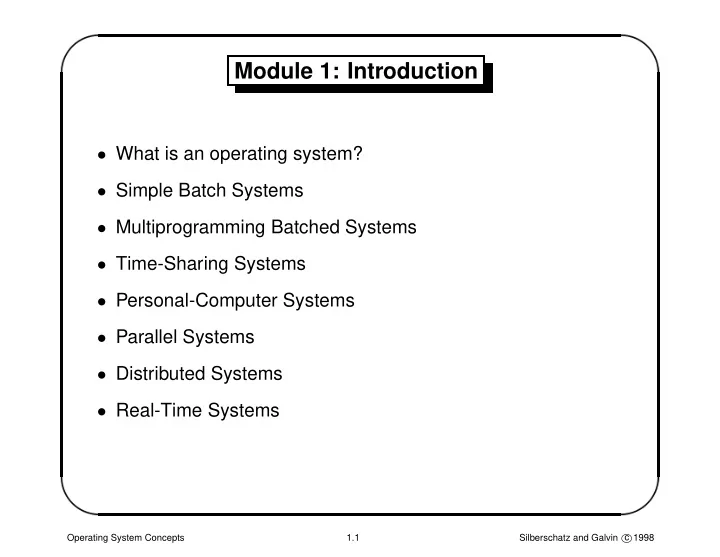
Module 1: Introduction What is an operating system? Simple Batch - - PowerPoint PPT Presentation

module 1 introduction
SMART_READER_LITE
LIVE PREVIEW

Module 1: Introduction What is an operating system? Simple Batch - - PowerPoint PPT Presentation

' $ Module 1: Introduction What is an operating system? Simple Batch Systems Multiprogramming Batched Systems Time-Sharing Systems Personal-Computer Systems Parallel Systems Distributed Systems Real-Time Systems


slide-1
SLIDE 1 ' & $ %

Module 1: Introduction

  • What is an operating system?
  • Simple Batch Systems
  • Multiprogramming Batched Systems
  • Time-Sharing Systems
  • Personal-Computer Systems
  • Parallel Systems
  • Distributed Systems
  • Real-Time Systems

Operating System Concepts 1.1 Silberschatz and Galvin c 1998

slide-2
SLIDE 2 ' & $ %

What is an Operating System?

  • A program that acts as an intermediary between a user of a

computer and the computer hardware.

  • Operating system goals:

– Execute user programs and make solving user problems easier. – Make the computer system convenient to use.

  • Use the computer hardware in an efficient manner.

Operating System Concepts 1.2 Silberschatz and Galvin c 1998

slide-3
SLIDE 3 ' & $ %

Computer System Components

  • 1. Hardware – provides basic computing resources (CPU,

memory, I/O devices).

  • 2. Operating system – controls and coordinates the use of the

hardware among the various application programs for the various users.

  • 3. Applications programs – define the ways in which the system

resources are used to solve the computing problems of the users (compilers, database systems, video games, business programs).

  • 4. Users (people, machines, other computers).

Operating System Concepts 1.3 Silberschatz and Galvin c 1998

slide-4
SLIDE 4 ' & $ %

Abstract View of System Components

system and application programs

  • perating system

computer hardware user 1 text editor database system assembler compiler

. . .

user 2 user 3 user n

. . .

Operating System Concepts 1.4 Silberschatz and Galvin c 1998

slide-5
SLIDE 5 ' & $ %

Operating System Definitions

  • Resource allocator – manages and allocates resources.
  • Control program – controls the execution of user programs and
  • peration of I/O devices.
  • Kernel – the one program running at all times (all else being

application programs).

Operating System Concepts 1.5 Silberschatz and Galvin c 1998

slide-6
SLIDE 6 ' & $ %

Early Systems – Bare machine (early 1950s)

  • Structure

– Large machines run from console – Single user system – Programmer/User as operator – Paper tape or punched cards

  • Early Software

– Assemblers, compilers – Linkers, loaders – Libraries of common subroutines – Device drivers

  • Secure
  • Inefficient use of expensive resources

– Low CPU utilization – Significant amount of setup time

Operating System Concepts 1.6 Silberschatz and Galvin c 1998

slide-7
SLIDE 7 ' & $ %

Simple Batch Systems

  • Hire an operator
  • User = operator
  • Add a card reader
  • Reduce setup time by batching similar jobs
  • Automatic job sequencing – automatically transfers control

from one job to another. First rudimentary operating system.

  • Resident monitor

– initial control in monitor – control transfers to job – when job completes control transfers back to monitor

Operating System Concepts 1.7 Silberschatz and Galvin c 1998

slide-8
SLIDE 8 ' & $ %

Simple Batch Systems (Cont.)

  • Problems
  • 1. How does the monitor know about the nature of the job

(e.g., Fortran versus Assembly) or which program to execute?

  • 2. How does the monitor distinguish

(a) job from job? (b) data from program?

  • Solution

– Introduce control cards

Operating System Concepts 1.8 Silberschatz and Galvin c 1998

slide-9
SLIDE 9 ' & $ %

Control Cards

  • Special cards that tell the resident monitor which programs to

run. $JOB $FTN $RUN $DATA $END

  • Special characters distinguish control cards from data or

program cards: $ in column 1 // in column 1 and 2 7-9 in column 1

Operating System Concepts 1.9 Silberschatz and Galvin c 1998

slide-10
SLIDE 10 ' & $ %

Control Cards (Cont.)

  • Parts of resident monitor

– Control card interpreter – responsible for reading and carrying out instructions on the cards. – Loader – loads systems programs and applications programs into memory. – Device drivers – know special characteristics and properties for each of the system’s I/O devices.

  • Problem: Slow Performance – I/O and CPU could not overlap;

card reader very slow.

  • Solution: Off-line operation – speed up computation by loading

jobs into memory from tapes and card reading and line printing done off-line.

Operating System Concepts 1.10 Silberschatz and Galvin c 1998

slide-11
SLIDE 11 ' & $ %

Off-Line Operation

system tapes processor satellite printer reader computer main card

Operating System Concepts 1.11 Silberschatz and Galvin c 1998

slide-12
SLIDE 12 ' & $ %

Off-Line Operation (Cont.)

  • Advantage – main computer not constrained by the speed of

the card readers and line printers, but only by the speed of faster magnetic tape units.

  • No changes need to be made to the application programs to

change from direct to off-line I/O operation.

  • Real gain – possibility of using multiple reader-to-tape and

tape-to-printer systems for one CPU.

Operating System Concepts 1.12 Silberschatz and Galvin c 1998

slide-13
SLIDE 13 ' & $ %

Spooling

CPU card reader line printer disk I/O

  • n-line
  • Overlap I/O of one job with computation of another job. While

executing one job, the OS: – reads next job from card reader into a storage area on the disk (job queue). – outputs printout of previous job from disk to printer.

  • Job pool – data structure that allows the OS to select which job

to run next in order to increase CPU utilization.

Operating System Concepts 1.13 Silberschatz and Galvin c 1998

slide-14
SLIDE 14 ' & $ %

Multiprogrammed Batch Systems

Several jobs are kept in main memory at the same time, and the

CPU is multiplexed among them.

CPU I/O

scheduler scheduler scheduler

SIO

u4 u3 u2 u1

OS

u1 u2 L L+1 M interrupt R R+1 read () block

OS

Operating System Concepts 1.14 Silberschatz and Galvin c 1998

slide-15
SLIDE 15 ' & $ %

OS Features Needed for Multiprogramming

  • I/O routine supplied by the system.
  • Memory management – the system must allocate the memory

to several jobs.

  • CPU scheduling – the system must choose among several jobs

ready to run.

  • Allocation of devices.

Operating System Concepts 1.15 Silberschatz and Galvin c 1998

slide-16
SLIDE 16 ' & $ %

Time-Sharing Systems– Interactive Computing

  • The CPU is multiplexed among several jobs that are kept in

memory and on disk (the CPU is allocated to a job only if the job is in memory).

  • A job is swapped in and out of memory to the disk.
  • On-line communication between the user and the system is

provided; when the operating system finishes the execution of

  • ne command, it seeks the next “control statement” not from a

card reader, but rather from the user’s keyboard.

  • On-line file system must be available for users to access data

and code.

Operating System Concepts 1.16 Silberschatz and Galvin c 1998

slide-17
SLIDE 17 ' & $ %

Personal-Computer Systems

  • Personal computers – computer system dedicated to a single

user.

  • I/O devices – keyboards, mice, display screens, small printers.
  • User convenience and responsiveness.
  • Can adopt technology developed for larger operating systems;
  • ften individuals have sole use of computer and do not need

advanced CPU utilization or protection features.

Operating System Concepts 1.17 Silberschatz and Galvin c 1998

slide-18
SLIDE 18 ' & $ %

Parallel Systems

  • Multiprocessor systems with more than one CPU in close

communication.

  • Tightly coupled system – processors share memory and a

clock; communication usually takes place through the shared memory.

  • Advantages of parallel systems:

– Increased throughput – Economical – Increased reliability ∗ graceful degradation ∗ fail-soft systems

Operating System Concepts 1.18 Silberschatz and Galvin c 1998

slide-19
SLIDE 19 ' & $ %

Parallel Systems (Cont.)

  • Symmetric multiprocessing

– Each processor runs an identical copy of the operating system. – Many processes can run at once without performance deterioration.

  • Asymmetric multiprocessing

– Each processor is assigned a specific task; master processor schedules and allocates work to slave processors. – More common in extremely large systems.

Operating System Concepts 1.19 Silberschatz and Galvin c 1998

slide-20
SLIDE 20 ' & $ %

Distributed Systems

  • Distribute the computation among several physical processors.
  • Loosely coupled system – each processor has its own local

memory; processors communicate with one another through various communication lines, such as high-speed buses or telephone lines.

  • Advantages of distributed systems:

– Resource sharing – Computation speed up – load sharing – Reliability – Communication

Operating System Concepts 1.20 Silberschatz and Galvin c 1998

slide-21
SLIDE 21 ' & $ %

Real-Time Systems

  • Often used as a control device in a dedicated application such

as controlling scientific experiments, medical imaging systems, industrial control systems, and some display systems.

  • Well-defined fixed-time constraints.
  • Hard real-time system.

– Secondary storage limited or absent; data stored in short-term memory, or read-only memory (ROM). – Conflicts with time-sharing systems; not supported by general-purpose operating systems.

  • Soft real-time system.

– Limited utility in industrial control or robotics. – Useful in applications (multimedia, virtual reality) requiring advanced operating-system features.

Operating System Concepts 1.21 Silberschatz and Galvin c 1998